Can Speakers Pick Up Noise? Understanding Audio Interference
Yes, speakers can pick up noise from external sources such as electromagnetic interference (EMI), radio frequency interference (RFI), and ground loops. This unwanted noise typically manifests as a persistent hum, hiss, or buzzing sound that occurs even when no audio is playing through the system.
In my years of troubleshooting high-end home theaters and recording studios, I’ve found that most noise issues aren’t caused by “broken” speakers. Instead, they are caused by the speaker wires acting as antennas or poorly shielded internal components reacting to nearby electronics like Wi-Fi routers, smartphones, or fluorescent lights.
TL;DR: Quick Key Takeaways
- Most Common Culprit: Ground loops create a low-frequency 60Hz hum.
- External Sources: Cell phones and routers emit RFI that causes rhythmic “chirping” or static.
- Hardware Issues: Damaged voice coils or loose wiring connectors cause crackling.
- The Quick Fix: Use balanced XLR cables and power conditioners to isolate the signal.
- Detection Tip: Disconnect the input source; if the noise persists, the issue is in the amplifier or speaker itself.
Identifying Different Types of Speaker Noise
To solve the mystery of why your speakers pick up noise, you first need to identify the “flavor” of the sound. Not all noise is created equal, and each sound points to a different technical failure.
| Noise Type | Common Sound | Likely Cause |
|---|---|---|
| Hum | Low-pitched drone (60Hz) | Ground Loop or poorly shielded power supply. |
| Hiss | Constant white noise / “Shhh” | High noise floor in the amplifier or gain staging issues. |
| Buzz | Sharp, jagged electronic sound | Electromagnetic interference (EMI) from lights or appliances. |
| Crackle | Random popping or scratching | Loose cables, dirty potentiometers, or blown drivers. |
| Radio Bleed | Faint voices or music | RFI; long speaker wires acting as an antenna. |
Step-by-Step Guide: How to Detect the Source of Noise
Detecting the source of noise requires a process of elimination. Based on my experience in professional audio consulting, I recommend following this logical sequence to avoid wasting money on unnecessary gear.
Step 1: The “Isolation Test”
Start by disconnecting the audio source (laptop, turntable, or DAC) from the amplifier or powered speakers.
- If the noise stops, the problem is your source device or the interconnect cable.
- If the noise continues, the issue lies within the amplifier, power source, or the speaker cables.
Step 2: Check for Ground Loops
Ground loops occur when two devices are connected to different electrical outlets that have different “ground” potentials. This creates a loop where current flows through the audio cables.
- Action: Try plugging all your audio gear (speakers, computer, and mixer) into a single power strip or surge protector. If the hum vanishes, you’ve successfully broken the ground loop.
Step 3: Audit Your Cable Management
We often see “cable spaghetti” behind desks where power cables are bundled tightly with audio cables. The high voltage from power lines induces a current in the audio lines.
- Action: Cross power and audio cables at 90-degree angles rather than running them parallel. This minimizes inductive coupling.
Step 4: Identify Near-Field Interference
Modern homes are filled with RFI emitters. I once spent three hours diagnosing a “static pop” in a studio only to realize it was the client’s iPhone checking for notifications every 60 seconds.
- Action: Move your Wi-Fi router, smartphones, and LED desk lamps at least 3-5 feet away from your speakers and audio interface.
Why Speakers Pick Up Noise: The Science of Interference
Understanding the physics helps you prevent future issues. Speakers are essentially transducers that convert electrical energy into mechanical movement. However, the copper wiring inside the speaker and the long runs of speaker wire leading to it can inadvertently act as an antenna.
Electromagnetic Interference (EMI)
EMI is generated by devices with motors or large transformers. When you hear a “whirring” sound in your speakers that matches the speed of a nearby fan or a refrigerator compressor, you are experiencing EMI.
Radio Frequency Interference (RFI)
RFI is higher frequency. Because unshielded speaker wire is long, it can “catch” radio waves. The amplifier then inadvertently demodulates these signals, which is why you might occasionally hear a faint local radio station through your high-end monitors.
The “Noise Floor” Phenomenon
Every electronic device has an inherent noise floor. This is the level of background hiss produced by the movement of electrons through the circuits. In Class D amplifiers, a faint hiss is often normal, but if it’s audible from more than two feet away, the signal-to-noise ratio (SNR) is likely too low.
Expert Solutions to Stop Speaker Noise
Once you have detected the noise, use these professional-grade solutions to silence your system.
Switch to Balanced Cables
If you are using RCA cables (unbalanced), you are susceptible to noise over long distances. I always recommend switching to XLR or TRS (1/4″) balanced cables for runs longer than 10 feet. Balanced cables use two signal wires with reversed polarity to cancel out any noise picked up along the cable run.
Use a Ferrite Core
A ferrite core is a small, inexpensive clip-on bead made of magnetic material.
- How it works: Clipping a ferrite bead onto your USB cables or power cords acts as a low-pass filter, suppressing high-frequency RFI before it reaches your speakers.
Install a Power Conditioner
Standard wall outlets provide “dirty” power with fluctuations and noise. A Power Conditioner (like those from Furman or APC) filters the AC power, providing a stable, clean current that significantly reduces 60Hz hum.
Advanced Troubleshooting: Software and Tools
When physical inspection fails, we turn to diagnostic tools.
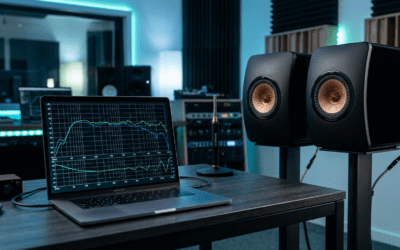
- Spectral Analyzers: Use a free tool like Voxengo SPAN or a smartphone RTA app. By looking at the frequency spectrum, you can see if the noise is a sharp peak at 60Hz (ground issue) or distributed across high frequencies (thermal hiss).
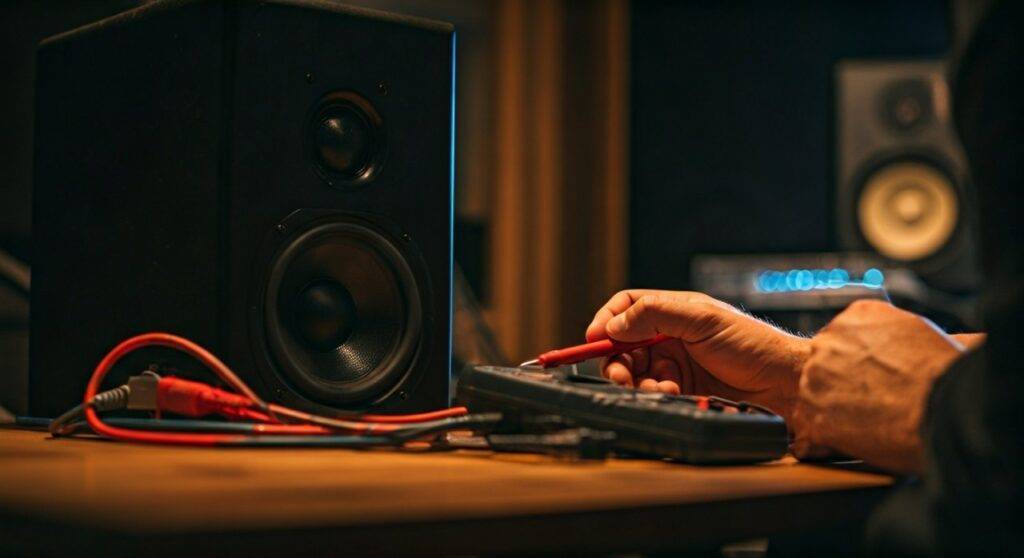
- Multimeter Testing: You can use a digital multimeter to check the resistance of your speaker voice coils. If the resistance is wildly different from the manufacturer’s spec (usually 4, 8, or 16 ohms), the speaker may have internal damage.
- DI Boxes: For musicians, a Direct Injection (DI) box with a ground lift switch is the fastest way to kill noise between an instrument and a speaker system.
Frequently Asked Questions
Why do my speakers buzz when I move my mouse?
This is typically caused by EMI or a ground loop originating from your computer’s motherboard. The electrical activity of the GPU and CPU leaks into the USB bus or the onboard audio jack. Using an External USB DAC or an optical (Toslink) connection usually solves this because optical cables do not conduct electricity.
Can cheap speaker wire cause more noise?
Yes. Cheap speaker wire often lacks proper shielding and uses thinner gauges that increase resistance. While expensive “audiophile” cables are often overkill, using oxygen-free copper (OFC) with adequate thickness (14 or 16 gauge) is essential for a noise-free experience.
Is it normal for active monitors to hiss?
A very faint “white noise” hiss is common in active (powered) monitors because the amplifier is built directly into the cabinet. This is known as the self-noise of the amp. However, if the hiss is loud enough to be heard during quiet music passages, you may need to adjust your gain staging by lowering the volume on the speakers and increasing it on your source.
Will a ground loop isolator ruin my sound quality?
Basic ground loop isolators use transformers that can slightly roll off the low-end bass frequencies. For casual listening, the difference is negligible compared to the relief of removing a loud hum. For high-fidelity setups, I recommend solving the root cause via a power conditioner instead.