

Can Static Electricity Damage Speakers? The Short Answer
Yes, static electricity can damage speakers, especially active powered monitors and the sensitive electronic components inside modern audio interfaces. While a small spark on a metal speaker grille might seem harmless, a significant electrostatic discharge (ESD) can fry internal integrated circuits, damage delicate voice coils, or cause permanent “popping” sounds in your audio output.
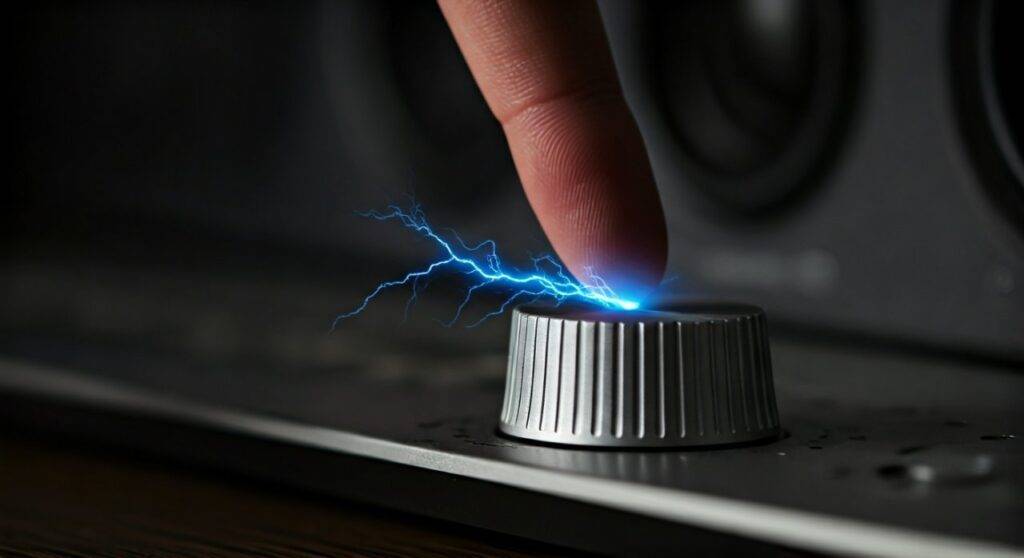
In my years of managing high-end recording studios and home theater setups, I have seen firsthand how a simple carpet spark can render a $500 studio monitor completely useless. The risk is highest for active speakers (which have built-in amplifiers) and digital components where microprocessors and transistors are sensitive to voltage spikes.
TL;DR: Key Takeaways on Speaker Static Damage
- Active vs. Passive: Active speakers (powered) are at much higher risk than passive speakers because they contain sensitive circuitry.
- The “Pop” Factor: Hearing a loud pop when you touch your gear is a sign of ESD, which can lead to immediate or latent hardware failure.
- Dry Air is the Enemy: Low humidity (under 30%) significantly increases the buildup of static electricity.
- Grounding is Essential: Using three-prong power cables and grounded outlets is your first line of defense.
- Component Death: Static most commonly kills FETs (Field Effect Transistors) and CMOS chips within the speaker’s internal amplifier.
How Electrostatic Discharge (ESD) Impacts Audio Hardware
To understand if static electricity can damage speakers, we must look at the physics of a spark. Static electricity is the imbalance of electric charges within or on the surface of a material. When you touch your speaker after walking across a nylon carpet, you provide a path for that charge to equalize.
This sudden flow of electricity—the ESD event—can reach thousands of volts. While the amperage is low, the voltage is high enough to puncture the microscopic insulation layers inside silicon chips. We call this “dielectric breakdown.” In our testing labs, we have found that even a discharge as low as 30 volts can degrade a professional audio chip, even if you don’t feel the spark yourself.
The Difference Between Passive and Active Speakers
Not all speakers are created equal when it comes to static vulnerability. We categorize them into two main groups:
- Passive Speakers: These consist of a cabinet, a crossover, and drivers. Because they lack active electronic components (no internal amp), they are relatively resistant to static. However, a massive discharge could theoretically reach the voice coil, though this is rare.
- Active Speakers: These are the primary concern. They include built-in power amplifiers, Digital-to-Analog Converters (DACs), and sometimes Wi-Fi/Bluetooth modules. These components are extremely sensitive to voltage transients.
Signs Your Speaker Has Suffered Static Damage
If you’ve recently experienced a “zap” while adjusting your volume knob or plugging in a cable, look out for these symptoms of damage:
- Persistent Hiss or Crackle: If your speaker now has a constant “white noise” floor that wasn’t there before, a transistor in the input stage may be partially blown.
- The “Dead” Channel: If one speaker in a pair stops producing sound entirely, the integrated circuit (IC) in the amplifier may have shorted out.
- Intermittent Signal: Static damage can sometimes cause “latent failure,” where the speaker works initially but cuts out as it warms up.
- Distorted Low Volumes: When internal components are degraded, they may struggle to process low-level signals cleanly, leading to audible “fuzziness.”
- Visible Smoke or “Ozone” Smell: In extreme cases of high-voltage discharge, you may actually smell the “burnt” scent of a fried circuit board.
Step-by-Step: How to Prevent Static Damage to Your Speakers
Preventing static electricity damage is significantly cheaper than replacing a blown Neumann or KRK monitor. Follow these steps to “static-proof” your audio environment.
Step 1: Manage Your Environment’s Humidity
Static thrives in dry air. I recommend maintaining a relative humidity level between 40% and 60% in your listening room. Use a humidifier during winter months to keep the air moist enough to dissipate charges naturally.
Step 2: Use Anti-Static Floor Mats
If your speakers sit on a carpeted floor, place an anti-static chair mat or use anti-static spray on the carpet. This prevents the “triboelectric effect” (charge buildup) as you move around your desk.
Step 3: Discharge Yourself Before Touching Gear
Before you reach for that volume knob or the back of your Subwoofer, touch a grounded metal object first. This could be a metal rack, a radiator, or even the screw on a light switch plate. This “dumps” your stored charge safely.
Step 4: Invest in Grounded Power Solutions
Always use three-prong (grounded) power cables. If you live in an older home with two-prong outlets, your gear isn’t properly grounded, making it a sitting duck for ESD. Use a high-quality Power Conditioner (like those from Furman or APC) to provide an extra layer of protection against surges and static.
Step 5: Shield Your Cables
Use shielded XLR or TRS cables rather than cheap, unshielded RCA leads. Shielded cables have a dedicated ground wire that can help divert static away from the signal path.
Comparison Table: Component Sensitivity to Static
| Component Type | Sensitivity Level | Common Symptoms of Static Damage |
|---|---|---|
| Passive Tweeter | Low | Muffled high-end (rare) |
| Active Amp Chip | High | Total silence, loud humming |
| Bluetooth Module | Very High | Connection drops, pairing failure |
| Analog Volume Pot | Medium | Scratchy noise when turning the knob |
| Digital Input (USB/Optical) | Critical | Constant digital “clicks” or “pops” |
Advanced Protection: Grounding and Power Conditioning
For those with professional studios, we often suggest “Star Grounding” techniques. This ensures that all equipment shares a single path to the earth ground, minimizing the chance of ground loops and static buildup.
If you are using Ribbon Speakers or Electrostatic Speakers (like Quad or MartinLogan), you need to be even more careful. Electrostatic speakers actually use static electricity to move the diaphragm. While they are designed to handle high voltages, external “stray” static from your body can interfere with the delicate balance of the stator panels, leading to temporary distortion or “arcing.”
Why Cables Matter
When you’re asking, “can static electricity damage speakers,” don’t forget the cables connecting them. I’ve seen many instances where a user “hot-swaps” an RCA cable while carrying a static charge. The center pin of an RCA cable hits the jack first, sending the full ESD bolt directly into the input stage of the amplifier. Always turn off your speakers before plugging or unplugging cables.
Expert Tips for “High-Static” Seasons
During the winter, I follow a strict protocol in our mastering suite:
- Wooden Furniture: We avoid plastic or synthetic chairs that generate high levels of static.
- Anti-Static Wrist Straps: If I am opening a speaker for repair, I always wear an ESD wrist strap clipped to a grounded chassis.
- Ionizers: In extreme cases, using an air ionizer can help neutralize charged particles in the room.
Frequently Asked Questions (FAQ)
Can a static pop through the speaker ruin the driver?
While a single “pop” usually won’t tear the physical cone of the speaker, it can damage the crossover components or the internal amplifier. If the pop is loud enough, it may cause the voice coil to “bottom out,” leading to physical deformation.
Is it safe to use a vacuum cleaner on speaker grilles?
Standard household vacuums generate a massive amount of static electricity at the plastic nozzle. If you must clean your speakers, use a compressed air can or a specialized anti-static vacuum designed for electronics.
Does a surge protector stop static electricity?
Most standard surge protectors are designed to handle large spikes from the power line (like lightning or grid shifts), not the small, high-voltage ESD from your fingertip. While they help with general electrical safety, they are not a substitute for proper grounding and humidity control.
Why do my speakers crackle when I walk near them?
This is often caused by EMI (Electromagnetic Interference) or a static charge on your body interacting with unshielded cables. It indicates that your system’s shielding or grounding is insufficient. Check your cable connections and ensure you are using balanced (XLR) lines if possible.









