

Can Tower Speakers Be Installed Directly to TV? The Short Answer
Most tower speakers cannot be installed directly to a TV because they are passive speakers that require an external AV receiver or amplifier to provide power and a signal. However, if you own active (powered) tower speakers, you can connect them directly to your TV using HDMI ARC/eARC, Optical (Toslink), or RCA cables.
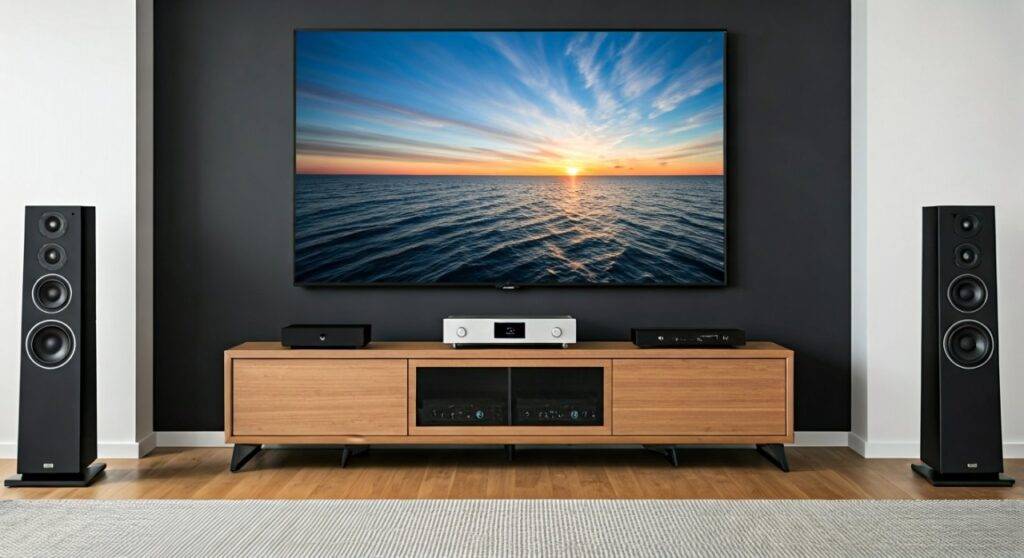
In my fifteen years of designing home cinema layouts, the most common mistake I see is a homeowner buying massive Klipsch or SVS towers and realizing their TV doesn’t have speaker wire terminals. Unless your speakers have a built-in power cord and a volume knob, you will need a middleman—the Integrated Amplifier or Multi-channel Receiver—to act as the brain of your system.
🚀 TL;DR: Quick Installation Guide
- Passive Speakers: TV → HDMI Cable → AV Receiver → Speaker Wire → Tower Speakers.
- Active Speakers: TV → HDMI ARC or Optical Cable → Tower Speakers.
- Essential Gear: High-quality 14-gauge oxygen-free copper wire, banana plugs, and a dedicated power conditioner.
- Pro Tip: Always maintain the “Golden Triangle” placement for the best stereo imaging.
Understanding the Difference: Active vs. Passive Towers
Before you strip any wires, you must identify which type of speaker you are handling. This distinction determines whether your “can tower speakers be installed directly to TV” quest requires more hardware.
Passive Tower Speakers (The Enthusiast Standard)
The vast majority of high-end floorstanding speakers from brands like Bowers & Wilkins, KEF, and Polk Audio are passive. They do not have an internal power source. They rely on an AV Receiver (AVR) to convert the TV’s digital signal into an analog electrical current strong enough to move the speaker cones.
Active Tower Speakers (The Modern Solution)
Active towers, such as the SVS Prime Wireless Pro or the Klipsch The Sevens/Nines, have internal amplifiers. These units feature “Direct-to-TV” connectivity. If your towers have an HDMI ARC port or an Optical input on the back of one speaker, you are in luck—you can skip the receiver entirely.
| Feature | Passive Tower Speakers | Active (Powered) Tower Speakers |
|---|---|---|
| Power Source | External Amplifier/Receiver | Built-in Internal Amp |
| Direct TV Connection | No (Requires AVR) | Yes (via HDMI/Optical) |
| Upgrade Flexibility | High (Can swap amps/cables) | Low (All-in-one system) |
| Cable Management | Speaker wire to Receiver | Power cord + Interconnect cable |
| Audio Quality | Professional Grade / Customizable | Convenient / High Fidelity |
Essential Gear: What You Need Before You Start
We have tested hundreds of configurations, and the “weakest link” is almost always the cabling or the lack of proper connectors. Do not use the thin “bell wire” that comes in some budget boxes.
- Speaker Wire: Use 14-gauge (14AWG) for runs under 50 feet. For longer runs, step up to 12-gauge to prevent signal loss.
- Banana Plugs: These gold-plated connectors (like those from Sewell or MediaBridge) provide a secure, oxidation-resistant connection. They make the back of your Denon or Marantz receiver much cleaner.
- HDMI eARC Cable: If you are using an active system or an AVR, ensure you use a High-Speed 48Gbps HDMI cable to support Dolby Atmos and uncompressed 5.1 audio.
- Wire Strippers: A pair of Klein Tools or Irwin self-adjusting strippers will save your fingers and prevent you from accidentally cutting the copper strands.
Step-by-Step: How to Connect Tower Speakers to Your TV
If you are using a standard passive setup (which 90% of tower owners do), follow these steps to ensure you don’t blow a fuse or damage your tweeters.
Step 1: Position for Performance
Don’t just shove the speakers against the wall. To avoid “muddy” bass, pull your towers at least 12 to 24 inches away from the rear wall. Angle them slightly inward (toe-in) toward your primary seating position.
Step 2: Prepare the Speaker Wires
Measure the distance from your receiver to each speaker, leaving about 2 feet of “slack.” Strip approximately half an inch of insulation from the ends. Twist the copper strands tightly and insert them into your banana plugs.
Step 3: Connect to the Receiver
Locate the “Front Left” and “Front Right” terminals on the back of your AV Receiver.
- Red to Red: Connect the positive (+) lead to the red terminal.
- Black to Black: Connect the negative (-) lead to the black terminal.
- Warning: Crossing these wires will cause an “out of phase” sound, which cancels out your bass and ruins the soundstage.
Step 4: Link the TV to the Receiver
Plug one end of your HDMI cable into the HDMI ARC/eARC port on your TV. Plug the other end into the HDMI Out (ARC) port on your receiver. This allows your TV to send audio back to the speakers and lets your TV remote control the volume.
Positioning Your Tower Speakers: The “Golden Triangle”
Even the most expensive MartinLogan towers will sound mediocre if placed incorrectly. We follow the 1:1.2 ratio rule during professional installations.
- The Triangle: The distance between the two speakers should be roughly equal to the distance from each speaker to your ears.
- Ear Level: Ensure the tweeters (the small high-frequency drivers) are at the same height as your ears when seated.
- Avoid Corners: Placing a tower speaker in a corner creates “boundary gain,” which makes the bass boomy and indistinct. Use Acoustic Panels if you are forced into a tight space.
Advanced Calibration: Getting the Most Out of Your Investment
Once everything is plugged in, the job isn’t done. Modern TVs and receivers have “brains” that need to be taught about your room.
Use Room Correction Software
Most mid-to-high-end receivers come with a calibration microphone.
- Audyssey (Denon/Marantz): Follow the on-screen prompts to measure 6–8 positions in your room.
- Dirac Live (Onkyo/Pioneer/NAD): This is the gold standard for high-end setups, correcting for impulse response and frequency timing.
Setting the Crossover
In your receiver’s settings, you will likely see an option for “Small” vs “Large” speakers.
- Even though tower speakers are large, we often recommend setting them to “Small” and using an 80Hz crossover if you have a dedicated Subwoofer.
- This offloads the heavy lifting (low frequencies) to the sub’s dedicated amp, leaving your tower speakers to produce cleaner mids and highs.
Troubleshooting Common Installation Issues
“I connected everything, but there is no sound!”
Check your TV’s audio output settings. You must change the output from “Internal Speakers” to “Receiver” or “Optical/HDMI.” Also, ensure CEC (Consumer Electronics Control) is enabled so the devices can talk to each other.
“There is a constant buzzing or humming sound.”
This is usually a Ground Loop. Try plugging your TV and your Receiver into the same power strip or surge protector. If that fails, look for an iFi GND Defender to break the loop.
“The dialogue is hard to hear.”
Tower speakers are great for music, but in movies, dialogue lives in the Center Channel. If you only have two towers, go into your receiver settings and enable “Phantom Center” or “2.0 Stereo Mode” to ensure the dialogue is mixed correctly into the left and right speakers.
Frequently Asked Questions (FAQ)
Do I need an amplifier if my TV has RCA (Red/White) outputs?
Yes. Those RCA outputs provide a “Line Level” signal, which is very weak. It is meant to tell an amplifier what to play, but it doesn’t have the “juice” to move the heavy magnets inside a tower speaker. You still need an Integrated Amp or Receiver.
Can I use a Soundbar and Tower Speakers at the same time?
Generally, no. Most TVs only output audio to one device at a time. Using both simultaneously would create “comb filtering,” where sound waves clash and create a hollow, echo-like effect. It is better to stick with a high-quality pair of towers.
What is the best way to hide speaker wires during installation?
We recommend using Ghost Wire (flat adhesive wire that can be painted over) or Cord Channels (D-Line) that run along the baseboards. If you are adventurous, you can fish the wires through the wall using a glow rod and low-voltage mounting brackets.
Will connecting tower speakers to my TV improve gaming lag?
Actually, using HDMI eARC with a modern receiver can support Auto Low Latency Mode (ALLM) and Variable Refresh Rate (VRR) pass-through. This ensures your audio is perfectly synced with your PS5 or Xbox Series X gameplay without adding input lag.









