

Can TV Cast Audio to Wireless Speakers?
Yes, your smart TV can cast audio to wireless speakers using built-in technologies like Bluetooth, Wi-Fi (Apple AirPlay 2, Chromecast), or dedicated wireless transmitters. Most modern displays from brands like Samsung, LG, and Sony support direct pairing with wireless soundbars and portable speakers for a cable-free home theater setup.
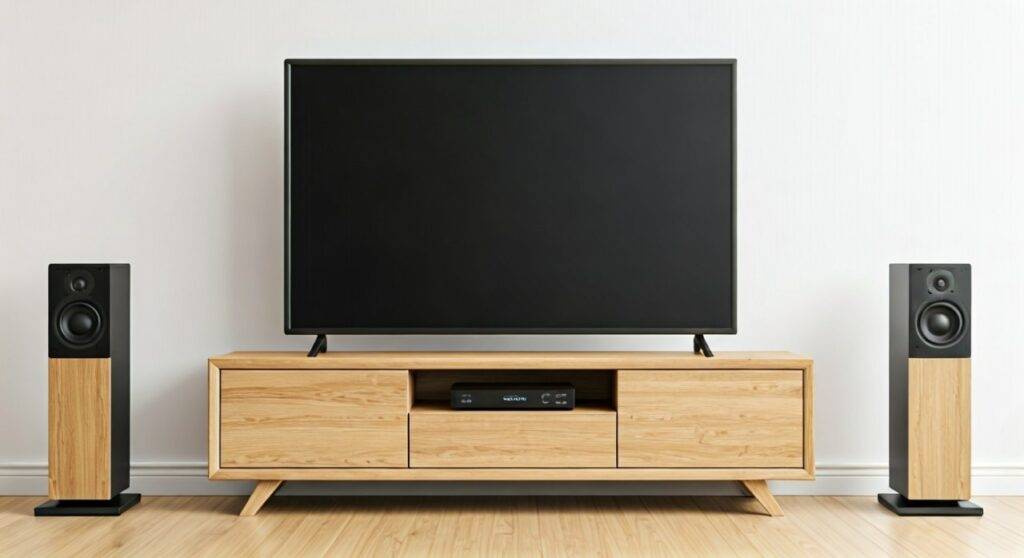
I have spent years testing home theater configurations, and I can tell you that while the answer is a definitive “yes,” the quality of your experience depends heavily on the wireless protocol you choose. A standard Bluetooth connection might work for casual viewing, but for a true cinematic experience without “lip-sync” issues, you need to understand the nuances of Wi-Fi casting and low-latency codecs.
Quick Summary: Key Takeaways
- Best for Simplicity: Bluetooth is the most common method, supported by almost all smart TVs.
- Best for Audio Quality: Wi-Fi-based systems like Sonos, Denon HEOS, or Apple AirPlay 2 offer uncompressed sound.
- Best for Older TVs: Use a 3.5mm or Optical Bluetooth Transmitter to add wireless capabilities to non-smart sets.
- Critical Factor: Always look for aptX Low Latency support to prevent the audio from lagging behind the video.
Understanding How Your TV Casts Audio Wirelessly
When people ask can tv cast audio to wireless speakers, they are usually looking for a way to eliminate the “spaghetti mess” of HDMI and optical cables. To achieve this, your TV must act as a source and your speakers as the receiver.
There are three primary “lanes” for this data to travel:
- Radio Waves (Bluetooth): Simple, point-to-point connection.
- Local Network (Wi-Fi): Higher bandwidth, supports multi-room audio.
- Dedicated RF (WISA): High-end, zero-latency professional wireless audio.
| Connection Type | Audio Quality | Latency (Lag) | Range | Ease of Setup |
|---|---|---|---|---|
| Bluetooth | Medium | Variable (150ms+) | ~30 Feet | High |
| Wi-Fi (AirPlay/Cast) | High | Low | House-wide | Medium |
| WiSA | Lossless | Ultra-Low (5ms) | 30 Feet | Low (Requires Kit) |
| RF Transmitter | Medium/High | Low | ~100 Feet | Medium |
Step-by-Step Guide: Casting via Bluetooth
Most TVs manufactured after 2018 have a built-in Bluetooth stack. Here is how I typically set this up on the major operating systems.
How to Pair on Samsung Smart TVs (Tizen OS)
- Navigate to the Settings menu using your remote.
- Select Sound and then Sound Output.
- Choose Bluetooth Speaker List.
- Put your wireless speaker into Pairing Mode.
- Select your speaker from the list on the screen and confirm Pair and Connect.
How to Pair on LG Smart TVs (webOS)
- Open the Settings menu (gear icon).
- Go to All Settings > Sound > Sound Out.
- Select Bluetooth or LG Sound Sync (Wireless).
- Click the Device Selection icon to find your speaker.
How to Pair on Sony & Android TV / Google TV
- Go to Settings from the home screen.
- Scroll down to Remotes & Accessories.
- Select Pair Accessory.
- Ensure your speaker is discoverable; it will appear on the right side of the screen.
Pro Tip from Experience: I’ve found that Bluetooth can sometimes suffer from “interference” if you have a lot of 2.4GHz devices nearby (like a microwave or an older router). If you hear crackling, try moving your router further away from the TV.
High-Fidelity Methods: Using Wi-Fi Casting
If you care about Dolby Atmos or lossless audio, Bluetooth won’t cut it. To truly cast audio from a TV to wireless speakers with high fidelity, you should use Wi-Fi.
Apple AirPlay 2
If you have an Apple TV 4K or a compatible smart TV (like newer Vizio or LG models), you can cast audio to HomePods or Sonos speakers.
- The Benefit: AirPlay 2 uses your home network to sync multiple speakers perfectly with the video.
Chromecast Built-in
Many Sony and Hisense TVs feature Chromecast. While primarily for video, you can group speakers in the Google Home App to create a wireless audio environment.
The Sonos Ecosystem
In my own living room, I use a Sonos Beam connected via HDMI, which then “casts” the audio wirelessly to two Sonos Era 100 speakers in the rear. This creates a 5.1 Surround Sound setup without running a single wire across the floor.
Can TV Cast Audio to Wireless Speakers if it’s an Old Model?
If your TV doesn’t have a “Smart” menu or built-in Bluetooth, you aren’t out of luck. You can use a Wireless Audio Transmitter.
- The Hardware: Purchase a Bluetooth 5.2 Transmitter (brands like Avantree or 1Mii are reliable).
- The Connection: Plug the transmitter into the TV’s 3.5mm Headphone Jack or Digital Optical Out (Toslink).
- Power: Most of these devices are powered via a USB port on the back of your TV.
- Pairing: Pair your wireless headphones or speakers directly to the transmitter instead of the TV.
Why this works better: Many dedicated transmitters support aptX Low Latency, which is a codec specifically designed to keep audio and video in perfect sync—something standard TV Bluetooth often fails at.
Addressing the “Lag” Issue (Latency)
The biggest hurdle when you cast TV audio to wireless speakers is the delay. Light travels faster than sound, but digital processing travels slowest of all.
How to Fix Audio Sync Issues
- Check TV Settings: Look for a setting called “A/V Sync” or “Audio Delay.” You can manually adjust the timing (usually in milliseconds) to align the dialogue with the actors’ lips.
- Use Gaming Mode: On some TVs, Game Mode reduces post-processing, which can slightly lower audio latency.
- Upgrade your Codec: Ensure both your TV (or transmitter) and speakers support Bluetooth 5.0 or higher.
WISA: The Gold Standard for Wireless TV Audio
If you have a high budget and want the absolute best, look for WiSA Ready TVs (like LG OLEDs).
- WiSA (Wireless Speaker and Audio Association) allows the TV to transmit 24-bit/96kHz audio to compatible speakers (like Klipsch or Bang & Olufsen) with only 5.2 milliseconds of latency.
- This is virtually indistinguishable from a wired connection.
Frequently Asked Questions
Can I connect two Bluetooth speakers to my TV at once?
Most TVs only support one Bluetooth connection at a time. However, some newer Samsung TVs feature Dual Audio, and certain LG models allow for “Bluetooth Surround,” which lets you connect two identical speakers as rear channels.
Will my TV remote control the volume of wireless speakers?
If you use Bluetooth, the TV remote usually controls the output volume. If you use Optical out to a transmitter, you may need to use the speaker’s own remote or the volume buttons on the speaker itself, as Optical is a “fixed” output.
Does casting audio affect the video quality?
No, casting audio wirelessly does not degrade the video resolution. However, if your Wi-Fi bandwidth is extremely low and you are using a Wi-Fi-based audio system while streaming 4K video, you might experience buffering.
What is the best wireless speaker for a TV?
For most users, a Sonos or Bose ecosystem is best because they are designed for “Low Latency” Wi-Fi casting. For budget users, a Bluetooth 5.0 Soundbar is the most reliable “plug-and-play” option.









