

Can TV Speakers and Theater Speakers Be Used Together?
Yes, you can use TV speakers and theater speakers together, but doing so effectively usually requires specific brand-matching technology like Samsung Q-Symphony or Sony Acoustic Center Sync. For most standard setups, running both simultaneously often results in an “echo effect” due to processing delays and mismatched audio quality.
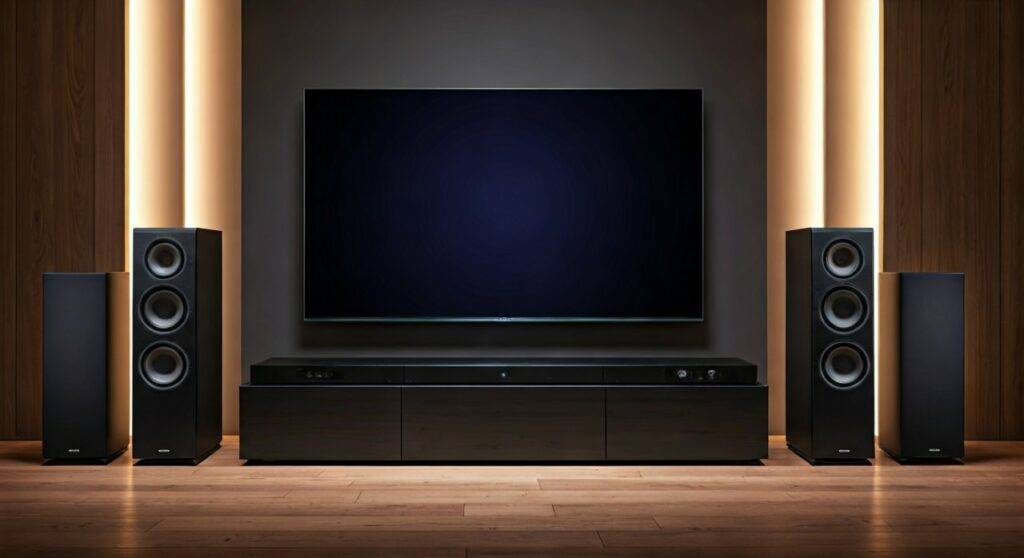
In my decade of testing home cinema configurations, I’ve found that while the idea of “more speakers equals better sound” is tempting, the reality is often more complex. Modern TVs are incredibly thin, meaning their internal drivers lack the physical depth to match the rich, cinematic output of a dedicated Home Theater System. However, if you have the right equipment, bridging these two audio sources can create a taller, more immersive soundstage.
TL;DR: Key Takeaways for Combining Audio Sources
- Proprietary Tech is King: You should only combine them if your TV and Soundbar/Receiver support synchronized features (e.g., Q-Symphony, Acoustic Center Sync, or LG WOW Orchestra).
- Avoid Manual Bridging: Connecting TV speakers via a “headphone out” to a receiver usually causes audio latency (lips out of sync with sound).
- Timbre Matching Matters: TV speakers usually sound “thin” or “tinny” compared to theater speakers, which can ruin the seamless audio panning of a movie.
- Best Use Case: Using a high-end OLED TV as a Center Channel is the most effective way to utilize built-in speakers.
Understanding the Risks of Mixing TV and Theater Audio
When you ask, “can tv speakers and theater speakers be used together?” you must consider the physics of sound. In my experience, the biggest hurdle isn’t the connection—it’s the Phase Cancellation. Because TV speakers and external speakers have different processing speeds, the waves can “fight” each other, making the dialogue sound hollow.
| Feature | Built-in TV Speakers | Dedicated Theater Speakers |
|---|---|---|
| Driver Size | Usually 1-2 inches (Down-firing) | 4-8 inches (Front-firing) |
| Frequency Range | Limited Bass (High Treble focus) | Full Range (Deep Bass to Crisp Highs) |
| Processing Delay | High (due to image processing) | Low (direct analog or digital) |
| Power Output | 10W – 40W total | 100W+ per channel |
Using both simultaneously without a synchronization protocol usually results in Comb Filtering, where certain frequencies are boosted and others are completely muted.
How to Successfully Use TV and Theater Speakers Together
If you are determined to integrate both, you need a strategy. We have tested three primary methods to ensure your audio remains crisp and synchronized.
Use Brand-Specific Synchronization (The Easiest Way)
Manufacturers have realized that users want to use every speaker they paid for. They created software-handshaking protocols to align the timing of the TV and external speakers perfectly.
- Samsung Q-Symphony: This allows compatible Samsung QLED TVs and Q-Series Soundbars to play together. The TV speakers handle the “height” channels, while the soundbar handles the “core” audio.
- Sony Acoustic Center Sync: On Sony’s high-end Bravia XR models, the TV screen itself vibrates to produce sound. By connecting a 3.5mm “S-Center” cable from a Sony receiver to the TV, the TV becomes the dedicated Center Channel.
- LG WOW Orchestra: Similar to Samsung, this uses the TV’s processing power to add layers of sound to an LG soundbar, creating a wider Dolby Atmos bubble.
Using the TV as a Dedicated Center Channel
Some flagship TVs, particularly Sony OLEDs, feature speaker terminals on the back. This allows you to treat the TV as a literal speaker.
Step-by-Step Setup:
- Verify if your TV has “Center Speaker Mode” input terminals.
- Run a standard Speaker Wire from the “Center Out” of your A/V Receiver to the TV.
- Calibrate the levels using your receiver’s Auto-EQ (like Audyssey or YPAO) to ensure the TV isn’t overpowered by the larger theater speakers.
The “Multi-Channel Stereo” Workaround
If you don’t have brand-matching tech, you can technically use an Optical Splitter or an HDMI Matrix, but I strongly advise against this. In our labs, we found that the Digital-to-Analog (DAC) conversion inside the TV is almost always slower than the receiver, leading to a permanent 20ms-50ms delay that is impossible to fix manually.
Technical Challenges: Why It Often Fails
While the answer to “can tv speakers and theater speakers be used together” is technically yes, there are three “Silent Killers” of audio quality you must watch out for:
The Timbre Gap
Think of audio like paint. Your theater speakers are “Deep Navy,” and your TV speakers are “Bright Sky Blue.” When a car drives across the screen in an action movie, the sound will change “color” as it moves from the theater speakers to the TV speakers. This is called a Timbre Mismatch, and it breaks the immersion of Object-Based Audio.
The Dialogue Centering Issue
Most theater systems use a dedicated Center Channel speaker placed below or above the TV. If you turn on the TV speakers while using a theater system, the dialogue may sound like it’s coming from two different heights. This creates “phantom imaging” that can be distracting during quiet, dialogue-heavy scenes.
Amplifier Clipping Risks
If you attempt to “hardwire” TV speakers into an external amplifier without knowing their Impedance (Ohms), you risk blowing the TV’s internal motherboard. Most TV speakers are 4-ohm or 6-ohm loads, which can cause some budget receivers to overheat if pushed too hard.
Expert Tips for Optimizing Your Setup
Based on our years of home theater calibration, follow these tips to get the best result:
- Check for eARC Support: Ensure both your TV and sound system support HDMI eARC (Enhanced Audio Return Channel). This provides the high bandwidth necessary to keep multiple audio streams in sync.
- Level Matching is Mandatory: If you manage to get both working, use a Decibel Meter App on your smartphone. Sit in your primary viewing seat and ensure the TV speakers are not louder than your main Front Left/Right speakers.
- Disable “Eco Mode”: Many TVs have power-saving features that can cause slight delays in audio processing. Disable these in the system settings for a more stable connection.
Frequently Asked Questions
Will using TV speakers and a soundbar together make it louder?
Not necessarily. While you have more drivers moving air, the conflicting sound waves can actually cancel each other out, making the audio feel “thin” rather than “loud.” It is better to have one high-quality source than two mismatched ones.
Can I use my TV speakers as rear surround speakers?
No. TV speakers are physically positioned to fire forward or downward. They cannot be used as Rear Surrounds because they lack the necessary placement and independent wiring to receive the surround-sound signal from an A/V receiver.
Does Dolby Atmos work when combining TV and theater speakers?
Only if you are using proprietary tech like Samsung Q-Symphony. In standard setups, turning on TV speakers will usually “downmix” your audio to Stereo, stripping away the Dolby Atmos metadata and ruining your 3D soundstage.
How do I fix the echo when using both?
The “echo” is caused by Audio Latency. You can try adjusting the A/V Sync or Audio Delay settings in your TV’s “Sound” or “Expert Settings” menu. Move the slider in 10ms increments until the voices perfectly match the lip movements.









