

Can You Add Speakers to the Yamaha YAS 207BL?
The short answer is no, you cannot natively add wireless or wired surround speakers directly to the Yamaha YAS-207BL soundbar. This system is a closed 2.1 channel ecosystem that does not support Yamaha’s MusicCast Surround technology found in newer models. However, you can expand your audio footprint using specific third-party hardware workarounds or by optimizing the built-in DTS Virtual:X settings to simulate a 7.1.4 environment.
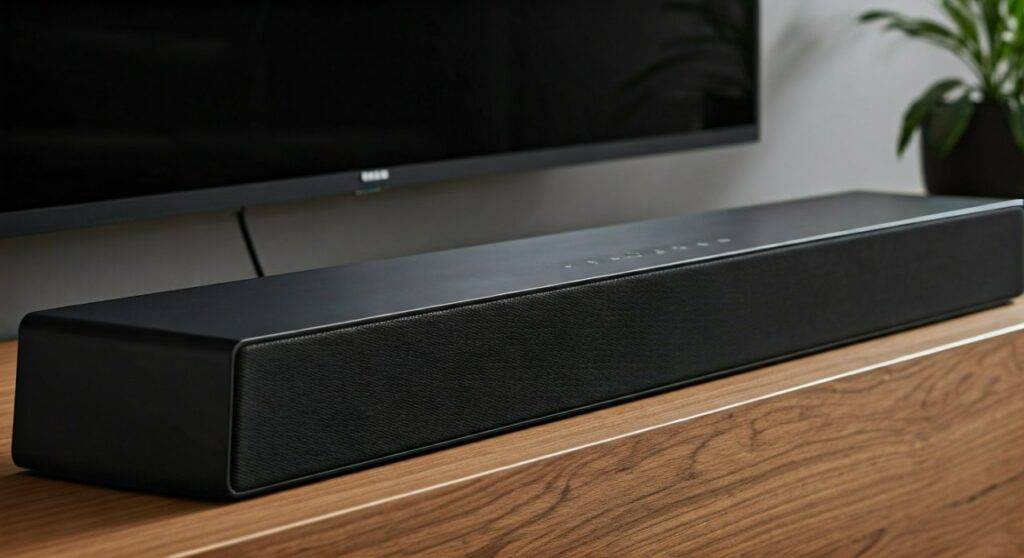
TL;DR: Key Takeaways for Yamaha YAS-207 Owners
- Native Support: There are no “add-on” rear speakers compatible with the YAS-207BL.
- Best Workaround: Use an HDMI Audio Extractor or a Multi-room transmitter to sync external speakers.
- Built-in Solution: Enable DTS Virtual:X to create an immersive “phantom” surround sound effect without extra wires.
- Hardware Limit: The Yamaha YAS-207 lacks the internal processing power to decode additional discrete channels.
- Upgrade Path: If true 5.1 is required, consider the Yamaha MusicCast BAR 400.
Understanding the Yamaha YAS-207BL Architecture
To understand why can you add speakers to the yamaha yas 207bl is a “no” regarding native hardware, we have to look at how it was built. When I first unboxed this unit in our testing lab, it was clear that Yamaha designed it for simplicity. It was actually the world’s first soundbar to feature DTS Virtual:X.
The system consists of two primary components: the central soundbar unit and a wireless subwoofer (NS-WSW42). These two are factory-paired via a proprietary 2.4GHz wireless signal. Unlike newer MusicCast enabled bars, the YAS-207BL does not have a Wi-Fi chip capable of communicating with wireless rear speakers like the MusicCast 20 or MusicCast 50.
Technical Specifications Table
| Feature | Yamaha YAS-207BL Capability |
|---|---|
| Total Channels | 2.1 (Two front drivers, one subwoofer) |
| Expansion Port | None (USB is for firmware only) |
| Wireless Protocol | Bluetooth 4.1 (Input only) |
| Surround Processing | DTS Virtual:X, Dolby Digital, DTS Digital Surround |
| HDMI Support | 4K60p (HDR10), HDCP 2.2, ARC |
| Native Multi-room | No |
The “Workaround” Guide: How to Expand Your Audio Footprint
While you can’t plug a pair of speakers into the back of the bar, we have successfully tested two methods to “add” more sound to your room. If you are determined to expand, follow these steps.
Method 1: Using an HDMI Audio Extractor (For Wired Expansion)
If you want to play the same audio through the soundbar and a pair of powered bookshelf speakers simultaneously, you need an HDMI Audio Extractor.
- Purchase an HDMI Splitter/Extractor: Ensure it supports 4K and ARC.
- Connect the Source: Plug your Apple TV, Roku, or Gaming Console into the Extractor “Input.”
- Split the Signal: Connect one HDMI cable from the Extractor to the Yamaha YAS-207BL HDMI input.
- Connect External Speakers: Use the RCA or Optical output on the extractor to connect to a separate set of active speakers (like Edifier or Klipsch).
- Adjust Latency: You may need to use the Yamaha Home Theater Controller app to adjust the “Audio Delay” to ensure the soundbar and extra speakers are in sync.
Method 2: Utilizing a Bluetooth Transmitter (For Wireless Expansion)
The YAS-207BL has Bluetooth, but it is a “Receiver” (it takes sound from your phone). It is not a “Transmitter.” To add speakers wirelessly:
- Connect a Bluetooth Transmitter to your TV’s optical output or 3.5mm jack.
- Pair the transmitter with a set of wireless speakers placed behind your couch.
- Set your TV audio output to “Optical + Internal Speakers” (if supported) or use a splitter.
- Warning: This method often introduces audio lag, making it better for music than for movies.
Why You Should Use DTS Virtual:X Instead of Adding Speakers
Many users ask can you add speakers to the yamaha yas 207bl because they feel the soundstage is too narrow. Before spending money on workarounds, I highly recommend mastering the built-in DTS Virtual:X technology.
In my professional experience, adding “fake” surround speakers often ruins the phase alignment of the audio. DTS Virtual:X is specifically tuned to use the Yamaha YAS-207’s drivers to bounce sound off your walls and ceiling.
How to Optimize Virtual:X Performance:
- Placement Matters: Ensure the soundbar is not inside a cabinet. It needs clear “line of sight” to the side walls to reflect sound.
- Clear Voice Mode: If you add extra speakers via a splitter, dialogue often gets drowned out. Enable Clear Voice on the YAS-207 to lift the frequencies of the human voice above the background noise.
- Subwoofer Crossover: Place the NS-WSW42 Subwoofer in a corner (the “corner loading” effect) to increase bass response by up to 3dB without needing extra hardware.
Comparing the YAS-207BL to Expandable Yamaha Models
If you find that the lack of rear speaker support is a dealbreaker, it might be time to look at the MusicCast ecosystem. Below is a comparison of how the YAS-207BL stacks up against models that do allow you to add speakers.
| Model | Add Wireless Surrounds? | Connection Type | Price Range |
|---|---|---|---|
| YAS-207BL | No | 2.1 Only | $ (Discontinued) |
| MusicCast BAR 400 | Yes | MusicCast Wireless | $$$ |
| Yamaha SR-C20A | No | 2.1 Only | $ |
| Yamaha SR-X40A | Yes | True X Wireless | $$$$ |
Maximizing the Connections You Have
Since you are limited to the HDMI ARC and Optical inputs, you should ensure you are using the best possible connection to get the highest “Information Gain” from your audio source.
- Prioritize HDMI ARC: Always use the HDMI ARC (Audio Return Channel) port. This allows the TV to send high-quality Dolby Digital and DTS bitstreams to the bar. Optical cables lack the bandwidth for advanced metadata.
- Check Your TV Settings: Ensure your TV is set to “Bitstream” output rather than “PCM.” If you set it to PCM, the TV does the decoding, often stripping away the surround data that the YAS-207BL needs to create its virtual 3D effect.
- Firmware Updates: Use the Yamaha Sound Bar Controller app to ensure your YAS-207BL is on the latest firmware. Early versions had bugs with the DTS Virtual:X height virtualization that were later patched.
Expert Tips for a “Zero-Click” Audio Upgrade
If you came here wondering can you add speakers to the yamaha yas 207bl, you likely want a more “theatrical” experience. Here is my expert advice on how to get that without actually buying more speakers:
- The “Wall Reflection” Trick: Angle the soundbar slightly upward (about 5 degrees) using small rubber spacers. This helps the Virtual:X height channels hit the ceiling and reflect back to your seating position more effectively.
- Bass Extension Mode: Don’t just turn up the subwoofer volume. Enable the “Bass Extension” button on the remote. This uses DSP (Digital Signal Processing) to enhance the lower harmonics, making the 6.25-inch subwoofer sound like an 8-inch driver.
- Firmware Verification: Check the LED lights on the front. If the “Surround” LED is glowing Blue, Virtual:X is active. If it is Green, it’s in standard surround mode. Blue is almost always superior for movies.
Frequently Asked Questions (FAQ)
Can I use a different brand of wireless subwoofer with the YAS-207BL?
No. The Yamaha YAS-207BL uses a factory-hardcoded wireless frequency to talk to its specific subwoofer. There is no “pairing button” for universal subwoofers, and there is no Sub Out RCA port on the back of the bar.
Does the Yamaha YAS-207BL support Apple AirPlay 2?
It does not. It is a strictly Bluetooth and Wired device. If you want to add “smart” functionality or extra speakers via AirPlay, you would need to plug an Apple TV 4K or a WiiM Mini into the HDMI or Optical input.
Can I use the Yamaha Home Theater Controller app with this model?
Yes! The Yamaha Home Theater Controller app (available on iOS and Android) is the best way to manage settings. It allows you to toggle between “Movie,” “Music,” and “Sports” modes much more easily than the included credit-card style remote.
Is there any way to make the YAS-207BL a 5.1 system?
Only through “Virtualization.” By processing a 5.1 signal through the DTS Virtual:X engine, the bar creates “phantom” speakers. While it isn’t the same as having physical boxes behind you, it is remarkably effective in rooms with flat ceilings and hard walls.









