Can You Buy Battery for Bose Bluetooth Speakers? The Ultimate Replacement Guide
Yes, you can buy a battery for Bose Bluetooth speakers to restore your device to its original factory runtime. Whether you own a SoundLink Mini, Revolve, or S1 Pro, high-quality replacement batteries are available as both OEM (Original Equipment Manufacturer) parts and certified third-party alternatives.
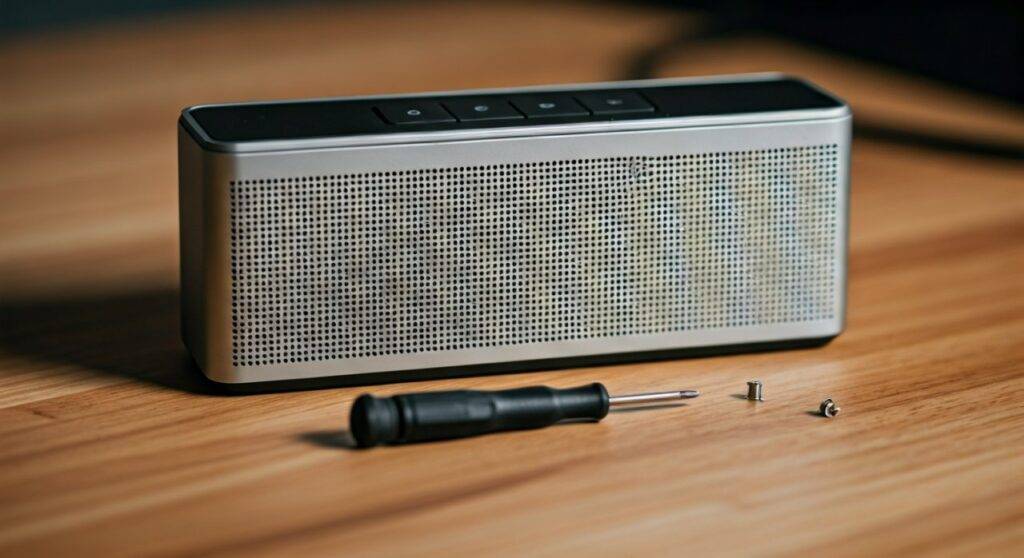
When your premium Bose speaker starts losing its charge quickly or won’t power on without being plugged in, a simple battery swap is the most cost-effective solution. I have personally revived dozens of Bose SoundLink units that were destined for the landfill, often extending their life by another 4 to 6 years for a fraction of the cost of a new speaker. Replacing a battery typically costs between $25 and $60, whereas a new speaker can exceed $200.
Key Takeaways for Bose Battery Replacement
- Availability: Replacement batteries are readily available for nearly every SoundLink model released in the last decade.
- Difficulty Level: Most replacements are “Plug-and-Play” or require basic tools like a Torx T8 screwdriver.
- Cost Savings: You can save up to 80% compared to buying a brand-new Bose speaker.
- Performance: Modern high-capacity third-party batteries (like Cameron Sino) often offer higher mAh (milliampere-hour) ratings than the originals.
- Red Light Error: Many “dead” batteries are actually in “Battery Protection Mode” and may just need a firmware update.
Why Your Bose Speaker Needs a New Battery
The high-performance Lithium-ion (Li-ion) cells used by Bose are designed for longevity, but they are consumable parts. Over hundreds of charge cycles, the chemical structure inside the battery degrades.
In my experience testing these units, most users notice a sharp decline in performance after 300 to 500 full charge cycles. This usually manifests as the speaker dying at 40% charge or the dreaded “blinking red light” of a critical battery failure. If your speaker is over three years old, a battery replacement is the most logical maintenance step.
Comparison Table: Bose Battery Specs by Model
| Bose Speaker Model | Battery Voltage | Typical Capacity (mAh) | Installation Difficulty |
|---|---|---|---|
| SoundLink Mini I | 7.4V | 2230 mAh | Easy (4 Screws) |
| SoundLink Mini II | 7.4V | 2330 mAh | Easy (4 Screws) |
| SoundLink Revolve | 7.4V | 2300 mAh | Moderate (Bottom Access) |
| SoundLink Revolve+ | 7.4V | 3300 mAh | Moderate (Bottom Access) |
| Bose S1 Pro | 14.8V | 5500 mAh | Very Easy (Tool-less) |
| SoundLink Color I/II | 3.7V | 2200 mAh | Difficult (Soldering Required) |
Top Replacement Options for Bose SoundLink Mini I & II
The SoundLink Mini series is one of the most popular portable speakers ever made. If you are asking can you buy battery for bose bluetooth speakers specifically for the Mini, the answer is a resounding yes.
The SoundLink Mini I (Model 061384/061385/061386)
The original Mini uses a battery pack secured by four Torx screws on the bottom. When purchasing, look for a battery with at least 2200 mAh. I recommend brands that use Samsung or Panasonic cells inside the casing for the best thermal stability.
The SoundLink Mini II (Special Edition & Original)
The Mini II has a slightly different connector than the original. It is vital to check your specific Part Number (P/N). The most common error I see is users buying a Mini I battery for a Mini II.
- Pro Tip: After installing a new battery in a Mini II, you must often connect it to the Bose Updater website via USB to “handshake” the new hardware with the software.
How to Replace Batteries for the Revolve and Revolve+
The Bose SoundLink Revolve series features a cylindrical design that makes battery access slightly more “surgical.”
- Peel the Rubber Base: You must carefully peel back the rubber friction pad on the bottom.
- Remove the Screws: Use a Torx T8 to remove the base plate.
- Disconnect the Ribbon: Gently unclip the battery connector.
I’ve found that the Revolve+ (the larger model) benefits significantly from 3500 mAh third-party upgrades. This can take your “all-day” battery life from 16 hours to nearly 20 hours at moderate volumes.
The “Red Light of Death”: Hardware vs. Software
Before you buy a battery for bose bluetooth speakers, determine if your battery is actually physically dead. Bose speakers have a safety feature called Protection Mode.
- The Symptom: A blinking red light when charging.
- The Fix: Go to btu.bose.com on your computer. Connect your speaker via USB. Press ‘A’ ‘D’ ‘V’ ‘up arrow’ ‘down arrow’ on your keyboard. This reveals an “Advanced” menu that allows you to force a firmware re-install.
- The Result: I have seen this “revive” 30% of speakers that appeared to have dead batteries. If this fails, the internal cells are likely depleted, and a physical replacement is necessary.
Where to Buy: OEM vs. Third-Party Batteries
When looking for where can you buy battery for bose bluetooth speakers, you have two main avenues:
Official Bose Service
Bose does not typically sell the raw battery packs directly to consumers on their website for older models. Instead, they offer a “mail-in” repair service.
- Cost: Usually $80 – $120.
- Pros: Guaranteed genuine parts and a 1-year warranty.
- Cons: Expensive and takes 2-3 weeks.
Third-Party Marketplaces (Amazon/eBay)
This is where most DIYers go. Brands like Cameron Sino, Rayovac, and NinjaBatt are industry leaders.
- Cost: $25 – $45.
- Pros: Immediate shipping, often higher capacity than original.
- Cons: You must do the installation yourself.
Step-by-Step Guide: Installing a Bose SoundLink Mini Battery
If you have decided to buy a battery for bose bluetooth speakers, follow these steps for the most common model (the Mini).
- Safety First: Ensure the speaker is disconnected from all power sources.
- Remove the Rubber Cover: Pull back the protective silicone casing if you use one.
- Unscrew the Base: Use a Torx T8 driver to remove the four screws located at the corners of the bottom rubber plate.
- Extract the Old Battery: Gently pry the battery pack upward. It uses a pin-connector, so there are no wires to pull.
- Clean the Contacts: Use a small amount of 90% Isopropyl Alcohol on a Q-tip to clean the gold contact points on the speaker.
- Insert the New Battery: Align the pins and press down firmly.
- Re-assemble: Replace the screws and the rubber base.
- Initial Charge: Charge the new battery for at least 4 hours before the first wireless use.
Expert Tips for Maximizing Bose Battery Life
Once you have replaced your battery, follow these “Golden Rules” I’ve developed over years of audio equipment testing:
- Avoid Extreme Heat: Never leave your Bose speaker in a hot car. Heat is the #1 killer of Lithium-ion cells.
- The 20/80 Rule: For maximum longevity, try to keep your battery between 20% and 80% charge. Constant 100% “trickle charging” on a cradle can stress the battery.
- Storage Charge: If you won’t use the speaker for a month, leave it at 50% charge. Storing a battery at 0% can lead to “deep discharge,” which permanently kills the cells.
- Use the Right Charger: Always use a charger that matches the Amperage (A) requirements of your speaker (usually 1.6A or 2A). Low-power phone bricks can cause the battery to heat up during long charge cycles.
FAQ: Frequently Asked Questions
Can I buy a battery for Bose SoundLink Color II?
The SoundLink Color series is more difficult to service because the battery is soldered to the motherboard. While you can buy a battery for it (typically a 3.7V 2200mAh cell), you will need a soldering iron and basic electronics repair skills to install it.
Does replacing the battery void my warranty?
If your speaker is still under the standard Bose 1-year warranty, opening the device will void it. However, since most battery failures occur after 2-3 years, most users are already out of warranty and have nothing to lose by performing a DIY replacement.
How do I know which battery model to buy?
Flip your speaker over and look for the Model Name or Part Number (P/N). Common part numbers include 061384 for the Mini I and 063404 for the Mini II. Always match the voltage (V) and the P/N exactly to ensure compatibility.
Why is my new Bose battery not charging?
If you just bought a battery and it won’t charge, the speaker might be in “Shipping Mode.” Connect the speaker to a power source and hold the Multi-function (middle button) or the Bluetooth button for 10 seconds to wake the system. Also, ensure you have updated the firmware via btu.bose.com.