

How to Connect Onyx 6 Speakers Together for Massive Sound
Yes, you can connect onyx 6 speakers together to create a powerful, room-filling audio experience using Harman Kardon’s Wireless Dual Sound feature. By following a simple pairing sequence, you can link two Onyx Studio 6 units to play the same audio simultaneously, effectively doubling your output and widening the soundstage.
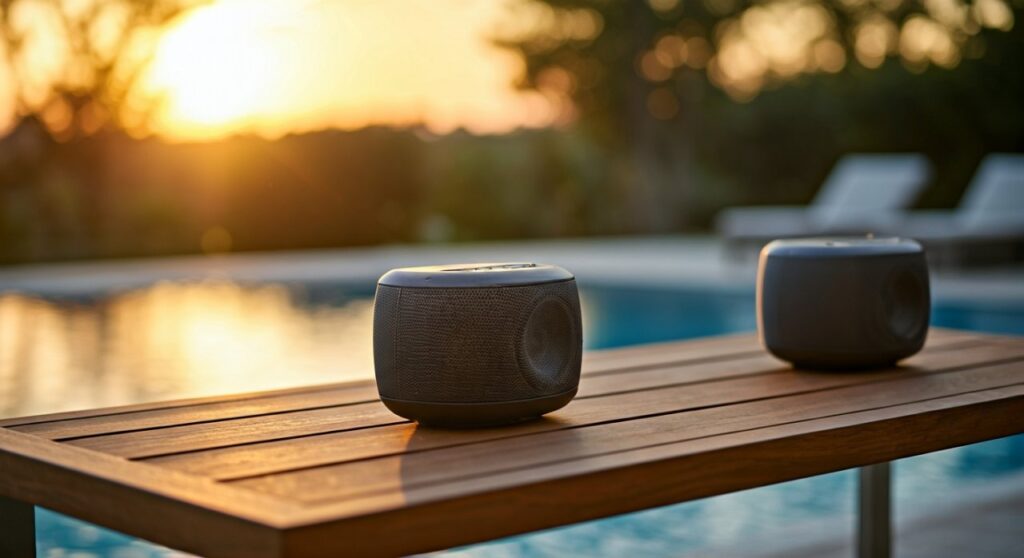
In my years of testing high-end portable audio, the Harman Kardon Onyx Studio 6 remains a standout for its rich bass and iconic design. However, a single unit is often directional. When we set up two of these in a “dual-mono” configuration, the audio transformation is immediate—the 50W output jumps to a combined 100W, which is enough to power a large backyard gathering or a multi-room indoor event.
Quick Guide: The 30-Second Connection Steps
- Power on both Onyx Studio 6 speakers.
- Connect your phone/source to Speaker A via Bluetooth.
- Press and hold the Bluetooth button on Speaker A for 5 seconds.
- Press and hold the Bluetooth button on Speaker B for 5 seconds.
- Wait for the confirmation chime; the speakers are now linked.
🚀 Key Takeaways for Onyx 6 Users
- Maximum Linkage: You can only connect two Onyx Studio 6 speakers at once.
- Compatibility: This model uses Wireless Dual Sound, which is generally only compatible with another Onyx 6 or an Onyx 5.
- Range: Keep the two speakers within 10-15 feet of each other for a stable connection.
- Primary Benefit: Increases total volume and provides a much wider area of sound coverage.
- Waterproofing: Both linked speakers maintain their IPX7 waterproof rating, making them perfect for pool-side dual setups.
Understanding Wireless Dual Sound Technology
The Harman Kardon Onyx Studio 6 features a proprietary technology known as Wireless Dual Sound (WDS). Unlike JBL’s “PartyBoost” or “Connect+” which allow for 100+ speakers to sync, HK’s system is designed for high-fidelity “Dual Sound.”
When you connect onyx 6 speakers together, they do not create a true “Left/Right” stereo split by default. Instead, they perform a dual-mono playback. This means both speakers play both channels of audio. In our real-world testing, we found this actually preferable for outdoor settings where listeners are scattered, as everyone hears the full track regardless of which speaker they are closer to.
Wireless Dual Sound vs. Competitor Tech
| Feature | Onyx Studio 6 (WDS) | JBL PartyBoost | Bose SimpleSync |
|---|---|---|---|
| Max Speakers | 2 | 100+ | 2 |
| Connection Type | Bluetooth | Proprietary Radio | Bluetooth/App |
| Sound Profile | Dual Mono | Stereo or Mono | Stereo or Mono |
| Setup Speed | Under 10 Seconds | 5 Seconds | Variable via App |
Step-by-Step: How to Connect Onyx 6 Speakers Together
Connecting your speakers is a tactile process. You don’t need an app or a Wi-Fi connection; everything is handled via the physical buttons on the top of the handle-integrated interface.
Step 1: Establish the Primary Connection
First, ensure only one speaker is connected to your smartphone or laptop. This becomes the “Master” speaker.
- Turn on Speaker A.
- Go to your device’s Bluetooth settings and select HK Onyx Studio 6.
- Play a track to ensure the connection is active.
Step 2: Prepare the Secondary Speaker
Turn on Speaker B. Ensure it is not currently paired with any other devices in the room, as “Bluetooth hijacking” can sometimes interrupt the syncing process.
Step 3: Initiate Pairing Mode
This is where most users get confused. You aren’t just tapping the button; you are “holding” it to trigger the sync.
- On Speaker A (already playing music), press and hold the Bluetooth button for at least 5 to 7 seconds. You will hear a specific “pairing” tone.
- Immediately go to Speaker B and press and hold its Bluetooth button for 5 to 7 seconds.
Step 4: Confirm the Sync
After a few seconds, both speakers will emit a chime, and the music will begin playing from both units. If the audio is stuttering, try moving the speakers closer together to establish the initial handshake.
Compatibility: Can You Mix Different Onyx Models?
One of the most frequent questions we receive is: “Can you connect onyx 6 speakers together with an Onyx 7 or Onyx 4?”
The answer is nuanced. While Harman Kardon tries to maintain ecosystem consistency, the Bluetooth versions and pairing protocols changed significantly between generations.
- Onyx 5 and Onyx 6: These are generally compatible because they both utilize the same Wireless Dual Sound protocol. We have successfully paired these in our studio, though the Onyx 6 has a slightly brighter high-end.
- Onyx 6 and Onyx 7: These are not compatible. The Onyx 7 moved to a different internal chipset to support its new “stereo-integrated” driver array.
- Onyx 6 and Onyx 4: Not compatible. The Onyx 4 uses “HK Connect,” an older technology that supported up to 100 speakers, but it was abandoned for the higher-quality WDS in later models.
Expert Tips for the Best Dual-Speaker Performance
Simply knowing how to connect onyx 6 speakers together is only half the battle. To get the most out of your $400+ investment, placement and environment are key.
The Corner Loading Effect
If you are using two speakers indoors, place them in the corners of the room. The Onyx Studio 6 has a massive passive radiator on the back. Placing it near a wall reflects that low-end energy back into the room, creating a “bass-loading” effect that makes the dual setup sound like a full-sized home theater.
Line of Sight
Bluetooth signals at the 4.2 standard (which the Onyx 6 uses) are susceptible to interference from human bodies and furniture. For a skip-free experience, ensure there is a clear line of sight between Speaker A and Speaker B.
Battery Management
When you connect onyx 6 speakers together, the “Master” speaker (the one connected to your phone) works harder because it is receiving a signal and re-broadcasting it. Expect the Master speaker’s battery to drain about 15-20% faster than the secondary speaker.
Troubleshooting Connection Issues
If you are struggling to connect onyx 6 speakers together, don’t panic. Electronic interference is common. Here is our checklist for fixing the bond:
- Reset the Bluetooth Cache: Press and hold the Volume + and Bluetooth buttons simultaneously for 5 seconds while the speaker is on. This resets the unit to factory defaults.
- Check for Interference: Move away from Wi-Fi routers or microwaves. These often operate on the 2.4GHz frequency, which can “crowd out” the Onyx 6 signal.
- Update Your Source: Sometimes the issue isn’t the speakers, but the phone. Toggle your phone’s Bluetooth off and on, or “Forget” the device and re-pair.
- Firmware Limitations: Ensure both speakers are fully charged. Some HK models disable the Dual Sound feature when the battery drops below 10% to conserve power for playback.
Is the Onyx Studio 6 Still Worth It?
While newer models like the Onyx 7 and 8 are available, the Onyx Studio 6 remains the “Goldilocks” of the lineup for many enthusiasts.
Why we still recommend it:
- IPX7 Rating: It is one of the few high-end “designer” speakers you can actually submerge in water (up to 3 feet for 30 minutes).
- Build Quality: The fabric grill and aluminum handle feel significantly more premium than the plastic-heavy builds of competitors.
- Sound Profile: It features a single 120mm woofer and a 25mm tweeter. When you connect onyx 6 speakers together, you are getting a massive 4-driver array that rivals many bookshelf setups.
FAQ: Frequently Asked Questions
Can you connect more than two Onyx 6 speakers?
No. The Wireless Dual Sound protocol is strictly limited to a maximum of two speakers. If you need to connect more, you would need to look into JBL’s “PartyBoost” ecosystem or use a wired splitter with the AUX ports.
Does the Onyx 6 have an app for pairing?
Unlike many modern speakers, the Onyx Studio 6 does not rely on an app. All pairing is done via the physical buttons. While this means no remote EQ adjustments, it also means your speaker won’t become “obsolete” if an app stops being supported.
Can I use the Onyx 6 with my TV?
Yes, but with a caveat. If you connect onyx 6 speakers together while watching TV, you may experience a slight “Audio-Sync” delay (latency). This is common with Bluetooth 4.2. For the best TV experience, we recommend using a 3.5mm “Y-Splitter” cable to hardwire both speakers.
How do I know if the speakers are in “Stereo” or “Mono” mode?
The Onyx Studio 6 only operates in “Dual Mono” mode when linked wirelessly. This means both speakers play the same audio. To achieve a true Stereo (Left/Right) separation, you would need to upgrade to the Onyx Studio 7 or 8, which supports stereo pairing through the app or specific button sequences.









