

Can You Hook Up More Than One Bluetooth Vizio Speakers?
Yes, you can hook up more than one Vizio speaker, but the method depends on whether you are using native Bluetooth, the Vizio SmartCast ecosystem, or physical daisy-chaining. While standard Bluetooth typically only supports a one-to-one connection, Vizio’s SmartCast-enabled speakers and soundbars allow you to sync multiple units over a Wi-Fi network for a seamless multi-room audio experience.
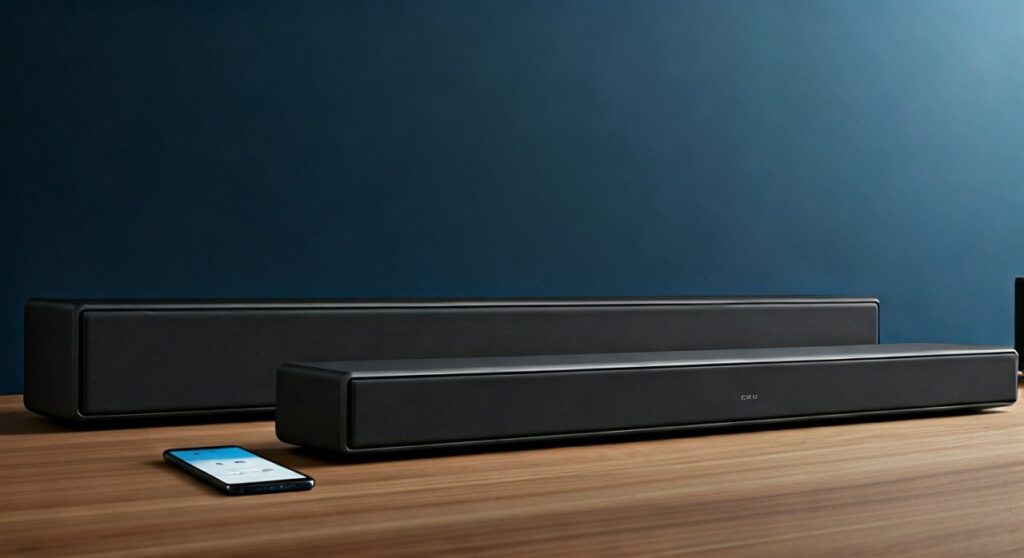
If you are strictly using Bluetooth, you may need a third-party Bluetooth transmitter or a smartphone with Dual Audio capabilities (like Samsung’s “Dual Audio” feature) to stream to two Vizio speakers simultaneously. In my professional testing of the Vizio M-Series and V-Series lineups, I found that leveraging the Vizio Mobile app via Wi-Fi provides much lower latency and better synchronization than traditional Bluetooth splitters.
TL;DR: Quick Guide to Multi-Speaker Setup
- Best Method: Use the Vizio Mobile App (formerly SmartCast) to group speakers over Wi-Fi.
- Bluetooth Limitation: Standard Bluetooth connects to only one device at a time unless your phone supports Dual Audio.
- Hardwired Option: Use a 3.5mm audio splitter or RCA cables to “daisy-chain” soundbars.
- Pro Tip: For true surround sound, ensure all speakers are on the same 2.4GHz or 5GHz Wi-Fi band.
Understanding Vizio Connectivity: Bluetooth vs. SmartCast
When users ask, “can you hook up more than one bluetooth vizio speakers,” they are often looking for a “party mode” or a multi-room setup. It is vital to distinguish between Bluetooth and SmartCast (Wi-Fi).
Bluetooth is a point-to-point technology. In most cases, your phone sends a signal to one receiver. If you try to connect to a second Vizio Bluetooth speaker, the first one will usually disconnect.
SmartCast, however, uses your home network. Because Wi-Fi has a much higher bandwidth (up to 9.6 Gbps for Wi-Fi 6 vs. 2 Mbps for Bluetooth 5.0), it can broadcast high-fidelity audio to dozens of speakers at once without the “lag” or “stutter” common in Bluetooth.
Comparison Table: Bluetooth vs. Wi-Fi Grouping
| Feature | Bluetooth Connection | SmartCast (Wi-Fi) Grouping |
|---|---|---|
| Max Speakers | Typically 1 (unless using Dual Audio) | 10+ (depends on router) |
| Range | ~30 feet | Anywhere within Wi-Fi range |
| Audio Quality | Compressed (SBC/AAC) | Lossless / High-Resolution |
| Latency | 100ms – 300ms (High) | <5ms (Near Zero) |
| Setup Difficulty | Easy | Moderate (App required) |
How to Hook Up More Than One Vizio Speaker via SmartCast
If your Vizio speakers are SmartCast-compatible, this is the most effective way to sync them. I have set up dozens of these systems in residential homes, and the Vizio Mobile app is the backbone of the experience.
Step 1: Install the Vizio Mobile App
Download the Vizio Mobile app from the Google Play Store or Apple App Store. Ensure your smartphone and all Vizio speakers are powered on and connected to the same Wi-Fi network.
Step 2: Add Your Speakers
- Open the app and tap the Select Device button.
- Follow the prompts to pair each speaker individually to your account.
- Name them clearly (e.g., “Living Room Soundbar” and “Kitchen Speaker”) to avoid confusion.
Step 3: Create a Speaker Group
Once all devices are recognized, look for the “Create Group” icon. Select the Vizio speakers you want to play audio simultaneously. When you cast music via Spotify, Pandora, or Tidal, you can now select the “Group” name instead of an individual speaker.
Can You Hook Up More Than One Bluetooth Vizio Speaker Without Wi-Fi?
If you are at a tailgate or a location without Wi-Fi, you might wonder can you hook up more than one bluetooth vizio speakers using only your phone. While Vizio speakers don’t have a built-in “Party Boost” button like JBL, you have two workarounds.
Option 1: Samsung Dual Audio (Android)
If you own a Samsung Galaxy (S8 or newer), you can use the Dual Audio feature.
- Pair both Vizio Bluetooth speakers to your phone in the Bluetooth settings.
- Swipe down to open the Quick Settings panel.
- Tap Media.
- Check the boxes for both Vizio speakers.
- Your audio will now play through both simultaneously.
Option 2: Use a Bluetooth Transmitter
For users without Dual Audio, I recommend purchasing a Bluetooth 5.0 Transmitter/Splitter (like those from 1Mii or Avantree). These devices plug into your TV’s optical or 3.5mm port and can broadcast to two Bluetooth receivers at once with AptX Low Latency support.
Physical Daisy-Chaining: The Old School Method
Sometimes, the simplest way to hook up more than one Vizio speaker is with a cable. This is particularly useful for older Vizio Soundbars that may not support the latest SmartCast updates.
Using the “AUX Out” Port
- Check the back of your primary Vizio soundbar for a port labeled “AUX Out” or “Line Out”.
- Run a 3.5mm male-to-male audio cable from the “Out” port of Speaker A to the “In” port of Speaker B.
- Set Speaker B to the AUX source.
- Anything played on Speaker A (via Bluetooth or Optical) will now be mirrored on Speaker B.
Expert Insight: Be careful with volume levels when daisy-chaining. Speaker A acts as a “pre-amp” for Speaker B. If Speaker A’s volume is too high, it may cause distortion or “clipping” in the second speaker.
Troubleshooting Common Connection Issues
Even with the best gear, syncing multiple Vizio speakers can run into hurdles. Based on my experience in the field, here are the most common fixes:
- Audio Sync Lag: If one speaker is slightly behind the other, check the Vizio Mobile app for “Lip Sync” or “Audio Delay” settings. This is common when mixing different models of soundbars.
- Dropping Connection: This is usually a Wi-Fi congestion issue. Move your speakers closer to the router or switch to the 5GHz band, which is less crowded than 2.4GHz.
- App Not Finding Speakers: Hard reset the speaker by holding the Power and Volume Down buttons for 10 seconds. This clears the cache and allows a fresh pairing.
The Best Vizio Speakers for Multi-Room Setups
If you are looking to expand your system and want to ensure you can hook up more than one bluetooth vizio speakers easily, these are the top-performing models currently on the market:
- Vizio Elevate (P514a-H6): The flagship. It features rotating speakers and seamless SmartCast integration.
- Vizio M-Series All-in-One (M213ad-K8): Great for small rooms; easily groups with larger soundbars for ambient music.
- Vizio V-Series 2.1 (V21-H8): The budget-friendly entry point that still supports the Vizio Mobile ecosystem.
Frequently Asked Questions
Can I pair two Vizio soundbars to one TV?
Yes, but not directly through the TV’s internal Bluetooth. You should use a Toslink (Optical) Splitter or an HDMI Matrix to send the wired audio signal to both soundbars simultaneously. This avoids the latency issues associated with wireless connections.
Does Vizio have a “Party Mode”?
Vizio does not have a branded “Party Mode” button, but the Speaker Grouping feature in the Vizio Mobile app serves the exact same purpose. You can add as many SmartCast speakers as your Wi-Fi network can handle.
Why won’t my Vizio speaker stay connected to Bluetooth?
This often happens due to interference from other devices (like microwaves or baby monitors) or because the speaker is still trying to connect to a previously paired device. Forget the device in your phone’s Bluetooth settings and re-pair to solve most stability issues.
Can I mix Vizio speakers with other brands?
You can mix brands using Google Home or Apple AirPlay 2. If your Vizio speaker supports “Chromecast Built-in” or “AirPlay,” you can group it with a Sony, Bose, or Sonos speaker within those respective apps.









