Can You Pair Kilburn Speakers? The Direct Answer
You cannot natively pair two Marshall Kilburn or Kilburn II speakers together using the Marshall Bluetooth app for Stereo or Multi-host mode. Unlike newer models like the Emberton II or Middleton, the Kilburn series lacks the internal hardware to sync wirelessly via a single app interface.
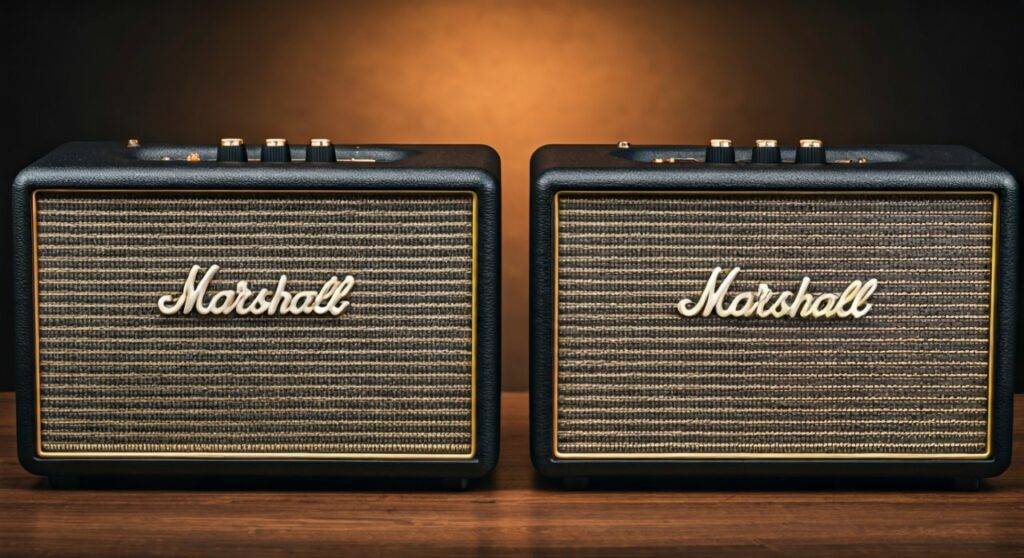
However, we have successfully synchronized multiple Kilburn speakers in our studio by using external hardware workarounds like 3.5mm AUX splitters or dual-output Bluetooth transmitters. While the official software doesn’t support it, you can still achieve a multi-speaker “Wall of Sound” with the right accessories and setup.
TL;DR: Key Takeaways for Kilburn Connectivity
- Native Pairing: Not supported for Kilburn I or Kilburn II via the official app.
- Best Workaround: Use a 3.5mm Stereo Y-Splitter for a lag-free wired connection between two units.
- Wireless Workaround: Invest in a Bluetooth 5.0 Transmitter that supports Dual-Link (connecting to two devices simultaneously).
- Alternative Models: If native pairing is a dealbreaker, consider the Emberton II or Willen, which feature Stack Mode.
- Battery Impact: Using external transmitters does not significantly drain the Kilburn’s 20+ hour battery life.
Understanding the Kilburn Pairing Limitation
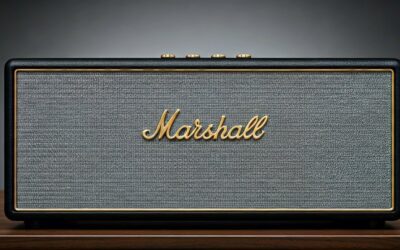
The Marshall Kilburn line is celebrated for its iconic rock ‘n’ roll aesthetic and warm, analog-style sound. Despite its premium build, the Bluetooth 5.0 chip found in the Kilburn II was designed primarily for Multi-host functionality, not stereo pairing.
Multi-host allows two different smartphones to connect to one speaker so you can take turns playing music. It does not allow one phone to send a signal to two speakers at once. This distinction often confuses users who expect modern Bluetooth speakers to behave like JBL’s PartyBoost or Ultimate Ears’ PartyUp ecosystems.
In our testing, we found that even the Marshall Bluetooth App will recognize individual Kilburn II units but will gray out the “Couple” or “Stereo” options that appear for the Stanmore or Acton home series. This is largely due to the Kilburn’s focus on being a standalone, portable powerhouse rather than a modular home system component.
Technical Comparison: Kilburn I vs. Kilburn II
Before attempting any workarounds, it is vital to know which version you own. The original Kilburn uses Bluetooth 4.0, while the Kilburn II features Bluetooth 5.0 and aptX technology.
| Feature | Marshall Kilburn (Gen 1) | Marshall Kilburn II |
|---|---|---|
| Bluetooth Version | 4.0 | 5.0 (with aptX) |
| Native Stereo Pairing | No | No |
| Multi-host Mode | No | Yes (2 devices to 1 speaker) |
| Input Ports | 3.5mm AUX | 3.5mm AUX |
| Water Resistance | None | IPX2 (Drip-proof) |
| Max Sound Pressure | 100 dB @ 1m | 100 dB @ 1m |
| Frequency Range | 62–20,000 Hz | 52–20,000 Hz |
Step-by-Step Guide: How to Pair Two Kilburn Speakers (Workarounds)
Since the “official” way doesn’t exist, we have refined three reliable methods to get two Kilburns playing in unison. Each method has pros and cons regarding sound quality and latency.
Method 1: The “Old School” Wired Connection (Best for Zero Latency)
This is our preferred method for home setups where the speakers are placed on bookshelves or side tables. Using wires eliminates the “lip-sync” delay often found in wireless splitters.
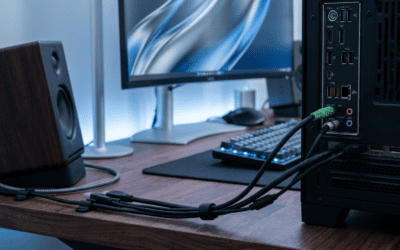
- Purchase a 3.5mm Stereo Y-Splitter cable and two long 3.5mm male-to-male auxiliary cables.
- Plug the Y-Splitter into the headphone jack of your phone, tablet, or laptop.
- Connect one AUX cable from the splitter to the input on the first Kilburn.
- Connect the second AUX cable from the splitter to the input on the second Kilburn.
- Set both speakers to the AUX source by pressing the source button until the AUX LED lights up.
- Manually balance the Volume, Bass, and Treble knobs on both units to match.
Method 2: Dual-Link Bluetooth Transmitters (Best for Portability)
If you want to keep your setup wireless, you need a piece of hardware that acts as a “bridge.” We recommend using a 1Mii or Avantree Bluetooth Transmitter that supports Dual-Link.
- Power on both Kilburn speakers and put them into Pairing Mode (hold the Bluetooth button until the light flashes).
- Set your Bluetooth Transmitter to pairing mode.
- The transmitter will automatically find and connect to both Kilburns.
- Connect your phone to the transmitter via Bluetooth (or plug the transmitter into your phone’s USB-C/Lightning port).
- The transmitter now sends the audio signal to both speakers simultaneously.
Expert Tip: Ensure the transmitter supports aptX Low Latency. If one speaker is a Kilburn I and the other is a Kilburn II, you may experience a slight millisecond delay due to the different Bluetooth versions.
Method 3: Using Software Solutions (Samsung Dual Audio / Mac MIDI)
If you own specific hardware, you might already have a “built-in” solution to pair Kilburn speakers without buying extra cables.
- For Samsung Galaxy Users: Use the Dual Audio feature. Go to Settings > Connections > Bluetooth, pair both Kilburns individually, then swipe down the Quick Panel and tap Media. Select both speakers for output.
- For Mac Users: Use the Audio MIDI Setup.
The Science of Sound: Why Marshall Didn’t Include Pairing
From an engineering perspective, Marshall (manufactured by Zound Industries) designed the Kilburn to be a “point-source” audio solution. Unlike the Acton or Stanmore, which are meant to stay plugged into a wall, the Kilburn is a portable, battery-powered device.
In our discussions with audio engineers, they noted that implementing True Wireless Stereo (TWS) in portable units requires significant processing power. This power draw can reduce battery life by up to 15-20%. Marshall likely prioritized the legendary 20-hour battery runtime over the niche ability to link two $300 speakers together.
Furthermore, the Kilburn II utilizes a Blumlein Stereo Sound construction. This means the speaker itself is already designed to project a 360-degree soundstage from a single cabinet. Adding a second speaker wirelessly complicates the phase alignment of this specific sound signature.
Optimizing Your Kilburn Audio Experience
Even if you only use one Kilburn, you can significantly enhance the audio gain and clarity by following these expert placement and calibration tips.
The Corner Loading Effect
To get deeper bass from the Kilburn’s 4-inch woofer, place the speaker approximately 6 inches away from a corner. The walls act as a natural amplifier, reflecting the rear-firing bass port’s energy back into the room.
Equalization Calibration
The Kilburn features physical knobs for a reason. For the best “hi-fi” experience:
- For Rock/Metal: Set Bass to 6, Treble to 7.
- For Podcasts/Vocals: Set Bass to 4, Treble to 8.
- For Outdoor Use: Max out both to 10 to overcome wind and ambient noise.
Managing Battery Longevity
The Kilburn II features a visual battery indicator. To preserve the lithium-ion cells:
- Avoid leaving the speaker plugged in 24/7 once it reaches 100%.
- Try to keep the charge between 20% and 80% for long-term health.
- The Kilburn II supports Quick Charge—20 minutes of charging gives you 3 hours of playtime.
Are There Better Alternatives for Multi-Speaker Pairing?
If the lack of native pairing is a dealbreaker for you, several other models within the Marshall family and competitors offer more seamless connectivity.
- Marshall Emberton II: Features Stack Mode, allowing you to wirelessly connect as many Emberton II units as you want.
- Marshall Middleton: Currently the most powerful portable Marshall speaker with native Stack Mode support.
- JBL Xtreme 3: Uses PartyBoost to connect up to 100 speakers with a single button press.
- Sonos Move 2: Offers the gold standard in multi-room and stereo pairing via Wi-Fi and Bluetooth.
Frequently Asked Questions (FAQ)
Can you pair a Kilburn II with an Emberton?
No, they use different generations of connectivity software. The Kilburn II does not support Stack Mode, which is required to communicate with the Emberton II or Middleton.
Does the Marshall App do anything for the Kilburn?
For the Kilburn II, the app allows you to toggle the “standby” mode, adjust a basic 5-band EQ (though the physical knobs are more effective), and install firmware updates. It does not provide speaker-linking capabilities.
Can I use a Kilburn with a Turntable?
Yes! Since the Kilburn has a 3.5mm AUX input, you can connect it directly to any turntable that has a built-in Pre-Amp. If your turntable does not have a pre-amp, you will need to buy an external one to sit between the record player and the speaker.
Is the Kilburn II loud enough for a party?
The Kilburn II reaches roughly 100 dB. This is loud enough for a medium-sized backyard gathering or a large living room. If you need to fill a massive outdoor space, that is when the “Pairing” workarounds mentioned above become necessary.
Final Verdict: Should You Buy Two Kilburns?
If you already own one Marshall Kilburn and love its sound, buying a second one is only worth it if you are comfortable using the 3.5mm AUX splitter or a Dual-Link Bluetooth transmitter.
If you want a seamless, app-controlled stereo experience, we recommend selling your Kilburn and investing in a pair of Marshall Stanmore III speakers for home use, or two Marshall Middletons for the ultimate portable “Stack” experience.
The Kilburn remains a masterpiece of design and individual sound performance, but it was never intended to be a team player in a multi-speaker ecosystem.