Can You Play R6 with Speakers? The Reality of Competitive Audio
Yes, you can play R6 with speakers, but doing so successfully requires specific hardware configurations and in-game setting adjustments to compensate for the loss of directional precision. While most professional Rainbow Six Siege players rely on high-fidelity headsets to pinpoint footsteps, a high-quality near-field monitor or a spatial audio-enabled speaker system can provide a viable casual—and even semi-competitive—experience if set up correctly.
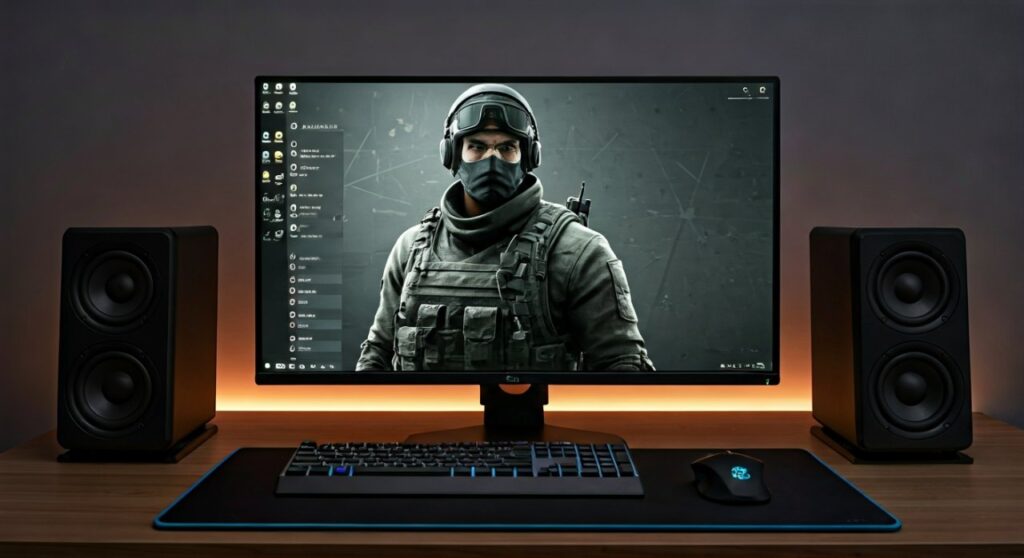
In my years of climbing the ranks to Emerald, I’ve tested everything from $500 open-back headphones to 5.1 surround sound desk setups. While speakers offer better long-term comfort and a wider soundstage, they introduce challenges like room echo and sound propagation confusion that you must actively manage to stay competitive.
🚀 Key Takeaways: Playing R6 on Speakers
- Audio Mode: Always use Night Mode in the R6 settings to boost quiet sounds like footsteps while dampening loud explosions.
- Hardware Choice: Opt for active bookshelf speakers or 2.1 systems with a dedicated subwoofer to feel the “thump” of wall breaches.
- Spatial Software: Utilize Windows Sonic, Dolby Atmos, or DTS Headphone:X to simulate 3D positioning on stereo speakers.
- Mic Management: Use a unidirectional cardioid microphone to prevent your speaker audio from leaking into your team’s voice chat.
- Latency: Hardwire your speakers via 3.5mm or Optical TOSLINK rather than Bluetooth to avoid crucial millisecond delays.
Why Sound is Your Most Important Weapon in R6
In Rainbow Six Siege, sound doesn’t just travel in a straight line; it uses a complex Sound Propagation System. Sound flows through the nearest openings—like holes in floors, broken windows, or doorways—rather than just passing through walls.
When you ask, “can you play r6 with speakers,” you have to understand how this system interacts with your room’s acoustics.
The Difference Between Headsets and Speakers
| Feature | Gaming Headset | Studio/Desktop Speakers |
|---|---|---|
| Directional Accuracy | Exceptional (Binaural) | Moderate (Dependent on Placement) |
| Soundstage Width | Narrow/Intimate | Wide/Realistic |
| Ear Fatigue | High (Clamping force) | Low (Breathable environment) |
| Situational Awareness | Total Isolation | High (Can hear the real world) |
| Tactile Bass | Simulated | Physical (With Subwoofer) |
How to Optimize Your In-Game Settings for Speakers
To make playing R6 with speakers viable, you must change how the game processes dynamic range. Ubisoft provides three main presets, and choosing the wrong one will make you “deaf” to flankers.
The “Night Mode” Advantage
Most players assume “Hi-Fi” is best because it sounds “better.” However, Night Mode is the secret for speaker users. It reduces the Dynamic Range, meaning the volume difference between a Nitro Cell explosion and a Caveira sneaking nearby is smaller. This allows you to turn your speakers up loud enough to hear footsteps without blowing out your eardrums when a grenade goes off.
Master Volume vs. Dialogue
Keep your Master Volume at 100% and adjust your physical speaker knob. Lowering Music Volume to 0% is mandatory. I also recommend setting Dialogue Volume to around 40-50% so operator callouts don’t mask the sound of a Defuser being planted.
Hardware Requirements for Speaker Gaming
If you are serious about playing R6 with speakers, a pair of $10 “computer speakers” from a big-box store won’t cut it. You need equipment capable of high transient response (how fast a speaker starts and stops moving).
Recommended Speaker Configurations
- 2.0 Near-Field Monitors: Brands like PreSonus or Edifier offer flat frequency responses. This means the sound is “honest,” making it easier to distinguish between different types of movement.
- 2.1 Systems with Sub-Control: Having a dedicated Subwoofer helps you “feel” the direction of heavy gadgets like Sledge’s Hammer or Oryx’s Remah Dash.
- Surround Sound (5.1/7.1): This is the “gold standard” for speakers. If you have rear satellite speakers positioned behind your chair, the game’s directional engine becomes much more intuitive.
The Step-by-Step Setup Guide
Follow these steps to transition from a headset to a speaker-based setup without losing your rank.
Step 1: Physical Placement
Your speakers should form an equilateral triangle with your head. Tilt them slightly upward so the tweeters (the small top speakers) are aimed directly at your ears. High-frequency sounds (like the “clink” of a flashbang hitting the floor) are highly directional; if the tweeters aren’t aimed at you, you’ll miss them.
Step 2: Enable Spatial Sound in Windows
Since Rainbow Six Siege outputs a surround signal, you need a “wrapper” to translate that for your speakers.
- Right-click the Speaker Icon in your Taskbar.
- Select Spatial Sound.
- Choose Windows Sonic for Headphones (yes, it works for speakers too) or Dolby Atmos for Home Theater.
Step 3: Acoustic Treatment
Speakers bounce sound off walls. If your room is empty, the “echo” will blur the sound of a Hibana pellet, making it impossible to tell which wall is being breached. Adding foam panels or even a heavy rug can significantly sharpen your audio imaging.
Overcoming the “Mic Feedback” Problem
The biggest complaint about people playing R6 with speakers is the “echo” they create for their teammates. If your mic picks up your game sound, you will likely be muted or kicked from the lobby.
Expert Solutions:
- Push-to-Talk (PTT): Never use “Open Mic” with speakers. Bind PTT to a side mouse button.
- Noise Suppression: Use NVIDIA Broadcast or Discord’s Krisp technology. These AI tools are incredibly effective at filtering out steady game audio while keeping your voice clear.
- Uni-directional Mics: Use a boom mic like the Antlion ModMic or a desk mic with a Cardioid pattern (like the Blue Yeti on the correct setting). Point the “dead zone” of the mic toward your speakers.
Pro Perspectives: Why Most Pros Don’t Use Speakers
When we look at the R6 Invitational or Pro League matches, you will never see a player using speakers. The reason is Passive Noise Isolation. In a loud stadium or even a home with a lawnmower outside, speakers cannot compete with the “seal” of an IEM (In-Ear Monitor) or a closed-back headset.
However, for Quick Match or Standard play, the comfort of speakers is unmatched. If you suffer from “gamer’s ear” or headaches from headset pressure, the trade-off in competitive edge is often worth the physical relief.
FAQ: Common Questions About R6 Speaker Audio
Can you hear footsteps clearly with speakers in R6?
Yes, but only if you use Night Mode and have high-quality mid-range drivers. Cheap speakers often “muddy” the sound, making it hard to distinguish between a teammate upstairs and an enemy in the next room.
Is 5.1 surround sound better than a headset for R6?
A true 5.1 physical speaker setup can provide better “distance” cues than a headset, but it is much harder to set up correctly. Most players find that a high-end headset offers better “verticality” (hearing if someone is above or below you).
Does Dolby Atmos help when playing R6 with speakers?
Absolutely. Dolby Atmos uses object-based metadata to place sounds in a 3D space. It significantly improves the “read” of the environment, especially when an enemy is flanking or moving through a hatch.