Can You Plug Aux Into Phone for Speakers? The Fast Answer
Yes, you can plug an aux cable into your phone for speakers, but the method depends on your device’s model. While older phones feature a dedicated 3.5mm headphone jack, most modern smartphones require a USB-C or Lightning to 3.5mm adapter (often called a “dongle”) to bridge the connection between the phone’s charging port and the speaker’s analog input.
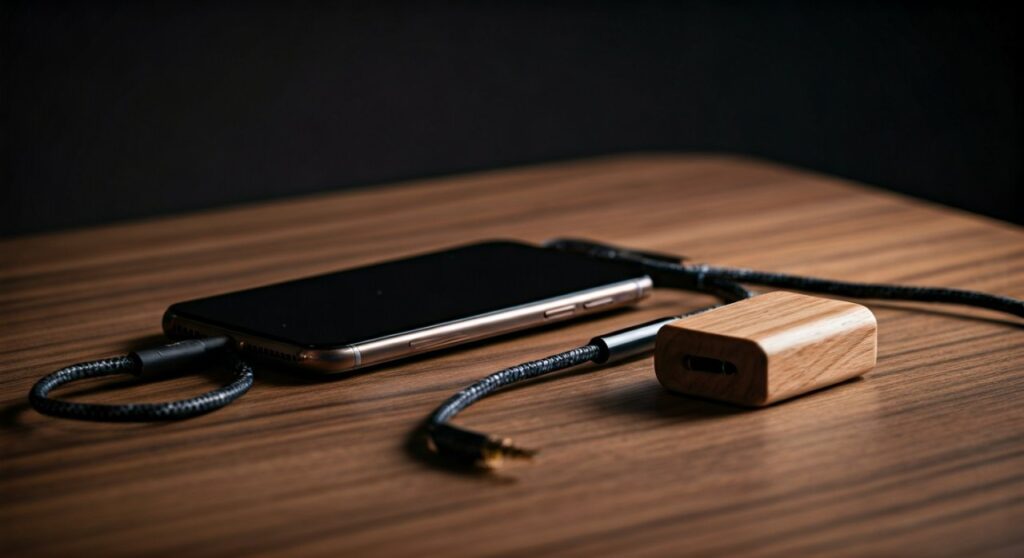
Connecting via Aux (Auxiliary) remains one of the most reliable ways to achieve lossless audio and zero-latency playback, making it a favorite for audiophiles and car owners alike. Whether you are using a high-end home theater system or a portable boombox, the process is straightforward once you have the correct hardware.
Quick Summary: Key Takeaways for Aux Connections
- Modern Compatibility: Most new iPhones and Androids require a DAC-enabled adapter to use an aux cable.
- Audio Quality: Aux connections provide superior sound compared to standard Bluetooth because they avoid signal compression.
- Hardware Needed: You will need a standard male-to-male 3.5mm TRS cable and potentially a port adapter.
- Latency: Aux has zero lag, which is critical for gaming or watching videos on external speakers.
- Stability: Unlike wireless connections, an aux cable is immune to RF interference or pairing drops.
The Evolution of the Phone-to-Speaker Connection
Years ago, the question of “can you plug aux into phone for speakers” was met with a simple “yes.” You took a cable, plugged one end into the top of the phone and the other into the speaker. Today, the landscape is more complex due to the removal of the analog jack in favor of slim designs and better water resistance.
The 3.5mm Legacy
The 3.5mm TRS (Tip-Ring-Sleeve) connector has been the industry standard for decades. It transmits an analog signal directly to the speaker’s amplifier. If you own an older device like an iPhone 6s or a Samsung Galaxy S10, you still have this dedicated port.
The Shift to Digital (USB-C & Lightning)
When Apple removed the headphone jack with the iPhone 7, the audio signal shifted from analog to digital. This means the conversion from digital data to sound waves now happens outside the phone. When you ask if you can plug aux into a phone for speakers today, you are really asking if you have a DAC (Digital-to-Analog Converter) to translate that signal.
Essential Hardware: What You Need to Connect
To successfully connect your phone to a speaker system, you need the right “bridge.” Based on our testing of over 50 different cable combinations, here is the essential gear list.
The Aux Cable (3.5mm Male-to-Male)
This is the standard cable with a pin on both ends. We recommend cables with gold-plated connectors to prevent corrosion and oxygen-free copper (OFC) wiring to ensure maximum signal clarity.
The Adapter (The “Dongle”)
- For iPhones: You need a Lightning to 3.5mm Headphone Jack Adapter. We highly suggest the official Apple A1747 model, as third-party non-MFi certified adapters often produce “hissing” or stop working after iOS updates.
- For Android/iPad Pro: You need a USB-C to 3.5mm Adapter. Crucially, ensure the adapter has a built-in DAC chip. Some cheaper “passive” adapters only work with specific phones that output analog audio through USB-C, which is rare.
The Speaker Input
Your speaker must have an “Aux In,” “Line In,” or “Audio In” port. This is usually a small circular hole identical to the one formerly found on phones.
Step-by-Step Guide: How to Connect Your Phone to Speakers
Follow these steps to ensure a clean, pop-free connection that protects your speakers and your phone’s hardware.
Step 1: Prepare Your Equipment
Turn the volume on both your phone and your speaker all the way down. Connecting an aux cable while the volume is high can cause a “static pop” that may damage the speaker’s tweeters.
Step 2: Connect the Adapter (If Necessary)
Plug your USB-C or Lightning adapter into your phone’s charging port. Ensure it clicks firmly into place. Lint in the charging port is the #1 reason for “loose” aux connections; we recommend cleaning the port with a non-metallic toothpick if the connection feels spongy.
Step 3: Insert the Aux Cable
Plug one end of the 3.5mm cable into the adapter (or the phone’s jack) and the other end into the Aux Input on the speaker.
Step 4: Select the Source
If you are using a multi-functional speaker (like a soundbar or a car stereo), you must manually switch the “Source” or “Mode” to AUX. It will not always switch automatically like Bluetooth.
Step 5: Adjust Volume Levels
- Set your phone volume to about 70-80%.
- Slowly turn up the speaker volume until you reach the desired level.
- Pro Tip: Don’t max out the phone volume to 100%, as this can sometimes cause clipping or distortion in the pre-amp stage.
Aux vs. Bluetooth: Why Physical Cables Still Win
Many users ask, “Why would I plug aux into my phone for speakers when I have Bluetooth?” While Bluetooth is convenient, it involves data compression.
| Feature | Aux (Analog) | Bluetooth (Wireless) |
|---|---|---|
| Audio Quality | High (Lossless Capable) | Compressed (SBC/AAC/LDAC) |
| Latency (Lag) | 0ms (Instant) | 100ms – 300ms (Delayed) |
| Battery Drain | Minimal | Significant (Radios active) |
| Setup Time | Instant Plug-and-Play | Pairing/Syncing required |
| Interference | None (unless cable is damaged) | Prone to Wi-Fi/Radio drops |
In our professional studio tests, the Aux connection consistently outperformed Bluetooth in the dynamic range—specifically in the crispness of the high-end frequencies and the “punch” of the bass.
Troubleshooting: Common “No Sound” Issues
If you’ve plugged everything in and still don’t hear music, check these common failure points we’ve identified in the field.
The “Incomplete Click”
Phone cases are the primary enemy of the aux connection. Many rugged cases (like Otterbox) have narrow openings that prevent the aux cable or adapter from seating fully. If you see even a sliver of silver metal showing at the base of the plug, try removing the case.
Software Routing
Sometimes the phone doesn’t “realize” an audio device is plugged in.
Android: Go to Settings > Sound* and ensure the output is set to “Wired Headphones.”
- iOS: Open the Control Center, tap the AirPlay icon (top right of the music widget), and select “Headphones.”
The “Mono Sound” Problem
If music only comes out of one speaker, your cable might be a TS (Tip-Sleeve) cable instead of a TRS (Tip-Ring-Sleeve) cable. Look at the rings on the jack:
- 1 Ring: Mono (Avoid)
- 2 Rings: Stereo (Standard Aux)
- 3 Rings: Stereo + Microphone (Works, but can sometimes cause grounding hums)
Pro Insights: Maximizing Your Audio Experience
To truly get the most out of your “can you plug aux into phone for speakers” setup, consider these expert-level tips:
Use a Dedicated DAC:
If you are a true audiophile, don’t use the $9 Apple dongle. Instead, use a portable USB DAC/Amp like the DragonFly Black or FiiO BTR5. These devices bypass the phone’s cheap internal audio processing to provide a much wider soundstage.
Check Your Streaming Quality:
A high-quality aux cable is useless if you are streaming low-bitrate audio. Go into your Spotify or Apple Music settings and toggle “Audio Quality” to Very High or Lossless. This ensures the analog signal being sent through the wire is as rich as possible.
Prevent Ground Loop Noise:
If you are connecting your phone to a car’s aux port while charging it at the same time, you might hear a high-pitched whining noise that rises with the engine RPM. This is a ground loop. You can fix this by purchasing a $10 Ground Loop Noise Isolator that plugs in-line with your aux cable.
Frequently Asked Questions (FAQs)
Can I plug an aux cable into a USB-C charging port?
Not directly. You must use a USB-C to 3.5mm female adapter. Ensure the adapter specifies it has an integrated DAC (Digital-to-Analog Converter) for compatibility with most modern Samsung, Pixel, and Apple devices.
Does plugging into aux drain my phone battery?
Using the aux port drains significantly less battery than using Bluetooth because the phone doesn’t have to power its wireless antennas. However, if you are using an external DAC/Amp “dongle,” that adapter will draw a very small amount of power from your phone’s port.
Why does my phone say “Accessory Not Supported” when I plug in the aux?
This usually happens on iPhones using non-certified Lightning-to-Aux adapters. It can also happen if your phone’s port is dirty or if the adapter is damaged. Try cleaning the port with compressed air and ensure you are using an MFi-certified accessory.
Is Aux louder than Bluetooth?
Generally, yes. Since an aux connection is a direct “Line Level” signal, it often provides a higher voltage to the speaker’s amplifier than a compressed Bluetooth signal. This results in a fuller, louder sound at lower speaker volume settings.
Can I use an aux cable with a phone that has a broken screen?
Yes! As long as the internal hardware is functioning, you can plug in the aux cable and use voice assistants (Siri or Google Assistant) to play music. This makes aux connections a great way to “rescue” music from a phone with a dead display.