

Can You Use TRS for Speakers? The Direct Answer
Yes, you can use TRS for speakers, but only if they are active (powered) speakers or studio monitors designed to accept a balanced line-level signal. You should never use standard TRS cables to connect an amplifier to passive speakers, as the thin internal wire gauge cannot handle the high-voltage current, potentially leading to equipment failure or fire hazards.
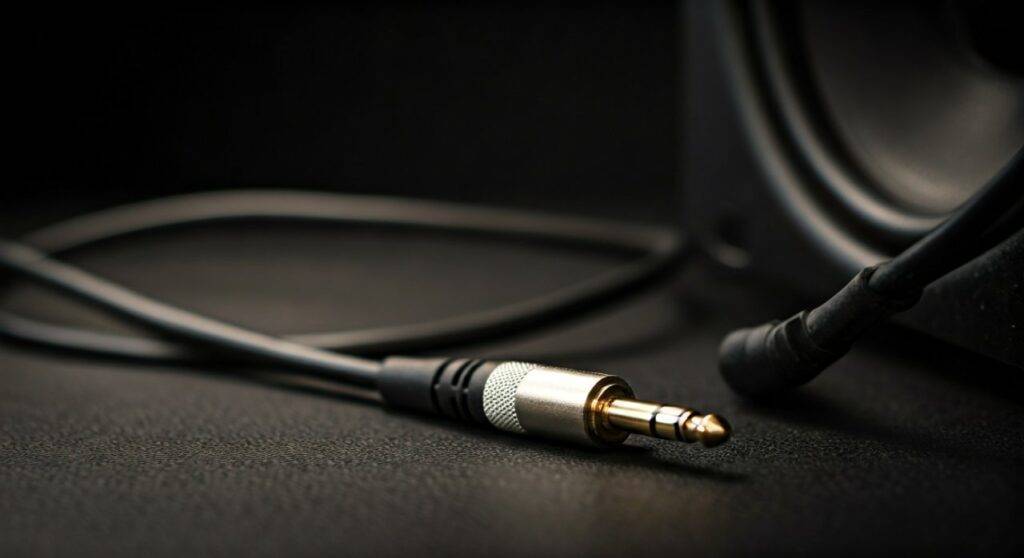
TL;DR: Key Takeaways for TRS Speaker Connections
If you are in a hurry, here is the essential breakdown of when it is safe to use TRS cables:
- Active Speakers: Safe and recommended. TRS provides a balanced signal, which reduces hum and electromagnetic interference (EMI).
- Passive Speakers: Dangerous. Do not use standard TRS line cables; use dedicated unshielded speaker cables with TS ends or Speakon connectors.
- Audio Quality: Using TRS (Tip-Ring-Sleeve) for studio monitors results in a +6dB gain in signal-to-noise ratio compared to unbalanced cables.
- Visual Check: A TRS connector has two black rings (three sections), while a TS (instrument) cable has only one black ring.
Understanding the Core Question: Can You Use TRS for Speakers?
When beginners ask, “can you use TRS for speakers?” they are often looking at the 1/4″ (6.35mm) input on the back of a studio monitor or PA speaker. In my decade of experience setting up home studios and live rigs, I’ve found that the “one-size-fits-all” appearance of the 1/4″ jack is the most common cause of technical confusion.
The short answer is that TRS (Tip-Ring-Sleeve) cables are designed for balanced line-level signals. They are perfect for connecting an audio interface to active studio monitors (like the Yamaha HS series or KRK Rokits). However, the physics of electricity changes when you move from a “signal” to “power.”
The Fundamental Difference: Signal vs. Power
To understand why you can use TRS for some speakers and not others, we have to look at what is traveling through the wire:
- Line-Level Signal (TRS): This is a very low-voltage “message” sent from your computer or mixer. It requires shielding to prevent noise but very little copper thickness.
- Speaker-Level Power (Speaker Cable): This is high-voltage energy sent from an amplifier to move a heavy speaker cone. It requires thick gauge wire (12-16 AWG) and no shielding.
| Feature | TRS Cable (Line Level) | Speaker Cable (Power Level) |
|---|---|---|
| Primary Use | Active Monitors / Instruments | Passive Speakers / Amps |
| Wiring Style | Balanced (3-Conductor) | Unbalanced (2-Conductor) |
| Shielding | Yes (Prevents Hum) | No (Unnecessary) |
| Wire Gauge | Thin (24-28 AWG) | Thick (12-16 AWG) |
| Risk Factor | Low | High (if used for power) |
When You SHOULD Use TRS for Speakers
In a modern recording environment, TRS is the gold standard for connectivity. We use them primarily for active speakers, which have an internal amplifier built into the cabinet.
Benefits of Balanced TRS Connections
When I set up a new pair of monitors, I always reach for TRS cables over TS (unbalanced) cables. Here is why:
- Noise Cancellation: A TRS cable carries two copies of the audio signal (one with inverted polarity). When they reach the speaker, the speaker flips the phase back, effectively cancelling out any “noise” picked up along the cable run. This is known as Common Mode Rejection (CMR).
- Longer Cable Runs: Because of the balanced nature, you can run TRS cables 20, 30, or even 50 feet without losing high-frequency clarity or introducing “radio bleed.”
- Professional Voltage: Balanced lines typically operate at +4dBu (Pro Level), whereas unbalanced TS lines often operate at -10dBV (Consumer Level).
When You SHOULD NOT Use TRS for Speakers
The danger occurs when you try to use a TRS cable to connect a standalone power amplifier to a passive speaker (like a traditional home theater speaker or an older PA cabinet).
The “Meltdown” Scenario
I once consulted for a local band that used TRS instrument cables to connect their 1000-watt power amp to their main PA speakers. Within 30 minutes, the cables were hot to the touch. This happened because the wire inside a TRS cable is as thin as a human hair.
Forcing 500 watts of power through that tiny wire creates resistance. Resistance creates heat. In extreme cases, this can:
- Melt the cable jacket.
- Short-circuit your expensive power amplifier.
- Cause a fire in the venue.
Expert Pro-Tip: If your speaker does not plug into a wall outlet for power, it is passive. For these speakers, you must use unshielded speaker cables, even if the connector looks like a 1/4″ jack.
Step-by-Step Guide: How to Connect TRS Speakers Correctly
Follow these steps to ensure you are using your TRS cables safely and for maximum audio fidelity.
Step 1: Identify Your Speaker Type
Check the back of the speaker. Does it have a power switch and a plug for a wall outlet?
- Yes: It is an Active Speaker. You can use TRS.
- No: It is a Passive Speaker. Do NOT use TRS.
Step 2: Check the Input Jack
Look for the label on the 1/4″ input. It will usually say “Balanced” or “Balanced/Unbalanced.” If it says “Balanced,” a TRS cable is required to get the best performance.
Step 3: Connect Your Audio Interface
- Turn off your speakers and your interface.
- Plug the TRS connector into the “Monitor Out” or “Line Out” of your interface (e.g., Focusrite Scarlett 2i2).
- Plug the other end into the speaker’s TRS Input.
- Set your interface volume to zero before powering on.
Step 4: The “Hum” Test
Once connected, turn the volume up slowly. If you hear a low-frequency hum or a “buzzy” sound, check if you accidentally used a TS (one-ring) cable instead of a TRS (two-ring) cable.
Common Variations: TRS to XLR and More
Sometimes, your speaker has an XLR input, but your interface has a TRS output. Can you still use TRS?
Yes. TRS to XLR Male cables are essentially the same thing. Both are balanced 3-conductor formats.
- Tip = Pin 2 (Hot)
- Ring = Pin 3 (Cold)
- Sleeve = Pin 1 (Ground)
Using a TRS to XLR cable is a professional-grade way to connect high-end monitors like the Neumann KH 120 or Genelec 8030C to your workstation.
TRS Cable Quality: Does It Matter?
When shopping for TRS cables for your speakers, don’t be fooled by “gold-plated” gimmicks, but don’t buy the cheapest option either.
What to Look For:
- Oxygen-Free Copper (OFC): This ensures the signal doesn’t degrade over time due to oxidation.
- Spiral or Braided Shielding: This is critical for blocking RFI (Radio Frequency Interference).
- Neutrik or Amphenol Connectors: These brands make the most durable connectors that won’t snap off inside your speaker jack.
We recommend brands like Mogami, Canare, or Hosa Edge for reliable, lifetime-guaranteed performance in a professional setting.
Technical Troubleshooting: Why Is My TRS Speaker Not Working?
If you have connected your TRS speakers and things don’t sound right, check these common issues we’ve encountered in the field:
- Phase Cancellation: If your speakers sound “thin” or the bass disappears when you stand in the middle, you might have a “phase” issue. This usually happens if a TRS cable is wired incorrectly at the factory (swapping the hot and cold wires).
- Half-Plugged Connectors: A TRS jack has two “clicks.” If you don’t push the cable all the way in, you may only get the “cold” signal or a loud buzzing sound.
- Unbalanced Source: If your source (like a cheap laptop headphone jack) is unbalanced, using a TRS cable won’t magically make it balanced. You will still be susceptible to noise.
Frequently Asked Questions (FAQ)
Can I use a TS (instrument) cable for my studio monitors if I don’t have TRS?
Yes, you can use a TS cable in a pinch. However, the signal will be unbalanced, meaning it will likely be noisier and have a slightly lower output level. It is not recommended for permanent setups or cable runs over 10 feet.
How can I tell a TRS cable apart from a regular speaker cable?
You must look at the connector and the cable printing. A TRS connector has two black rings on the metal tip. A speaker cable usually has a thicker jacket and often has TS (one ring) connectors. Crucially, the cable jacket for a speaker cable will often say “16AWG” or “Speaker Cable” in small print.
Does using TRS make the speakers louder?
In many cases, yes. Because TRS balanced signals operate at a higher professional voltage (+4dBu), they often sound “louder” and “fuller” than the same signal sent over an unbalanced (-10dBV) TS line.
Can I use TRS for my home theater surround sound speakers?
Generally, no. Most home theater systems (like Denon or Sony receivers) use passive speakers with raw wire terminals or banana plugs. TRS cables are almost exclusively used in Pro Audio, music production, and live sound environments.
Can I use a TRS cable for my headphones?
Yes! Headphone cables are almost always TRS. In this case, the Tip is “Left,” the Ring is “Right,” and the Sleeve is “Ground.” While it’s the same connector, the wiring is Stereo Unbalanced rather than Mono Balanced.
Final Verdict: The “Can You Use TRS for Speakers” Checklist
Before you plug anything in, use this final checklist:
- [ ] Is the speaker Active/Powered? (Use TRS)
- [ ] Is the output of your source Balanced? (Use TRS)
- [ ] Is the cable run longer than 10 feet? (Definitely use TRS)
- [ ] Is it a Guitar Amp to a Cabinet? (NEVER use TRS; use a dedicated Speaker Cable)
By following these rules, you protect your gear and ensure the highest possible audio fidelity for your listening or production environment.









