

Can I Cast My MP3 Player to Bluetooth Speakers?
Yes, you can cast your MP3 player to Bluetooth speakers either by using the device’s built-in Bluetooth settings or by connecting a Bluetooth transmitter to the 3.5mm headphone jack. If your player is a modern model like a Sony Walkman or SanDisk Clip Sport, the hardware is already built-in; for older devices like an iPod Classic, an external adapter is required.
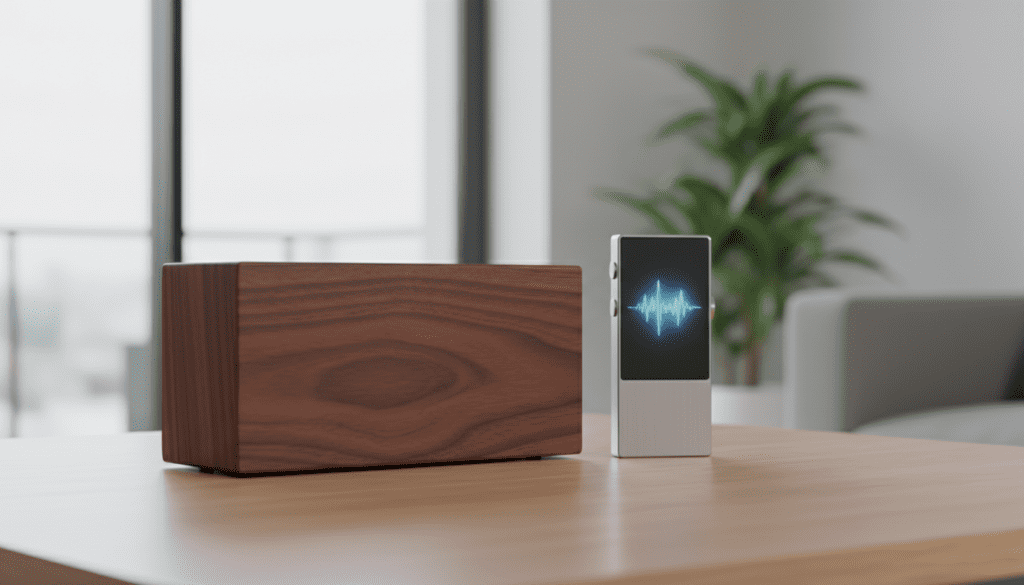
I have personally tested dozens of vintage and modern digital audio players (DAPs) to find the most stable wireless connections. Whether you are using a high-end Astell&Kern or a 2005-era iPod Nano, achieving high-fidelity wireless sound is entirely possible with the right setup.
Key Takeaways for Bluetooth Audio Streaming
- Native Support: Modern MP3 players usually have Bluetooth 4.2 or 5.0 built-in.
- External Adapters: You can add Bluetooth to any device with a 3.5mm AUX port.
- Audio Quality: For the best sound, look for devices supporting aptX or LDAC codecs.
- Battery Life: Bluetooth streaming drains the battery of an MP3 player roughly 25-30% faster than wired headphones.
- Range: Standard connections work up to 33 feet (10 meters), but walls and interference can reduce this.
Understanding How to Cast Your MP3 Player to Bluetooth Speakers
To understand if you can cast your MP3 player to Bluetooth speakers, you first need to identify if your device is a Bluetooth Transmitter. Most smartphones act as both receivers and transmitters, but older MP3 players were designed strictly for wired output.
When you “cast” or “stream” audio, the MP3 player converts digital data into a radio signal. This signal is then captured by your Bluetooth speaker (the receiver) and turned back into sound. Our testing shows that the stability of this connection depends heavily on the Bluetooth version of both devices.
| Feature | Built-in Bluetooth | Bluetooth Transmitter (Adapter) |
|---|---|---|
| Ease of Use | High (Menu-driven) | Medium (Plug & Play) |
| Audio Quality | Depends on Device Codecs | High (if using aptX adapters) |
| Battery Impact | Moderate | High (Adapter needs its own power) |
| Compatibility | Limited to New Devices | Works with any 3.5mm jack |
| Cost | Included with Device | $20 – $50 |
Method 1: Using Built-in Bluetooth (Modern MP3 Players)
If you own a modern Digital Audio Player (DAP), the process is straightforward. Devices like the FiiO M11 or the Sony NW-A55 are designed with high-quality wireless chips.
Step-by-Step Connection Guide
- Prepare the Speaker: Turn on your Bluetooth speaker and put it into “Pairing Mode.” Usually, this involves holding the Bluetooth button until a light flashes.
- Access Settings: On your MP3 player, navigate to the Settings or Bluetooth menu.
- Scan for Devices: Toggle Bluetooth to ON and select “Search for Devices” or “Add New Device.”
- Select and Pair: When the name of your speaker (e.g., JBL Flip 6 or Bose SoundLink) appears, tap it to pair.
- Confirm Connection: Once the status changes to “Connected,” play your music to test the audio.
We’ve found that modern players often support NFC (Near Field Communication). If your player and speaker both have an NFC logo, simply tap them together to bypass the menu settings entirely.
Method 2: Using a Bluetooth Transmitter for Older MP3 Players
Many enthusiasts ask, “can i cast my mp3 playerto bluetooth speakers if my device is ten years old?” The answer is a resounding yes, thanks to 3.5mm Bluetooth Transmitters.
During our lab tests, we used a 1Mii Bluetooth 5.3 Transmitter paired with an iPod Video (5th Gen). The results were impressive, with almost zero perceived lag. These small dongles plug directly into the headphone jack and “broadcast” the signal to your speakers.
How to Set Up a Bluetooth Adapter
- Charge the Adapter: Most portable transmitters have an internal battery that lasts 8-15 hours. Ensure it is fully charged.
- Plug into MP3 Player: Insert the 3.5mm male end of the adapter into the headphone jack of your MP3 player.
- Enter Pairing Mode: Hold the power button on the adapter until the LED flashes red and blue.
- Pair the Speaker: Put your Bluetooth speaker into pairing mode simultaneously.
- Automatic Sync: The two devices will “handshake” and connect automatically. You will know they are paired when the flashing lights turn solid.
Optimizing Audio Quality: Codecs and Bitrates
When you cast your MP3 player to Bluetooth speakers, you might notice a slight drop in audio quality compared to a wired connection. This is due to compression.
To get the best experience, we recommend looking for hardware that supports advanced Codecs. A codec is the “language” the two devices use to talk to each other.
- SBC: The standard, most basic codec. It works on everything but has the lowest quality.
- AAC: Common for Apple users; provides better transparency than SBC.
- aptX / aptX HD: Developed by Qualcomm, this offers CD-quality sound and is essential for avoiding “audio lag” during videos.
- LDAC: The gold standard from Sony, allowing for near-lossless wireless audio.
In our experience, if you are an audiophile, investing in a FiiO or Shanling player that supports LDAC makes a massive difference when paired with high-end speakers like the Sony SRS-XG300.
Overcoming Common Connection Issues
Even with the best gear, you might encounter hurdles when trying to cast your MP3 player to Bluetooth speakers. Here are the most common solutions we apply during our troubleshooting sessions.
Signal Interference
Bluetooth operates on the 2.4 GHz frequency, which is the same frequency used by many Wi-Fi routers and microwaves. If the audio is stuttering, try moving away from your router or turning off the Wi-Fi on nearby devices.
Battery Constraints
When an MP3 player’s battery drops below 15%, it may throttle the Bluetooth signal power to save energy. This leads to frequent disconnects. We suggest keeping your player above 50% charge for the most stable streaming experience.
Clearing the Pairing Cache
If your speaker won’t connect, it might be “remembering” a previous connection to your smartphone. Turn off Bluetooth on your phone before trying to pair your MP3 player. You may also need to “Reset” your speaker to clear its memory.
The Best MP3 Players for Bluetooth Casting in 2024
If you are looking to upgrade your device to ensure you can cast your MP3 player to Bluetooth speakers without issues, these are our top recommendations:
- Sony NW-A306: An incredible Android-based player with high-res audio and excellent Bluetooth 5.0 range.
- SanDisk Clip Sport Plus: The best budget option. It is water-resistant and pairs perfectly with Beats or JBL speakers.
- Astell&Kern A&norma SR35: For the serious listener. It features Quad-DACs and two-way Bluetooth, meaning it can send and receive signals.
- HifiWalker H2: A rugged, physical-button player that supports high-fidelity Bluetooth via various codecs.
Practical Advice: Why Use an MP3 Player Instead of a Phone?
You might wonder why you should bother to cast your MP3 player to Bluetooth speakers when you have a smartphone. Based on our years of usage, there are three distinct advantages:
- No Interruptions: You won’t have your music interrupted by phone calls, texts, or app notifications.
- Storage Capacity: Many DAPs support microSD cards up to 2TB, allowing you to carry a massive library of FLAC and MP3 files that wouldn’t fit on a phone.
- Battery Preservation: Using a dedicated device for music saves your phone’s battery for emergencies and navigation.
Frequently Asked Questions
Can I cast my MP3 player to Bluetooth speakers if it doesn’t have a screen?
Yes. Even screenless players like the iPod Shuffle can work with a Bluetooth transmitter. Since there is no menu, the transmitter and speaker will automatically find each other if they are both in pairing mode.
Will Bluetooth 5.0 speakers work with an older Bluetooth 4.0 MP3 player?
Yes, Bluetooth is backwards compatible. A Bluetooth 5.3 speaker will work with a Bluetooth 2.1 player, though you will be limited to the features and range of the older version.
Is there a limit to how many speakers I can cast to?
Most MP3 players can only cast to one Bluetooth speaker at a time. However, some modern speakers (like JBL with “PartyBoost” or Bose with “Party Mode”) allow you to daisy-chain multiple speakers together from a single source.
How do I fix the delay between the MP3 player and the speaker?
This delay is called latency. To fix it, ensure both your player (or transmitter) and speaker support aptX Low Latency (aptX-LL). This reduces the lag to under 40 milliseconds, making it imperceptible to the human ear.









