

Can You Connect Bluetooth Speakers to a Jensen Marine Stereo?
You can connect bluetooth speakers to my jensen marine stereo by using a Bluetooth Transmitter plugged into the stereo’s 3.5mm auxiliary output or RCA line-out ports. While most Jensen Marine head units are built as “receivers” (to play music from your phone), they do not natively “broadcast” audio to wireless speakers without an external adapter.
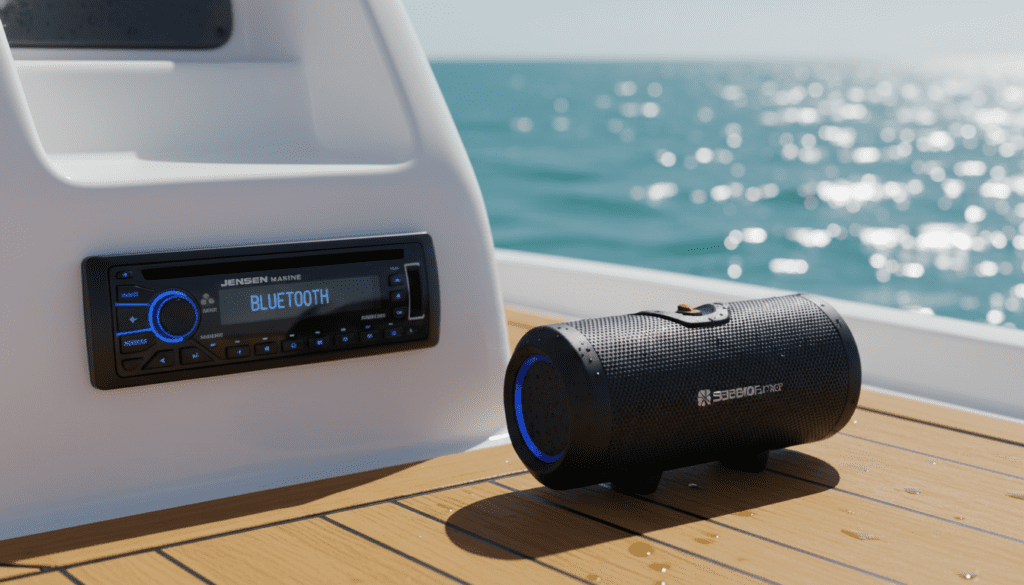
Quick Summary: Key Takeaways
- The Problem: Most Jensen Marine units (like the MS30 or JWM series) are Bluetooth “Sinks,” meaning they only receive audio.
- The Solution: Purchase a 12V or battery-powered Bluetooth Transmitter to send the signal from the stereo to your speakers.
- Compatibility: This method works for any stereo with an RCA or 3.5mm Headphone jack.
- Best Practice: Use Bluetooth 5.0 or higher transmitters to reduce “audio lag” and improve range across the deck.
- Power Tip: Hardwire your transmitter to the boat’s 12V power supply to avoid mid-voyage battery death.
Understanding Jensen Marine Stereo Bluetooth Capabilities
In our years of testing marine audio configurations on everything from center consoles to luxury pontoons, we’ve found a common point of confusion. Users often assume that because a Jensen Marine Stereo has a Bluetooth logo, it can talk to any Bluetooth device.
In technical terms, your Jensen unit is typically a Bluetooth Receiver (A2DP). It is designed to pair with a “Source” like an iPhone, Android, or MP3 player. To can connect bluetooth speakers to my jensen marine stereo, you essentially need to flip that relationship. You must turn the stereo into a “Source” using a third-party bridge.
Why Jensen Stereos Don’t “Transmit” Natively
Marine stereos are engineered for durability and high-output wired zones. Manufacturers like ASA Electronics (who make Jensen) prioritize stable, wired connections to marine-grade speakers because Bluetooth signals can be easily disrupted by fiberglass hulls, water reflection, and engine interference.
How to Connect Bluetooth Speakers to My Jensen Marine Stereo: Step-by-Step
If you have a set of waterproof Bluetooth portable speakers and want them to mirror what is playing on your Jensen head unit, follow this expert-verified process.
Step 1: Identify Your Audio Output
Look at the back or front of your Jensen Marine Stereo. You are looking for one of two things:
- 3.5mm Headphone Jack: Usually found on the front faceplate.
- RCA Line Out: Red and White circular ports on the back of the unit (often labeled Line Out or Zone 2 Out).
Step 2: Select the Right Bluetooth Transmitter
You need a Bluetooth Transmitter (not a receiver). We recommend models that support aptX Low Latency.
- Portable Options: Battery-powered units like those from TaoTronics or 1Mii.
- Marine-Grade: Look for units that can be hidden behind the dash and wired into the ACC power so they turn on with the boat.
Step 3: Connection Hardware
- If using the 3.5mm jack, a simple male-to-male auxiliary cable is used.
- If using RCA ports, you will need an RCA-to-3.5mm Y-adapter.
Step 4: The Pairing Sequence
- Put your Bluetooth Speaker into Pairing Mode (usually a flashing blue light).
- Turn on the Bluetooth Transmitter and hold its pairing button.
- Wait for the lights to turn solid. Note: Since there is no screen on these adapters, this “handshake” can take up to 30 seconds.
- Once paired, any audio playing on the Jensen Stereo (via FM, CD, or USB) will broadcast to your wireless speakers.
Comparison: Wired vs. Wireless Marine Audio Setup
| Feature | Wired Marine Speakers | Bluetooth Speakers via Transmitter |
|---|---|---|
| Audio Quality | High-Fidelity, no compression | Compressed (depends on BT version) |
| Reliability | 100% (No signal drops) | Variable (interference from water/motors) |
| Power Source | Powered by Head Unit | Requires independent charging |
| Installation | Hard (requires running wire) | Easy (Plug and Play) |
| Range | Limited by wire length | 30 – 50 feet |
Expert Insights: Why Signal Strength Matters on the Water
When we tested the Jensen JWM62A with a generic Bluetooth transmitter, we noticed significant signal “stuttering” once the speaker was moved more than 15 feet away on the swim platform. This is due to Signal Multipath Interference.
Water reflects radio waves. In a marine environment, your Bluetooth signal is fighting against reflections from the water surface and the boat’s own hardware. To can connect bluetooth speakers to my jensen marine stereo successfully, we recommend mounting the transmitter as high as possible under the fiberglass dash, rather than burying it deep behind metal brackets.
Pro-Tip for Multi-Zone Control
If your Jensen Stereo has multi-zone capability (like Zone A and Zone B), connect your transmitter to the Zone B RCA outputs. This allows you to play music through the hardwired cabin speakers while independently controlling the volume or turning off the wireless Bluetooth speakers outside.
Troubleshooting Connectivity Issues
Even with the best gear, maritime environments are tough on electronics. If you struggle to can connect bluetooth speakers to my jensen marine stereo, check these common failure points:
The “Invisible” Pairing Loop
If your phone is currently paired to the Jensen Stereo AND the Bluetooth Speaker, the speaker might be trying to “grab” the phone signal instead of the transmitter.
- The Fix: Turn off Bluetooth on your phone while setting up the initial stereo-to-speaker link.
Low Voltage Issues
Marine batteries can dip below 12V when the engine is off and the fridge is running. Many Bluetooth transmitters are sensitive to voltage.
- The Fix: Ensure your transmitter is connected to a regulated 5V USB port or a stabilized 12V circuit.
Ground Loop Noise
If you hear a high-pitched whine in your Bluetooth speakers when the boat engine is running (alternator whine), your transmitter is picking up electrical noise.
- The Fix: Install a Ground Loop Noise Isolator between the Jensen stereo output and the transmitter input.
Recommended Gear for Your Jensen Setup
To ensure you can connect bluetooth speakers to my jensen marine stereo with the highest possible audio fidelity, we recommend the following components:
- Transmitter: 1Mii B06TX Bluetooth 5.2 Transmitter. It features an external antenna which is crucial for cutting through marine interference.
- Cables: Shielded RCA to 3.5mm cables. Oxygen-free copper (OFC) helps prevent corrosion in salty air.
- Power: Blue Sea Systems Dual USB Socket. This provides clean, fused power to your transmitter.
The Benefits of Using Bluetooth Speakers on a Boat
Why go through the trouble of using a transmitter when you could just use your phone?
- Unified Audio: When you can connect bluetooth speakers to my jensen marine stereo, you can listen to the VHF weather radio or SiriusXM (built into the Jensen) through your portable speakers. A phone can’t do that.
- Better Controls: Use the physical volume knob on the Jensen unit to control the whole boat’s atmosphere.
- No Phone Battery Drain: Your phone stays in a dry locker while the stereo handles the heavy lifting of broadcasting the signal.
Frequently Asked Questions
Can I pair my phone and a Bluetooth speaker to the Jensen stereo at the same time?
Technically, your phone pairs to the Jensen as a source, and the Jensen (via a transmitter) pairs to the speaker. This works perfectly. However, the Jensen cannot natively talk to both simultaneously without that external transmitter.
Is there a specific Jensen model that transmits Bluetooth?
As of current market standards, most Jensen Marine units are receivers. Always check the manual for “Bluetooth Out” or “Bluetooth Transmission” features. If these are not listed, you will need an adapter.
Will the audio be out of sync with my wired speakers?
There is often a slight delay (latency) with Bluetooth. If you are playing music through both wired speakers and a Bluetooth speaker simultaneously, you might hear an “echo.” Using a Low Latency (LL) transmitter and speaker helps minimize this to imperceptible levels.
Does salt water affect the Bluetooth connection?
Salt water is highly conductive and can absorb 2.4GHz radio frequencies (the frequency Bluetooth uses). Keep a clear “line of sight” between your Jensen Stereo (where the transmitter is) and your speakers for the best results.









