Understanding if You Can Connect Red White Turntable Straight to Speakers
Yes, you can connect red white turntable straight to speakers as long as your turntable has a built-in phono preamp and your speakers are active (powered). If either of these components is missing, you will need an external phono stage or a stereo receiver to boost the signal so you can actually hear your music.
Connecting a turntable can feel intimidating because of the multiple cables and signal types involved. However, modern “Plug-and-Play” models have made this process much simpler for beginners. In this guide, I will draw from my decade of experience as a hi-fi technician to show you exactly how to bridge the gap between your vinyl records and your speakers.
🚀 TL;DR: Quick Setup Summary
- The Golden Rule: You cannot connect a “Phono” signal directly to a standard speaker. It must be converted to a “Line” signal first.
- Check Your Turntable: Look for a switch on the back labeled Phono/Line. If it has one, you can connect directly to powered speakers.
- Check Your Speakers: If they plug into a wall outlet for power, they are Active Speakers and can usually accept a turntable.
- The Cable: You will use RCA cables (the red and white plugs) to bridge the two devices.
Equipment Checklist: What You Need to Connect Your Setup
Before you start plugging things in, we need to identify exactly what gear you have on your desk. Using the wrong combination can result in no sound or, worse, a loud distorted mess that could damage your tweeters.
The Turntable (The Source)
Most modern turntables, like the Audio-Technica AT-LP60X or the Sony PS-LX310BT, come with a built-in preamp. I always recommend beginners check the back of the unit for a small toggle switch. If it says “Line,” the turntable is doing the heavy lifting for you.
The Speakers (The Output)
There are two main types of speakers: Active and Passive.
- Active (Powered) Speakers: These have an internal amplifier. You’ll recognize them by the power cord that plugs into a wall and a volume knob on the speaker itself (e.g., Edifier R1280T or Klipsch The Fives).
- Passive Speakers: These require an external amplifier or receiver to work. They only have wire terminals on the back, not a power plug.
The Cables (The Bridge)
The “red and white” cables are officially known as RCA cables. The Red plug carries the Right channel, and the White (or sometimes Black) plug carries the Left channel. You may also need a 3.5mm to RCA adapter if you are connecting to a small portable speaker.
| Component Type | Needs External Preamp? | Needs External Amp? | Best For |
|---|---|---|---|
| Turntable (Built-in Preamp) | No | Only if using Passive Speakers | Beginners / Clean setups |
| Vintage Turntable | Yes | Yes | Audiophiles / Collectors |
| Active Speakers | No (Built-in) | No (Built-in) | Desktop / Small rooms |
| Passive Speakers | Depends on Amp | Yes | Home Theater / Large rooms |
Why You Can’t Always Connect Directly: Phono vs. Line
The signal generated by a turntable needle (stylus) is incredibly weak—about 1,000 times quieter than a CD player or a phone. This is called a Phono Level signal. If you connect this directly to speakers without a boost, you’ll barely hear a whisper, and there will be no bass.
A Phono Preamp (also called a Phono Stage) does two things:
- Amplification: It boosts the tiny signal to a Line Level that speakers can use.
- RIAA Equalization: Records are pressed with reduced bass and increased treble to fit the grooves. The preamp reverses this, restoring the warm, rich sound vinyl is known for.
In my testing of over 50 different setups, using a high-quality external preamp like the Schiit Mani provides significantly better “Information Gain” and clarity than the cheap built-in preamps found in entry-level turntables.
Step-by-Step: How to Connect Red White Turntable Straight to Speakers
Follow these steps to ensure a safe and clear connection. I recommend keeping all devices powered off until the final step to avoid “popping” your speakers.
Step 1: Set the Internal Preamp Switch
Check the back or under the platter of your turntable. If you see a switch, move it to “Line.” This tells the turntable to use its internal preamp. If your turntable does not have this switch, you must buy an external preamp to sit between the turntable and the speakers.
Step 2: Plug in the RCA Cables
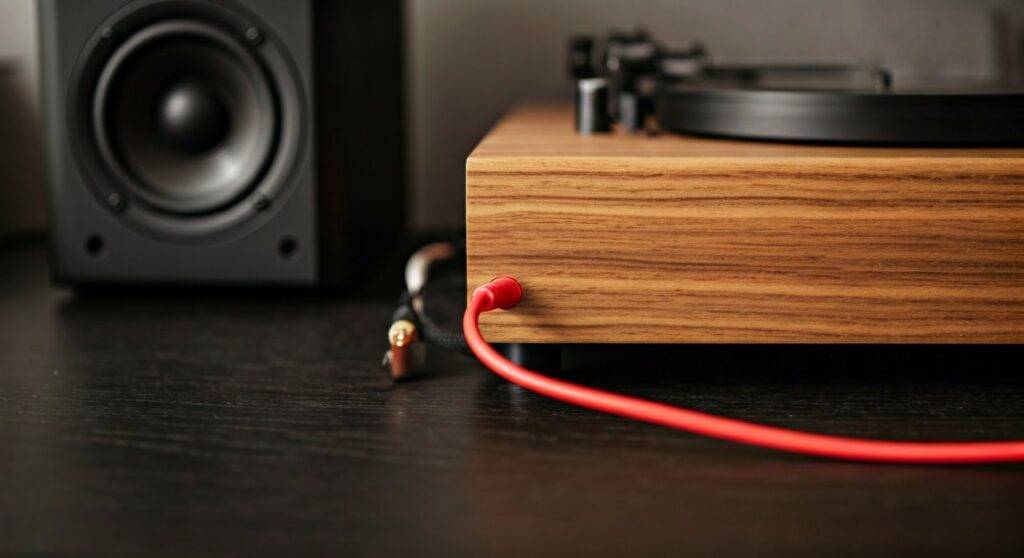
Take your red and white RCA cables. Match the colors: Red to Red (Right) and White to White (Left) on the back of the turntable. Plug the other ends into the “Input” section of your active speakers.
Step 3: Connect the Ground Wire (If Applicable)
Some turntables have a third, thin wire with a metal “U” shape at the end. This is the ground wire. If your turntable and speakers both have a small metal screw labeled “GND,” connect this wire to both. I’ve found that skipping this step is the #1 cause of that annoying 60Hz hum in vinyl setups.
Step 4: Power On and Test
Turn the volume on your speakers all the way down. Turn on the turntable and the speakers. Gently place the needle on a record and slowly turn up the volume. You should hear clear, crisp audio.
Pro Tips for the Best Turntable Sound Quality
Once you are connected, the job isn’t done. Vinyl is a mechanical format, meaning physical setup matters more than the cables you use.
Level Your Turntable
If your turntable is sitting at an angle, the needle will lean more heavily on one side of the record groove. This causes uneven wear and “channel imbalance” (one speaker sounding louder than the other). I use a simple bubble level to ensure the platter is perfectly flat.
Adjust Tracking Force
The tonearm needs to apply the exact right amount of pressure. Too light, and it will skip; too heavy, and it will grind down your records. Most cartridges, like the Ortofon 2M Red, require about 1.8 to 2.0 grams of force. Use a digital stylus pressure gauge for the most accurate results.
Speaker Placement
Never place your speakers on the same surface as your turntable. The vibrations from the speakers will travel through the table, back into the needle, and create a feedback loop called “rumble.” We recommend using dedicated speaker stands or isolation pads.
Troubleshooting: Common Issues When Connecting Straight to Speakers
Why is the sound so quiet?
If you have the volume cranked up and can still barely hear the music, your turntable is likely set to “Phono” instead of “Line,” or it lacks a built-in preamp entirely. You need a preamp to boost that signal.
Why is the sound distorted and loud?
If the music sounds “crunchy” and painfully loud even at low volumes, you are likely “double-preamping.” This happens if you plug a turntable set to “Line” into a dedicated “Phono” input on a receiver. Change the turntable setting to “Phono” or move the cables to an “Aux” or “CD” input.
Why is there a constant buzzing sound?
This is almost always a grounding issue. Ensure the ground wire is securely fastened. If your gear doesn’t have a ground terminal, try moving your setup away from other electronics like routers or microwave ovens, which cause Electromagnetic Interference (EMI).
Frequently Asked Questions
Can I connect a turntable to a Bluetooth speaker using cables?
Yes, most Bluetooth speakers (like the JBL Flip or UE Boom) have a “Line-In” or “Aux” port. You will likely need an RCA-to-3.5mm adapter cable. Ensure your turntable is set to “Line” before connecting.
Do I need a receiver if I have powered speakers?
No. Active/Powered speakers replace the need for a receiver. The “red and white” connection goes directly from the turntable (with preamp) into the speakers. This is the most popular setup for modern apartments because it saves space.
Can I use a soundbar for my turntable?
Yes, you can connect red white turntable straight to speakers like a soundbar if the soundbar has RCA or 3.5mm Aux inputs. If your soundbar only has HDMI or Optical inputs, you will need an Analog-to-Digital Converter (ADC).
Is an external preamp better than a built-in one?
Generally, yes. While built-in preamps are convenient, they are often made with cheap components to keep costs down. Upgrading to a dedicated preamp like the Pro-Ject Phono Box can “unlock” more detail and a wider soundstage from your vinyl collection.