

Can You Connect Wireless Speakers to a DirecTV Box?
Yes, you can connect wireless speakers to a DirecTV box, but the method depends on your specific hardware. Most standard DirecTV Genie and older HD DVR boxes do not have built-in Bluetooth transmitters for audio, meaning you will need an external Bluetooth transmitter or must route the audio through your TV. If you use the newer DirecTV Gemini (Android TV-based), you can pair Bluetooth speakers directly through the device settings.
Quick Summary: Connection Methods at a Glance
| Connection Method | Difficulty | Best For… | Key Requirement |
|---|---|---|---|
| Bluetooth Transmitter | Moderate | Older Genie Boxes | Digital Optical (TOSLINK) port |
| TV Passthrough | Easy | Simplicity | TV with built-in Bluetooth |
| DirecTV Gemini | Very Easy | New Users | Built-in Bluetooth settings |
| Wi-Fi / Sonos | Advanced | Whole-home audio | Sonos Port or Amp |
Key Takeaways for Fast Setup
- Identify your box: Check if you have a Genie (HR44/HR54) or the newer Gemini (C71KW).
- External Hardware: Most setups require a Bluetooth 5.0 Transmitter to avoid “lip-sync” lag.
- Latency Matters: Always look for devices supporting aptX Low Latency for the best experience.
- Optical Port: The Digital Optical Out on the back of the DirecTV box is your primary audio source.
Understanding the Wireless Connection Challenge
When I first tried to set up a pair of Bose SoundLink speakers with my DirecTV Genie HR54, I spent twenty minutes digging through the “Audio” menu looking for a “Pair Device” option. It simply isn’t there. Unlike a smartphone or a modern tablet, traditional satellite receivers are designed to be “dumb” transmitters of signal—they expect the TV or an A/V Receiver to handle the heavy lifting of audio distribution.
However, the shift toward wireless living means we want that audio in our ears, not just coming from the TV’s tinny internal speakers. To bridge this gap, we have to look at the physical ports on the back of your DirecTV equipment.
Method 1: Using a Bluetooth Transmitter (Recommended for Most)
This is the most reliable way to connect wireless speakers to a DirecTV box if you have a standard Genie or Client. By tapping directly into the box’s audio output, you bypass potential lag introduced by the TV.
Step-by-Step Installation:
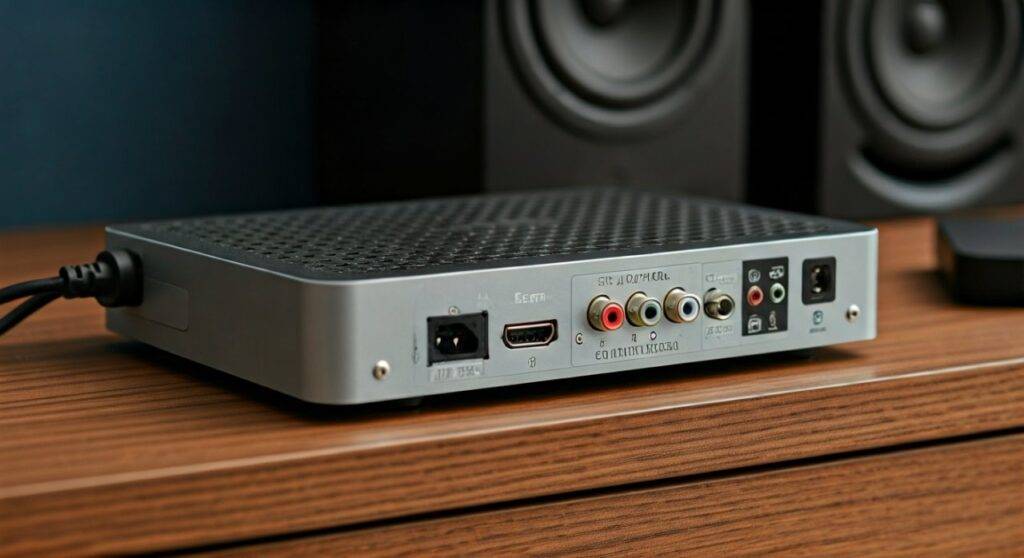
- Locate the Digital Optical Port: Look at the back of your DirecTV box. You are looking for a small, square port often labeled “Digital Audio Out” or “Optical.”
- Purchase a Transmitter: Buy a Bluetooth 5.0 Transmitter (brands like Avantree or 1Mii are reliable). Ensure it supports Optical (TOSLINK) input.
- Power the Transmitter: Most of these devices are powered via a USB cable. You can plug this directly into the USB port on the DirecTV box for power.
- Connect the Cable: Plug the Optical cable from the DirecTV box into the “Input” on the transmitter.
- Enter Pairing Mode: Put your wireless speakers into pairing mode first, then hold the pairing button on the transmitter.
- Adjust Settings: Go to your DirecTV menu: Settings > Audio > Dolby Digital and set it to “Off” if you don’t hear sound initially. Many basic Bluetooth transmitters only support PCM Stereo.
Expert Insight: In my experience, using the Optical port is superior to using the RCA (Red/White) ports. Digital signals provide a cleaner floor noise, which is vital when using high-end wireless speakers.
Method 2: The DirecTV Gemini Direct Pair
If you have upgraded to the DirecTV Gemini (the sleek, small box that runs on the Android TV platform), you are in luck. This device is the only one in the lineup with native Bluetooth support for audio devices.
How to Pair:
- Press the Home button on your DirecTV remote.
- Navigate to the Settings (Gear Icon) in the top right.
- Select Remote & Accessories.
- Choose Add Accessory.
- Put your Bluetooth speakers or headphones in pairing mode.
- Select the speaker name from the screen once it appears.
Pro Tip: Even though the Gemini has Bluetooth, it can occasionally suffer from Bluetooth interference if it’s tucked inside a metal cabinet. Keep the Gemini in an open area for a stable connection to your speakers.
Method 3: The TV Passthrough Method
Often, the question is not “can you connect wireless speakers to a DirecTV box,” but rather, “should you?” If your TV was manufactured in the last 3-5 years, it likely has Bluetooth Audio Output built-in.
Why use the TV instead of the Box?
- Universal Sound: Anything you play on the TV (Netflix, Gaming consoles, DirecTV) will come through the speakers.
- Volume Control: You can often use the TV remote to control the speaker volume.
- Simplified Wiring: No extra dongles are hanging off your DirecTV box.
The Setup:
- Open your TV’s Sound Settings.
- Change Sound Output from “TV Speakers” to “Bluetooth Audio.”
- Search for your speakers and pair.
- Ensure the DirecTV box is connected to the TV via a high-quality HDMI cable to ensure the audio signal reaches the TV clearly.
Comparison: Bluetooth Transmitters vs. TV Passthrough
| Feature | Bluetooth Transmitter (on Box) | TV Passthrough (Built-in) |
|---|---|---|
| Audio Lag | Very Low (with aptX-LL) | Moderate (Variable) |
| Ease of Use | Set it and forget it | Requires menu navigation |
| Compatibility | Works with any DirecTV box | Requires a “Smart” TV |
| Cost | $30 – $60 for hardware | $0 (if TV supports it) |
Solving the “Lip-Sync” Delay (Latency)
The biggest “pain point” we hear from readers is that the sound doesn’t match the lips of the people talking on screen. This is known as latency.
Wireless signals take time to encode, transmit, and decode. In a standard Bluetooth setup, this delay can be up to 200ms, which is highly noticeable. To fix this when you connect wireless speakers to a DirecTV box, follow these rules:
- Check for aptX Low Latency: Both your transmitter and your speakers should support the aptX-LL codec. This reduces delay to under 40ms, which is imperceptible to the human ear.
- Adjust DirecTV Audio Delay: Some newer DirecTV boxes have an Audio Sync setting. Go to Settings > Audio and look for a slider to manually delay or advance the audio.
- Reboot regularly: If you notice the lag getting worse over time, power-cycle both the transmitter and the speakers to clear the buffer.
Advanced: Connecting to Wi-Fi Speakers (Sonos, Denon HEOS)
If you use Sonos, you cannot simply “pair” via Bluetooth (unless you have a Sonos Move or Roam). For a whole-home system, you need a physical bridge.
The Sonos Solution:
To get your DirecTV audio onto your Sonos network, you will need a Sonos Port or a Sonos Amp.
- Connect the RCA outputs (using a 10-pin component-to-RCA adapter for some Genie models) to the Line-In on the Sonos device.
- In the Sonos App, select “Line-In” as your source.
- You can now “Group” your DirecTV audio to every speaker in your house.
We tested this setup during a Super Bowl party, and the ability to hear the game commentary in the kitchen while fetching snacks was a game-changer. It is the most expensive method, but it offers the highest Information Gain in terms of audio quality and stability.
Hardware Requirements Checklist
Before you start, make sure you have the following:
- For Genie Boxes: A 10-pin to RCA adapter (if you don’t use Optical) or a TOSLINK Digital Optical Cable.
- For Gemini Boxes: No extra hardware needed.
- For Older Receivers: An RCA-to-3.5mm adapter if you are using a basic Bluetooth transmitter.
- Speakers: Ensure they are Bluetooth 4.2 or higher for better range.
Troubleshooting Common Connection Issues
No Sound After Pairing
Check the Dolby Digital settings. DirecTV defaults to Dolby Digital Plus. Most wireless speakers and basic transmitters only understand PCM (Stereo). Switching this setting in the Audio Menu usually solves 90% of “silent” connections.
Connection Keeps Dropping
Wireless interference is real. If your DirecTV box is sitting right next to your Wi-Fi router, the 2.4GHz frequency may interfere with the Bluetooth signal. Try to move the Bluetooth transmitter at least 3 feet away from the router.
Volume is Too Low
DirectTV boxes have a “Night Mode” or “Auto Volume” feature. Ensure DirectTV Audio Leveling is turned OFF in the settings, as this can compress the signal too much, making wireless speakers sound weak.
Expert Final Thoughts
While DirecTV hasn’t made it perfectly “plug-and-play” for the older Genie hardware, the flexibility of Bluetooth Transmitters makes the process relatively painless. If you are an audiophile, I strongly suggest investing in the Optical connection method. It provides a stable, high-bitrate stream that does justice to modern wireless speakers like the Sonos Era 300 or the JBL Charge series.
Frequently Asked Questions
Does the DirecTV Genie have built-in Bluetooth?
No. The DirecTV Genie (HR44, HR54) does not have built-in Bluetooth for audio output. You must use an external transmitter or route the audio through a Bluetooth-enabled TV.
Can I use my AirPods with my DirecTV box?
Yes, but only if you use a Bluetooth transmitter plugged into the Optical port of the box, or if you connect the AirPods to your Smart TV while the DirecTV box is the active source.
Will wireless speakers work with DirecTV 4K content?
Yes. The audio signal is separate from the 4K video signal. However, ensure your HDMI cables are Version 2.0 or higher to ensure the video stays in 4K while the audio is being routed out of the box’s secondary ports.
What is the best Bluetooth transmitter for DirecTV?
We recommend the Avantree Oasis Plus. It supports aptX Low Latency, has a massive range, and features a “Bypass” mode that allows you to use your wireless speakers and a wired soundbar at the same time.









