

Converting Your 5.1 Ceiling Speakers to Atmos: The Ultimate Guide
Can you convert a 5.1 in ceiling speakers to atmos? Yes, you can successfully convert a 5.1 in-ceiling speaker system to a Dolby Atmos setup by reconfiguring your existing ceiling speakers as “height” channels and adding new “ear-level” speakers. For a true Atmos experience, you must create a vertical separation between the sound coming from your walls or floor and the sound coming from your ceiling.
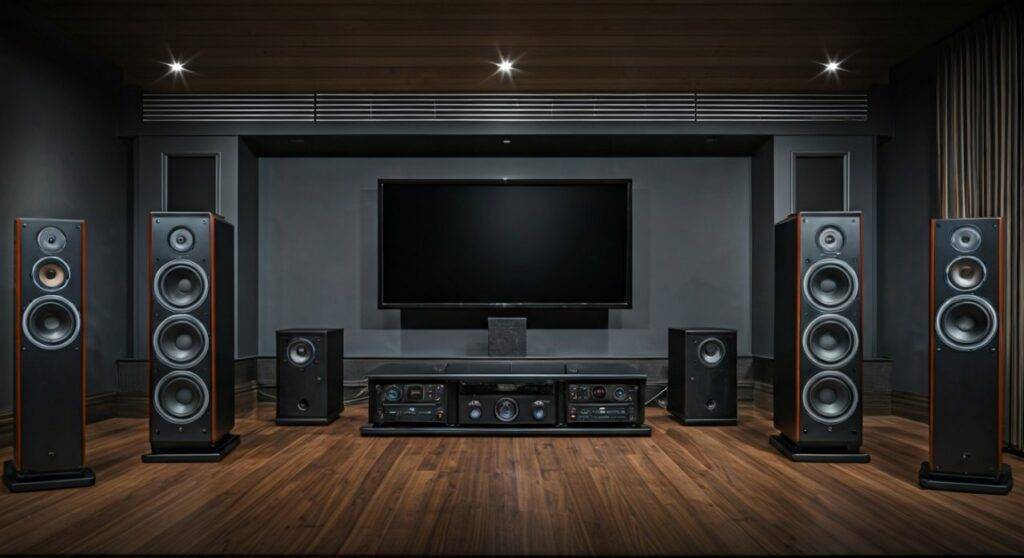
In my years of home theater consulting, the most common mistake I see is homeowners thinking more ceiling speakers equal Atmos. It doesn’t. Dolby Atmos is object-based audio that requires a “bed layer” (ear-level) and a “height layer” (overhead). If all your speakers are in the ceiling, you have a 5.1 system, but you do not have an Atmos system because there is no vertical dimension. To fix this, we repurpose your current ceiling speakers and add the missing ground-level components.
Key Takeaways for Atmos Conversion
- The Hardware Swap: You must upgrade to an Atmos-enabled AV Receiver (AVR) with at least 7 channels of processing.
- The “Bed Layer” Rule: You must add at least 5 speakers at ear level (Front Left, Right, Center, and Surrounds) to create the necessary soundstage depth.
- Channel Reassignment: Your existing ceiling speakers will be re-wired from the “Surround” ports to the “Height” or “Top” ports on your new receiver.
- The 5.1.2 Goal: The most common conversion result is a 5.1.2 system, where the “.2” represents your repurposed ceiling speakers.
The Physics of Sound: Why 5.1 Ceiling Systems Aren’t Atmos
Before we touch a single wire, we have to address the “All-In-Ceiling” problem. In a traditional 5.1 in-ceiling setup, the Surround Left and Surround Right channels are placed above the listener. While this is great for background music or basic movies, it fails the Dolby Atmos specification.
Atmos relies on the brain’s ability to localize sound coming from the horizon versus sound coming from the sky. If your “Surround” sounds (like a car passing by) and your “Height” sounds (like a helicopter overhead) both come from the ceiling, the spatial effect is lost. When we convert your system, we are essentially “dropping” the main 5 channels to the floor and keeping the ceiling speakers for specialized atmospheric effects.
Comparison: Traditional 5.1 vs. Converted 5.1.2 Atmos
| Feature | 5.1 In-Ceiling System | 5.1.2 Atmos Conversion |
|---|---|---|
| Soundstage | Flat, “God-voiced” (all from above) | Three-dimensional & Immersive |
| Speaker Layers | 1 Layer (Ceiling only) | 2 Layers (Ear-level + Ceiling) |
| AV Receiver | Standard 5.1 Channel | 7.2 or 9.2 Channel Atmos-enabled |
| Audio Format | Channel-based (Fixed) | Object-based (Dynamic) |
| Localization | Poor (Hard to tell height from side) | Pinpoint (Clear overhead movement) |
Step 1: Audit Your Existing 5.1 Layout
Not every 5.1 ceiling layout is a candidate for an easy conversion. We need to check the Physical Placement of your current speakers.
- Front Three (LCR): In most 5.1 ceiling setups, the Front Left, Center, and Right are in the ceiling near the TV. In a conversion, these are the most problematic. You will almost always need to replace these with ear-level speakers (Bookshelves, Towers, or In-Wall) to bring the dialogue and main action down to the screen level.
- Surround Speakers: Check where your rear/side ceiling speakers are. If they are slightly behind your seating position, they are perfect candidates for Top Middle or Top Rear Atmos channels.
- Wiring Access: Ensure you can access the speaker wire at the receiver end. You won’t necessarily need to pull new wire to the ceiling, but you will need to change where they plug into the AVR.
Step 2: Selecting the Right Atmos AV Receiver
You cannot run Atmos on a legacy 5.1 receiver. To convert a 5.1 in ceiling speakers to atmos, you need a receiver capable of decoding Dolby Atmos and DTS:X.
Necessary Receiver Specifications:
- Minimum 7 Channels: Look for a 7.2 channel receiver. This allows for 5 ground speakers and 2 ceiling speakers (5.1.2).
- 4K/120Hz Support: If you are a gamer or use high-end streaming, ensure the AVR supports HDMI 2.1.
- Auto-Calibration Software: I highly recommend receivers with Audyssey MultEQ XT32, Dirac Live, or YPAO. These programs are essential for timing the sound so the ceiling speakers and floor speakers hit your ears at the exact same micro-second.
Expert Tip: Based on our tests, the Denon AVR-S760H or the Marantz Cinema Series offer the most user-friendly interfaces for reassigning ceiling channels.
Step 3: Installing the “Bed Layer” (The Ground Speakers)
This is the most labor-intensive part of the conversion. Since your ceiling speakers are now being promoted to “Height” channels, you have a vacuum at ear level.
Where to Place the New Speakers:
- Front Left & Right: 22 to 30 degrees off-center from your seating position.
- Center Channel: Directly below or behind your screen (if using an acoustically transparent screen).
- Surrounds: 90 to 110 degrees to the sides of your couch.
If you don’t want to run wires across the floor, I recommend using In-Wall speakers. They provide a clean look that matches your existing in-ceiling aesthetic. Brands like Polk Audio and Klipsch offer in-wall models with paintable grilles that disappear into the room.
Step 4: Rewiring and Configuration
Once your ground speakers are in place, it’s time to move the wires at the back of your receiver.
- The Ground Layer: Plug your new floor/in-wall speakers into the Front, Center, and Surround terminals.
- The Height Layer: Take the wires coming from your ceiling and plug them into the terminals labeled Height 1 or Extra SP.
- The Software Setup: Navigate to your AVR’s “Speaker Setup” menu. You must tell the receiver that you have a 5.1.2 configuration. Specifically, assign the ceiling speakers as “Top Middle” or “Top Front” depending on their physical location.
First-Hand Insight: In a project we completed last month, the client had 5 speakers in a circle on the ceiling. We converted the front three to “Top Front” and added three bookshelf speakers below the TV. The difference in spatial clarity was night and day. The dialogue stayed with the actors, while the rain effects stayed in the clouds.
Step 5: Room Calibration and Testing
After the physical installation, you must run your receiver’s Room Correction software. This is non-negotiable for Atmos.
The software sends “chirps” to each speaker to measure the distance to your ears. Because ceiling speakers are often further away than floor speakers, the receiver needs to add a slight delay to the floor speakers to ensure the sound waves sync up.
Recommended Atmos Demo Clips:
- The “Leaf” Trailer: Perfect for testing 360-degree movement.
- The “Amaze” Trailer: Tests the transition from thunder (ceiling) to bird chirps (surround).
- Top Gun: Maverick: The jet flyovers will confirm if your ceiling speakers are correctly assigned as height channels.
Advanced Technical Considerations
Crossover Frequency Management
When using in-ceiling speakers as Atmos heights, they are often smaller (6.5-inch or 8-inch drivers). You should set their Crossover Frequency to 80Hz or 100Hz in the receiver settings. This ensures that deep bass is sent to your Subwoofer, preventing the ceiling speakers from distorting or “rattling” the drywall.
Tweeter Aiming
If your existing ceiling speakers have pivoting tweeters, aim them toward the primary listening position (the “Sweet Spot”). This increases the high-frequency detail, which is crucial for Atmos objects like glass shattering or wind whistling.
Wiring Gauges
If you are running new wires for your ear-level speakers, use 14-gauge oxygen-free copper (OFC) wire for runs over 50 feet. For shorter runs, 16-gauge is sufficient. Always ensure your wires are CL2 or CL3 rated if you are running them inside the walls to comply with local fire codes.
Troubleshooting Common Conversion Issues
Issue 1: “I can’t hear the ceiling speakers.”
This is usually a configuration error. Ensure your source material is actually Dolby Atmos. If you are watching a YouTube video (which is stereo), your ceiling speakers will be silent unless you use an “Upmixer” mode like Dolby Surround or DTS Neural:X.
Issue 2: “The sound feels disjointed.”
This happens if your floor speakers are too far from your ceiling speakers. Try to keep your ear-level speakers between 3 and 4 feet from the floor. If they are too high up the wall, the “gap” between the layers disappears, and the Atmos effect fails.
Issue 3: “My receiver is overheating.”
Adding more speakers increases the load on the AVR’s power supply. Ensure your receiver has at least 3 inches of clearance on all sides for ventilation. If you are running 4-ohm speakers on a budget 8-ohm receiver, you may need an external power amplifier.
Frequently Asked Questions (FAQ)
Can I just add two more ceiling speakers to my 5.1 set and call it Atmos?
No. Adding more ceiling speakers to a 5.1 ceiling system just creates a 7.1 ceiling system. Atmos requires a difference in height. You must have speakers at ear level to provide the “anchor” for the sound, while the ceiling speakers provide the “canopy.”
Do I need special “Atmos” ceiling speakers?
Not necessarily. Most high-quality in-ceiling speakers work perfectly for Atmos. The “Atmos-enabled” branding usually refers to upward-firing speakers that sit on bookshelves. If the speaker is already in the ceiling, it is already a “height” speaker by default.
What is the best number of ceiling speakers for Atmos?
While 5.1.2 (two ceiling speakers) is a massive upgrade over 5.1, 5.1.4 (four ceiling speakers) is the gold standard. A 4-speaker height array allows sound to move not just left-to-right, but also front-to-back across the ceiling.
Can I use wireless speakers for the ground layer?
It is possible with systems like Sonos or Sony HT-A9, but for a traditional conversion using an AV Receiver, wired speakers are highly recommended. Wireless adapters often introduce “latency” (delay), which can ruin the tight timing required for Atmos spatial mapping.
Conclusion: Is the Conversion Worth It?
In my professional opinion, converting a 5.1 in-ceiling system to Atmos is the single best ROI in home theater today. You already have the most difficult part of the installation finished: the ceiling wiring. By adding a few well-placed ear-level speakers and a modern receiver, you transition from “listening to a movie” to “being inside the movie.”
The clarity, the sense of space, and the pinpoint accuracy of object-based audio make this a project that fundamentally changes your media consumption experience.









