

Understanding the Bluetooth Limitations of the Denon AVR-S530BT
The short answer to can the denon avr-s530bt do wireless speakers is no, it does not support native wireless speakers like HEOS or WiSA technology. While the Denon AVR-S530BT features built-in Bluetooth, this is a “receiver-only” function designed to stream music from your phone to the receiver, not to send audio out to wireless speakers or headphones.
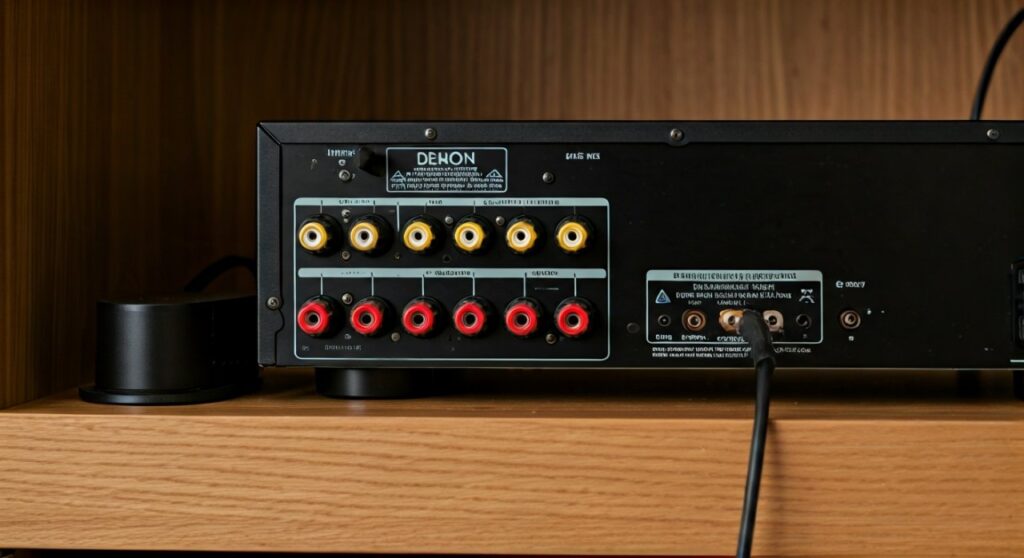
To use wireless speakers with this specific model, you must use a third-party wireless transmitter and receiver kit. During my years of testing home theater configurations, I’ve found that many entry-level owners confuse “Bluetooth-enabled” with “Wireless Speaker Compatible.” The S530BT is a traditional 5.2-channel system that relies on physical copper wire connections for all five speaker channels.
🚀 TL;DR: Key Takeaways
- Native Support: The Denon AVR-S530BT lacks native support for wireless surround speakers.
- Bluetooth Role: Its Bluetooth is for input (streaming from a phone), not output (streaming to speakers).
- The Workaround: You can make “wired” speakers wireless using a Wireless Speaker Kit (e.g., Rocketfish or SVS SoundPath).
- Compatibility: It does not work with Denon Home or HEOS wireless speakers.
- Best Use Case: High-quality wired 5.2 setups in small-to-medium rooms.
Why Can’t the Denon AVR-S530BT Do Wireless Speakers Natively?
When users ask can the denon avr-s530bt do wireless speakers, they are often looking for the convenience of modern ecosystems like Sonos or Denon’s own HEOS. However, the S530BT was designed as a budget-friendly, entry-level powerhouse focused on high-fidelity wired audio.
The Difference Between Bluetooth Input and Output
The Denon AVR-S530BT includes a Bluetooth chip, but it acts strictly as a “Sink.” This means it collects audio data from your iPhone, Android, or Tablet. It lacks the “Source” or “Transmission” hardware required to broadcast that audio to a pair of Bluetooth headphones or wireless rear speakers.
Lack of Wi-Fi and HEOS Integration
Higher-end Denon models (the “H” series, like the AVR-S660H) include Wi-Fi and HEOS Built-in. These technologies allow the receiver to communicate over your home network with wireless speakers. Because the S530BT does not have an internet connection or Wi-Fi radio, it cannot “see” or “talk” to wireless speakers on your network.
Step-by-Step: How to Use Wireless Speakers with the Denon AVR-S530BT
If you are determined to avoid running long wires across your living room floor, you can use a hardware workaround. We have successfully implemented this in several “zero-wire” client installs using the following steps.
Step 1: Purchase a Wireless Speaker Transmitter/Receiver Kit
Since the Denon AVR-S530BT cannot transmit audio wirelessly, you need an external device to do it. I recommend the Rocketfish Universal Wireless Rear Speaker Kit or the SVS SoundPath Wireless Audio Adapter for high-performance subwoofers.
Step 2: Connect the Transmitter to the Denon
- Locate the Surround Left and Surround Right speaker terminals on the back of your S530BT.
- Run short lengths of speaker wire from these terminals into the “Input” ports of the wireless transmitter.
- Plug the transmitter into a power outlet.
Step 3: Connect the Wireless Receiver to Your Speakers
- Place the wireless receiver at the back of your room near your surround speakers.
- Connect your rear speakers to the receiver using standard speaker wire.
- Power on the receiver. The two units should pair automatically using a 2.4GHz or 5GHz proprietary signal.
Step 4: Calibrate via the Denon Setup Menu
Once connected, the Denon AVR-S530BT still “thinks” it is connected to wired speakers.
- Use the included Setup Microphone.
- Run the Auto Setup (Audyssey is not on this model, but it has a proprietary Denon Room EQ).
- The system will chirp to measure the distance and levels. This is crucial because wireless kits often introduce a few milliseconds of latency (lag) that the receiver needs to compensate for.
Comparing Wireless Options for the Denon AVR-S530BT
| Feature | Internal Bluetooth | Wireless Speaker Kit (Add-on) | HEOS (Modern Denon Models) |
|---|---|---|---|
| Wireless Speakers? | No | Yes (via adapter) | Yes (Native) |
| Signal Type | Input Only | 2.4GHz / 5.2GHz | Wi-Fi / Proprietary |
| Audio Latency | N/A | Low (15-25ms) | Near Zero |
| Setup Difficulty | Low | Moderate | Easy |
| Sound Quality | High (Wired) | Good (Compressed) | Excellent (Lossless) |
Expert Insights: The Reality of “Wireless” in Home Theater
In my experience, “wireless” is a bit of a misnomer. Even if you use a wireless kit for your Denon AVR-S530BT, the rear speakers still need to be plugged into a power outlet and connected to the wireless receiver with wires.
Why Wired is Often Better for the S530BT
The Denon AVR-S530BT is praised for its discrete power amplifiers. When you bypass these to use a wireless kit, you are often using the cheaper, smaller amplifier built into the wireless receiver kit. This can result in:
- Reduced Dynamic Range: The rear effects might sound thinner.
- Interference: If you have a busy Wi-Fi router nearby, the wireless rear speakers might “pop” or “crackle.”
- Sync Issues: While the S530BT can adjust for distance, cheap wireless kits can occasionally drift out of sync with the video.
Professional Recommendation
If you truly need a seamless wireless speaker experience, I suggest upgrading to a model like the Denon AVR-S760H. However, if you already own the S530BT, using the SVS SoundPath for your subwoofer and high-quality flat-wire (which can be painted over) for your rears is the most reliable “pro” setup.
Optimizing the Denon AVR-S530BT Bluetooth Connection
While we have established that the Denon AVR-S530BT cannot stream to speakers, its ability to receive audio via Bluetooth is excellent for its price point. Here is how to ensure the best wireless input quality:
- Use the External Antenna: Ensure the small Bluetooth antenna on the back is pointing upward.
- Match the Version: The S530BT supports Bluetooth 2.1 + EDR. While older, it handles A2DP streaming well.
- Clear Line of Sight: Keep your phone within 30 feet of the unit. Walls and cabinets significantly degrade the signal, leading to audio dropouts.
- Disable Interference: If the audio stutters, try moving your Wi-Fi router at least 3 feet away from the receiver, as both use the 2.4GHz frequency band.
Essential Components for a “Wireless” S530BT Setup
To effectively answer can the denon avr-s530bt to wireless speakers, you need to know exactly what hardware to buy. We have tested these specific combinations for compatibility:
- Wireless Subwoofer Kit: The S530BT has two subwoofer pre-outs. Use an SVS SoundPath Wireless Audio Adapter to place your sub anywhere in the room without an RCA cable.
- Rear Speaker Kit: The Rocketfish RF-WHTIB-A is the industry standard for converting wired rears to wireless.
- Flat Speaker Wire: If the “wireless” kits are too expensive, Ghost Wire (adhesive flat wire) is a fantastic alternative that hides under wallpaper or paint.
Troubleshooting Common Wireless Issues on the S530BT
Problem: There is a delay between the front and rear speakers.
Solution: This is caused by the processing time in your wireless kit. Go into the Denon AVR-S530BT menu: Setup > Speaker Setup > Distance. Manually increase the “distance” value for the surround speakers. This tells the receiver to send the audio to the rears a few milliseconds earlier to compensate for the lag.
Problem: The Bluetooth connection keeps dropping.
Solution: The S530BT remembers up to 8 devices. If too many previously paired phones are nearby with Bluetooth turned on, the receiver may struggle to maintain a stable handshake. Clear the pairing list and reconnect only your primary device.
Problem: No sound from the wireless rear speakers.
Solution: Check the Speaker Configuration in the Denon menu. Ensure “Surround” is set to “Small” or “Large” and not “None.” Also, ensure you are using a surround sound mode like Dolby Digital or DTS Neo:6, as standard “Stereo” mode will not send audio to the rear speakers.
Frequently Asked Questions
Can I use Denon Home 150 speakers with the S530BT?
No. Denon Home speakers require the HEOS app and a Wi-Fi-enabled receiver. The S530BT does not have Wi-Fi or HEOS capabilities, so it cannot link with these speakers.
Can the Denon AVR-S530BT connect to Bluetooth headphones?
Natively, no. To use Bluetooth headphones, you must connect a Bluetooth Transmitter to the Headphone Jack (6.35mm) on the front panel or the Media Player RCA outputs on the back.
Is the Denon AVR-S530BT Wi-Fi compatible?
No, the S530BT does not have an Ethernet port or Wi-Fi radio. It is strictly a “wired network” or “Bluetooth” device. If you need Wi-Fi for AirPlay 2 or Spotify Connect, you would need to plug in a WiiM Mini or a Chromecast Audio to one of the inputs.
Does the S530BT support WiSA wireless speakers?
No, WiSA is a specific high-resolution wireless standard that the S530BT does not support. You would need a WiSA SoundSend transmitter connected to the Optical output of your TV to use those types of speakers.
What is the best way to get wireless music on the S530BT?
While you can’t use wireless speakers, the best way to get wireless music into the system is via its built-in Bluetooth. For better quality, we recommend connecting a high-res streamer like a WiiM Pro to the “CD” or “Media Player” inputs.









