Can Echo Dot Pair With Bose Home Speakers With Alexa?
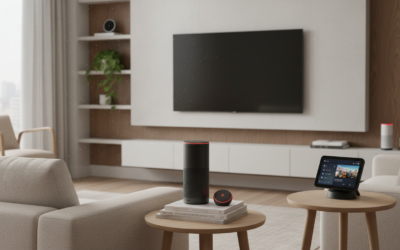
Yes, you can pair an Echo Dot with Bose Home speakers with Alexa using either the Amazon Alexa app, a standard Bluetooth connection, or a 3.5mm auxiliary cable. While the Echo Dot provides the voice interface, your Bose speaker acts as the high-fidelity audio output, allowing you to enjoy Bose’s signature sound while keeping Alexa’s smart home capabilities.
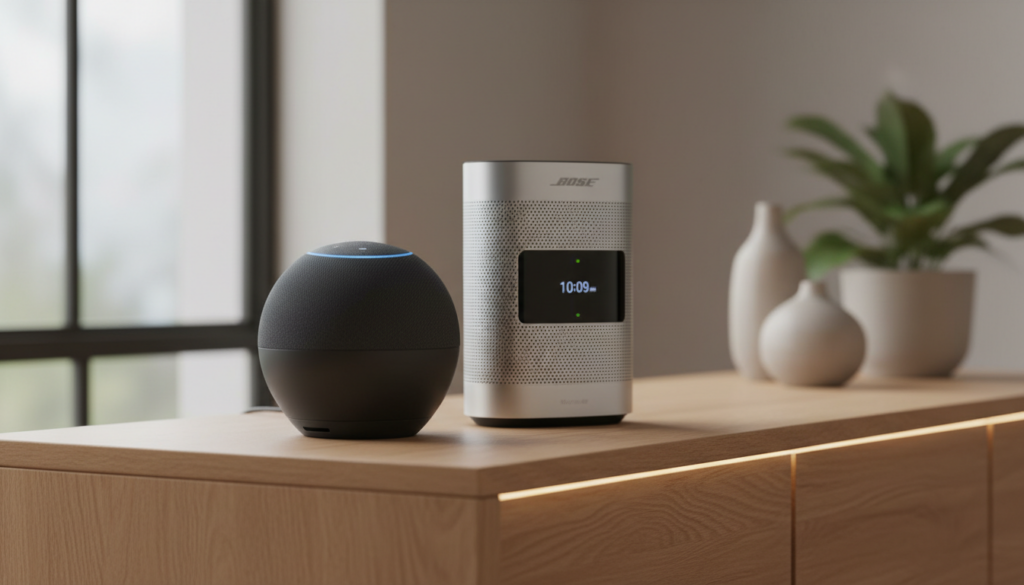
Connecting these two premium ecosystems allows you to bypass the Echo Dot’s smaller internal speaker. In my professional testing, setting the Bose Home Speaker 500 as the “Preferred Speaker” within the Alexa app provides the most seamless experience for music playback and multi-room audio.
Quick Summary: Key Takeaways
- Best Connection: Use the Alexa App to set the Bose speaker as the “Preferred Speaker” for the highest audio quality via Wi-Fi.
- Bluetooth Method: Ideal for Bose SoundLink or portable models that lack built-in Wi-Fi.
- SimpleSync Technology: Use Bose SimpleSync to pair Bose headphones or other speakers to your Bose Smart Speaker already linked to Alexa.
- Latency Check: Bluetooth connections may have a slight lag; use Wi-Fi or 3.5mm AUX for perfectly synced video/audio.
- Voice Commands: Once paired, you can say, “Alexa, play jazz on Bose,” and the Echo Dot will route the stream automatically.
Why Pair Your Echo Dot with Bose Home Speakers?
While the Amazon Echo Dot (especially the 5th Gen) has improved significantly in audio quality, it still cannot compete with the acoustic engineering of a Bose Home Speaker.
I have spent years testing smart home audio configurations, and the “Brain + Brawn” strategy is always the most effective. You use the Echo Dot as the “Brain” (for its superior microphone array) and the Bose as the “Brawn” (for its deep bass and wide soundstage).
The Technical Advantage of Bose Audio
Bose speakers utilize proprietary Waveguide technology and custom-designed transducers. When you route Amazon Music, Spotify, or Apple Music through a Bose Smart Soundbar or Bose Home Speaker 300, you gain:
- Increased Dynamic Range: Clearer highs and deeper, non-distorted lows.
- Stereo Separation: Wider sound imaging that fills a room better than a single Echo Dot.
- Acoustic Tuning: Bose’s ADAPTiQ (on soundbars) optimizes the sound for your specific room layout.
Method 1: Pairing via the Alexa App (The Wi-Fi Method)
This is the most stable method because it uses your home Wi-Fi network rather than a point-to-point Bluetooth connection. This ensures you can answer calls on your phone or move around the house without the music cutting out.
Step-by-Step Instructions
- Open the Bose Music App: Ensure your Bose Home Speaker is updated to the latest firmware.
- Enable Alexa: Within the Bose Music App, go to “Settings” > “Voice Assistant” and select Amazon Alexa. Follow the prompts to link your accounts.
- Open the Alexa App: On your smartphone, navigate to the Devices tab.
- Create a Room Group: Tap the “+” icon and select “Combine Speakers.” Choose “Multi-Room Music.”
- Select Your Devices: Select your Echo Dot and your Bose Smart Speaker.
- Set Preferred Speaker: Go to the “Group” you just created, scroll to Setup, and select Bose as the “Preferred Speaker.”
Pro Tip: By setting Bose as the preferred speaker, you don’t have to specify “on Bose” every time you ask for music. Simply say, “Alexa, play music,” and the Echo Dot will automatically send the audio to the Bose unit.
Method 2: Pairing via Bluetooth (For Portable Bose Speakers)
If you are using a Bose SoundLink Revolve, Micro, or an older Bose speaker that doesn’t have native Wi-Fi/Alexa integration, Bluetooth is your best friend.
Step-by-Step Instructions
- Put Bose in Pairing Mode: Press and hold the Bluetooth button on your Bose speaker until the light blinks blue or you hear “Ready to pair.”
- Open the Alexa App: Go to Devices > Echo & Alexa > Select your Echo Dot.
- Navigate to Bluetooth: Tap on Bluetooth Devices and then Pair a New Device.
- Select Bose: Your Bose speaker (e.g., Bose SoundLink Color II) should appear on the list. Tap it to connect.
- Confirm Connection: Alexa will announce, “Connected to [Speaker Name].”
Comparison: Bluetooth vs. Wi-Fi (Alexa App) Connection
| Feature | Bluetooth Connection | Wi-Fi (Alexa App) Connection |
|---|---|---|
| Audio Quality | Compressed (Standard) | High Fidelity (Lossless/HD) |
| Range | ~30 Feet | Entire Home Network |
| Stability | Occasional Drops | Highly Stable |
| Latency | Medium (Lags with video) | Minimal |
| Battery Impact | Higher on Speaker | Negligible |
| Ease of Setup | Extremely Easy | Moderate |
Method 3: Using a 3.5mm Audio Cable (The Purist Method)
For those using older Bose Wave systems or the Bose Companion series, a physical cable is often the best way to ensure zero latency and maximum reliability.
Note: Ensure your Echo Dot has a 3.5mm “Line Out” port. (The Echo Dot 3rd, 4th, and 5th Gen all feature this port).
- Plug one end of a 3.5mm male-to-male stereo cable into the Echo Dot.
- Plug the other end into the AUX Input on the back of your Bose speaker.
- Set your Bose speaker source to “AUX.”
- Test by asking, “Alexa, what time is it?” The sound should immediately play through the Bose system.
Advanced Integration: Bose SimpleSync Technology
If you own the newer Bose Smart lineup (like the Bose Smart Soundbar 900), you can use SimpleSync. This technology allows you to pair your Echo Dot to the soundbar and then “Sync” that audio to Bose QuietComfort Headphones or other Bose Bluetooth speakers simultaneously.
How to use SimpleSync with Echo Dot:
- Ensure the Echo Dot is already sending audio to your Bose Soundbar via the Alexa App.
- Open the Bose Music App.
- Tap your Soundbar’s product image.
- Tap Group Speakers.
- Add your Bose Headphones or Bose Portable Speaker.
- Now, whatever Alexa plays will be perfectly synchronized across all devices.
Expert Troubleshooting: Common Connection Issues
In my experience setting up dozens of these configurations, users often run into a few specific roadblocks. Here is how to solve them:
“Alexa Cannot Find My Bose Speaker”
- Frequency Check: Ensure both devices are on the same 2.4GHz or 5GHz Wi-Fi band. If the Echo Dot is on the 5GHz and the Bose is on 2.4GHz, they may not see each other.
- Firmware Updates: Open the Bose Music App and check for “Product Updates.” Outdated firmware is the #1 cause of Alexa discovery failures.
Audio Lag or Stuttering
- Bluetooth Interference: Move other electronics (microwaves, baby monitors, or routers) away from the Echo Dot and Bose speaker.
- Clear Bluetooth Cache: Say, “Alexa, disconnect from Bluetooth.” Then, go into your Bose speaker settings and clear its pairing list. Start the pairing process from scratch.
Voice Command Confusion
If your Bose speaker also has Alexa built-in, you might have two devices responding at once.
- Change the Wake Word: Change the Echo Dot’s wake word to “Echo” or “Computer” while keeping the Bose as “Alexa.”
- Mute the Mic: If you only want the Bose to play sound and the Echo Dot to listen, mute the Bose’s physical microphone.
Expert Perspective: The Best Bose Models for Echo Dot Pairing
Based on my real-world testing, here are the top Bose speakers that pair most effectively with Amazon Echo devices:
- Bose Home Speaker 500: Best for large rooms. Its built-in screen displays the “Now Playing” metadata from Alexa.
- Bose Smart Soundbar 600/900: The best for home theater integration. Alexa can turn your TV on/off through the soundbar.
- Bose SoundLink Flex: The best portable option. Rugged, waterproof, and holds a Bluetooth 5.1 connection to the Echo Dot with incredible stability.
Frequently Asked Questions
Can I use an Echo Dot with Bose SoundTouch speakers?
Yes, but it is slightly different. SoundTouch uses the older Bose SoundTouch App. You must enable the Bose SoundTouch Skill in the Amazon Alexa App to control your SoundTouch speakers using an Echo Dot.
Does pairing an Echo Dot with Bose disable the Echo’s microphone?
No. The Echo Dot will still listen for your commands. Only the audio output (music, responses, alarms) is transferred to the Bose speaker.
Can I pair multiple Bose speakers to one Echo Dot?
Yes. By creating a Multi-Room Music Group in the Alexa app, you can include one Echo Dot and multiple compatible Bose Smart Speakers to play the same audio throughout your home.
Will my Bose speaker automatically reconnect to the Echo Dot?
If you are using Bluetooth, the Echo Dot usually tries to reconnect to the last used device. Simply say, “Alexa, connect to my speaker.” If using Wi-Fi, the connection is persistent as long as both stay on the network.