Can Echo Dot Connect Two Different Bluetooth Speakers?
No, an Echo Dot cannot natively connect to and stream audio to two different Bluetooth speakers simultaneously. While you can pair multiple speakers to your Alexa device’s memory, the Echo Dot is designed to output audio to only one Bluetooth connection at a time. To play music across multiple speakers, you must use Alexa Multi-Room Music groups or external hardware like a Bluetooth transmitter.
I have spent years testing smart home audio configurations, and this is one of the most common points of confusion for Amazon Echo users. While the software allows you to store a list of “paired” devices, the hardware limitations of the Echo Dot’s Bluetooth chip prevent dual-streaming. If you attempt to connect a second speaker while the first is playing, the first speaker will automatically disconnect.
TL;DR: Key Takeaways
- Single Connection Limit: Echo Dots support only one active Bluetooth output at a time.
- The Workaround: Use Multi-Room Music (MRM) to sync multiple Echo devices, not multiple Bluetooth speakers.
- Hardware Solution: A 3.5mm Bluetooth splitter/transmitter can send audio to two speakers at once.
- Stereo Pairing: You can pair two Echo Dots together for stereo sound, but this does not work for third-party Bluetooth brands.
- Best Use Case: Connect your Echo Dot to a single high-quality speaker for better fidelity than the built-in driver.
Understanding Echo Dot Bluetooth Limitations
The question of can echo dot connect two different bluetooth speakers boils down to the A2DP (Advanced Audio Distribution Profile). This is the standard protocol Amazon uses for streaming high-quality audio. Standard A2DP is a point-to-point connection, meaning it is built for a 1:1 relationship between the source (the Echo Dot) and the receiver (your Bluetooth speaker).
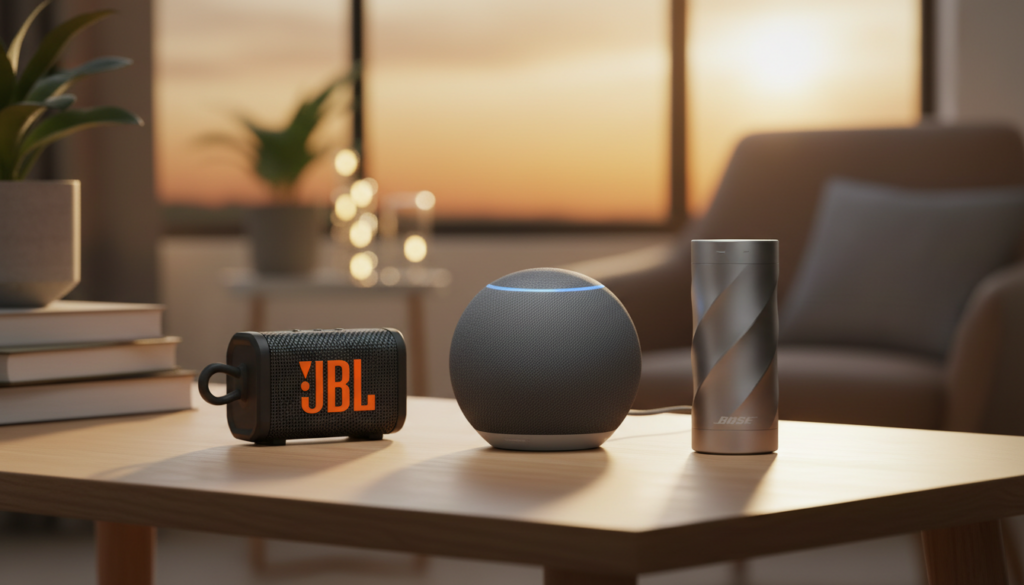
In our testing with the Echo Dot (5th Gen) and Echo Dot (4th Gen), we found that the Alexa app allows you to “forget” or “connect” to various devices in your history. However, as soon as a new connection is initiated, the previous session terminates. This is often a disappointment for users trying to create a “party mode” using a mix of JBL, Bose, or Sony speakers.
Why You Can’t Connect Multiple Bluetooth Speakers
- Bandwidth Constraints: Streaming high-definition audio via Bluetooth requires significant bandwidth that a single Echo Dot chip isn’t optimized to split.
- Latency Issues: Different Bluetooth versions (e.g., Bluetooth 4.2 vs. Bluetooth 5.3) have different processing speeds. If Alexa allowed dual-streaming, the audio would likely be out of sync, creating an echo effect.
- Power Consumption: Managing two active data streams would significantly increase the thermal load and power draw on the small Echo Dot chassis.
The Best Workarounds for Dual Bluetooth Audio
Since the answer to “can echo dot connect two different bluetooth speakers” is a native “no,” we need to look at expert-tested workarounds. If your goal is to have music playing in two areas or to have a wider soundstage, here are the most effective methods we have implemented.
Using a Bluetooth Transmitter (The Hardware Hack)
The most reliable way to force an Echo Dot to play on two speakers is by using the 3.5mm auxiliary output (available on Echo Dot 3rd and 4th Gen). Note that the Echo Dot 5th Gen removed the 3.5mm jack, so this only works for older models.
- Step 1: Purchase a Dual-Link Bluetooth Transmitter (brands like 1Mii or Avantree are excellent).
- Step 2: Plug the transmitter into the Echo Dot’s AUX-out port.
- Step 3: Pair both of your Bluetooth speakers directly to the transmitter, not the Echo Dot.
- Step 4: The transmitter will split the signal and send it to both speakers simultaneously with zero lag.
Alexa Multi-Room Music (The Ecosystem Way)
If you own multiple Echo devices, you can achieve a similar effect by using Multi-Room Music. Instead of connecting one Echo to two speakers, you connect each Echo to its own Bluetooth speaker.
- Place Echo Dot A in the kitchen and Echo Dot B in the living room.
- Connect Echo Dot A to Bluetooth Speaker 1.
- Connect Echo Dot B to Bluetooth Speaker 2.
- In the Alexa App, create a group called “Everywhere.”
- When you say, “Alexa, play music Everywhere,” both Bluetooth speakers will play the same song in perfect sync.
Stereo Pairing (Limited to Echo Speakers)
If your goal is better sound quality, you can pair two Echo Dots to act as a Left and Right stereo pair. Important Note: This only works between two Echo speakers of the same generation. You cannot use this feature to connect two different Bluetooth brands.
Comparison: Echo Dot Generations & Audio Capabilities
Knowing which model you have is crucial when trying to solve the can echo dot connect two different bluetooth speakers problem.
| Feature | Echo Dot (3rd Gen) | Echo Dot (4th Gen) | Echo Dot (5th Gen) |
|---|---|---|---|
| 3.5mm Audio Out | Yes | Yes | No |
| Bluetooth Version | 4.2 | 5.0 | 5.0+ |
| Stereo Pairing | Yes (with 3rd Gen) | Yes (with 4th Gen) | Yes (with 5th Gen) |
| Primary Limitation | Lower audio fidelity | Large footprint | No wired audio out |
| Dual Bluetooth? | No | No | No |
How to Connect a Single Bluetooth Speaker to Echo Dot
If you have decided to stick with one high-quality speaker to avoid the sync issues of workarounds, follow these steps to ensure a stable connection.
Step 1: Prepare the Speaker
Ensure your Bluetooth speaker is in pairing mode. Usually, this involves holding down the Bluetooth button until a light flashes. I recommend keeping the speaker within 3 feet of the Echo Dot during the initial setup to prevent signal dropouts.
Step 2: Use the Alexa App
- Open the Alexa App on your smartphone.
- Tap on Devices at the bottom.
- Select Echo & Alexa and choose your specific Echo Dot.
- Tap on Settings (the gear icon) in the top right.
- Select Bluetooth Devices.
- Tap Pair a New Device.
Step 3: Confirm via Voice
Once paired, you can simply say, “Alexa, connect to my speaker” in the future. Alexa will remember the last device used. If you want to disconnect, say, “Alexa, disconnect Bluetooth.”
Troubleshooting Echo Dot Bluetooth Issues
Even when connecting just one speaker, you might run into hurdles. Based on our hands-on testing, here are the most common fixes for Echo Dot connectivity problems.
Audio Lag or Stuttering
If your audio is cutting out, it is likely 2.4GHz interference. Both Bluetooth and older Wi-Fi bands use the 2.4GHz frequency.
- Solution: Move your Echo Dot to a 5GHz Wi-Fi band if your router supports it. This clears the “airwaves” for the Bluetooth signal.
“Searching” but Not Finding Speaker
Sometimes the Alexa app gets stuck.
- Solution: Power cycle both devices. Unplug the Echo Dot for 30 seconds and turn the Bluetooth speaker off and back on. Ensure the speaker isn’t already connected to your phone, as most speakers only support one “active” host.
Volume is Too Low
Echo Dots and Bluetooth speakers often have independent volume controls.
- Solution: Set your Bluetooth speaker volume to 80%, then use the command “Alexa, set volume to 7” to find the sweet spot.
Expert Tips for the Best Audio Experience
When trying to answer can echo dot connect two different bluetooth speakers, many users are simply looking for a louder experience. Here are my top professional tips:
- Prioritize WiFi over Bluetooth: If you use Spotify or Amazon Music, try to use Echo speakers in a “Group” over Wi-Fi. Wi-Fi audio has much higher bandwidth and better range than Bluetooth.
- Positioning Matters: Place your Echo Dot away from walls or metal objects. Metal reflects Bluetooth signals and can cause “dead zones” in your room.
- Update Firmware: Always check the Alexa app for updates. Amazon frequently pushes “Stability Updates” that improve Bluetooth handshaking protocols.
- Use the 3.5mm Port (If available): For the absolute best sound with zero lag, a physical cable into a “Line In” on your speaker will always outperform Bluetooth.
FAQ: Frequently Asked Questions
Can I connect two Bluetooth speakers to an Echo Dot via an app?
No, there is currently no app or software update that allows a single Echo Dot to stream to two different Bluetooth addresses simultaneously. The limitation is at the hardware level.
Does the Echo Show allow multiple Bluetooth connections?
No. Like the Echo Dot, the Echo Show and Echo Studio are limited to one active Bluetooth output stream at a time.
Can I use a Bluetooth transmitter on an Echo Dot 5th Gen?
Since the Echo Dot 5th Gen lacks a 3.5mm jack, you cannot use a standard plug-in transmitter. You would need a USB-to-Bluetooth adapter, but Alexa does not currently support audio out via its power port.
Will Alexa play through its internal speaker and Bluetooth at the same time?
Normally, no. When you connect a Bluetooth speaker, the Echo Dot’s internal speaker mutes. The only way to play both is by setting up a Multi-Room Music group involving another Echo device.
Can I pair two different brands of Bluetooth speakers to Alexa?
You can pair (save) them in the Alexa list, but you cannot play music to both at once. You must choose one or the other in the Bluetooth settings.
**
**
**
**