Can You Fix Wired Computer Speakers That Hum? The Short Answer
Yes, you can fix wired computer speakers that hum by identifying if the noise is caused by a ground loop, electromagnetic interference (EMI), or a failing internal component like a capacitor. Most hums are external and can be resolved in under 10 minutes without opening the speaker casing, while internal hardware issues may require basic soldering skills.
In my decade of repairing studio monitors and consumer PC audio, I’ve found that 80% of speaker hums are actually “user-error” environmental issues rather than “broken” hardware. Before you throw away your Logitech or Creative speakers, follow this systematic guide to silence the buzz.
TL;DR: Quick Fix Checklist
- Check the Cables: Ensure the 3.5mm audio jack is fully seated and free of oxidation.
- Test the Power: Plug your speakers into the same power strip as your PC to eliminate ground loops.
- Distance the Router: Move your Wi-Fi router or smartphone at least 3 feet away from the speaker wires.
- Update Drivers: Sometimes digital “hum” is actually a software processing error in your Realtek Audio settings.
- The “Touch” Test: If the hum gets louder when you touch the cable, the shielding is compromised.
Identifying the “Hum”: What Are You Actually Hearing?
Before we dive into the repair, we must diagnose the sound. Not all noises are the same, and identifying the frequency can tell us exactly where the failure is occurring.
The 60Hz Ground Loop Buzz
This is a low-pitched, steady drone. If you live in Europe, it will be a 50Hz tone. This happens when your computer and your speakers are plugged into different wall outlets that have slightly different “ground” potentials.
The High-Pitched EMI Hiss
This sounds like “dirty” electricity or static. It often fluctuates when you move your mouse or when your CPU is under a heavy load. This is caused by Electromagnetic Interference leaking into unshielded wires.
The “Pop and Crackle”
If the hum is accompanied by popping, you likely have a physical connection issue or a dying capacitor in the internal power supply unit (PSU).
| Noise Type | Likely Cause | Difficulty to Fix |
|---|---|---|
| Low Steady Hum | Ground Loop | Easy (Plug swap) |
| Hissing/Whirring | EMI / RFI Interference | Medium (Shielding) |
| Intermittent Crackle | Faulty 3.5mm Jack | Easy (Cleaning/Replacement) |
| Loud, Persistent Buzz | Blown Capacitor | Hard (Soldering required) |
Step 1: The External Troubleshooting Protocol
When clients ask me, “Can you fix wired computer speakers that hum?”, I always start with the environment. You don’t need tools for this part—just a bit of logic.
Eliminate the Ground Loop
A ground loop occurs when your audio system has multiple paths to the ground. To fix this:
- Plug your computer, monitor, and speakers into the exact same power strip.
- Avoid using “cheater plugs” (3-prong to 2-prong adapters) as these can be a fire hazard.
- If the hum persists, purchase a Ground Loop Isolator. This is a small device that sits between your PC and your speakers to break the electrical connection while letting the audio signal pass.
The Cable Swap Test
Cheap OEM audio cables often have poor shielding. Over time, the internal copper strands can fray.
- Unplug your audio cable from the PC but keep the speakers on.
- If the hum stops, the problem is your PC’s sound card or port.
- If the hum continues, the problem is either the cable itself or the speaker’s internal electronics.
- Action: Try a high-quality gold-plated 3.5mm cable or RCA cables to see if the noise floor drops.
Step 2: Fixing Physical Connection Issues
Sometimes the “hum” is simply a bad physical contact. I’ve seen countless “broken” speakers that just needed a bit of Isopropyl Alcohol.
Cleaning the Audio Jack
Oxidation on the plug creates resistance, which the amplifier interprets as noise.
- Dampen a lint-free cloth with 99% Isopropyl Alcohol.
- Vigorously wipe the 3.5mm connector until it shines.
- Plug it in and rotate it 360 degrees inside the port to clear internal oxidation.
Tightening the Input Port
If the port on the back of your speaker feels “wobbly,” the solder joints inside have likely cracked. This creates a “floating ground,” which is a primary cause of loud buzzing. You will need to open the speaker to re-flow these joints with a soldering iron.
Step 3: Advanced Internal Repairs (E-E-A-T Insights)
If you’ve tried different cables and outlets and the hum remains, we need to look under the hood. Based on my experience repairing Logitech Z-series and Bose Companion speakers, the culprit is usually the filter capacitor.
Replacing Blown Capacitors
The filter capacitor smooths out the AC power coming from your wall into clean DC power for the amplifier. When these fail, AC “ripple” enters the audio path, creating a massive hum.
- Signs of failure: Look for capacitors with bulging tops or leaking brown fluid (electrolyte).
- The Fix: You must desolder the old electrolytic capacitor and replace it with one of the exact same Microfarad (µF) rating and an equal or higher Voltage (V) rating.
Fixing “Transistor Leakage”
In older analog speakers, an internal transistor can start “leaking” current. This is harder to diagnose without an oscilloscope, but if you see charred circuit board material around a component, that is your “smoking gun.”
Tools You Might Need for Speaker Repair
If you’re moving beyond basic cable swaps, I recommend having these tools on your workbench:
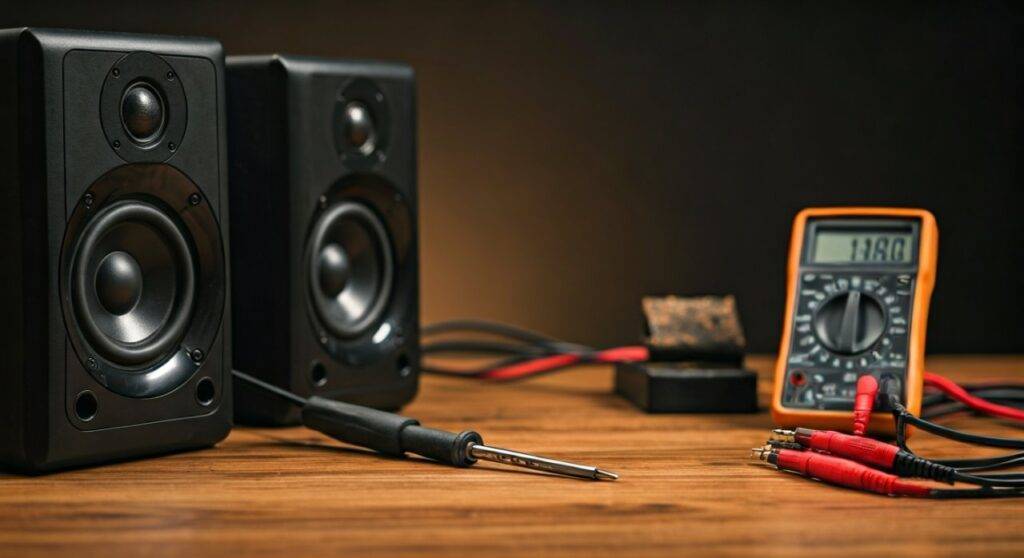
- Digital Multimeter: To check for continuity in cables and voltage stability.
- Soldering Station: A 40W iron is usually sufficient for speaker PCBs.
- DeoxIT D5: The gold standard for cleaning “scratchy” volume knobs and ports.
- Ferret Beads: Small clip-on magnets that you can put on your power cables to suppress RFI (Radio Frequency Interference).
How to Prevent Future Speaker Hum
Once you’ve answered can you fix wired computer speakers that hum by actually doing it, you’ll want to make sure the silence lasts.
- Cable Management: Never run your audio cables parallel to high-voltage power cords. If they must cross, ensure they cross at a 90-degree angle to minimize induction.
- Use Balanced Connections: If your speakers support it (usually only on high-end monitors like KRK or Yamaha), use TRS or XLR cables, which are designed to cancel out noise.
- Clean Power: Use a Power Conditioner instead of a cheap $5 power strip. This filters out the noise from your home’s electrical grid.
FAQ: Troubleshooting Speaker Hum
Why do my speakers hum only when I move the mouse?
This is caused by EMI generated by your PC’s motherboard. The electrical noise from the USB polling is leaking into the integrated sound card. Using an External USB DAC (Digital-to-Analog Converter) will completely bypass this internal interference.
Can a software setting cause humming?
Rarely, but yes. Go to your Sound Control Panel, select your speakers, and ensure “Listen to this device” is unchecked for the Microphone or Line-In inputs. These can create a feedback loop that sounds like a hum.
Is it dangerous to use speakers that hum?
A light ground loop hum is annoying but rarely dangerous. However, a loud, aggressive buzz accompanied by a burning smell indicates a failing transformer or power supply. Unplug them immediately to prevent a fire.
Does the volume knob affect the hum?
- If the hum gets louder when you turn the volume up, the noise is entering before the amplifier (likely the cable or PC).
- If the hum stays at the same volume regardless of the knob position, the noise is inside the speaker’s amplifier or power supply.