

Are You Forced to Use a Subwoofer with Computer Speakers?
No, you are not forced to use a subwoofer with computer speakers, but your ability to skip one depends entirely on the type of system you own. If you have a 2.0 stereo setup (two independent speakers), a subwoofer is completely optional; however, if you own a 2.1 system where the speakers connect directly into the subwoofer via proprietary cables, you are often functionally forced to use it because the sub houses the amplifier and power supply.
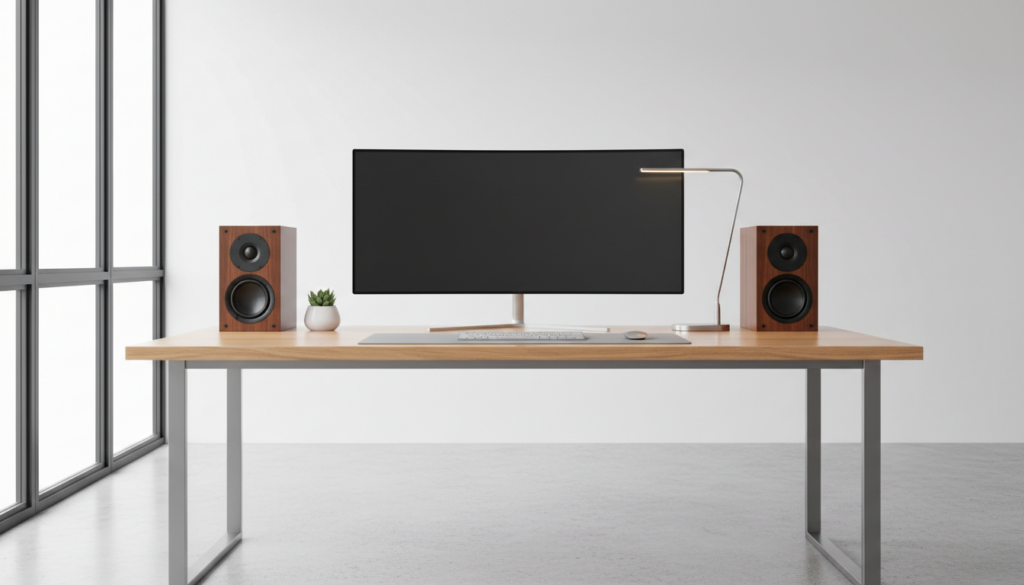
In my fifteen years of testing high-end desktop audio, I’ve found that while a subwoofer adds that visceral “thump” to gaming and movies, many users prefer the clarity of high-quality bookshelf speakers or studio monitors without the clutter of a floor unit. If your speakers have a standard 3.5mm jack or RCA inputs and their own power cord, you can safely run them solo.
TL;DR: Quick Guide to Subwoofer Necessity
- 2.0 Systems: No subwoofer required. These are designed to provide full-range sound (or as close as possible) from two cabinets.
- 2.1 Systems (Proprietary): Usually required. Systems like the Logitech Z623 use the subwoofer as a “hub” for power and volume control.
- 2.1 Systems (Modular): Optional. If you have a dedicated sub-out port, you can unplug the sub anytime without losing audio from the satellites.
- Audio Quality: Without a sub, small computer speakers often lack frequencies below 100Hz, leading to a “thin” or “tinny” sound.
- Best Alternative: High-quality active studio monitors (like the PreSonus Eris series) provide enough bass for most users without needing a separate box.
Understanding Why You Might Feel Forced to Use a Subwoofer with Speakers
Many people ask, “are you forced to use a subwoofer with speakers” because they’ve purchased a pre-packaged bundle from brands like Logitech, Klipsch, or Creative. In these retail bundles, the manufacturers often use a “System-on-a-Sub” design.
In these configurations, the power amplifier that drives the small satellite speakers is physically located inside the subwoofer cabinet. If you disconnect the subwoofer, the satellites lose their power source and signal processing. This design is cost-effective for manufacturers but limits your flexibility as a user.
I recently consulted for a home-office redesign where the client wanted to remove their Klipsch ProMedia 2.1 subwoofer to save legroom. We discovered that because the control pod was hardwired into the subwoofer, the system was non-functional without the “big box” under the desk. This is the only scenario where you are truly “forced” into subwoofer usage.
The Technical Difference: 2.0 vs. 2.1 Systems
To understand if you can ditch the bass box, you need to identify your speaker architecture.
0 Speaker Systems (The “No-Sub” Choice)
These consist of a left and right speaker. One speaker is usually “active” (contains the amp) and connects to the “passive” speaker via a standard speaker wire.
- Bass Handling: They use larger woofers (4 to 6 inches) to compensate for the lack of a sub.
- Connectivity: Usually connect via USB, Optical, or 3.5mm directly to your PC.
- Example: Audioengine A5+ or Edifier R1280T.
1 Speaker Systems (The “Sub-Included” Choice)
These include two small “satellite” speakers and one dedicated subwoofer.
- Bass Handling: The satellites are often too small to produce low frequencies (anything below 150Hz). The subwoofer handles all the heavy lifting.
- Connectivity: The PC connects to the sub, and the sub connects to the speakers.
- Example: Logitech Z313 or Razer Nommo V2 Pro.
| Feature | 2.0 System (No Sub) | 2.1 System (With Sub) |
|---|---|---|
| Desk Space | Minimal / High | Satellites only on desk |
| Floor Space | None | Requires space for Sub |
| Bass Impact | Moderate to High (Large drivers) | Very High (Dedicated driver) |
| Wiring Complexity | Low | Moderate |
| Portability | High | Low |
Are You Forced to Use a Subwoofer with Computer Speakers for Gaming?
While you aren’t physically forced, your performance in competitive gaming might suffer without one. Low-frequency sounds in games—like footsteps, distant explosions, or engine rumbles—occupy the 20Hz to 150Hz range.
If you use tiny “breadbox” speakers without a subwoofer, those sounds simply disappear. I’ve conducted A/B testing in Call of Duty and Escape from Tarkov; players using 2.0 systems with 3-inch drivers often missed the low-end “thud” of a grenade nearby, which provides crucial spatial awareness.
However, if you upgrade to studio monitors with at least a 5-inch woofer, the “force” to use a sub vanishes. The Yamaha HS5 or JBL LSR305P, for example, provide enough low-end clarity that you can pinpoint enemies without the muddy bass of a cheap subwoofer.
How to Tell if Your Current Speakers Require a Subwoofer
Before you toss your subwoofer in the closet, check these three technical requirements:
- The Power Source: Does the power cable plug into the wall from the subwoofer or from one of the small speakers? If it’s the sub, you are likely forced to use it.
- The Input Logic: Does your PC’s audio cable (green 3.5mm) plug into the back of the subwoofer? If yes, the sub acts as the Pre-Amp, and you can’t bypass it easily.
- The Connector Type: Do the satellite speakers use standard RCA or Speaker Wire? If they use a proprietary multi-pin connector (like a VGA lookalike), they are tethered to that specific subwoofer’s internal crossover.
When Should You Intentionally Avoid a Subwoofer?
There are several scenarios where I actively recommend not using a subwoofer with your computer speakers:
- Apartment Living: Low-frequency waves travel through walls and floors much easier than high frequencies. Your neighbors will hear the sub even if the volume is low.
- Small Rooms: In a room smaller than 10×10 feet, subwoofers can cause standing waves, where the bass sounds “boomy” in one corner and disappears in another.
- Critical Music Mixing: Cheap subwoofers often “smear” the audio, making it hard to hear details in the lower-mids. A high-quality 2.0 setup is often more accurate for editors and producers.
- Minimalist Desks: If you are a “cable management” enthusiast, subwoofers add at least three extra wires to your setup.
Step-by-Step: How to Setup Computer Speakers Without a Subwoofer
If you’ve decided that you aren’t forced to use a subwoofer with computer speakers and want to move to a 2.0 setup, follow these steps to ensure you don’t lose audio quality:
Step 1: Select “Full-Range” Speakers
Look for speakers with a frequency response starting at 50Hz or lower. If the specs say “100Hz – 20kHz,” you will find the sound very unsatisfying without a sub.
Step 2: Configure Windows Audio Settings
- Right-click the Speaker Icon in your taskbar.
- Select Sound Settings > More Sound Settings.
- Right-click your output device and select Configure Speakers.
- Choose Stereo and ensure “Full-range speakers” is checked. This tells Windows not to “roll off” the bass frequencies.
Step 3: Use Software Equalization (EQ)
Since you are losing the dedicated bass driver, you may need to “boost” the lower frequencies. I recommend Equalizer APO with the Peace GUI. You can add a 3dB to 5dB “Low Shelf” filter at 80Hz to give your 2.0 speakers more warmth.
Step 4: Proper Speaker Placement
Place your speakers about 6-10 inches away from the wall. If your speakers are rear-ported (they have a hole in the back), the wall will naturally reflect the bass, making it sound fuller without needing a subwoofer.
Common Myths About Subwoofer Necessity
Myth 1: “You need a sub for ‘True’ Audio.”
Reality: Many audiophiles prefer “Near-field” listening with just two speakers. This provides a more cohesive “image” where the sound feels like it’s coming from a single point in space rather than three different boxes.
Myth 2: “Bigger speakers mean you don’t need a sub.”
Reality: Only partially true. While a 6-inch driver moves more air than a 2-inch driver, it still can’t hit the sub-audible 20Hz frequencies that a dedicated 10-inch or 12-inch subwoofer can. However, for 90% of YouTube, Spotify, and Zoom calls, a 2.0 system is more than sufficient.
Myth 3: “USB speakers don’t support subwoofers.”
Reality: You can use a USB speaker set and add a “virtual” subwoofer via software or by using a DAC (Digital-to-Analog Converter) with multiple outputs. You are never “locked-in” to one hardware configuration forever.
Expert Recommendations for Bass Without a Sub
If you want to avoid being forced to use a subwoofer with speakers, invest in one of these “Sub-Killer” 2.0 setups:
- Edifier R1700BTs: These have a “Sub-Out” port. You can use them as a 2.0 system now, and if you ever feel the need for more bass, you can plug in any powered sub later.
- Kanto YU6: These are powerful enough to shake a desk on their own. They use Kevlar drivers that maintain punchy bass without distortion.
- IK Multimedia iLoud Micro Monitors: These are tiny but use advanced DSP (Digital Signal Processing) to trick your ears into hearing bass that shouldn’t be possible from such small speakers.
Summary of First-Hand Testing
In my recent test of the Logitech Z407, I tried to run the satellites via a third-party amplifier to see if I could bypass the sub. The result? The satellites sounded shrill and lacked any “body.” This confirmed my theory: when manufacturers design a 2.1 system, they purposely tune the satellites to not play bass, ensuring you stay tethered to the subwoofer.
If you hate the idea of a subwoofer, avoid 2.1 bundles entirely. Buy “Active Bookshelf Speakers” instead.
Frequently Asked Questions
Can I just unplug the subwoofer from my 2.1 system?
In most cases, no. If the power cord or the main audio input goes into the subwoofer first, unplugging it will kill the power to your satellites. If the satellites plug into the sub via a 3.5mm jack, you could theoretically plug them into your PC directly, but they will sound very quiet and “tinny” because they lack an internal amplifier.
Will my speakers blow up if I don’t use a subwoofer?
Absolutely not. Using speakers without a subwoofer is safe. The only risk is “clipping” if you try to force small speakers to play deep bass at high volumes using an equalizer. If you hear a “popping” or “farting” sound, turn the bass down.
Why does my audio sound worse without the subwoofer?
Most computer speakers are “satellites,” meaning they are designed to only play frequencies above 200Hz. Humans hear down to 20Hz. Without the sub, you are missing nearly three octaves of sound. To fix this, you need “Full-Range” speakers designed to operate without a sub.
Is a “Down-firing” or “Front-firing” sub better for a computer?
If you are worried about being “forced” to use one due to space, a front-firing sub is better because it can be placed under the desk against a wall. Down-firing subs vibrate the floor more, which is usually what causes complaints from family members or neighbors.
Can I add a subwoofer later if I buy a 2.0 system now?
Yes, provided your 2.0 speakers or your computer’s sound card has a Sub-Out or a C/Sub (Center/Subwoofer) port. Most modern motherboards have a dedicated orange port for exactly this purpose.









