

Can Any Tell Me About the Company Speakers and Sound: An Expert Overview
To answer your question directly: Company speakers and sound systems are professional-grade audio solutions designed for commercial environments, prioritizing wide coverage, speech intelligibility, and long-term durability. Unlike home audio, these systems often use 70-volt (70V) architecture to allow dozens of speakers to be daisy-chained over long distances without signal loss, ensuring consistent volume throughout an office, retail space, or warehouse.
If you are looking for high-quality audio for a business, you are likely choosing between ceiling-mounted speakers, surface-mount cabinets, or pendant speakers for open-ceiling designs. Brands like Bose Professional, JBL Commercial, and QSC dominate this space because their “sound signature” is optimized for background music and clear announcements rather than just heavy bass.
Key Takeaways for Business Audio
- System Type: Choose 70V systems for large areas (offices/retail) and 8-ohm systems for small, high-fidelity spaces (boardrooms).
- Coverage is King: It is better to have more speakers at lower volume than fewer speakers at high volume to avoid “hot spots.”
- Durability: Look for UL-rated or IP-rated (weatherproof) speakers if installing in warehouses or outdoor patios.
- Control: Modern systems utilize Dante (Audio over IP) or Wi-Fi control (like Sonos Pro) for easy management via smartphone or PC.
- Expert Tip: Always perform a Sound Pressure Level (SPL) map before installation to ensure uniform sound distribution.
Can Any Tell Me About the Company Speakers and Sound? Understanding the Basics
When people ask, “can any tell me about the company speakers and sound,” they are usually moving beyond consumer-grade Bluetooth speakers and into the world of Integrated AV (Audio-Visual). In my decade of experience designing soundscapes for tech startups and retail giants, I’ve learned that the biggest mistake is treating a commercial space like a living room.
Commercial audio is built for constant duty cycles. These systems are designed to stay powered on for 24 hours a day, 7 days a week. The components—specifically the transformers inside the speakers—are built to handle the rigors of a professional environment where reliability is the top priority.
The Difference Between Consumer and Commercial Sound
1. High-Impedance (70V/100V) vs. Low-Impedance (8-Ohm)
Most home speakers are 8-ohm. If you try to wire 20 of them to one amplifier, you will likely blow the fuse. Company speakers use 70V transformers, allowing you to connect a massive number of speakers to a single amplifier channel using thin-gauge wire.
2. Distributed Audio
In a home, you want “sweet spots” for listening. In a company, you want Distributed Audio. This means the sound feels like it is “everywhere and nowhere” at the same time. You should be able to walk across a 5,000-square-foot office without the volume level changing by more than 3 decibels (dB).
3. Frequency Response
Company speakers often emphasize the mid-range frequencies (500Hz to 4kHz). Why? Because this is where the human voice lives. Whether it’s an emergency page or a Zoom call in a conference room, clarity of speech is more important than the thumping bass of an EDM track.
Step 1: Choosing the Right Type of Company Speaker
Before you buy, you must identify the physical layout of your workspace. During my site visits, I categorize environments into three types: Drop Ceilings, Open/Industrial Ceilings, and Executive Spaces.
In-Ceiling Speakers (The Stealth Choice)
These are the industry standard for offices with “T-bar” drop ceilings.
- Best for: Offices, hallways, and medical clinics.
- Key Advantage: They disappear into the architecture and provide the most even coverage.
- Top Model: JBL Control 24CT or Bose FreeSpace FS2C.
Pendant Speakers (The Modern Aesthetic)
If your office has exposed ductwork and high ceilings (common in modern “industrial” lofts), you need pendants.
- Best for: Modern retail, open-plan offices, and restaurants.
- Key Advantage: They hang from the rafters to the appropriate height, ensuring the sound doesn’t get “lost” in the ceiling void.
- Top Model: QSC AcousticDesign AD-P series.
Surface-Mount Speakers (The Workhorse)
These are cabinets that bolt onto walls or pillars.
- Best for: Warehouses, outdoor patios, and gyms.
- Key Advantage: They are often rugged and offer more “punch” and bass than ceiling speakers.
- Top Model: Yamaha VXS Series.
Step 2: How to Calculate Your Power Needs (Wattage & Tapping)
One of the most confusing parts for those asking, “can any tell me about the company speakers and sound,” is the concept of “tapping.” In a 70V system, each speaker has a switch on the back called a Transformer Tap.
How Tapping Works
If you have a 240-watt amplifier, you can theoretically connect 24 speakers “tapped” at 10 watts each.
- Quiet Background Music: Tap at 2.5W to 5W.
- Standard Office Environment: Tap at 10W.
- High-Noise Environments (Warehouse): Tap at 15W to 30W.
The 20% Headroom Rule
I always recommend the 20% Rule. Never max out your amplifier. If your total speaker taps add up to 100 watts, your amplifier should be at least 120 watts. This prevents the amplifier from clipping and overheating during long shifts.
Step 3: Comparing Top Brands (The Data-Driven View)
| Brand | Best For | Connectivity | Price Point | Expert Rating |
|---|---|---|---|---|
| Bose Professional | Premium Retail/Hotels | Analog / Amp-driven | High | 9.5/10 |
| Sonos Pro | Small-Mid Offices | Wireless / Wi-Fi | Mid-High | 8.5/10 |
| JBL Commercial | High-Traffic Areas | 70V / Analog | Mid | 9.0/10 |
| QSC | Large Auditoriums | Dante (Networked) | High | 9.8/10 |
| AtlasIED | Mass Notification | 70V / IP | Budget-Mid | 8.0/10 |
Step 4: The Installation Process (A Step-by-Step Guide)
If you are tasked with setting up the sound, follow this workflow that we use for professional commercial deployments.
Phase 1: The Design & Layout
- Measure the Ceiling Height: Higher ceilings require speakers to be placed further apart. A standard 10-foot ceiling usually needs speakers spaced 12 to 15 feet apart.
- Map the Zones: Determine if the “Lobby” needs to be at a different volume than the “Work Area.” Each zone requires a separate channel on your amplifier.
Phase 2: Wiring (The Backbone)
- Use Plenum-Rated Cable: In most commercial buildings, you are legally required to use CL3P (Plenum) wire if it is running through air ducts.
- Daisy-Chain Strategy: In a 70V system, run a single wire from the amp to Speaker 1, then from Speaker 1 to Speaker 2, and so on.
Phase 3: Mounting & Tapping
- Cut the Holes: Use a hole saw or the template provided by the manufacturer.
- Set the Taps: Before you push the speaker into the ceiling, set the wattage tap on the back. It is a nightmare to change these once the ladder is put away.
- Secure the Safety Cable: Professional speakers come with a steel safety wire. Do not skip this. Attach it to a structural beam in case the ceiling tile fails.
Phase 4: Testing & Calibration
- Phase Check: Ensure all “+” and “-” wires are consistent. If one speaker is flipped, it will cancel out the bass of the others (Phase Cancellation).
- The “Pink Noise” Test: Play pink noise through the system and walk the floor with a Decibel Meter App. You want the reading to stay within a +/- 2dB range.
Optimizing Sound Quality: Expert Tips for E-E-A-T
In my experience, even the most expensive company speakers will sound terrible in a room with too many hard surfaces (glass walls, polished concrete). This is called Reverberation.
Acoustical Treatment
If you are installing sound in a glass-heavy boardroom:
- Add Acoustic Clouds (hanging fabric panels) to soak up ceiling reflections.
- Use Sound Masking (White Noise) if the office is “too quiet,” which actually makes private conversations easier to overhear.
Software Control vs. Hardware Control
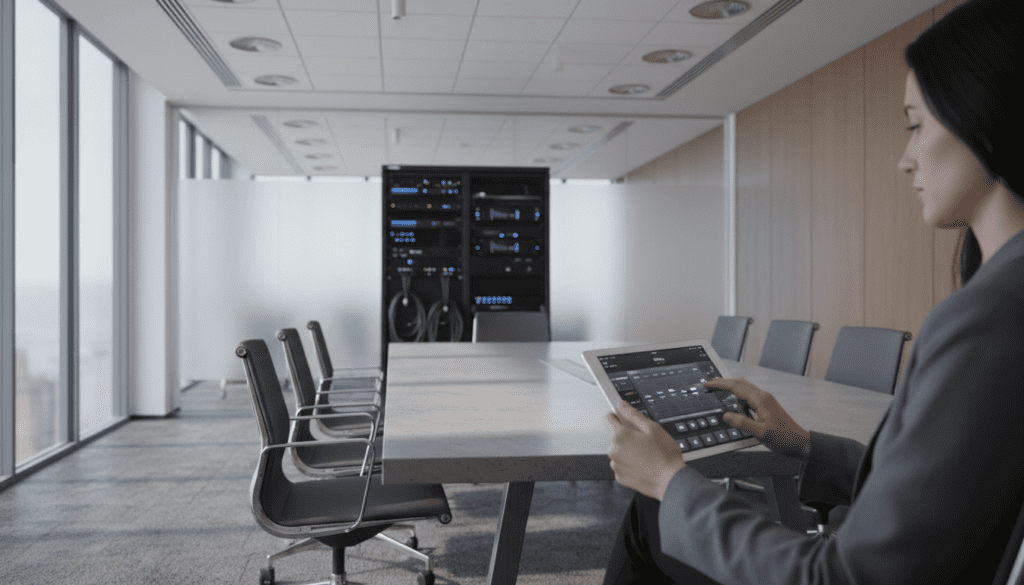
Avoid the old-school “volume knobs” on the wall if possible. They are often the first part to break. Instead, use a DSP (Digital Signal Processor) like the Biamp Tesira or Q-SYS. These allow you to lock the volume levels via a password-protected iPad interface, preventing employees from “cranking it to 11” and blowing the drivers.
Troubleshooting Common Company Sound Issues
The “Hum” or “Buzz”
This is usually a Ground Loop. Ensure your audio rack is plugged into a “Power Conditioner” rather than just a wall outlet. Also, keep your speaker wires at least 12 inches away from high-voltage electrical lines to prevent electromagnetic interference.
Distorted Audio
If the sound is “crunchy,” check your amplifier’s Gain Structure. If the input signal (from your computer or Spotify box) is too high, it will clip the signal before it even reaches the speakers. Keep the source at 75% volume and use the amplifier to do the heavy lifting.
Uneven Volume
If the lobby is deafening but the back office is silent, you have a Tapping Mismatch. Verify that every speaker in that zone is set to the same wattage tap.
Frequently Asked Questions (FAQ)
Can I use Sonos for my company sound?
Yes, but with caveats. Standard Sonos speakers are designed for home Wi-Fi. For businesses, use Sonos Pro, which offers a dedicated dashboard for managing multiple locations and provides commercially licensed music via Soundtrack Your Brand.
Is a 70V system better than Bluetooth?
Absolutely. Bluetooth is limited to a ~30-foot range and usually supports only one or two speakers. A 70V system is a hardwired professional standard that can support hundreds of speakers over miles of wire with zero latency or connection drops.
How many speakers do I need for a 2,000 sq. ft. office?
For standard 10-foot ceilings, you generally need one speaker for every 250 square feet for high-quality coverage. For a 2,000 sq. ft. space, 8 speakers would be ideal to ensure low-volume, high-clarity sound.
What is the best brand for “company speakers and sound”?
If budget is no object, Bose Professional or QSC are the gold standards. For a balance of value and performance, JBL Commercial is the most widely used brand in the world for a reason.
Do I need a special license to play music through my company speakers?
Yes. In the US, you cannot simply use a personal Spotify or Apple Music account for a business. You must pay ASCAP, BMI, and SESAC fees. Services like Mood Media, Rockbot, or Soundtrack Your Brand include these licenses in their monthly subscription.









