Understanding Why Your Head Unit Stopped Sending Sound to Rear Speakers
Yes, a head unit can stop sending sound to rear speakers due to internal amplifier failure, incorrect fader settings, or physical wiring shorts. In my years of diagnosing car audio systems, I’ve found that while a blown speaker is common, a total loss of signal usually points to a hardware malfunction within the head unit’s output stage or a disconnected harness.
Key Takeaways for Fast Troubleshooting
- Check the Fader: Ensure the Fader setting isn’t pushed 100% to the front.
- Inspect Wiring: Look for loose pins in the ISO harness or pinched wires in the door sills.
- Test with a Multimeter: Check for DC offset or lack of AC voltage at the rear speaker outputs.
- Reset the Unit: Perform a factory reset to clear software glitches in modern Android Head Units.
- Internal Failure: If the front works but the rear is dead after testing, the internal MOSFET amplifier chip may have a dead channel.
Can a Head Unit Stop Sending Sound to Rear Speakers? Common Causes
When you realize your rear stage has gone silent, the panic of a broken Head Unit sets in. However, the cause is often more technical than a simple “broken” device. Through my experience in car audio shops, I categorize these issues into three buckets: Configuration, Connectivity, and Component Failure.
The Fader and Balance Trap
It sounds simple, but modern infotainment systems and Aftermarket Stereo units have complex menus. A “Zone” setting or a misplaced Fader adjustment can completely mute the rear. I’ve seen users accidentally engage a “Driver Focus” mode that disables rear output to improve the front soundstage.
Blown Internal Amplifier Channels
The Head Unit uses a small internal amplifier (usually a MOSFET chip) to power four channels. It is entirely possible for the rear channels of this chip to burn out while the front channels remain perfectly functional. This usually happens if the rear speakers were running at an Ohm load lower than the unit was rated for (e.g., 2-ohm speakers on a 4-ohm rated unit).
Wiring Harness Oxidation or Fatigue
Vehicles vibrate constantly. Over time, the Rear Speaker Pins in the plastic harness behind the dashboard can back out or oxidize. If the connection is lost, the Head Unit can’t send the signal, even if the software says it is playing.
Troubleshooting Symptoms: A Comparison Table
| Symptom | Likely Culprit | Repair Difficulty |
|---|---|---|
| Both rear speakers silent | Head Unit Fader or Internal Amp Failure | Moderate |
| One rear speaker silent | Broken Wire or Blown Speaker | Easy |
| Static in rear only | Loose Ground or Damaged Output Pin | Moderate |
| Sound cuts in and out | Pinched Wire Shorting to Chassis | Hard |
| “Protect Mode” Error | Shorted Speaker Wire or Dead Amp Chip | Professional Needed |
Step-by-Step Guide to Diagnosing Rear Speaker Loss
If you are asking, “can head unit stop sending sound to rear speakers?” because you are currently sitting in a silent car, follow this diagnostic path. We have used this exact sequence to save customers hundreds of dollars in unnecessary replacements.
Step 1: Verify the Software Settings
Before pulling the dashboard apart, go into the Audio Settings.
- Locate the Fader/Balance menu.
- Center the cursor perfectly.
- Check for “Dual Zone” or “Rear Seat Entertainment” modes. If these are active, the Head Unit might be trying to send rear audio to headphones or a separate screen instead of the speakers.
Step 2: Perform a Hard Reset
Modern units from brands like Pioneer, Kenwood, or Alpine are essentially small computers.
- Locate the small pinhole Reset button on the faceplate.
- Hold it for 5-10 seconds using a paperclip.
- This clears the DSP (Digital Signal Processor) settings which might be causing the routing error.
Step 3: Inspect the Wiring Harness
Pull the Head Unit out of the dash. Look at the bundle of wires.
- The rear speaker wires are typically Green/Green-Black (Left Rear) and Purple/Purple-Black (Right Rear).
- Ensure these four wires are securely crimped or soldered.
- Check the ISO connector for any bent pins. I once spent three hours on a Jeep Wrangler only to find a single pin had pushed out of the plastic housing.
Step 4: The 9V Battery “Pop” Test
This is an old-school installer trick to see if the Rear Speakers or the Head Unit is the problem.
- Disconnect the speaker wires from the back of the head unit.
- Briefly touch the positive and negative speaker wires to the terminals of a 9V battery.
- If you hear a “pop” or “click” from the rear speaker, the wiring and speaker are fine.
- If there is no sound, the issue is in your Vehicle Wiring or the speakers themselves, not the head unit.
Technical Deep Dive: Why Internal Amps Fail
If the “Pop Test” works but the unit still won’t play music, your Head Unit has likely stopped sending sound to rear speakers due to a hardware failure.
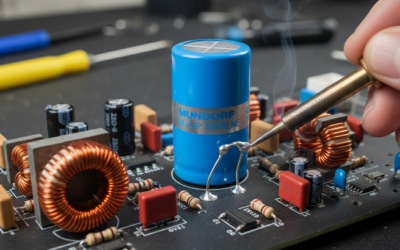
Inside your stereo is an Integrated Circuit (IC). This chip generates heat. If your car’s dashboard lacks ventilation or if you’ve added high-powered speakers without an external amp, this chip can overheat. Usually, the Rear Channel Output fails first because the traces on the circuit board are often smaller or closer to heat-generating components.
Is it Worth Repairing?
For a standard Double-DIN receiver, the cost of replacing the internal amplifier chip exceeds the cost of a new unit. However, if you have a high-end Audiophile Head Unit, a specialized electronics technician can desolder the failed chip and install a new one.
Advanced Diagnostics: Using a Multimeter
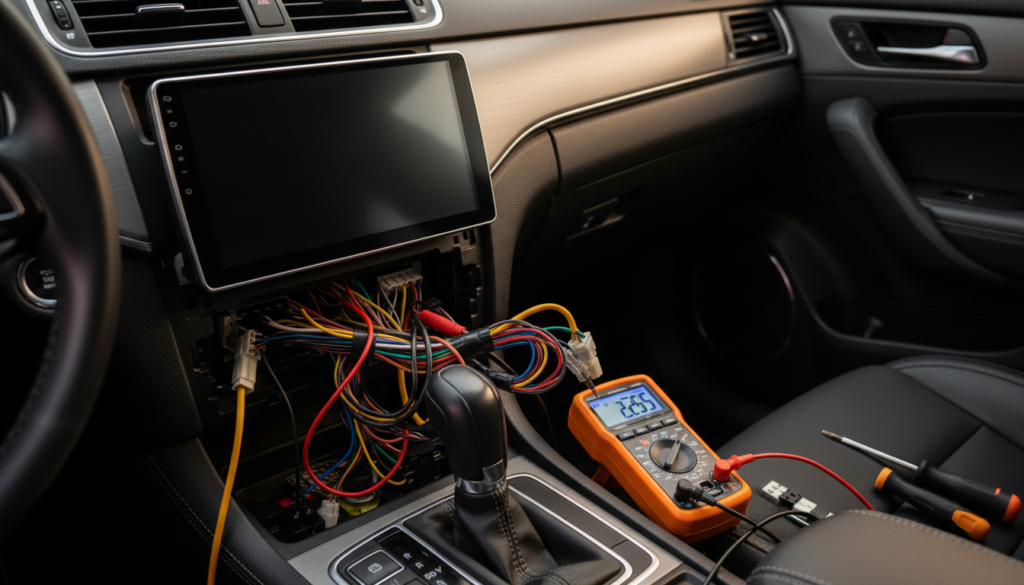
If you want to be 100% certain, use a Digital Multimeter.
- Set the meter to AC Voltage.
- Play a 1kHz test tone or heavy bass music at a high volume.
- Probe the rear speaker output leads at the back of the unit.
- A functioning channel should show fluctuating voltage (usually between 1V and 10V depending on volume).
- If the front channels show voltage but the rear channels show 0.00V, the Head Unit is definitely the culprit.
Proactive Solutions to Prevent Rear Channel Failure
We always recommend these three steps to ensure your Car Audio System remains reliable:
- Match Impedance: Always ensure your speakers are 4-ohm unless your head unit specifically supports 2-ohm loads.
- Proper Ventilation: Avoid stuffing excess wiring directly behind the head unit’s heat sink.
- Use an External Amplifier: If you like loud music, bypass the head unit’s internal amp entirely. Using the RCA Pre-outs to an external amplifier takes the load off the head unit, preventing it from ever burning out its internal channels.
Frequently Asked Questions
Can a single shorted wire mute all rear speakers?
Yes. Many modern Head Units have a protection circuit. If the Right Rear speaker wire shorts against the metal frame of the car, the unit may shut down the entire rear output stage to prevent the internal chip from exploding.
Does a factory amp affect the rear speakers?
In many vehicles (like those with Bose or Harman Kardon systems), the head unit doesn’t power the speakers directly. It sends a signal to a Factory Amplifier. If your rear speakers are out, the problem might be a blown fuse for the factory amp or a failed channel in that external amp rather than the head unit itself.
Can a firmware update fix a head unit not sending sound?
Occasionally, yes. If you are using a CarPlay or Android Auto wireless adapter, software bugs can cause audio routing issues. Always check the manufacturer’s website for the latest Firmware Update before assuming the hardware is dead.
Is it safe to bridge the front and rear wires?
No. Never connect the front and rear speaker wires together to try and “trick” the system. This will drop the Impedance (Ohms) too low and will almost certainly destroy the remaining functional channels of your head unit within minutes.