Can You Hook Up 3 Speakers to a Scarlett 6i6?
Yes, you can definitely hook up 3 speakers to a Scarlett 6i6. Because the Focusrite Scarlett 6i6 features four balanced analog line outputs, you have enough physical ports to connect up to four individual speakers (two stereo pairs) or a combination of three speakers for specific monitoring tasks. To make this work, you simply utilize Line Outputs 1 and 2 for your main stereo pair and Line Output 3 (or 4) for your third “mono” reference speaker.
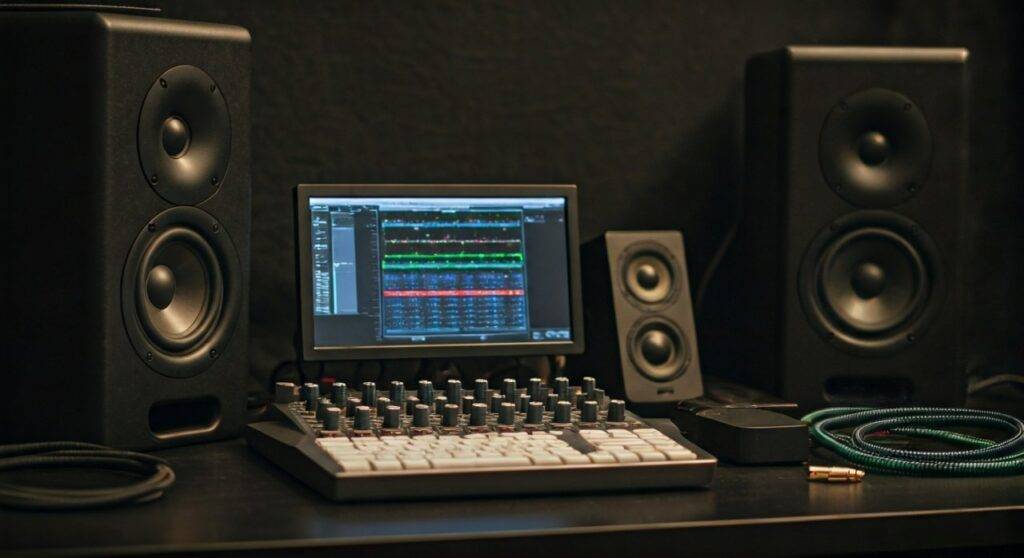
In my years of configuring home studios, the Scarlett 6i6 has remained a “sweet spot” interface. It offers more flexibility than the entry-level 2i2 without the bulk of the 18i20. Whether you want to add a single “grotbox” for mono compatibility checks or a dedicated subwoofer, the hardware is fully capable of driving three independent signals simultaneously.
Quick Summary: The 3-Speaker Setup Guide
- Physical Connections: Use 1/4″ TRS balanced cables for all three speakers to prevent hum and interference.
- Port Allocation: Connect your main monitors to Outputs 1-2 and your third speaker to Output 3.
- Software Routing: You must use Focusrite Control (for Gen 2) or Scarlett MixControl (for Gen 1) to route audio to the extra output.
- Output Levels: Note that the front-panel volume knob usually controls Outputs 1-2 by default; Output 3 may need software-level volume management.
- Best Use Case: Most pros use a 3rd speaker as a mono reference monitor to ensure their mixes translate well to smartphones and Bluetooth speakers.
Understanding the Hardware: Why the Scarlett 6i6 is Unique
When people ask, “can you hook up 3 speakers to a scarlett 6i6,” they are often confused by the naming convention. The “6i6” stands for 6 inputs and 6 outputs. However, these are not all “plug-and-play” analog holes on the back.
The Output Breakdown
To successfully manage three speakers, you need to know exactly what you are working with. The Scarlett 6i6 distributes its six outputs as follows:
- Analog Output 1 (Left): Typically used for your primary left studio monitor.
- Analog Output 2 (Right): Typically used for your primary right studio monitor.
- Analog Output 3 (Line Out): Ideal for your 3rd speaker or a subwoofer.
- Analog Output 4 (Line Out): Available for a 4th speaker or external gear.
- Digital Output 5 (S/PDIF): Requires a digital-to-analog converter (DAC).
- Digital Output 6 (S/PDIF): Requires a digital-to-analog converter (DAC).
By focusing on the four analog line outputs, we can easily accommodate a 3-speaker configuration without needing extra external converters.
Step-by-Step: How to Hook Up 3 Speakers to a Scarlett 6i6
Setting up a multi-monitor rig requires both physical labor and digital configuration. Follow these steps to ensure you don’t damage your gear or create a ground loop.
Step 1: Gather the Right Cables
Do not use standard guitar cables (TS) for this setup. You need 1/4″ TRS (Tip-Ring-Sleeve) balanced cables. Balanced cables cancel out electrical noise, which is vital when you are running multiple powered speakers near computers and monitors.
Step 2: Physical Connections
- Turn off your Scarlett 6i6 and all speakers.
- Plug your primary Left speaker into Line Output 1.
- Plug your primary Right speaker into Line Output 2.
- Plug your third speaker into Line Output 3.
Step 3: Configure Focusrite Control
This is where most users get stuck. The Scarlett 6i6 does not automatically send audio to Output 3 just because something is plugged in.
- Open the Focusrite Control software on your Mac or PC.
- Navigate to the Output Routing tab.
- Locate Line Outputs 3-4.
- Change the source from “Playback (DAW)” to “Custom Mix” or “Software Playback 1-2” if you want it to mirror your main speakers.
- If you want the 3rd speaker to act as a mono reference, you must sum the signal to mono within your DAW (Digital Audio Workstation) and route it specifically to Output 3.
Comparison: 2-Speaker vs. 3-Speaker Configurations
| Feature | Standard 2-Speaker Setup | 3-Speaker (Reference) Setup | 2.1 Setup (2 Speakers + Sub) |
|---|---|---|---|
| Primary Port(s) | Outputs 1-2 | Outputs 1-2 | Outputs 1-2 |
| Secondary Port | None | Output 3 | Output 3 (LFE) |
| Audio Format | Stereo | Stereo + Mono Reference | Stereo + Low Frequency |
| Main Benefit | Standard mixing | Phase & Mono checking | Extended bass response |
| Software Need | Plug & Play | Focusrite Control setup | Crossover Management |
Why Would You Want 3 Speakers? (Expert Insights)
In my experience, moving from two speakers to three is a massive “level up” for any producer. While it might seem asymmetrical, a 3-speaker array serves three distinct professional purposes.
Mono Compatibility Checking
In the modern streaming era, many listeners use single-speaker devices (Amazon Echo, iPhone speakers, or club PA systems). A mix that sounds wide and lush in stereo can “fall apart” in mono due to phase cancellation. By hooking up a 3rd, smaller speaker (like an Avantone MixCube) to Output 3, you can instantly toggle to a “real-world” mono check.
Dedicated Subwoofer Integration
If your 3rd speaker is actually a subwoofer, the Scarlett 6i6 is perfect. Instead of running your main monitors through the sub (which can add color to the sound), you can run the sub independently from Output 3. This allows you to mute the sub via software whenever you need to check how the mix sounds on “bass-light” systems.
Center Channel for Post-Production
While not a full 5.1 surround setup, having a center channel is useful for film editors who want to isolate dialogue. Using Outputs 1, 2, and 3 allows you to place dialogue firmly in the center speaker while keeping music and sound effects in the stereo pair.
Expert Tips for Managing Signal Flow
When you hook up 3 speakers to a scarlett 6i6, you face a unique challenge: Volume Control.
The physical monitor knob on the front of the Scarlett 6i6 is hard-wired to control Outputs 1 and 2. It does not typically control the volume of Output 3. This can be dangerous for your ears and your gear if you aren’t careful.
- Software Attenuation: Always lower the fader for Output 3 in Focusrite Control before playing audio.
- Active vs. Passive: If your 3rd speaker is an active (powered) monitor, use its onboard volume knob to match the level of your main monitors.
- Monitor Controller: If you find software switching tedious, consider buying a hardware Monitor Controller (like a Mackie Big Knob). You can run the outputs of the Scarlett into the controller to switch between “Pair A” and “Speaker B” with a physical button.
Technical Troubleshooting: Common Issues
“I plugged it in, but there’s no sound from Speaker 3.”
This is almost always a routing issue in Focusrite Control. Ensure that the output isn’t muted and that a valid “Hardware Input” or “Software Playback” source is assigned to Line Output 3.
“There is a loud buzzing sound in the 3rd speaker.”
This happens when you use an unbalanced (TS) cable or if the 3rd speaker is plugged into a different wall outlet than the interface, creating a ground loop.
- Fix: Use a TRS cable and ensure all audio gear is plugged into the same power strip/conditioner.
“The 3rd speaker is much louder than the others.”
Because Output 3 bypasses the main volume knob, it outputs at “Line Level” (full strength). You must manually turn down the gain on the back of the 3rd speaker or use the Focusrite Control fader to pull the volume back to a safe level.
Frequently Asked Questions
Can I use the headphone jack as a 3rd speaker output?
Technically, yes, but it is not recommended. The headphone jacks on the Scarlett 6i6 (Outputs 5-6 in the software) are amplified for high-impedance headphones. Sending this signal to a powered speaker can result in distortion or even damage to the speaker’s internal amp. Stick to the Line Outputs on the rear for the best results.
Do I need a specific version of the Scarlett 6i6?
Both the 1st Gen and 2nd Gen Scarlett 6i6 support this. The only difference is the software interface. 1st Gen uses Scarlett MixControl, while 2nd Gen uses Focusrite Control. The physical I/O remains capable of supporting 3-4 speakers across both versions.
Can I hook up 3 speakers and a subwoofer?
Yes. Since the Scarlett 6i6 has 4 analog outputs, you could have a stereo pair (Outputs 1-2), a mono reference speaker (Output 3), and a subwoofer (Output 4). This utilizes all available back-panel analog jacks.
Final Verdict: Should You Do It?
If you are a producer looking to improve the translation of your mixes, the answer is a resounding yes. The ability to hook up 3 speakers to a scarlett 6i6 is one of the primary reasons to choose this interface over the smaller 2i2 model.
By utilizing Line Output 3 as a dedicated mono or sub-channel, you gain a professional level of monitoring accuracy that most home studios lack. Just remember to use balanced TRS cables and take 5 minutes to learn the Focusrite Control routing—it will save your ears and your speakers in the long run.