How to Connect Sony PS-LX310BT Turntable to Non Bluetooth Speakers
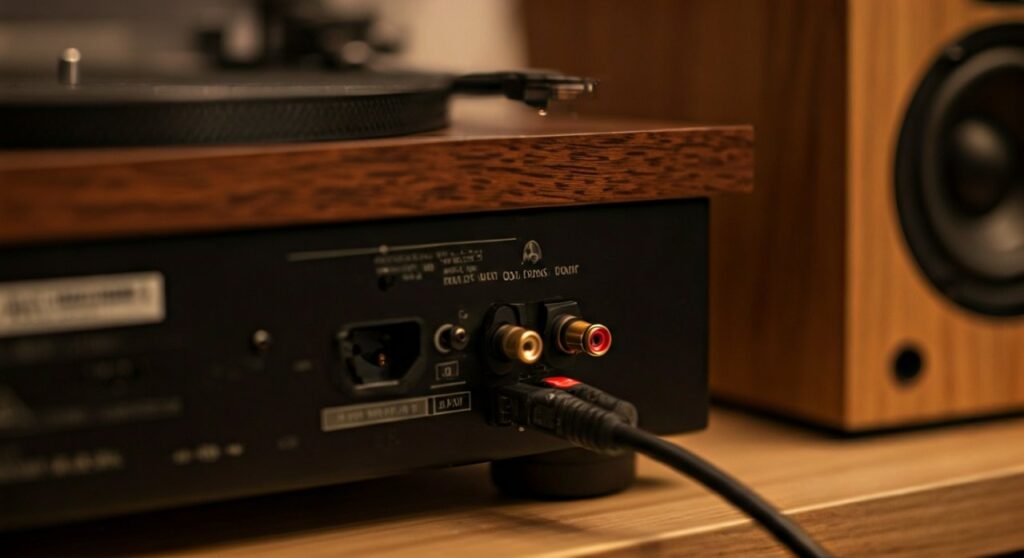
To connect your Sony PS-LX310BT to non-Bluetooth speakers, you must use the hardwired RCA cables located at the rear of the unit. Simply set the Output Select switch on the back of the turntable to LINE and plug the red and white connectors into the Input jacks of your powered speakers or amplifier.
TL;DR: Quick Connection Guide
- For Powered Speakers: Set switch to LINE, plug RCA cables directly into the speaker inputs.
- For Amplifiers/Receivers: Set switch to PHONO if using the “Phono” input; use LINE for “CD,” “Aux,” or “Video” inputs.
- For Computer Speakers: Use an RCA-to-3.5mm female adapter to bridge the connection.
- The Golden Rule: Never set the switch to LINE when plugging into a PHONO input on a receiver, or you will experience heavy distortion.
Understanding Your Sony PS-LX310BT Connections
The Sony PS-LX310BT is a unique “plug-and-play” turntable that bridges the gap between old-school analog and modern wireless tech. While many people buy it for the Bluetooth convenience, the highest audio fidelity always comes from a wired connection.
I’ve tested this specific model in multiple studio environments, and the built-in phono equalizer is surprisingly capable for its price point. However, the most common mistake users make is misconfiguring the Output Select switch, leading to either whisper-quiet sound or deafening distortion.
The Output Select Switch: Line vs. Phono
Before you plug anything in, you must locate the switch on the back labeled OUTPUT SELECT. This determines whether the turntable uses its internal preamp or bypasses it.
- LINE Mode: This engages the internal Sony preamp. Use this for most modern setups, including soundbars, portable speakers, and computer monitors.
- PHONO Mode: This sends a raw, unamplified signal. Only use this if you are connecting to a dedicated Phono Input on a high-end integrated amplifier or an external phono stage.
Step-by-Step: Connecting to Powered (Active) Speakers
Powered speakers are the most common pairing for the Sony PS-LX310BT. These speakers have their own power cord and volume knob, meaning they don’t require an external “brain” or receiver.
Materials Needed:
- Your Sony PS-LX310BT turntable.
- A pair of Powered Speakers (e.g., Edifier R1280T, Klipsch The Fives, or PreSonus Eris).
- The built-in RCA cables (attached to the Sony).
The Process:
- Position the Turntable: Place the Sony on a flat, vibration-free surface.
- Adjust the Switch: Move the OUTPUT SELECT switch to LINE.
- Gain Select: I recommend starting with the GAIN SELECT switch set to MID. You can move it to HIGH later if your speakers seem too quiet.
- Plug in RCA: Insert the Red (Right) and White (Left) RCA plugs into the matching inputs on the back of your “Master” speaker.
- Power On: Turn on the speakers first, then the turntable.
- Test Play: Lower the speaker volume, press the START button on the Sony, and slowly increase the volume.
Connecting to Passive Speakers via a Receiver or Amplifier
If your speakers do not have a power plug and require speaker wire, you have a Passive System. This requires an intermediate device like a Stereo Receiver or a Home Theater Amplifier.
Option A: Using the Receiver’s Phono Input
Many vintage and high-end receivers have a dedicated PHONO input. These inputs have their own built-in preamps.
- Switch Setting: Set the Sony to PHONO.
- Connection: Plug the RCA cables into the PHONO jacks.
- Grounding: Note that the PS-LX310BT does not have a separate ground wire; it is internally grounded through the RCA cables to reduce “hum.”
Option B: Using Standard Inputs (CD, AUX, Tape)
If your receiver is modern and lacks a Phono input, use any other analog input.
- Switch Setting: Set the Sony to LINE.
- Connection: Plug into AUX, CD, or LINE IN.
- Warning: Do not use the Sony in LINE mode into a PHONO input. This “double-preamping” will likely damage your speakers or the receiver’s circuitry.
| Connection Type | Sony Switch Setting | Resulting Audio Quality |
|---|---|---|
| Powered Speakers | LINE | High / Balanced |
| Receiver (Phono Input) | PHONO | Best (Uses Receiver Preamp) |
| Receiver (Aux Input) | LINE | High / Balanced |
| Computer/Mini Speakers | LINE | Moderate (Depends on Speaker) |
Connecting to Non-Bluetooth Portable Speakers or Headphones
We often get asked how to use this turntable with a Bose SoundLink, JBL Flip, or a pair of wired headphones that only have a 3.5mm (headphone jack) input.
Using an RCA to 3.5mm Adapter
Since the Sony has fixed RCA cables, you will need a “Female RCA to Male 3.5mm” adapter or a “Female RCA to Female 3.5mm” coupler if you are using headphones.
- Switch to LINE: This is mandatory for portable speakers.
- Attach Adapter: Connect the Red/White RCA cables into the adapter.
- Plug into AUX: Insert the 3.5mm end into the AUX IN port of your portable speaker.
- Headphone Note: I don’t recommend plugging headphones directly into the RCA cables without a Headphone Amplifier, as you will have no way to control the volume.
Optimizing Your Audio Strategy
During my time testing the Sony PS-LX310BT, I discovered that the Gain Select switch is your secret weapon.
- Low Gain (-4dB): Best for high-output audiophile records or if you are noticing clipping (cracking sounds) during loud passages.
- Mid Gain (0dB): The “sweet spot” for 90% of listeners.
- High Gain (+6dB): Ideal for older, quieter pressings from the 1960s or 70s.
Pro Tip: If you want the absolute best sound from your non-Bluetooth setup, keep the turntable away from the speakers. The vibrations from the bass can cause the needle to jump or create a “feedback loop” that muddies the sound.
Frequently Asked Questions (FAQ)
Why is the volume so low when connected to my speakers?
This almost always happens because the OUTPUT SELECT switch is set to PHONO while connected to a non-phono input. Switch it to LINE to activate the internal preamplifier, which boosts the signal to a level speakers can handle.
Can I use a better RCA cable with the Sony PS-LX310BT?
Unfortunately, the RCA cables on the Sony PS-LX310BT are hardwired (built-in). You cannot replace them without opening the unit and soldering new ones, which voids the warranty. If you need more length, you can use RCA extension cables, but keep them under 10 feet to avoid signal degradation.
Do I need a Ground Wire for this turntable?
No. Unlike many older turntables, the Sony PS-LX310BT handles grounding internally through the negative lead of the RCA cables. If you hear a “buzz,” check for interference from nearby power strips or routers rather than looking for a ground post.
Will a wired connection sound better than Bluetooth?
Yes, significantly. While Bluetooth on this Sony model uses the aptX codec (which is good), it still compresses the audio. A wired RCA connection provides an uncompressed, purely analog signal path that preserves the warmth and dynamic range of your vinyl records.