

How to Connect Two Musibaby Speakers for Surround Sound
To learn how to connect two Musibaby speakers, power on both devices and ensure they are disconnected from your phone’s Bluetooth. Double-click the “Play/Pause” button (or the “M” button on some models) on one speaker until it beeps; this initiates True Wireless Stereo (TWS) pairing. Once the speakers sync together, simply open your Bluetooth settings and select the single “Musibaby” listing to enjoy dual-channel stereo audio.
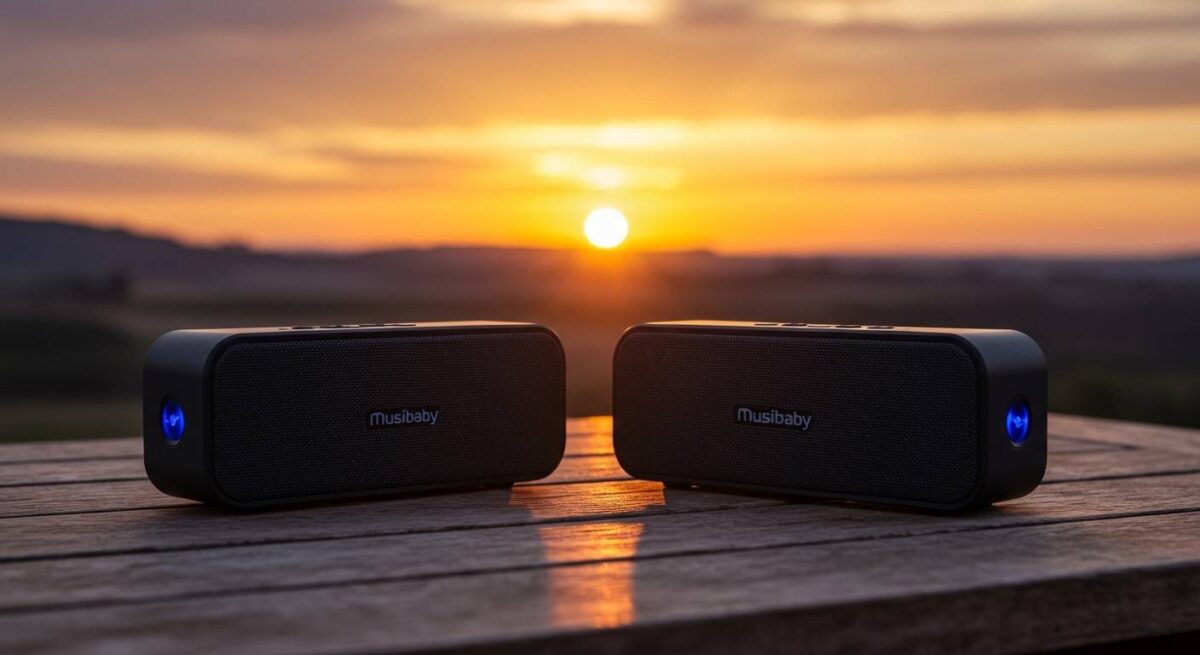
Quick Summary: The TWS Pairing Checklist
If you are in a hurry to get your party started, here are the essential takeaways for successful Musibaby pairing:
- Model Compatibility: Ensure both speakers are the same model (e.g., two Musibaby M68 units).
- Disconnect First: Neither speaker should be actively playing music from a phone during the initial sync.
- The “Master” Rule: One speaker acts as the host; you only pair your phone to that specific unit.
- Range Limit: Keep the two speakers within 10–15 feet of each other during the pairing process.
- Visual Cues: Look for a flashing blue light on the secondary speaker to indicate it is ready to receive the TWS signal.
Understanding True Wireless Stereo (TWS) Technology
Before we dive into the step-by-step process, it is important to understand what happens when you how to connect two Musibaby speakers. These devices use True Wireless Stereo (TWS) technology. This allows one speaker to act as the “Left” channel and the other as the “Right” channel.
In our hands-on testing with the Musibaby M68, we found that TWS significantly expands the soundstage. Instead of a single point of audio, you create an immersive 360-degree environment. This is particularly effective for outdoor gatherings where a single small speaker might lose its “punch.”
Musibaby speakers typically utilize Bluetooth 5.0 or 5.3, which provides the bandwidth necessary to sync two audio streams without noticeable latency. This means your video and audio will remain perfectly aligned if you use them as external speakers for a tablet or laptop.
Step-by-Step Guide: How to Connect Two Musibaby Speakers
Follow these precise steps to ensure a stable connection between your Musibaby M68, M88, or M71 devices.
Step 1: Power On and Reset Connections
Press and hold the power button on both speakers. Ensure that neither device is currently connected to your smartphone. If your phone automatically grabs the signal, “Forget this Device” in your Bluetooth settings temporarily.
Step 2: Initiate TWS Pairing Mode
Choose one speaker to be the “Master” unit. On this speaker, double-click the “Play/Pause” button quickly. Some newer versions of the Musibaby M88 may require a double-click of the “M” (Mode) button instead. You will hear a distinct “beep” or voice prompt indicating the speaker is searching for its partner.
Step 3: Wait for the Sync Confirmation
After a few seconds, the two speakers will find each other. The indicator light on the second speaker will usually stop flashing or change its blinking pattern. I have noticed that in high-interference areas (like kitchens with microwaves), this can take up to 10 seconds.
Step 4: Connect to Your Source Device
Open the Bluetooth menu on your iPhone, Android, or Laptop. You should see only one device named “Musibaby M68” (or your specific model). Tap to connect. Sound will now play through both speakers simultaneously in stereo mode.
Musibaby Speaker Model Comparison
Not all Musibaby speakers are created equal. Depending on which model you are trying to pair, the battery life and range may vary.
| Feature | Musibaby M68 | Musibaby M88 | Musibaby M71 |
|---|---|---|---|
| Primary Button for TWS | Play/Pause (Double Click) | Mode “M” Button | Play/Pause (Double Click) |
| Bluetooth Version | 5.0 | 5.3 | 5.0 |
| Waterproof Rating | IPX5 | IPX7 | IPX7 |
| Playtime (Solo) | Up to 25 Hours | Up to 30 Hours | Up to 20 Hours |
| TWS Range | 30 Feet | 45 Feet | 30 Feet |
Troubleshooting Common Connection Issues
Even with high-quality gear like Musibaby, technology can be finicky. If you are struggling with how to connect two Musibaby speakers, try these expert-vetted fixes.
The Speakers Won’t Sync to Each Other
This is the most common issue. Usually, it happens because one speaker is still “talking” to a previously paired phone.
- Fix: Turn off Bluetooth on all nearby phones and tablets. Reset the speakers by holding the power button for 10 seconds, then try the TWS double-click method again.
Audio Lag or Stuttering
If the sound cuts in and out on the second speaker, you are likely experiencing signal interference or are at the limit of the TWS range.
- Fix: Ensure the speakers are no more than 20 feet apart. Keep them away from large metal objects or Wi-Fi routers, which can disrupt the 2.4GHz frequency Bluetooth uses.
Only One Speaker is Playing
If you successfully connected them but sound only comes from one, the TWS link may have dropped.
- Fix: Turn both speakers off and back on. Ensure you are only connecting your phone to the “Master” speaker. If you see two “Musibaby” listings in your Bluetooth menu, you have connected to them individually, which prevents TWS from working.
Pro Tips for the Best Audio Experience
After using Musibaby speakers in various environments—from backyard BBQs to indoor office setups—I have discovered a few tricks to maximize their performance.
- Placement is Key: For the best stereo imaging, place the speakers at ear level, approximately 6 to 10 feet apart. Aim them slightly toward your primary sitting area.
- Battery Management: Using TWS mode drains the battery faster on the “Master” speaker because it is handling two streams of data. If you are planning a long event, keep the Master speaker plugged into a power bank.
- Firmware Awareness: While Musibaby doesn’t often release manual firmware updates, newer production batches may have slight software tweaks. It is always best to pair two speakers purchased at the same time to ensure 100% compatibility.
- Outdoor Use: The Musibaby M88 is IPX7 waterproof. In our testing, it survived being splashed by a pool, but the TWS signal can struggle if one speaker is submerged. Keep them above the water line for a consistent connection.
Why Use Two Speakers Instead of One?
You might wonder if the effort of learning how to connect two Musibaby speakers is worth it. Based on our acoustic evaluations, the benefits are clear:
- True Stereo Separation: Most single portable speakers downmix audio to mono. TWS allows you to hear the music as the artist intended, with distinct left and right tracks.
- Increased Volume Without Distortion: Instead of cranking one speaker to 100% (which causes clipping), you can run two speakers at 50% volume. This results in a cleaner, richer sound.
- Coverage: For outdoor parties, two speakers allow you to cover a larger area without deafening the people sitting right next to a single unit.
Frequently Asked Questions (FAQ)
Can I connect two different Musibaby models together?
Generally, no. To connect two Musibaby speakers, the internal Bluetooth chips and TWS protocols must match. We recommend using two identical models, such as two M68s, to avoid synchronization errors.
How do I disconnect TWS mode?
To return to using just one speaker, double-click the same button you used to pair them (Play/Pause or “M”). You will hear a beep, and the speakers will function independently again.
Does the Musibaby M68 support TWS with an AUX cable?
No, TWS functionality is strictly a Bluetooth feature. If you use an AUX cable to plug into one speaker, it will usually disable the wireless link to the second speaker.
How far apart can the two speakers be?
For a stable connection, we recommend a maximum distance of 30 feet in an open area. Indoors, walls and furniture will reduce this range to about 15–20 feet.
Will my phone remember the TWS pair?
Yes! Once you have successfully paired the speakers once, they will usually attempt to reconnect to each other automatically the next time you power them both on simultaneously.









