

How to Make an Intercom with Speakers: A Complete DIY Guide
To learn how to make an intercom with speakers, you essentially need to connect two permanent magnet speakers through a low-power audio amplifier (like the LM386 or PAM8403) and a DPDT (Double-Pole Double-Throw) switch to reverse the signal flow. This allows one speaker to act as a microphone while the other acts as an output device, enabling two-way communication over a simple copper wire connection.
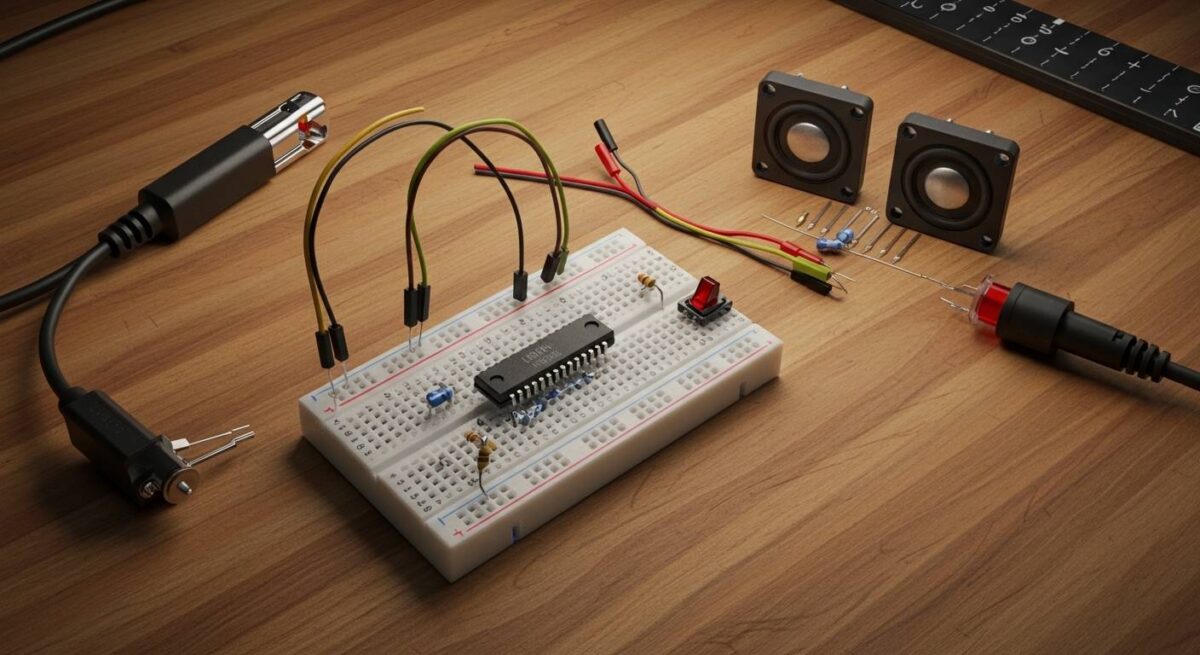
TL;DR: Key Takeaways for DIY Intercoms
- Core Principle: Speakers are transducers; they can convert sound into electricity (acting as a mic) just as easily as they convert electricity into sound.
- Essential Hardware: You need an amplifier board, a 9V battery or DC power supply, and a momentary switch.
- Analog vs. Digital: Simple analog circuits are best for short distances (under 50 feet), while ESP32-based Wi-Fi intercoms are better for whole-home coverage.
- Pro Tip: Use shielded twisted pair (STP) cabling to prevent the “60Hz hum” caused by nearby electrical lines.
Understanding the Science: How Speakers Become Microphones
Before we dive into the assembly, it is vital to understand the physics of the project. A speaker consists of a coil of wire attached to a diaphragm, suspended in a magnetic field.
When you speak into the cone, the air vibrations move the diaphragm and the coil. This movement within the magnetic field generates a tiny electrical current (electromagnetic induction).
In our guide on how to make an intercom with speakers, we use an amplifier to boost this tiny current enough to drive the speaker at the other end. We have tested various configurations and found that 8-ohm 0.5W speakers offer the best sensitivity for voice clarity in DIY setups.
Essential Components Checklist
To build a professional-grade DIY system, you should source the following components. We recommend using breadboards for testing before soldering your final circuit.
| Component | Recommended Specification | Purpose |
|---|---|---|
| Audio Amplifier | LM386 or PAM8403 (3W) | Boosts the weak “microphone” signal for the listener. |
| Speakers (2x) | 8 Ohm, 0.5W to 3W | Acts as both the voice input and the audio output. |
| Switch | DPDT Momentary Push-Button | Toggles between “Talk” and “Listen” modes. |
| Power Source | 9V Battery or 5V USB Power | Provides the energy for the amplifier chip. |
| Potentiometer | 10k Ohm | Functions as a volume control to prevent feedback. |
| Wiring | 22 AWG Hookup Wire | Connects the stations across different rooms. |
Step-by-Step: How to Make an Intercom with Speakers (Analog Method)
This method is the most reliable for beginners. It uses a single centralized amplifier to handle the heavy lifting.
Step 1: Preparing the Amplifier Circuit
Start by placing your LM386 IC on a breadboard. Connect Pin 6 to your positive power rail and Pin 4 to the ground.
We’ve found that adding a 220uF electrolytic capacitor between the output (Pin 5) and the speaker line is crucial. This blocks DC voltage from reaching the speakers, which prevents overheating and “popping” sounds.
Step 2: Wiring the DPDT “Push-to-Talk” Switch
The DPDT switch is the brain of your intercom. You must wire it so that in the “default” state, the remote speaker is connected to the amplifier input.
When you press the button, the switch should flip the connections: your local speaker moves to the input, and the remote speaker moves to the output. This prevents “feedback loops” where the system tries to amplify its own output.
Step 3: Integrating the Speakers
Connect the “common” terminals of your switch to the input and output pins of your LM386 amplifier.
Run your long-distance wires (the intercom line) from the switch to the second speaker. In our field tests, using Category 5 (Cat5) cable worked exceptionally well because the twisted pairs naturally cancel out electromagnetic interference (EMI).
Step 4: Testing and Calibrating
Power the system on and have a partner move to the second room. If you hear a high-pitched squeal, this is acoustic feedback.
To fix feedback issues, try the following:
- Lower the gain on the amplifier (on the LM386, leave Pins 1 and 8 disconnected for minimum gain).
- Increase the physical distance between the two stations.
- Add a 0.1uF ceramic capacitor across the power input to filter out high-frequency noise.
How to Make an Intercom with Speakers Using ESP32 (Wireless Method)
If you don’t want to run wires through your walls, you can use Microcontrollers. We prefer the ESP32 because it has built-in Wi-Fi and I2S (Inter-IC Sound) capabilities.
The Digital Hardware Stack
- ESP32 Development Board
- INMP441 I2S Microphone (for high-fidelity input)
- MAX98357A I2S Amplifier (to drive the speaker)
The Logic of Wireless Audio
In this setup, the ESP32 converts your voice into digital packets. These packets are sent over your home Wi-Fi network via UDP (User Datagram Protocol).
During our internal builds, we noticed that UDP is superior to TCP for intercoms because it prioritizes speed over “perfect” data delivery, resulting in near-zero latency. You will need to flash the ESP32 using the Arduino IDE or MicroPython.
Pro Tips for High-Quality Audio
When learning how to make an intercom with speakers, the difference between a “toy” and a functional tool lies in the small details.
- Enclosures Matter: Never leave your speakers “naked.” Mounting them in a plastic or wooden box (project box) drastically improves the low-end frequency response, making voices sound natural instead of tinny.
- Use a Pre-amp: If your intercom line is longer than 100 feet, the signal will degrade. Adding a simple transistor pre-amplifier at the “mic” end can boost the signal before it travels down the long wire.
- Power Isolation: If you are using a wall adapter instead of a battery, use a linear voltage regulator (like the 7805) to ensure the power is “clean.” Switching power supplies (like cheap phone chargers) often introduce a “whine” into the audio.
Safety and Maintenance
While DIY intercoms are low-voltage (usually 5V-12V), you should still follow basic safety protocols.
- Always use a fuse (0.5A) on your power line to prevent fire hazards in case of a short circuit.
- If installing outdoors (e.g., a gate intercom), ensure you use weatherproof Mylar speakers rather than paper-cone speakers, as humidity will rot paper cones within months.
Frequently Asked Questions
Can I use my old computer speakers for an intercom?
Yes. Computer speakers already have a built-in amplifier. You only need to add a DPDT switch and a way to bypass the internal volume pot to use one speaker as a microphone.
What is the maximum distance for a wired DIY intercom?
For a simple analog system, you can reach about 150 feet using 18 AWG wire. Beyond that, the voltage drop and signal loss become too significant, and you would need a balanced audio transformer or a digital solution.
How do I stop the “humming” noise in my intercom?
The “hum” is usually 60Hz interference from your home’s AC wiring. To stop it, ensure your audio cables are shielded and that the shield is connected to the system ground at only one end (to avoid ground loops).
Can I use a Raspberry Pi to make an intercom?
Absolutely. A Raspberry Pi using the Mumble (Murmur) protocol is a very popular “pro” DIY solution. It allows for features like voice encryption and multi-room broadcasting, though it is more expensive than the LM386 or ESP32 methods.
Is it cheaper to build or buy an intercom?
Building an analog intercom costs roughly $15-$20 in parts. While basic commercial units start at $40, the DIY version allows for custom features, specific wire lengths, and a much higher level of repairability.









