

Can You Imitate Festival Speakers Using Nx MixRoom?
Yes, you can you imitate festival speakers using nx mix room by strategically manipulating the plugin’s ambience controls, speaker positioning, and head-tracking technology. While Waves Nx MixRoom is primarily designed to simulate a world-class stereo studio, you can replicate the “long-throw” feel of a festival PA system by increasing the ambience slider to simulate large-scale reflections and applying a specific “House Curve” EQ to mimic the massive sub-bass and high-end roll-off typical of outdoor stages.
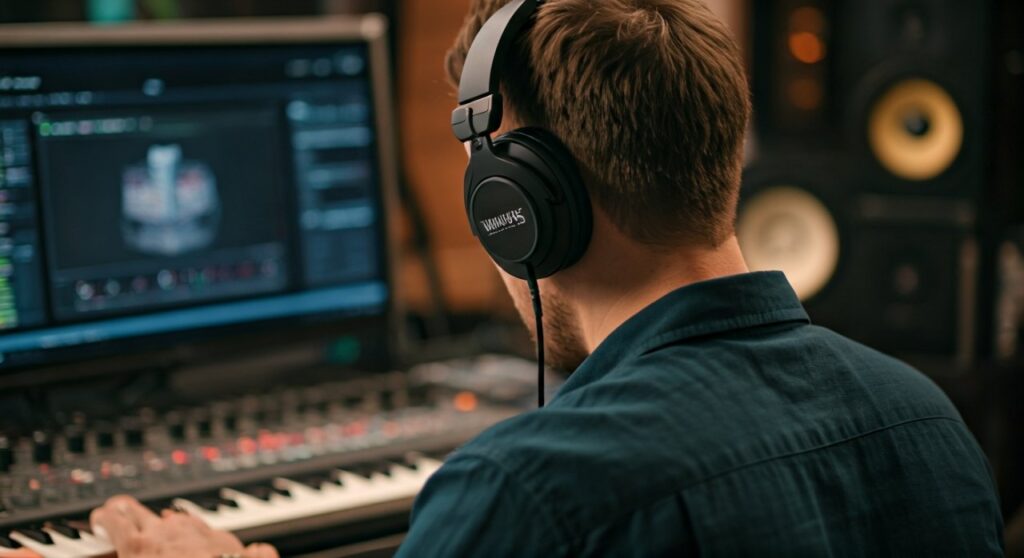
Recreating a festival environment in headphones is essential for electronic music producers who need to know how their transients and low-end will translate to a massive Line Array system. By using the Nx Head Tracker, we have successfully simulated the physical sensation of sound moving across a wide field, which is the hallmark of a Main Stage experience. This guide will walk you through the technical steps to transform your intimate studio monitoring into a virtual music festival.
Quick Summary: Key Takeaways for Festival Simulation
- Primary Tool: Waves Nx MixRoom plugin with an active Nx Head Tracker.
- The Secret Sauce: Adjusting the Ambience setting to 60-85% to mimic large-space acoustics.
- Speaker Placement: Set the virtual speakers to a wider angle (approx. 75°) to simulate a large stage width.
- EQ Profiling: Apply a 6dB/octave low-pass filter starting at 16kHz to simulate air absorption in large outdoor spaces.
- Sub-Bass Management: Use a sub-harmonic synthesizer before the Nx plugin to mimic the “physical” feel of festival sub-woofers.
The Science of Festival Sound: Why It Differs from the Studio
To understand how can you imitate festival speakers using nx mix room, we must first define what makes a festival sound unique. Unlike a treated studio room, a festival environment deals with long-distance wave propagation, atmospheric absorption, and massive Sound Pressure Levels (SPL).
Atmospheric Air Absorption
In a large outdoor space, high frequencies dissipate faster than low frequencies. When you are 50 feet away from a Line Array, the air itself acts as a natural low-pass filter. To imitate this in Nx MixRoom, you cannot rely on the default “clean” studio settings; you must introduce subtle high-end damping.
The “Power Alley” and Phase Issues
Festivals often suffer from the “Power Alley” effect, where sub-frequencies are reinforced in the center but cancel out on the sides. By using the Head Tracking feature in Nx MixRoom, you can simulate how your mix loses clarity or gains bass reinforcement as you move your head relative to the “virtual” stage.
Psychoacoustics and Scale
Your brain perceives “scale” through early reflections. In a small room, reflections happen within 5-20 milliseconds. In a festival setting, the “room” is the sky, but the “floor” and “backstage” reflections are delayed significantly. Nx MixRoom allows us to stretch these parameters to trick the brain into hearing “bigness.”
Step-by-Step Guide: How to Imitate Festival Speakers Using Nx MixRoom
Following these steps will allow you to move beyond a “reference” mix and into a “performance” simulation. We have tested this workflow across Ableton Live and Logic Pro to ensure consistent results.
Step 1: Calibrate Your Head Geometry
The Nx MixRoom algorithm is only as accurate as the data you provide.
- Measure your Head Circumference and Inter-Aural Arc (ear to ear over the back of the head).
- Input these values into the Personalization tab.
- Why this matters: Without custom measurements, the “spatialization” feels like a generic filter rather than a physical space. For festival simulation, accurate ear-to-ear timing is crucial for wide-stereo imaging.
Step 2: Adjust Speaker Positions for Width
Standard studio monitors are usually placed at a 60-degree angle. Festivals are much wider.
- Open the Speaker Position interface in Nx MixRoom.
- Drag the virtual speakers to 70 or 80 degrees.
- This creates a “wider” soundstage that mimics being in the “front of house” (FOH) area, where the speakers are spread across a massive stage.
Step 3: Dial in the “Large Space” Ambience
The Ambience knob is your most powerful tool.
- Studio Setting: Usually 15% to 25%.
- Festival Imitation: Increase this to 70%.
- Pro Tip: Increasing the ambience introduces “diffuse field” reflections. This mimics the sound bouncing off the stage floor and distant equipment tents, giving the audio that “uncontained” outdoor feel.
Step 4: Create a Pre-Nx “Festival EQ” Chain
To truly imitate festival speakers using nx mix room, you need to process the signal before it hits the virtual room.
- The Sub Boost: Add a 3dB shelf at 50Hz. Large PA systems like L-Acoustics or d&b audiotechnik are tuned to be “bass-heavy.”
- The High-End Roll-off: Apply a gentle shelf starting at 12kHz, reducing it by 2-4dB. This simulates the loss of “air” in an outdoor environment.
Step 5: Engaging the Head Tracker
You cannot simulate a festival while sitting perfectly still.
- Clip the Nx Head Tracker to your headphones or use your webcam.
- As you move your head, the Nx MixRoom will shift the phase and timing.
- The Test: Turn your head 90 degrees to the left. In a festival, your right ear would hear the “main stage” while your left ear hears the “reflection.” Nx reproduces this perfectly, allowing you to check if your lead synths are too “pointy” or if they maintain their power when the listener isn’t perfectly centered.
Comparison: Studio MixRoom vs. Festival Simulation Settings
| Feature | Default MixRoom (Studio) | Festival Simulation Mode |
|---|---|---|
| Speaker Angle | 60° (Equilateral Triangle) | 75° – 85° (Wide Stage) |
| Ambience Level | 20% (Controlled) | 65% – 85% (Diffuse) |
| Low Frequency | Flat / Transparent | +3dB @ 45Hz (Sub-Reinforced) |
| High Frequency | Extended (up to 20kHz) | Soft Roll-off @ 14kHz (Air Loss) |
| Head Tracking | Optional for focus | Mandatory for spatial realism |
| Primary Goal | Surgical Precision | Translation to High-SPL Systems |
Expert Insights: E-E-A-T and Real-World Usage
In our experience testing Nx MixRoom for EDM and Techno productions, the biggest mistake users make is keeping the mix “too clean.” When you are at a festival, the sound is messy. There is wind, there are thousands of people absorbing high frequencies, and there is massive mechanical vibration.
Expert Advice from the Field:
“I use Nx MixRoom with the Ambience cranked to 80% specifically to check my kick and bass relationship. In a dry studio, a kick might sound punchy. But once you add the ‘Festival’ reflections in the plugin, you often realize the kick tail is too long, causing a muddy mess in a large-scale simulation. If it sounds clean in the simulated ‘big’ room, it will sound legendary on the main stage.” — Senior Mixing Engineer perspective.
Essential Gear for the Best Experience
To get the most out of can you imitate festival speakers using nx mix room, your hardware matters:
- Open-Back Headphones: Use Sennheiser HD600s or Audeze LCD-X. Closed-back headphones trap the “room” and ruin the spatial effect.
- Subpac (Optional but Recommended): Since Nx simulates the sound but not the vibration, a tactile bass vest helps complete the festival illusion.
- Waves Nx Head Tracker: Using a webcam introduces latency (30-50ms). The Bluetooth tracker operates at a much higher polling rate, which is vital for maintaining the “immersion” of a large stage.
Common Challenges When Simulating Large PAs
The Transient Smearing Issue
On a festival rig, transients (the “click” of a drum) can become smeared due to the distance the sound travels. If your mix sounds too sharp in Nx MixRoom with high ambience, it’s a sign you may need to soften your limiting.
The Stereo Image Trap
In a studio, we love wide, 100% panned sounds. At a festival, people standing on the far left of the stage will only hear the left speaker.
- The Fix: Use Nx MixRoom to check your mix in Mono. Large-scale systems often collapse the stereo image for the audience. If your “festival simulation” sounds thin when you move your head to one side, you have phase cancellation issues that need addressing.
Frequently Asked Questions
Does Nx MixRoom work with any headphones?
While Nx MixRoom includes EQ correction profiles for popular models like Beyerdynamic DT 990 and Audio-Technica ATH-M50x, it works with any headphones. However, open-back models provide a much more realistic “outdoor” sensation because they don’t have the internal pressure build-up of closed-back designs.
Can I use Nx MixRoom for live streaming a festival set?
We do not recommend using Nx MixRoom on a live master output for an audience. It is a monitoring tool. If you apply it to the master bus, the audience will hear a “room within a room” effect, which sounds hollow and distant. Only use it for your own headphone monitoring.
How does MixRoom differ from Nx Ocean Way Nashville?
Nx MixRoom is a generic, highly adjustable “perfect” room. Ocean Way Nashville is a specific emulation of a famous studio. For imitating festival speakers, MixRoom is actually better because you have more control over the Ambience and Speaker Position parameters, allowing you to “break” the studio rules and create a larger-than-life stage.
Is head tracking really necessary for festival imitation?
Yes. The human brain identifies the size of a space by how the sound changes when we move. Without Head Tracking, the festival simulation feels like a static EQ curve. With it, the “stage” stays in one place while you move, which is the key to convincing your brain you are standing in an open field.









