Why Upgrading Capacitors Is the Ultimate Speaker Hack
Can I improve my stereo speakers with capacitors? Yes, replacing standard factory capacitors with high-quality film alternatives is one of the most effective ways to increase clarity, transparency, and high-frequency detail in your audio system. This process, often called “recapping,” removes the signal bottleneck caused by aging or “budget-grade” components found in most consumer-grade speakers.
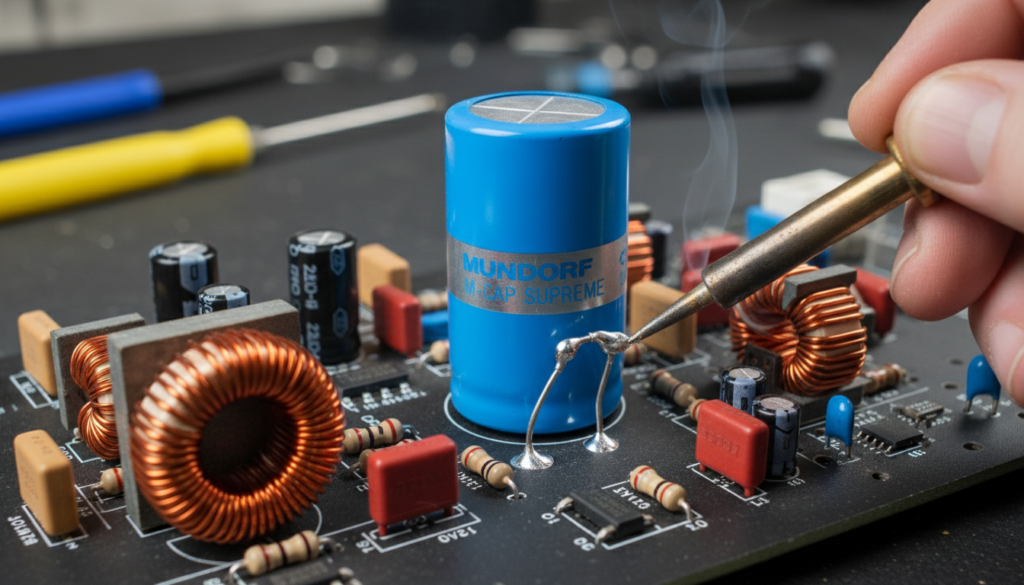
In my years of restoring vintage Klipsch, JBL, and Bowers & Wilkins speakers, I have found that factory-installed electrolytic capacitors are often the weakest link in the signal path. Because capacitors sit directly in the signal’s way to the tweeter, their physical properties—like Equivalent Series Resistance (ESR) and Inductance—directly color the sound you hear. By upgrading these parts, you essentially “unveil” the speaker’s true potential.
🚀 Key Takeaways: Improving Speakers with Capacitors
- Primary Benefit: Improved “air,” faster transients, and a significant reduction in high-frequency harshness.
- Difficulty Level: Moderate (Requires basic soldering skills and the ability to read a circuit board).
- Cost Range: $20 to $200+, depending on the brand of capacitors (e.g., Mundorf vs. Dayton Audio).
- Best Candidates: Speakers older than 15 years or modern “budget” speakers with high-quality drivers but cheap internal electronics.
- The Goal: Replace high-tolerance Electrolytic capacitors with low-tolerance Polypropylene Film capacitors.
How Capacitors Impact Your Speaker’s Sound
To understand why you should care about capacitors, you must understand the Crossover. The crossover is the “brain” of your speaker, a circuit that directs low frequencies to the woofer and high frequencies to the tweeter.
Capacitors act as high-pass filters. In a typical speaker, they block low frequencies from reaching the tweeter, which would otherwise cause damage or distortion. However, not all capacitors are created equal.
Electrolytic vs. Polypropylene Film
Most manufacturers use Non-Polarized Electrolytic (NPE) capacitors because they are small and incredibly cheap (costing pennies). Over time, the chemical electrolyte inside these parts dries out, changing their capacitance value and increasing ESR.
When I test 20-year-old speakers on my LCR meter, I often find that a capacitor labeled “4.7uF” has drifted to 6.0uF. This shift moves the crossover frequency point, which can leave a “hole” in the midrange or cause the tweeter to play frequencies it wasn’t designed for, leading to a “muddy” or “veiled” sound.
Comparison: Capacitor Types for Audio
| Feature | Electrolytic (Standard) | Polyester (Mylar) | Polypropylene (Film) |
|---|---|---|---|
| Sound Quality | Muffled, grainy highs | Decent, slightly “smeary” | Transparent, detailed, airy |
| Lifespan | 15–20 years (Dries out) | Indefinite | Indefinite |
| Tolerance | +/- 10% to 20% | +/- 5% to 10% | +/- 1% to 5% |
| Price | Very Low ($) | Low ($$) | Moderate to High ($$$) |
| Best Use | Low-budget mass market | Mid-range crossovers | High-end/Audiophile upgrades |
Tools and Materials You’ll Need
Before you crack open your speaker cabinets, ensure you have the right gear. Working on a crossover is delicate work, but with the right tools, it is a straightforward afternoon project.
- Soldering Iron: A temperature-controlled station is best (aim for 350°C/660°F).
- Solder: High-quality 60/40 leaded solder or lead-free silver solder (for the “audiophile” touch).
- Desoldering Pump or Wick: Crucial for removing the old components cleanly.
- LCR Meter: Optional, but highly recommended to verify the values of both the old and new parts.
- Replacement Capacitors: Ensure the uF (Microfarad) value matches exactly. The Voltage (V) rating can be higher than the original, but never lower.
- Hot Glue Gun: To secure the larger film capacitors to the board, as they are often much bigger than the parts they replace.
Step-by-Step Guide: How to Upgrade Your Crossovers
Step 1: Accessing the Crossover
Most crossovers are located either directly behind the binding post plate on the back of the speaker or mounted to the floor of the cabinet.
- Remove the screws holding the terminal plate or the woofer.
- Gently pull the crossover board out.
- Pro Tip: Take a high-resolution photo of the board before disconnecting any wires. You will need this as a reference later!
Step 2: Identifying the Target Capacitors
Look for the components labeled in uF (e.g., 4.7uF, 10uF, 33uF).
- Focus on the capacitors in the tweeter circuit first. These are usually the smallest values and offer the most audible improvement.
- If you see a large electrolytic used on the woofer (e.g., 100uF), you can replace it, but the sonic gains there are usually minimal compared to the tweeter.
Step 3: Desoldering the Old Parts
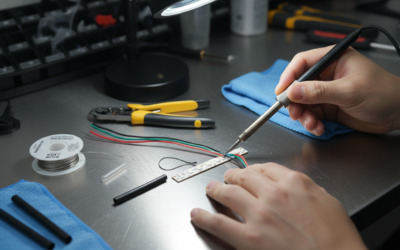
Heat the solder joints on the back of the PCB (Printed Circuit Board) and use your desoldering pump to remove the molten metal.
- Work slowly. If a lead is stubborn, add a little fresh solder to help the heat transfer.
- Avoid overheating the board, as you could lift the copper traces.
Step 4: Installing the New Film Capacitors
This is where you might run into a physical challenge. Polypropylene capacitors are significantly larger than electrolytic ones.
- Bend the leads to fit the existing holes.
- If the capacitor is too large to sit flat, you can use “flying leads” (short pieces of wire) to mount it nearby.
- Important: Capacitors in crossovers are generally non-polar, meaning they can be installed in either direction.
Step 5: Soldering and Securing
Solder the new leads and trim the excess wire with flush cutters. Because film capacitors are heavier, the solder joints alone shouldn’t hold the weight. Use a bead of hot glue or a zip-tie to secure the capacitor body to the crossover board. This prevents vibrations (microphonics) from affecting the sound.
Selecting the Right Capacitor Brands
When asking “can I improve my stereo speakers with capacitors,” the brand you choose matters. Based on my testing, here are the top recommendations for different budgets:
- Dayton Audio Precision (Grade: Budget/Value): These are the “workhorse” of the DIY community. They are 1% tolerance and offer a massive upgrade over stock electrolytics for very little money.
- Jantzen Audio Cross-Cap (Grade: Mid-Range): Excellent balance of price and performance. These provide a very smooth, natural sound without being overly “bright.”
- Mundorf EVO Oil (Grade: High-End): If you have high-end speakers like ProAc or Spendor, these add a layer of “liquid” transparency and depth that is hard to beat.
- ClarityCap CSA (Grade: Premium): Known for reducing internal resonance, these are great for removing “glare” from metallic tweeters (like titanium or aluminum domes).
Expert Insights: The “Bypass” Technique
If you cannot afford to replace a massive 100uF electrolytic on a woofer with an expensive film cap, use the Bypass Technique.
I often leave the large electrolytic in place but solder a very high-quality 0.1uF or 0.01uF film capacitor in parallel with it. This allows the high-frequency “ripples” of the signal to pass through the high-quality film cap, effectively “cleaning up” the performance of the cheaper component. It is a cost-effective way to get 80% of the benefit for 10% of the price.
Common Pitfalls to Avoid
- Ignoring Voltage Ratings: If your original cap is rated for 50V, you can use a 100V, 250V, or 400V replacement. However, never go lower (e.g., using a 25V cap), or it may fail under high volume.
- Changing uF Values: Do not “experiment” with different microfarad values unless you are an electrical engineer. Changing a 4.7uF to a 6.8uF will change the crossover point and likely ruin the speaker’s frequency response.
- Cold Solder Joints: Ensure the solder flows smoothly like a shiny volcano. A “ball” of dull grey solder is a cold joint and will add resistance to your signal path.
FAQ: Frequently Asked Questions
Can I improve my stereo speakers with capacitors if they are brand new?
Yes. Many modern speakers under $1,000 still use cheap electrolytic capacitors to save on manufacturing costs. Upgrading these to polypropylene can make a “good” speaker sound like a “great” one by improving the clarity of the tweeter.
Will replacing capacitors change the “flavor” of my speakers?
It won’t change the fundamental character, but it will refine it. Think of it like cleaning a dirty window. The view (the music) is the same, but you can see (hear) much more detail and depth once the “film” of the old capacitor is removed.
How do I know if my speaker capacitors are bad?
Look for physical signs like leaking fluid, bulging tops, or a “crusty” residue. Sonically, if your speakers sound dull, muffled, or if one speaker sounds “darker” than the other, the capacitors have likely drifted out of spec.
Is it worth upgrading capacitors in the woofer circuit?
It is less critical than the tweeter. Low frequencies are less sensitive to the minor distortions caused by capacitors. I recommend prioritizing the tweeter circuit first, then the midrange, and only doing the woofer if you have the extra budget.