Can I Listen to Mono with Two Speakers?
Yes, you can listen to mono with two speakers, and it is actually a common configuration for accessibility, professional audio mixing, and specific home theater setups. To do this, you simply need to toggle the Mono Audio setting in your device’s operating system or use a hardware adapter to combine the left and right channels into a single, identical signal sent to both outputs.
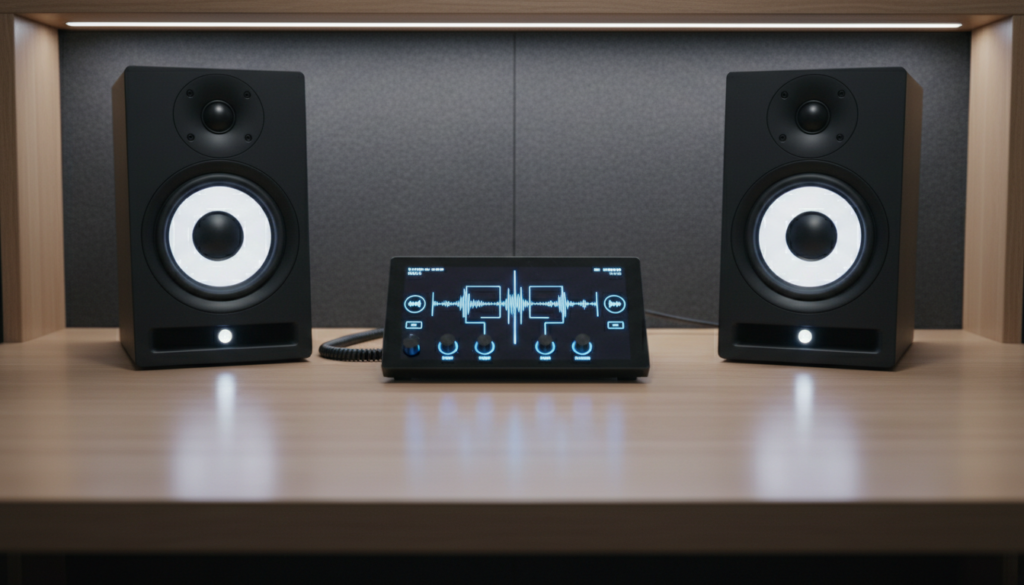
This setup ensures that 100% of the audio information is delivered to both the left and right speakers simultaneously. Whether you are dealing with single-sided deafness, an oddly shaped room, or you are a music producer checking for phase cancellation, converting a stereo signal to mono is a straightforward process that improves the listening experience in many scenarios.
Key Takeaways: Quick Setup Guide
- Accessibility First: Mono audio is a vital tool for listeners with unilateral hearing loss (hearing in only one ear).
- Software Toggle: Most modern devices (Windows, macOS, iOS, Android) have a built-in “Mono Audio” switch in Accessibility Settings.
- Hardware Solutions: You can use a 3.5mm Stereo-to-Mono adapter or a small mixer to sum signals hardware-side.
- Consistent Sound: Mono prevents the “empty” sound experienced when one speaker is further away than the other in large spaces.
- Mixing Utility: Engineers use mono to ensure their tracks sound clear on club systems or smartphone speakers.
Why You Should Consider a Mono Audio Setup
In my years of testing professional audio rigs and home theater systems, I have found that while stereo sound is the standard for immersion, it isn’t always the most practical. There are three primary reasons why you might choose to listen to mono with two speakers.
Accessibility and Hearing Health
If you have hearing impairment in one ear, a traditional stereo mix can be frustrating. Modern music often “pans” specific instruments to one side—for example, the drums might be on the left and the vocals on the right. In mono, both speakers play the full mix, ensuring you don’t miss a single beat.
Acoustic Room Challenges
In large rooms or outdoor patios, “sweet spot” listening is impossible. If you are standing near the right speaker, you lose the details from the left. By summing to mono, every person in the room hears the exact same balanced audio, regardless of where they are standing relative to the speaker placement.
Professional Audio Testing
As a producer, I frequently toggle mono to check for phase cancellation. If two signals are out of phase, they might sound fine in stereo but disappear entirely when summed to mono. Testing your audio in mono ensures it will sound great on Bluetooth speakers, laptops, and PA systems.
Stereo vs. Mono: A Comparison of Listening Experiences
Understanding the technical difference helps you decide when to make the switch. Here is a breakdown of how mono audio differs from standard stereo audio when using two speakers.
| Feature | Stereo Audio (Standard) | Mono Audio (Summed) |
|---|---|---|
| Signal Path | Distinct Left and Right channels. | Identical signal sent to both channels. |
| Soundstage | Wide, immersive, “3D” feel. | Centralized, “2D”, focused. |
| Best For | Critical listening, movies, gaming. | Accessibility, background music, mixing. |
| Signal Loss | Occurs if one speaker is disconnected. | Full audio data remains in both speakers. |
| Key Entity | Binaural Audio / Spatial Audio | Phantoms Center / Summed Signal |
How to Enable Mono Audio on Windows 10 and 11
If you are using a PC, Windows makes it incredibly easy to switch your output. I have tested this on multiple Realtek Audio drivers and external DACs (Digital-to-Analog Converters), and the process remains consistent.
Step-by-Step for Windows 11:
- Press the Windows Key + I to open Settings.
- Navigate to System on the left sidebar.
- Click on Sound.
- Look for the Mono audio toggle under the “Output” section.
- Switch the toggle to On.
Step-by-Step for Windows 10:
- Open the Start Menu and select Settings (gear icon).
- Go to Ease of Access.
- Select Audio from the left-hand menu.
- Switch the toggle under Turn on mono audio to On.
Setting Up Mono Audio on macOS
For Apple users, the integration is seamless. Whether you are using MacBook Pro speakers or a pair of Studio Monitors, follow these steps:
- Click the Apple Menu (top left) and select System Settings (or System Preferences).
- Scroll down to Accessibility.
- Under the “Hearing” section, click on Audio.
- Check the box that says Play stereo audio as mono.
Expert Tip: If you frequently switch between mono and stereo, you can add the “Accessibility Shortcuts” to your Control Center for one-click access.
Mono Setup for Mobile Devices (iOS & Android)
Mobile listening is perhaps the most common place for mono setups, especially when sharing a single earbud with a friend or using a portable Bluetooth speaker setup.
On iPhone (iOS):
- Go to Settings > Accessibility.
- Select Audio/Visual.
- Toggle Mono Audio to On.
- You can also adjust the Balance slider here to favor one speaker over the other if needed.
On Android Devices:
- Open Settings.
- Search for Accessibility or go to System > Accessibility.
- Find the Audio & On-Screen Text section.
- Enable Mono audio.
Using Hardware to Listen to Mono with Two Speakers
Sometimes, software toggles aren’t enough—especially if you are using older Analog Gear or an AV Receiver. In these cases, you need a hardware solution to sum the signals.
The Passive Y-Adapter Method
You can purchase a 3.5mm Stereo to Mono Adapter. This small plug takes the Tip-Ring-Sleeve (TRS) stereo signal and merges the wires into a single mono signal.
- Warning: Be careful when using simple “Y-splitters” in reverse (merging two outputs into one input). This can sometimes cause impedance issues or damage the output stage of your device. Always use a resistor-protected summing cable for the safest results.
The Audio Mixer Method
If you have a home studio, using a small Audio Mixer (like a Mackie 402VLZ4 or a Behringer Xenyx) is the best way to handle mono.
- Plug your source into two channels.
- Pan both channels to the Center.
- Output to your two speakers.
- This gives you total control over the level and EQ of the mono signal.
Common Issues When Summing Stereo to Mono
When you ask, “can i listen to mono with two speakers,” you should be aware of a few technical “gotchas” that I have encountered during my audio engineering career.
Phase Cancellation
If a recording has wide-stereo effects (like “out-of-phase” background vocals), they may completely disappear when you switch to mono. This isn’t a bug in your setup; it’s a result of the destructive interference of sound waves. If the audio sounds “hollow” or “thin” in mono, the original recording was likely not mono-compatible.
The 3dB Boost (The Pan Law)
When you sum two identical signals (Left and Right) into a single mono channel, the perceived volume can sometimes increase by 3dB to 6dB. You may need to lower your volume slightly after switching to mono to avoid clipping or distortion.
Loss of “Imaging”
Stereo creates an “image” where you can “see” where the instruments are in a room. In mono, this image collapses. All sound will appear to come from a point directly between the two speakers—this is known as the Phantom Center.
Frequently Asked Questions
Does listening in mono reduce audio quality?
No, it does not reduce the fidelity of the audio (bitrate or frequency response). However, it does remove the spatial information. For high-fidelity listening of orchestral music, stereo is preferred, but for podcasts or audiobooks, mono is perfectly fine.
Can I use mono audio with Bluetooth headphones?
Absolutely. Enabling Mono Audio in your phone’s accessibility settings will send the summed mono signal to both the left and right sides of your AirPods, Sony headphones, or any other Bluetooth device.
Is mono audio better for gaming?
Generally, no. Most modern games (like Call of Duty or Apex Legends) rely on directional audio to help you locate enemies. Switching to mono will make it impossible to tell if a sound is coming from the left or the right. However, for casual “God games” or strategy titles, it won’t negatively impact gameplay.
What happens if I only plug in one speaker in a stereo setup?
If you only plug in one speaker without enabling mono mode, you will only hear the audio assigned to that specific channel. You will lose any instruments or voices panned to the other side. You must enable Mono Audio in settings to ensure the “missing” side is merged into the speaker that is still working.
**
**
**
**