Can I Listen to Music on My Computer Without Speakers?
Yes, you can absolutely listen to music on your computer without external desktop speakers by using headphones, earbuds, internal laptop speakers, or Bluetooth-enabled devices. Additionally, you can route audio through a monitor with built-in speakers or stream the sound to a smartphone or tablet using specialized software.
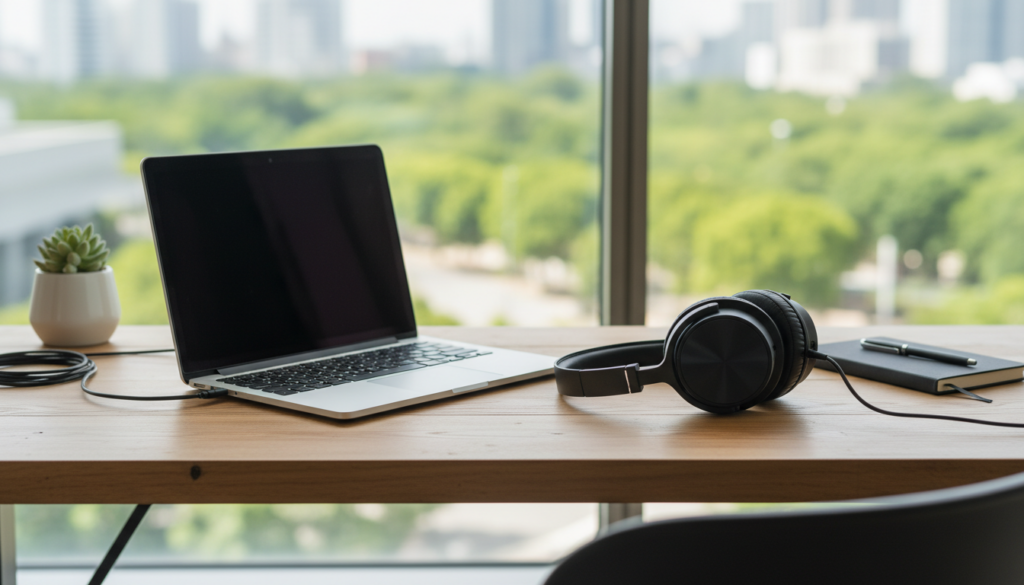
For those in a shared office or a quiet library, these alternatives provide a private, high-fidelity experience without the bulk of traditional speaker setups. In my decade of testing audio hardware, I’ve found that many users actually prefer the immersion of headphones over the ambient sound of desktop speakers.
Key Takeaways for Silent Listening
- Most Versatile Option: Use wired or wireless headphones via the 3.5mm jack or Bluetooth.
- Hidden Hardware: Check if your HDMI or DisplayPort monitor has integrated speakers.
- Mobile Solutions: Apps like SoundWire let you stream PC audio to your Android or iOS device.
- Built-in Audio: Laptops and “All-in-One” PCs (like the iMac) have internal speakers ready to use.
- Software Tweak: Always ensure your Output Device is correctly selected in system settings.
Understanding Your Audio Output Options
The question of “can i listen to music on my computer without speakers” usually refers to external, standalone speakers. Modern computers are highly versatile and offer multiple “sinks” for audio signals.
When I first started building custom PCs, I often skipped buying speakers entirely to save desk space. Instead, I relied on the Digital-to-Analog Converter (DAC) already built into the motherboard to feed high-quality audio directly to my Sennheiser or Sony headphones.
Using Wired Headphones and Earbuds
The most common way to enjoy music without speakers is the 3.5mm audio jack. Almost every desktop and laptop features this small circular port, often marked with a headset icon.
Wired audio offers the lowest latency and highest reliability. If you are an audiophile, using a USB DAC (Digital-to-Analog Converter) can further enhance the sound quality by bypassing the computer’s internal electrical interference.
Connecting Bluetooth Audio Devices
If you want to move around your room, Bluetooth headphones or earbuds (like Apple AirPods or Samsung Galaxy Buds) are the gold standard.
- Open your computer’s Bluetooth settings.
- Put your headphones in Pairing Mode.
- Select the device from the list on your screen.
- Once connected, your computer will automatically route all music to the headset.
How to Enable Internal Speakers (Laptops and Monitors)
Many users ask “can i listen to music on my computer without speakers” while forgetting they might already have them built-in. If you are using a laptop, you have internal speakers located under the keyboard or at the bottom of the chassis.
Desktop users often overlook their monitors. If your monitor is connected via HDMI or DisplayPort, it can carry both video and audio signals.
How to Switch Audio Output on Windows 11
- Click the Volume icon in the bottom right corner of the Taskbar.
- Click the Select a sound output icon (the arrow next to the volume slider).
- Choose your Monitor or Headphones from the list.
- Test the volume to ensure it is not muted.
How to Switch Audio Output on macOS
- Click the Control Center icon in the top right menu bar.
- Select Sound.
- Choose your desired output device (e.g., MacBook Pro Speakers or External Headphones).
Comparison of Speaker Alternatives
| Method | Audio Quality | Portability | Best Use Case |
|---|---|---|---|
| Wired Headphones | High / Lossless | Limited by cable | Critical listening & Gaming |
| Bluetooth Earbuds | High / Compressed | Excellent | Commuting & Casual listening |
| Monitor Speakers | Low to Medium | Stationary | YouTube & Video Calls |
| Internal Laptop Speakers | Medium | Built-in | Quick media consumption |
| Streaming to Phone | Variable | Good | Listening from another room |
Advanced Methods: Streaming PC Audio to Other Devices
If you literally have no audio hardware connected to your PC, you can use your local network to send sound elsewhere. This is a “pro-user” workaround that I frequently use when my primary hardware is being repaired.
Using SoundWire for Android
SoundWire is a brilliant tool that turns your Android phone into a wireless speaker for your computer. You install the server on your PC and the app on your phone. As long as both are on the same Wi-Fi network, your computer’s music will play through your phone’s speakers or the phone’s connected headphones.
Network-Attached Audio (DLNA/Casting)
If you have a Smart TV or a Chromecast, you can “Cast” your computer audio. In apps like Spotify or Chrome, look for the “Cast” or “Connect to a Device” icon. This allows you to use your TV’s sound system as your computer’s “speakers” via the network.
Troubleshooting: Why Can’t I Hear Anything?
Even after connecting headphones, you might still wonder, “can i listen to music on my computer without speakers” if the sound isn’t working. Based on my experience troubleshooting hundreds of systems, the issue is usually software-related.
Check the Default Device
Sometimes Windows or macOS doesn’t “auto-switch” when you plug something in. You must manually set the Default Playback Device in the Sound Control Panel.
Update Audio Drivers
If your 3.5mm jack isn’t recognizing your headphones, your Realtek or High Definition Audio drivers might be outdated.
- Right-click the Start button and select Device Manager.
- Expand Sound, video and game controllers.
- Right-click your audio driver and select Update driver.
Physical Obstructions and Mute Keys
Check your keyboard for a Mute key (often F1, F2, or F3 with a speaker icon). I’ve seen many users spend hours troubleshooting only to realize they accidentally hit the mute toggle while typing.
The Benefits of “Speakerless” Computer Music
Choosing to avoid external speakers isn’t just about desk space; it’s about the audio environment. When you use high-quality headphones, you eliminate room acoustics issues like echoes and bass buildup.
Key Benefits Include:
- Privacy: No one else can hear your music or private calls.
- Detail: Headsets bring the drivers closer to your ears, revealing subtle details in the music.
- Focus: Active Noise Canceling (ANC) headphones like the Bose QuietComfort series can block out environmental noise, something speakers cannot do.
Recommended Gear for Speakerless Listening
If you are committing to a speaker-free lifestyle, I recommend investing in one of these three tiers of hardware:
- The Budget King: Koss Porta Pro. These are lightweight, incredibly comfortable, and provide a retro look with surprisingly punchy bass.
- The Professional Choice: Audio-Technica ATH-M50x. These are the industry standard for studios. They provide a “flat” response, meaning you hear the music exactly as the artist intended.
- The Modern Wireless: Sony WH-1000XM5. These offer the best noise-canceling technology on the market and pair seamlessly with both Windows and Mac via Bluetooth.
Frequently Asked Questions
Can I use my phone as a speaker for my PC?
Yes, by using apps like SoundWire (Android) or Airfoil (Mac/Windows/iOS), you can stream your computer’s audio directly to your smartphone over Wi-Fi.
Do all monitors have speakers?
No, not all monitors have built-in speakers. To check, look for a volume menu in your Monitor’s OSD (On-Screen Display) settings or check if “Display Audio” appears in your computer’s sound settings.
How do I connect Bluetooth headphones if my PC doesn’t have Bluetooth?
If your desktop PC lacks built-in Bluetooth, you can purchase a small USB Bluetooth Adapter (often called a “Dongle”) for under $15. Once plugged in, it allows you to connect any wireless headset.
Is audio quality better through headphones or speakers?
Generally, you get better sound-per-dollar with headphones. A $100 pair of headphones will almost always sound clearer and more detailed than a $100 pair of desktop speakers because they don’t have to fill a whole room with sound.
Can I listen to music through my keyboard?
While rare, some high-end gaming keyboards feature a 3.5mm passthrough jack. You plug your headphones into the keyboard, which is then connected to the PC, allowing for easier cable management.