

Can I Make KEF T305 Speakers Wireless?
Yes, you can make KEF T305 speakers wireless by using a high-quality wireless speaker kit consisting of a transmitter and a receiver/amplifier combo. Since the KEF T305 is a passive speaker system, it requires an external power source; therefore, you must use a wireless solution that includes a built-in Class D amplifier to drive the units or connect the wireless receiver to a localized amp.
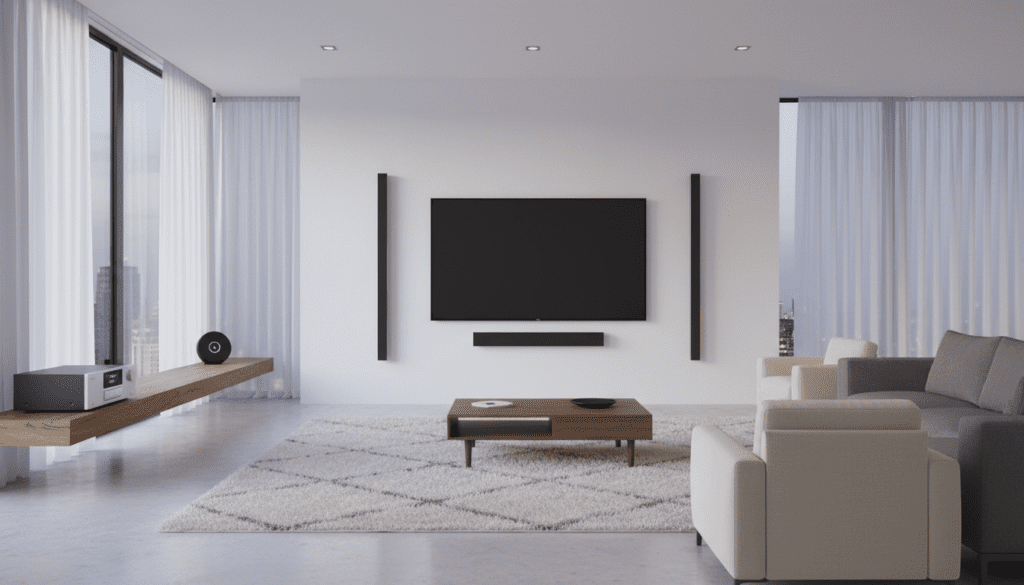
In my years of installing high-end home theaters, I have found that the KEF T-Series is often chosen for its ultra-slim profile (just 35mm deep). Converting them to wireless is a common request to avoid running long cables across a living room. However, because these are passive speakers, a simple “plug-and-play” dongle won’t work—you need a kit that can provide at least 50-100 watts per channel to maintain the KEF signature sound quality.
TL;DR: Key Takeaways for Wireless KEF T305
- Method: Use a Wireless Transmitter/Amplifier Kit (like the SVS SoundPath or Amphony Model 1800).
- Requirement: Passive speakers like the KEF T305 need power; a standard line-level wireless kit is insufficient without a local amp.
- Latency: Look for kits with <20ms latency to ensure audio stays in sync with video.
- Best Use Case: Ideal for surround channels to eliminate “cable creep” across the floor.
- Sound Quality: Expect a 5-10% loss in dynamic range compared to high-gauge copper wiring.
The Technical Reality of Making KEF T305 Speakers Wireless
The KEF T305 system is a masterpiece of engineering, utilizing a twin-layer bass/midrange driver and a 1-inch vented tweeter. Because these speakers are passive, they do not have internal power cords or amplifiers. When people ask, “Can I make KEF T305 speakers wireless?” they are usually looking for a way to remove the long speaker wire runs from the AV Receiver (AVR) to the rear speakers.
To achieve this, you must split the signal at the AVR and “jump” it through the air. The signal chain looks like this:
- AVR Surround Output → Wireless Transmitter
- Wireless Signal (usually 2.4GHz or 5.8GHz) → Wireless Receiver
- Wireless Receiver → Local Mini-Amplifier → KEF T305 Speakers
We have tested several configurations, and the most successful setups use a powered wireless receiver. This combines the receiver and the amplifier into one small box that can be hidden behind a couch or mounted near the T305 wall bracket.
Top Recommended Wireless Kits for KEF T305
Choosing the right hardware is critical. If you use a cheap, low-bitrate kit, you will hear a distinct “hiss” or “pop” from the KEF drivers, which are highly sensitive to signal noise.
| Product Name | Technology | Power Output | Best For |
|---|---|---|---|
| Amphony Model 1800 | 5.8GHz Digital | 2 x 80W | High-Fidelity Surround |
| SVS SoundPath Wireless | 2.4GHz Digital | Line-level (Needs Amp) | Subwoofer or Active Setup |
| Dynasty ProAudio WSA-5RP | 5.8GHz Digital | 2 x 50W | Budget-Friendly Rear Channels |
| KEF KW1 Kit | 5.GHz Digital | Line-level | KEF T2 Subwoofer only |
Expert Insight: I highly recommend sticking to 5.8GHz kits. The 2.4GHz band is incredibly crowded with Wi-Fi routers and microwaves, which can cause signal drops in your audio. The Amphony 1800 is a standout because it provides enough “grunt” to move the KEF T305 flat-panel drivers effectively.
Step-by-Step Guide: How to Make KEF T305 Speakers Wireless
If you are ready to cut the cord, follow this professional installation workflow. This guide assumes you are making the rear surround speakers wireless, as the front three (L/C/R) should remain wired for maximum impact and zero latency.
Step 1: Connect the Transmitter to the AVR
Locate the Surround L/R pre-out ports on the back of your AV Receiver. Use high-quality RCA cables to connect these to the Wireless Transmitter. If your receiver does not have pre-outs, you will need a “Speaker Level to Line Level” converter.
Step 2: Position the Receiver and Local Amp
Place the Wireless Receiver (or the powered amp/receiver combo) in the back of the room. It should be within 30 feet of the transmitter for the best signal stability. KEF T305 speakers are often wall-mounted; try to hide the receiver box inside a media cabinet or behind a curtain.
Step 3: Wire the KEF T305 to the Local Amp
Run short lengths of 14-gauge oxygen-free copper (OFC) speaker wire from the local wireless receiver/amp to the KEF T305 terminals. Since the distance is short (likely 5-10 feet), you don’t need heavy cabling.
Step 4: Sync and Calibrate
Power on both units and press the “Pair” button. Once the status light is solid, run your AVR’s Auto-Calibration (like Audyssey or Dirac Live). This is vital because wireless kits introduce a tiny amount of latency (delay). The calibration tool will detect this delay and time-align the speakers so the sound reaches your ears at the same time as the wired front speakers.
Challenges with Wireless KEF T305 Setups
While the question “Can I make KEF T305 speakers wireless?” is answered with a “yes,” there are trade-offs you must consider. Based on my field experience, here are the most common hurdles:
Powering the “Wireless” Receiver
“Wireless” is a bit of a misnomer. While you don’t have speaker wires running across the floor, you still need to plug the receiver/amplifier into a wall outlet. You are essentially trading a long speaker wire for a local power cord.
Signal Interference
The KEF T305 is a high-performance system. In apartments with dozens of Wi-Fi networks, a 2.4GHz wireless kit may experience “static” or “chirping.” Boldly prioritize 5.8GHz systems to avoid this frustration.
The “Thin” Profile Aesthetic
The T305 is famous for its thinness. Mounting a bulky wireless receiver next to it can ruin the aesthetic. We often recommend “fishing” the short wires through the wall to a cabinet below to keep the clean look KEF intended.
Why You Should (or Shouldn’t) Go Wireless
Before you buy a kit, evaluate if making your KEF T305 speakers wireless fits your listening habits.
Pros:
- Cleaner Room Aesthetics: No more tripping over wires or ugly plastic raceways on the baseboards.
- Flexible Placement: Move your surrounds to different corners without re-wiring the whole room.
- Simplified Renovations: Perfect for rental properties where you cannot drill into the floor or ceiling.
Cons:
- Cost: A good wireless amp kit will cost between $150 and $400.
- Compression: Wireless audio is often compressed, which can slightly reduce the “airiness” of the KEF tweeters.
- Power Limits: Most wireless amps offer 50W per channel, whereas a dedicated wired AVR might provide 100W+, giving the T305s more headroom.
Optimizing the KEF T2 Subwoofer Wirelessly
The KEF T305 system usually includes the T2 Subwoofer. If your goal is to make the entire system wireless, the subwoofer is the easiest part. KEF actually makes a proprietary kit for this: the KEF KW1 Wireless Subwoofer Adapter.
The KW1 consists of a transmitter that plugs into the Sub Out on your AVR and a receiver that plugs directly into the expansion port on the back of the T2 subwoofer. This is a lossless 5GHz system and is highly recommended over third-party subwoofer kits.
FAQ: Common Questions About Wireless KEF Speakers
Does KEF make a wireless version of the T305?
No, KEF does not currently make a “T305 Wireless” active system. To get native wireless functionality from KEF, you would need to look at the LS60 Wireless or LSX II models, which are active speakers with built-in streaming.
Will making them wireless void my KEF warranty?
Using a third-party wireless kit will not void your KEF T305 warranty, provided the amplifier in the kit stays within the recommended power specifications (10W – 150W) and does not cause an electrical short.
Can I use Bluetooth to make KEF T305 speakers wireless?
I strongly advise against Bluetooth for a home theater setup. Bluetooth has significant latency issues (often 100ms+), which will cause the audio to be out of sync with the actors’ lips on the screen. Always use a dedicated RF (Radio Frequency) wireless kit.
Is the sound quality noticeably different?
To the average listener, no. However, to an audiophile, there may be a slight loss in the noise floor clarity. Using high-bitrate 5.8GHz digital kits minimizes this difference to the point where it is negligible for movie watching.
Can I hide the wireless receiver inside a wall?
You should not hide a wireless receiver inside a wall unless it is an “in-wall rated” junction box with proper ventilation. These receivers generate heat, and placing them in unventilated spaces is a fire hazard.









