

Operating a Sound Board: Can You Operate a Mixing Console Without Speakers?
Yes, you can operate a mixing console without speakers by utilizing the dedicated headphone output, integrated visual metering systems, or routing the signal directly to a digital audio workstation (DAW). Whether you are troubleshooting a live rig or mixing in a home studio, external monitors are not a technical requirement for the console to process, route, or output audio signals.
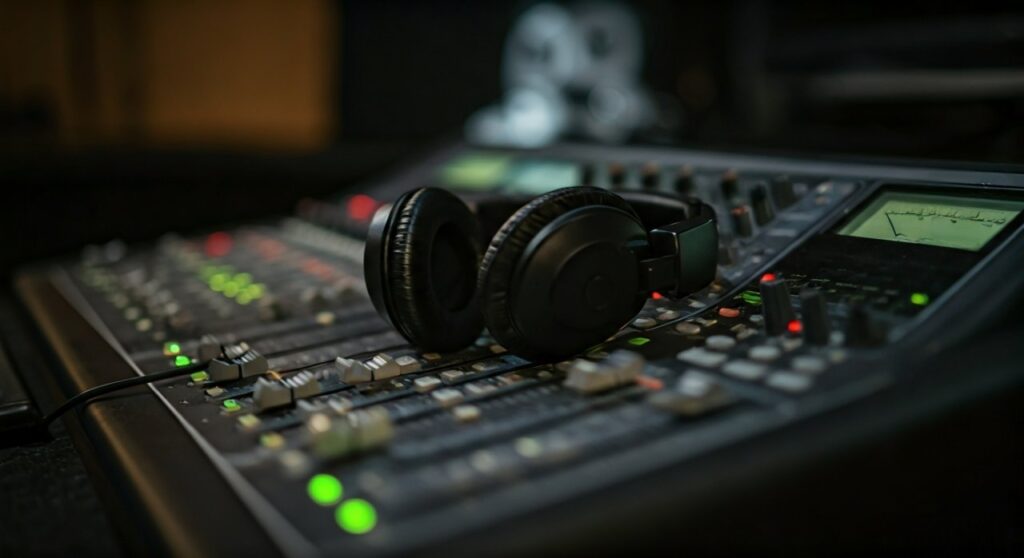
I have spent over a decade in cramped broadcast booths and late-night recording sessions where “silent mixing” wasn’t just an option—it was a necessity. Modern mixing consoles (both analog and digital) are designed to be independent signal processors that do not require a physical load from a speaker to function correctly.
### 🚀 Key Takeaways: Silent Mixing Essentials * Monitoring Alternatives: High-impedance headphones are your primary tool for critical listening without speakers. * Visual Cues: Use LED ladders, VU meters, and RTA (Real-Time Analyzers) to “see” your mix balance. * Signal Routing: You can send audio to recorders, streaming interfaces, or in-ear monitors (IEMs) via the Main L/R or Aux outputs. * Safety First: Always check your Gain Staging visually to prevent digital clipping or analog distortion, even if you can’t hear it. * Versatility: This setup is ideal for mobile recording, podcasting, and late-night editing where noise floor or neighbors are a concern.
Understanding the Signal Path: Why Speakers Are Optional
The fundamental question of can you operate a mixing console without speakers stems from a misunderstanding of how audio electricity works. Unlike some vintage tube guitar amplifiers that require a “speaker load” to prevent transformer damage, a mixing console is a pre-amplifier device. It deals with Line Level signals, which are low-voltage and do not require a speaker’s resistance to operate safely.
The Role of the “Control Room” Section
Most professional consoles feature a Control Room (CR) or Monitor Out section. This is a secondary signal path that mirrors the Main Mix. If you don’t have speakers, you simply leave these outputs empty and use the Phones knob to drive your headphones.
Internal Processing vs. External Monitoring
When you move a fader, you are changing the internal math (in digital) or the voltage (in analog) of the signal. This happens entirely within the circuitry. The Main Bus will still output a signal to your USB interface or XLR outputs even if there is nothing there to “move the air” and create sound waves.
How to Set Up Your Console for Speaker-less Operation
If you are looking to run a session silently, follow these professional steps to ensure your mix remains accurate and your hardware stays protected.
Primary Monitoring via Headphones
Your headphones become your “monitors.” I recommend using open-back headphones (like the Sennheiser HD600 series) for mixing, as they provide a more natural soundstage compared to closed-back models.
- Step A: Plug your headphones into the jack labeled “Phones” or “Monitor Out.”
- Step B: Ensure the Monitor Source is set to “Main Mix” or “Stereo Out.”
- Step C: Start with the volume at zero to protect your hearing from unexpected transients.
Utilizing Solo and PFL (Pre-Fader Listen)
In a speaker-less environment, the Solo button is your best friend.
- PFL (Pre-Fader Listen): This allows you to check the signal of a specific channel on your meters and in your headphones regardless of where the fader is set.
- AFL (After-Fader Listen): This shows you how the channel sounds after the fader and pan settings have been applied.
Visual Mixing Strategies
When you operate a mixing console without speakers, your eyes must do the work your ears usually do. Use the following table to understand what to look for:
| Visual Tool | Purpose | Target Range |
|---|---|---|
| Input Gain LED | Checks incoming signal strength | Aim for “Green,” occasional “Yellow,” never “Red.” |
| Main VU Meter | Monitors overall output level | 0 VU (Analog) or -18 to -12 dBFS (Digital). |
| Clip Indicator | Warns of signal distortion | Must stay OFF at all times. |
| RTA (Digital Only) | Shows frequency distribution | Ensures no “muddiness” in the low-end. |
Scenarios Where “No Speakers” is Preferred
In my professional experience, there are several “pro-audio” situations where you might actively choose to leave the speakers off.
Mobile and Field Recording
When I record live podcasts or location audio, carrying a pair of 20lb studio monitors is impractical. We rely entirely on high-quality In-Ear Monitors (IEMs) and the console’s internal meters. The “Final Mix” is often sent via a USB-B cable directly into a laptop running Pro Tools or Reaper.
Late-Night Studio Sessions
If you are working in a home studio and need to respect a noise ordinance, you can still operate a mixing console without speakers to get your levels set. You can perform EQ carving, compression settings, and routing using headphones, then do a final “check” on speakers the next morning.
Live Stream Mixing
For modern churches or venues, there is often a “broadcast mix” console located in a separate room or a quiet corner. This console rarely has speakers because the operator needs to hear exactly what the stream audience hears through headphones, isolated from the “bleed” of the main PA system.
Essential Equipment for Successful Silent Operation
To effectively operate a mixing console without speakers, you may need a few extra pieces of gear to ensure the signal remains high-fidelity.
- Headphone Amplifier: If you are using high-impedance headphones (like Beyerdynamic DT 990 Pro 250 ohm), the built-in jack on a cheap mixer might sound “thin.” An external amp like the PreSonus HP4 provides the necessary power.
- DI Boxes: If you are “mixing” instruments (like a bass guitar or synth) directly into the console to record without an amp or speakers, a high-quality Radial DI is essential for impedance matching.
- Digital Interface: If your goal is to record, ensure your console has a built-in USB Audio Interface (standard on the Behringer X32 or Allen & Heath Qu series) so you can route audio to your computer without needing an analog-to-digital converter.
Step-by-Step: Testing a Console Without Speakers
If you have just purchased a used mixer and want to test it but don’t have a PA system yet, follow this checklist.
Step 1: Power On and Clear
- Turn all Gains and Faders to the minimum.
- Disengage all Phantom Power (+48V) switches unless using a condenser mic.
- Reset all EQ knobs to the “12 o’clock” position (Flat).
Step 2: Input Testing
- Plug a sound source (like a phone or microphone) into Channel 1.
- Increase the Gain until you see the signal LED blinking green.
- Press the PFL/Solo button for that channel.
Step 3: Monitor Check
- Plug your headphones into the Phones jack.
- Slowly turn up the Phones Level.
- Verify that the audio is clear, without static when moving the knobs (scratchy pots).
Step 4: Output Verification
- Look at the Main LR Meters.
- Raise the Channel Fader and the Master Fader.
- If the LEDs on the Main Meter move in sync with the music, your console is successfully “mixing,” even without speakers attached.
Common Pitfalls to Avoid
Even though you can operate a mixing console without speakers, there are three major traps that beginners often fall into:
- Over-Compression: Headphones provide an intimate “inside-the-head” sound. It is very easy to apply too much compression because you don’t feel the “impact” of the transients like you would with a 12-inch woofer.
- Inaccurate Low-End: Most headphones struggle to reproduce sub-bass accurately below 40Hz. If you mix a kick drum using only headphones, it might sound “huge” to you but end up “boomy” or “distorted” when played on a club system later.
- Headphone Fatigue: Working without the “air” of a room can lead to ear fatigue much faster. I follow the 50/10 Rule: 50 minutes of mixing, followed by 10 minutes of complete silence to reset my ears.
Expert Insights: The “Invisible” Mix
I remember a specific gig at a corporate gala where the client decided, ten minutes before the show, that the “ugly” speakers on stage had to be moved behind a curtain. I had to mix the entire first hour using only my VU meters and a pair of in-ear monitors because I couldn’t hear the “house” sound accurately from my position.
The secret to success in that moment was Gain Staging. By keeping my levels consistent on the console’s internal meters, I knew that the signal going to the amplifiers was clean. Can you operate a mixing console without speakers? Absolutely—as long as you trust your meters and know your gear’s limits.
Frequently Asked Questions (FAQ)
Can I damage my mixer if no speakers are connected?
No. Unlike tube-based power amplifiers, mixing consoles do not require a “load” on their outputs. You can leave every XLR and TRS output unplugged without any risk of overheating or electrical damage to the console.
Do I need a special type of headphone for a mixing console?
While any headphones with the correct adapter (usually 1/4 inch) will work, Studio Monitor Headphones (like the Sony MDR-7506 or Audio-Technica ATH-M50x) are preferred because they provide a “flat” frequency response, meaning they don’t artificially boost the bass or treble.
Is it better to mix on headphones or speakers?
Ideally, you should use both. Speakers allow you to hear how the sound interacts with a room (spatial imaging), while headphones are better for catching small details like clicks, pops, or subtle background noise. However, in a pinch, a professional can deliver a broadcast-ready mix using only headphones.
How do I see my levels if my mixer doesn’t have a screen?
Almost all analog mixers have LED “ladders” (typically green, yellow, and red lights). These are your primary visual indicators. If your mixer lacks even these, you can route the output to a computer and use a free Software VU Meter or Voxengo SPAN (a spectrum analyzer) to visualize the audio.









