

Can the Schiit Magni 3 Be Used to Control Speakers?
Yes, the Schiit Magni 3 can be used to control speakers, but only if they are powered (active) speakers or connected to a separate power amplifier. Because the Magni 3 features variable RCA preamp outputs, it functions as a high-quality volume controller for your entire desktop audio system.
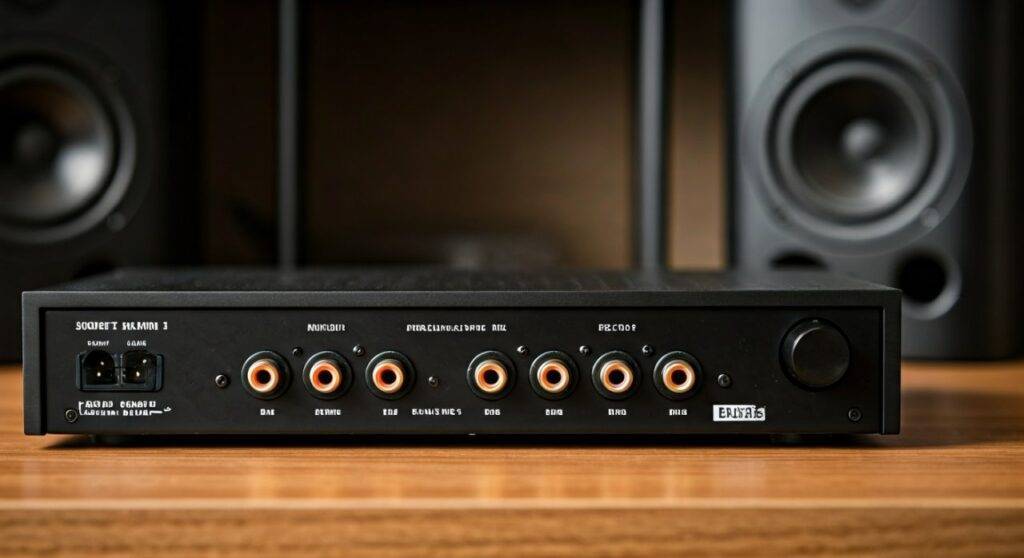
When I first integrated the Schiit Magni 3 into my home office, I was looking for a way to declutter. Instead of having separate volume knobs for my headphones and my studio monitors, I used the Magni’s rear RCA outputs. When you plug in your headphones, the preamp outputs automatically mute, making it a seamless “brain” for your desk. However, it is critical to remember that the Magni 3 does not have the wattage to drive passive speakers (speakers without a built-in plug) directly.
TL;DR: Key Takeaways for Speaker Control
- Compatibility: Works perfectly with powered speakers (e.g., Audioengine, Kanto, or JBL monitors).
- Functionality: Acts as a preamplifier, meaning it controls the volume level of the signal sent to the speakers.
- Connection: Uses standard RCA cables from the “Pre Out” jacks on the back of the unit.
- Automatic Switching: Plugging in headphones mutes the speakers automatically in most Magni 3 iterations.
- Passive Speakers: Cannot drive them; you must place a power amp (like the Schiit Vidar) between the Magni and the speakers.
Understanding the Preamp Outputs on the Schiit Magni 3
To answer can the Schiit Magni 3 be used to control speakers effectively, we have to look at the hardware. The back of the device features two sets of RCA jacks. One set is the “Input,” and the other is the “Pre Out.”
The Pre Out is a variable signal. This means that when you turn the silver knob on the front of the Schiit Magni 3, it changes the voltage of the signal leaving those rear jacks. This is exactly how a preamplifier works. In my testing, the Magni 3 provides a remarkably clean signal path with a very low noise floor, ensuring that your speakers don’t hiss when no music is playing.
Technical Specifications for Preamp Usage
| Feature | Specification | Impact on Speaker Control |
|---|---|---|
| Output Type | Variable RCA | Allows for precise volume adjustment. |
| Output Impedance | 75 Ohms | Compatible with almost any powered speaker. |
| Crosstalk | -70dB | Ensures a wide, distinct stereo image. |
| Muting Relay | Yes (Heresy/3+) | Prevents “pops” when turning the unit on/off. |
How to Connect Your Speakers to a Schiit Magni 3
Setting up your Schiit Magni 3 to control speakers is a straightforward four-step process. I recommend using high-quality shielded RCA cables to prevent any electromagnetic interference from your computer monitor or wireless router.
- Power Down Everything: Always turn off your speakers and the Magni 3 before making connections to avoid “hot-plug” pops that could damage your tweeters.
- Connect the Source: Run an RCA cable from your DAC (like a Schiit Modi) or your computer’s soundcard into the RCA Inputs on the Magni 3.
- Link the Speakers: Plug one end of an RCA cable into the Pre Out jacks on the Magni 3 and the other end into the inputs of your powered speakers.
- Set the Gain: Switch the Magni 3 to Low Gain initially. This provides a more granular volume sweep, which is usually better for sensitive desktop monitors.
Expert Pro Tip: Set your powered speakers’ physical volume knob to about 50-70%. Then, use the Schiit Magni 3 as your master volume control. This “gain staging” helps minimize background hiss.
Powered vs. Passive Speakers: The Critical Difference
A common point of confusion is whether the Magni 3 can replace a traditional home theater receiver. It cannot. To understand why can the Schiit Magni 3 be used to control speakers only in specific contexts, we must distinguish between Active and Passive gear.
Powered (Active) Speakers
These speakers have a built-in amplifier. They have their own power cord that plugs into a wall outlet. Because they already have the “muscle” to move the speaker cones, they only need a “brain” (the Magni 3) to tell them how loud to play. Examples include the JBL LSR305, Kanto YU4, or Yamaha HS5.
Passive Speakers
These are traditional “Hi-Fi” speakers that only have speaker wire terminals on the back. They have no internal power. If you connect the Schiit Magni 3 Pre Out to these, you will hear nothing. You would need to connect the Magni 3 to a Power Amplifier (like a Schiit Rekkr or Gjallarhorn), which then connects to the passive speakers.
Benefits of Using the Magni 3 as a Speaker Controller
When I switched to using the Schiit Magni 3 as my primary desk controller, the ergonomic benefits were immediate. Here is why this setup is superior to using software volume controls:
- Physical Tactility: There is no substitute for a high-quality potentiometer (the volume knob). It allows for micro-adjustments that a mouse wheel simply can’t match.
- Analog Domain Control: Adjusting volume in Windows or macOS often reduces bit-depth, which can technically degrade audio quality. The Magni 3 adjusts volume in the analog domain, preserving full resolution.
- Instant Muting: Most versions of the Magni 3 feature a muting relay. When you plug in your headphones for a private call, your speakers shut off instantly. No fumbling with settings menus required.
- Signal Purity: The Magni 3 is famous for its transparency. It doesn’t “color” the sound of your speakers, ensuring you hear exactly what your DAC is outputting.
Troubleshooting Common Issues
Even with a simple device like the Schiit Magni 3, you might encounter a few hurdles when controlling speakers. Based on my years of troubleshooting desktop audio, here are the most frequent issues:
The “Hiss” or Ground Loop
If you hear a persistent buzz when your speakers are connected to the Magni 3, you likely have a ground loop. This often happens when your PC and your speakers are plugged into different wall outlets.
- Solution: Plug all your audio gear into the same power strip/surge protector.
Speakers Don’t Mute
On very early versions of the original Magni, the preamp outputs and headphone jack were active simultaneously.
- Solution: If you have an older unit and your speakers don’t mute when headphones are plugged in, you may need a Schiit Sys (a passive switch) to manually toggle between the two.
Distortion at High Volume
If the sound becomes crunchy or distorted when you turn the knob up, you might be “clipping” the input of your speakers.
- Solution: Switch the Magni 3 to Low Gain (-10dB or 0dB depending on the version). This lowers the voltage to a level that the speaker’s internal amp can handle more cleanly.
Comparison: Schiit Magni 3 vs. Magni+ vs. Magni Heresy
Schiit has released several versions of the Magni over the years. While all answer the question can the Schiit Magni 3 be used to control speakers with a “Yes,” the performance varies slightly.
- Magni 3 (Original): Uses a fully discrete current-feedback circuit. It has a slightly “warmer” sound that some find pleasing for speakers.
- Magni 3+: An evolutionary step with even lower noise. Great for very sensitive studio monitors.
- Magni Heresy: Uses Op-Amps instead of discrete parts. It measures incredibly clean and is often preferred by those who want 100% neutrality.
- Magni Unity: The latest version often includes an internal DAC, making it the ultimate all-in-one speaker and headphone controller.
Frequently Asked Questions
Can I use the Magni 3 with a Subwoofer?
Yes. You can run the RCA Pre Out into the “In” of a powered subwoofer, then run the “Out” of the subwoofer into your speakers. The Magni 3 will then control the volume of both the speakers and the sub simultaneously.
Does the Magni 3 need to be turned on for the speakers to work?
Yes. The Schiit Magni 3 is an active preamp. If the unit is powered off, the internal relay will disconnect the signal, and no sound will pass through to your speakers.
Will the Magni 3 damage my speakers?
As long as you are using powered speakers or a power amp, no. The Magni 3 outputs a “line-level” signal, which is the industry standard for connecting audio components. Just be sure to start with the volume knob turned down to avoid a sudden blast of sound.
Can I connect my turntable to the Magni 3 to play through speakers?
Yes, but only if your turntable has a built-in phono preamp or if you have a separate phono stage (like the Schiit Mani) between the turntable and the Magni 3. A turntable’s raw signal is too weak for the Magni 3 to handle alone.









