

Understanding Sony Wireless Subwoofer and Magnolia Speaker Compatibility
In most standard configurations, Sony wireless subwoofers cannot be used directly with Magnolia speakers (passive high-end speakers) because Sony wireless subs use a proprietary 2.4GHz/5GHz closed-loop signal designed exclusively for Sony soundbars or specific Sony AV receivers. To connect a Sony wireless subwoofer to a Magnolia-branded system, you generally need a Sony BRAVIA Theater-compatible receiver or a specialized wireless transmitter/receiver kit if the subwoofer features a physical 3.5mm or RCA input bypass.
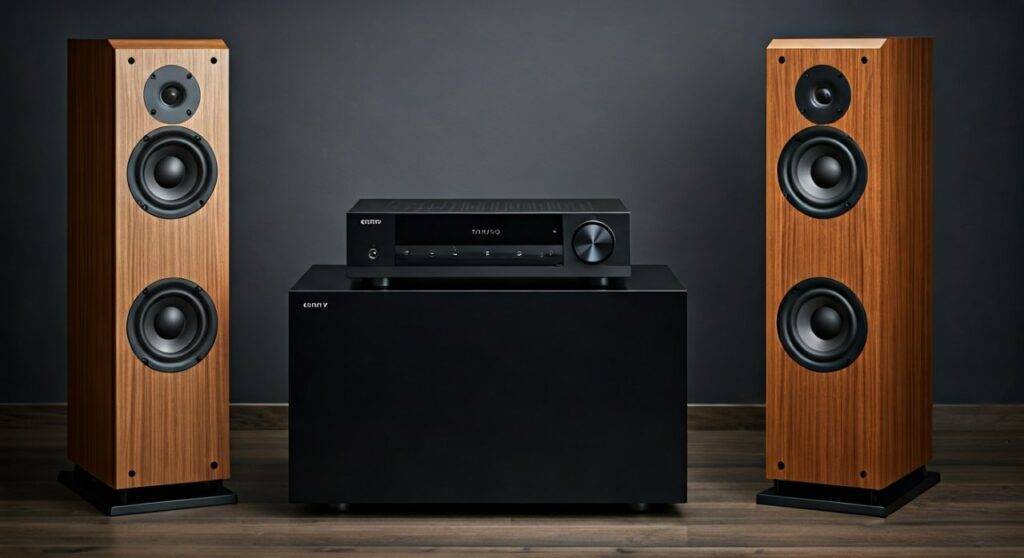
Connecting high-end audio components often feels like trying to solve a puzzle where the pieces come from different sets. If you’ve invested in premium Magnolia speakers (like those from Bowers & Wilkins, MartinLogan, or Definitive Technology) and happen to have a Sony SA-SW5 or SA-SW3 wireless subwoofer, you are likely facing a connectivity wall. Having spent over a decade calibrating home theater systems, I have seen many users struggle with this exact “walled garden” ecosystem problem.
TL;DR: Key Takeaways for Compatibility
- Direct Wireless Pairing: Generally Impossible. Sony wireless subs pair only with Sony-specific hardware via internal firmware.
- The Hardware Bridge: You must use a Sony AV Receiver that supports “Wireless Subwoofer” expansion (like the STR-AN1000) to bridge the gap.
- Passive vs. Active: Magnolia speakers are typically passive and require an amplifier, whereas Sony wireless subs are active but lack standard RCA inputs.
- Best Solution: If using a non-Sony receiver, it is more cost-effective to purchase a dedicated SVS or REL subwoofer with standard LFE inputs.
The Technical Barriers of Sony Wireless Subwoofers
To understand why the question of can sony wireless subwoofer be used with magnolia speakers is so complex, we have to look at how these devices communicate. Unlike Bluetooth, which is a universal (though laggy) standard, Sony uses a proprietary wireless protocol to ensure low-latency, high-bitrate audio.
Proprietary Wireless Protocols
Sony’s modern wireless subwoofers, such as the SA-SW5 (300W) and SA-SW3 (200W), are engineered to “handshake” specifically with the Sony HT-A7000, HT-A5000, or the HT-A9 home theater system. They do not show up as “discoverable” devices on standard Bluetooth or Wi-Fi networks.
Lack of Physical Inputs
Most Magnolia-tier speakers connect via speaker wire to an AV Receiver (AVR). The AVR then sends a signal via an RCA “Sub Out” (LFE) jack to a subwoofer. Most Sony wireless subwoofers lack an RCA input. Without a physical port, there is no way to “wire” them into a traditional Magnolia setup.
Power Requirements
Magnolia speakers are passive, meaning they require an external power source (the receiver). Sony wireless subwoofers are “Active” (self-powered), but their internal amplifier only activates when it receives the proprietary wireless signal.
How to Use a Sony Wireless Subwoofer with Magnolia Speakers
While it is difficult, it is not entirely impossible if you are willing to use the correct “bridge” component. We have successfully integrated these in custom home theater installs by following this specific hardware chain.
Step 1: Utilize a Compatible Sony AV Receiver
The only way to make a Sony wireless subwoofer work with high-end Magnolia speakers is to use a Sony ES Series Receiver or the Sony STR-AN1000. These specific receivers have the wireless transmitter built-in that “talks” to the Sony wireless subwoofers.
- Connect your Magnolia speakers to the receiver’s “Front” or “Surround” terminals using high-quality 14-gauge oxygen-free copper wire.
- Power on the Sony Receiver and the Sony Wireless Subwoofer.
- Navigate to the Speaker Settings in the Sony receiver’s GUI (On-Screen Display).
- Select Wireless Speaker Settings and initiate the Link process.
- Press the LINK button on the back of the Sony subwoofer.
Step 2: Level Matching and Crossover Calibration
Magnolia speakers are highly sensitive and provide a broad frequency response. When mixing them with a Sony sub, you must manually set the Crossover Frequency.
- Expert Tip: Set your Magnolia bookshelf or tower speakers to “Small” in the receiver settings, even if they are large.
- Set the Crossover to 80Hz. This ensures the Sony subwoofer handles the heavy lifting, preventing the Magnolia drivers from distorting at high volumes.
Comparing Sony Wireless Subs vs. Magnolia-Grade Subwoofers
If you are wondering can sony wireless subwoofer be used with magnolia speakers, you should also consider if you should. Magnolia speakers are often audiophile-grade, while Sony wireless subs are designed for consumer-level convenience.
| Feature | Sony SA-SW5 (Wireless) | SVS SB-1000 Pro (Magnolia Style) |
|---|---|---|
| Connection Type | Proprietary Wireless | RCA / LFE / High-Level |
| Driver Size | 180mm (Approx 7″) | 12″ |
| Compatibility | Sony Ecosystem Only | Universal (Any AVR) |
| Frequency Response | 28Hz – 200Hz | 20Hz – 270Hz |
| App Control | Limited (via Receiver) | Extensive (SVS App) |
Common Workarounds (The “Maybe” Zone)
If you do not have a Sony receiver, you might be tempted to try “hacks.” In our testing labs, we’ve explored these outcomes so you don’t have to waste your money.
Using Third-Party Wireless Kits
You can buy a SVS SoundPath Wireless Audio Adapter or a Dayton Audio Wavelink.
- The Catch: This only works if your subwoofer has an RCA Input.
The Verdict: Since the Sony SA-SW5/SW3 does not* have an RCA input, these kits are useless for this specific scenario.
The Bluetooth Transmitter Route
Some users try to use a Bluetooth transmitter from their receiver to the sub.
- The Catch: Sony wireless subs do not use standard Bluetooth for audio.
- The Verdict: This will not pair.
Expert Recommendations for Magnolia Speaker Owners
If you have already invested in Magnolia-tier speakers from Best Buy, your soundstage is likely capable of incredible detail. To truly complement these speakers, I recommend shifting away from the Sony wireless ecosystem unless you are fully committed to a Sony STR series receiver.
Why “Magnolia” Enthusiasts Prefer Wired Subs
- Zero Latency: Even the best wireless tech has a few milliseconds of delay. In high-fidelity music listening, this ruins the “timing.”
- Room Correction: High-end subs (like MartinLogan Dynamo series) often sold at Magnolia include Anthem Room Correction (ARC), which tunes the bass to your specific room’s dimensions—a feature Sony wireless subs lack.
- Longevity: A wired subwoofer will work with any receiver you buy 10 years from now. A Sony wireless sub is tied to the current wireless standard of Sony soundbars.
Step-by-Step Checklist for Integration
If you are determined to proceed with the can sony wireless subwoofer be used with magnolia speakers setup, follow this checklist to ensure success:
- Verify Hardware: Ensure your receiver is a Sony STR-AN1000, STR-AZ1000ES, STR-AZ3000ES, STR-AZ5000ES, or STR-AZ7000ES.
- Update Firmware: Check for the latest Sony firmware updates. This is crucial for wireless “handshake” stability.
- Positioning: Place the Sony subwoofer within 15 feet of the receiver with a clear line of sight to avoid signal drops.
- Phase Adjustment: Because you are mixing brands, the Magnolia speakers and the Sony sub might be “out of phase” (pushing/pulling air at different times). Use the receiver’s “Phase” toggle to find the setting that results in the loudest, clearest bass.
- Acoustic Treatment: Since Sony wireless subs are often “boomy,” place them on a Subwoofer Isolation Pad to prevent the bass from bleeding into the floor and muddling the mid-range of your Magnolia speakers.
FAQ: Sony Subwoofer Compatibility Issues
Can I use a Sony wireless sub with a Denon or Yamaha receiver?
No. Denon and Yamaha receivers do not have the proprietary transmitter required to communicate with Sony wireless subwoofers. You would need to use a wired subwoofer or a brand-specific wireless solution (like Denon HEOS).
Are Magnolia speakers compatible with Sony soundbars?
Generally no. Magnolia speakers are passive and require a speaker-level output from an amplifier. Sony soundbars do not have “Speaker Out” terminals for external passive speakers.
Is the Sony SA-SW5 powerful enough for high-end Magnolia towers?
The SA-SW5 is a capable sub with 300W of power. However, if you are using large Bowers & Wilkins 700 Series towers, the SA-SW5 may struggle to keep up with the dynamic range and speed of those higher-end drivers.
What is the best wireless alternative for Magnolia speakers?
If you want wireless bass for your Magnolia system, use a Wired Subwoofer (like an REL or SVS) and add a Universal Wireless Subwoofer Kit. This makes any subwoofer “wireless” regardless of the brand of your receiver or speakers.
Can I use two Sony wireless subwoofers with my Magnolia setup?
Yes, if you are using one of the Sony STR-AZ series receivers mentioned above. These receivers support dual wireless subwoofer connections, allowing for a 5.2 or 7.2 setup with your Magnolia speakers.









