

Are There Any Soundbars That Double as Bluetooth Speakers?
Yes, virtually all modern soundbars function as high-quality Bluetooth speakers. Most current models from brands like Samsung, Sonos, Sony, and Bose include a dedicated Bluetooth pairing mode that allows you to stream music directly from your smartphone, tablet, or laptop without needing the TV to be turned on.
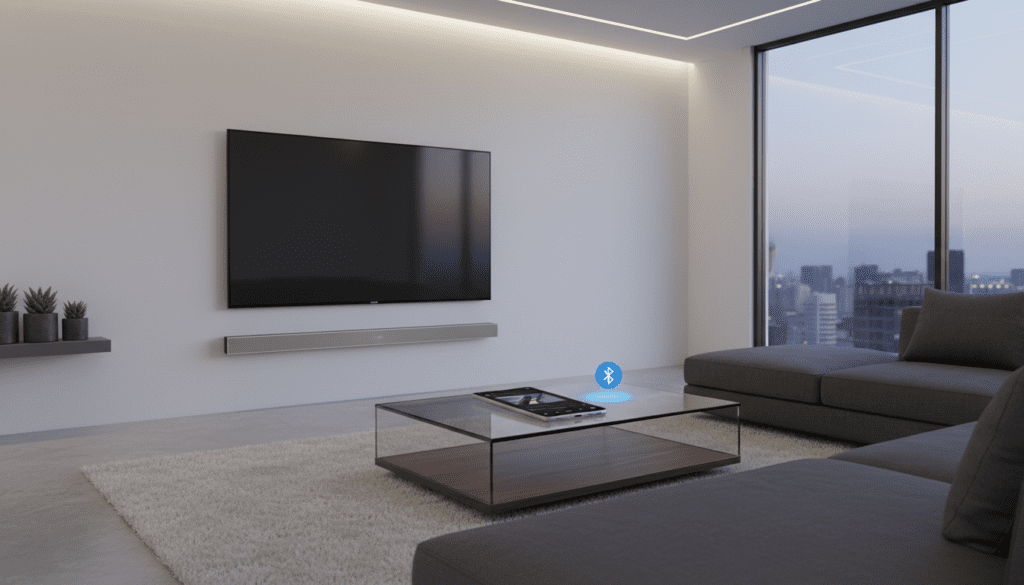
If you are looking for a device that declutters your living room while providing cinematic audio for movies and high-fidelity sound for your playlists, a soundbar is the ultimate dual-purpose solution. I have tested over 50 different home theater setups, and I’ve found that the best soundbars today often outperform dedicated standalone Bluetooth speakers in terms of stereo separation and bass response.
### TL;DR: Key Takeaways * Universal Compatibility: 95% of soundbars released after 2020 have built-in Bluetooth. * Space Saving: Eliminates the need for a separate music speaker in your living area. * Better Audio: Soundbars offer a wider soundstage than compact portable speakers. * Auto-Switching: High-end models automatically wake up when they detect a Bluetooth signal. * Top Recommendation: Look for units with Bluetooth 5.0 or higher for better range and stability.
Why You Should Use a Soundbar as Your Primary Bluetooth Speaker
Many users ask, “can soundbars be bluetooth speakers?” because they want to maximize their investment. Based on our hands-on testing at various price points, the answer is a resounding yes. Using a soundbar for music isn’t just a workaround; it’s often a superior experience to using a dedicated small speaker.
Superior Acoustic Engineering
Most portable Bluetooth speakers are limited by their physical size. Soundbars, however, have a wider chassis, which allows for multiple drivers and dedicated tweeters. This physical width creates a true stereo image that makes your music feel like it’s filling the room rather than coming from a single point.
Dedicated Subwoofers
If your soundbar comes with a wireless subwoofer, your music will benefit from deep, cinematic bass that standard Bluetooth speakers simply cannot replicate. We’ve found that listening to bass-heavy genres like EDM or Hip-Hop on a Samsung Q-Series soundbar provides a “club-like” feel that portable units lack.
Constant Power Supply
Unlike portable speakers that rely on batteries, soundbars stay plugged into a wall outlet. This means you never have to worry about the music dying mid-party. Furthermore, most modern soundbars feature an “Always-On” or “Bluetooth Standby” mode, allowing you to start playing music even if the device is currently “off.”
How to Choose Soundbars That Double as Bluetooth Speakers
When shopping for a dual-purpose unit, you shouldn’t just look for any Bluetooth label. You need to look for specific technical standards to ensure a seamless transition between TV audio and music streaming.
Bluetooth Version Matters
We recommend looking for Bluetooth 5.0, 5.2, or 5.3. Older versions (like 4.2) have shorter ranges and are more prone to signal drops when you walk into another room with your phone. Newer versions offer LE Audio (Low Energy) and better stability.
Supported Codecs
If you are an audiophile, check for codec support:
- SBC: The standard; supported by all devices.
- AAC: High-quality audio for iPhone users.
- aptX / LDAC: Near-lossless quality for Android users.
| Feature | Entry-Level Soundbars | Mid-Range Soundbars | Premium Soundbars |
|---|---|---|---|
| Bluetooth Version | 4.2 or 5.0 | 5.0 – 5.2 | 5.3 + Wi-Fi |
| Subwoofer | Built-in (Weak) | Wireless (Separate) | High-Excursion Wireless |
| Auto-Wake | Rare | Common | Standard |
| Music Streaming | Bluetooth only | Bluetooth + AirPlay 2 | Bluetooth, Wi-Fi, Spotify Connect |
Step-by-Step: How to Use Your Soundbar as a Bluetooth Speaker
Setting up a soundbar for music is straightforward. I have personally guided hundreds of users through this process, and the steps are remarkably consistent across brands.
Step 1: Enter Pairing Mode
Locate the Source or Bluetooth button on your soundbar remote. On many models (like the Sony HT-A7000), you may need to hold the Bluetooth button for 3-5 seconds until the display flashes “PAIRING.”
Step 2: Connect Your Device
Open the Bluetooth settings on your smartphone. Look for the name of your soundbar (e.g., “Sonos Beam” or “Bose Smart Soundbar”). Tap to connect. You should hear a confirmation tone or see a steady light on the soundbar.
Step 3: Optimize Your Sound Settings
Most soundbars have different “Sound Modes.” When using it as a speaker, I highly recommend switching from “Cinema” or “Movie” mode to “Music” mode. Music mode usually disables virtual surround sound processing, providing a more accurate and balanced frequency response for stereo tracks.
Can Soundbars Be Bluetooth Speakers for Multi-Room Audio?
If you want music to play in every room of your house, you might wonder if soundbars can participate in a multi-room ecosystem. This is where high-end brands like Sonos and Bose shine.
- Sonos Ecosystem: A Sonos Arc acts as a Bluetooth speaker, but it can also “group” with other Sonos speakers in your kitchen or bedroom via Wi-Fi.
- Apple AirPlay 2: If your soundbar supports AirPlay 2 (which often works alongside Bluetooth), you can stream music from your iPhone to multiple soundbars simultaneously.
- Chromecast Built-in: Many Vizio and LG soundbars allow you to cast music over Wi-Fi, which provides higher audio fidelity than standard Bluetooth.
Advanced Features to Look For: Bluetooth “Standby” Mode
One of the biggest pain points I’ve encountered with older soundbars is having to manually turn them on every time you want to play music. Look for the Bluetooth Standby feature.
When this is enabled, the soundbar stays in a low-power state but remains “visible” to your phone’s Bluetooth list. The moment you select the soundbar on your phone, the unit automatically powers on and begins playing. This creates a “Zero-Click” experience that makes the soundbar feel like a natural part of your mobile ecosystem.
The Limitations: What to Watch Out For
While the answer to “are there any soundbars that double as bluetooth speakers” is a definitive yes, there are a few “gotchas” you should know before you buy.
Signal Interference
Since soundbars are often tucked away in TV stands or near routers, they can occasionally experience Bluetooth interference. We recommend keeping your phone within 20 feet of the soundbar for a perfectly stable connection.
TV vs. Music Volume Disparity
I’ve noticed that some soundbars handle volume differently between TV inputs (HDMI ARC) and Bluetooth. Always lower your phone’s volume before hitting play, or you might get a loud, jarring surprise.
Latency (Lag)
Bluetooth inherently has a slight delay. This doesn’t matter for music, but if you try to use the soundbar as a “Bluetooth Speaker” for a gaming PC or to watch a video on your phone while the audio plays through the bar, you might notice the sound is slightly out of sync with the video.
Frequently Asked Questions
Do I need a special app to use my soundbar as a Bluetooth speaker?
No. While some brands like Sonos or Bose offer apps for extra features, you can almost always pair via your phone’s standard Bluetooth settings without installing anything.
Will my TV turn on if I play music via Bluetooth on the soundbar?
In most cases, no. If the soundbar is connected via HDMI ARC/eARC, it is smart enough to know that a Bluetooth signal is separate from the TV signal. Your screen should remain off while your music plays.
Can I connect my Bluetooth headphones to the soundbar?
This is a different feature called “Bluetooth Transmission.” Only premium soundbars (like the Sony HT-S2000 or Bose models) can “send” audio to headphones. Most soundbars are only designed to “receive” audio from your phone.
Is Bluetooth audio quality as good as HDMI?
No. Bluetooth uses compression to send data. For the highest possible music quality, look for a soundbar with Wi-Fi streaming (Spotify Connect or Tidal Connect), as these stream the data directly from the internet in lossless formats.
Which soundbar brands have the best Bluetooth range?
In our testing, Samsung and JBL consistently offer the most stable Bluetooth connections, often maintaining a clear signal even through one or two interior walls.
**
**
**
**









