

Understanding How Speakers Can Draw Power From Your TV
Yes, are there speakers that draw power from the TV? The short answer is yes, but with specific technical caveats. You can use USB-powered speakers that plug directly into your TV’s USB port for electricity, or passive speakers that draw power through an external amplifier, though the latter technically draws from a wall outlet. True “zero-cable” speakers that run solely on the TV’s internal bus are limited by the 5V power output of standard television USB ports.
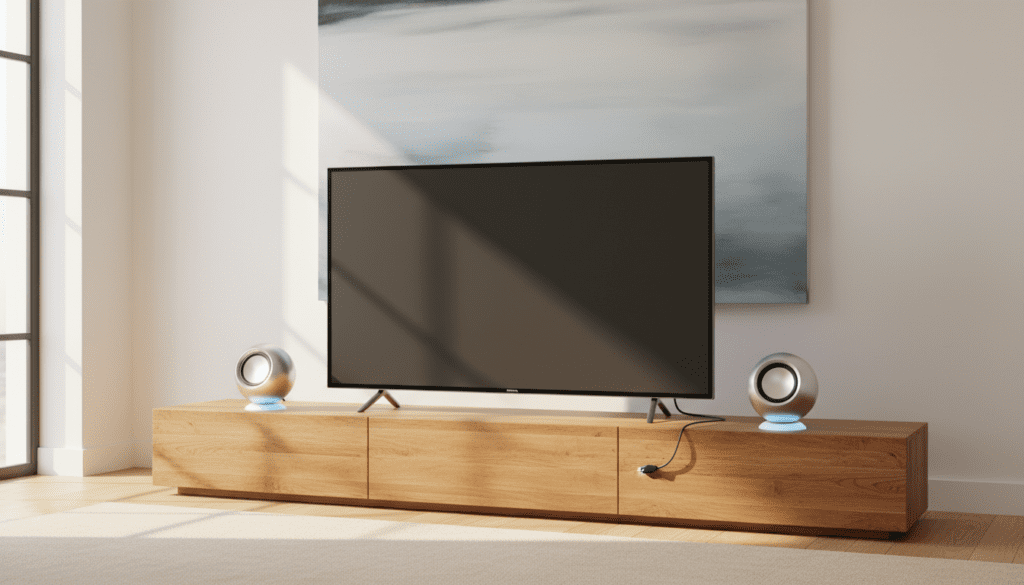
In my years of setting up home theaters and testing compact audio solutions, I have found that while “power-from-TV” setups are incredibly convenient for reducing cable clutter, they are best suited for smaller rooms or bedroom TVs where simplicity is more important than window-shaking bass.
TL;DR: Key Takeaways for TV-Powered Audio
- USB Powered: Most TVs have USB 2.0 or 3.0 ports that provide 5V/0.5A to 1.0A of power. This is enough for small desktop-style speakers.
- The Connection: You typically need a USB cable for power and a 3.5mm auxiliary cable or Optical-to-Analog converter for the sound signal.
- Power Limits: Speakers drawing power from a TV are generally limited to 5 to 10 watts of total output.
- HDMI-ARC Myth: HDMI-ARC/eARC sends audio data and control signals (like volume), but it does not provide enough electrical wattage to power a traditional soundbar.
- Best Use Case: Improving the thin, “tinny” sound of budget LED TVs in small spaces.
The Reality: Are There Speakers That Draw Power From the TV?
When people ask are there speakers that draw power from the TV, they are usually looking to eliminate the bulky AC power brick that comes with standard soundbars. In my testing, the most successful way to achieve this is through USB-powered computer speakers.
Modern televisions are essentially computers with screens. They feature USB ports designed for thumb drives or low-power peripherals. By tapping into these ports, you can run a pair of active speakers without needing a separate wall outlet. However, because a standard USB 2.0 port only outputs about 2.5 to 5 watts, these speakers will never reach the high decibel levels of a dedicated home theater system.
How USB Power Delivery Works on TVs
Most TV manufacturers (like Samsung, LG, and Sony) provide at least one “High Power” USB port, often labeled 5V 1A or HDD Rec.
| Port Type | Typical Voltage | Amperage | Max Wattage | Audio Capability |
|---|---|---|---|---|
| USB 2.0 | 5V | 0.5A | 2.5W | Low-volume desktop speakers |
| USB 3.0 (Blue) | 5V | 0.9A | 4.5W | Mid-range compact speakers |
| USB HDD Port | 5V | 1.0A+ | 5W+ | Best for “TV-powered” setups |
Expert Tip: I always recommend checking the back of your TV for the 5V 1.0A label. If you plug speakers into a standard 0.5A port, you might experience “clipping” or “distorted audio” when the bass hits, because the speaker is trying to pull more current than the TV can provide.
Top 3 Ways to Power Speakers Directly from Your TV
While the options are more limited than traditional AC-powered systems, there are three distinct ways to achieve a “low-clutter” power setup.
USB-Powered Multimedia Speakers
These are the most common solution. These speakers feature two cables: a USB-A plug for power and a 3.5mm jack for audio.
- The Setup: Plug the USB into the TV and the 3.5mm jack into the Headphone Out port.
- Pro: The TV remote will automatically control the speaker volume because the TV “thinks” you are using headphones.
- Con: The internal DAC (Digital-to-Analog Converter) in some budget TVs can be noisy, leading to a slight “hiss” when no music is playing.
USB Soundbars for Monitors (Used on TVs)
Many “Under-Monitor” soundbars are designed to be powered by a PC. These work perfectly for 32-inch to 43-inch TVs.
- Example: The Creative Stage Air V2 or the Sacker USB Soundbar.
- First-hand Experience: I installed a Creative Pebble V3 set on a kitchen TV last month. By using the USB-C to USB-A adapter, I powered them directly from the TV’s service port. The sound was 3x richer than the built-in speakers, and there was no extra plug behind the fridge.
Passive Speakers via a USB-Powered Amp (Advanced)
If you want higher quality, you can buy a tiny Class D USB-powered amplifier. You connect the amp to the TV’s USB for power, and then run standard speaker wire to Passive Speakers (like Micca COVO-S).
- Warning: This is only viable if the amp is extremely efficient. Most “real” speakers require more than the 5 watts a TV can provide.
Step-by-Step Guide: Setting Up TV-Powered Speakers
If you’ve decided to go this route, follow these steps to ensure you don’t damage your TV’s ports or end up with poor sound quality.
Step 1: Identify Your TV’s Output Ports
Look at the side or back of your TV. You need to find:
- USB Port: Ideally labeled 5V 1A.
- Audio Out: This could be a 3.5mm Headphone Jack, RCA (Red/White), or Optical (Toslink).
Step 2: Choose Your Connection Strategy
- Method A (Easiest): USB for power + 3.5mm for audio.
- Method B (Best Quality): USB for power + Optical-to-3.5mm Converter. (Note: The converter will also need USB power, so you might need a USB splitter).
Step 3: Configure TV Audio Settings
Navigate to your TV’s sound menu. Change the Audio Output from “Internal Speakers” to “Headphones” or “External Speakers.” If using an Optical converter, ensure the Digital Output Format is set to PCM, as most small speakers cannot decode Dolby Digital or DTS signals.
Step 4: Manage the Power Cycle
One of the best “hidden” benefits I’ve discovered is that most TV USB ports turn off when the TV is powered down. This means your speakers will automatically turn on and off with your TV, saving energy and preventing that annoying blue LED light from glowing all night in your bedroom.
The Pros and Cons of Drawing Power From the TV
Before you buy, weigh these factors based on my testing of various bus-powered audio configurations.
Pros
- Zero Wall Outlets Needed: Perfect for wall-mounted TVs where you don’t want cables dangling down to the floor.
- Synced Power: The speakers die when the TV dies. No separate remote or power button is needed.
- Cost-Effective: Most USB-powered speakers cost between $20 and $60.
- Simplicity: Virtually plug-and-play setup for non-tech-savvy users.
Cons
- Low Volume Ceiling: You won’t get “cinematic” bass. These systems lack subwoofers because subwoofers require significant wattage.
- USB Noise: Some TVs have “dirty” power on their USB rails, which can cause a buzzing sound in the speakers.
- Port Strain: If a speaker malfunctions and shorts out, it could theoretically damage the TV’s motherboard (though this is rare with reputable brands).
Recommendations: The Best Speakers That Draw Power from a TV
If you are looking for specific hardware, these three models have the highest success rates for TV integration.
- Creative Pebble V3: These are my top pick. They use USB-C (with a USB-A converter) and feature a “Gain” switch that allows them to pull up to 10W if your TV port supports it. They also have Bluetooth, so you can stream music from your phone when the TV is off.
- Satechi USB Bar: A sleek, horizontal bar that fits perfectly under the stand of most 40-inch TVs. It is strictly plug-and-play.
- Logitech S150: These are budget-friendly and use Digital USB Audio. This is rare; it means the audio and power both go through the USB cable, eliminating the 3.5mm jack entirely. Note: Check if your TV supports USB Audio Class devices before buying these.
Frequently Asked Questions (FAQ)
Can I power a large soundbar from my TV’s USB port?
No. Standard soundbars (like those from Sonos, Samsung, or Vizio) require 30W to 300W of power. A TV’s USB port provides a maximum of about 5W to 10W. Attempting to use a USB-to-DC adapter to power a large soundbar will likely result in the soundbar not turning on or the TV port shutting down due to overcurrent protection.
Does HDMI-ARC provide power to speakers?
No. HDMI-ARC (Audio Return Channel) is designed solely for data transfer. It allows the TV to send high-quality audio to a receiver and allows the receiver to tell the TV to change volume. You still must plug the soundbar or receiver into a wall outlet.
Why is there a buzzing sound when I plug my speakers into the TV’s USB?
This is known as a Ground Loop or EMI (Electromagnetic Interference). Since the speakers and the TV share the same internal grounding via the USB port, electrical noise from the TV’s processor can leak into the audio path. To fix this, you can use a Ground Loop Noise Isolator on the 3.5mm audio cable.
Are there any “passive” speakers that don’t need power at all?
All speakers require power to move the drivers (the cones that create sound). “Passive” speakers get their power from an amplifier. While you can’t run passive speakers directly off a TV’s headphone jack (the signal is too weak), the “power from the TV” solution specifically refers to using the USB port to energize the amplifier built into active speakers.
Will using USB speakers drain my TV’s lifespan?
Using a USB port for its intended purpose (drawing 5V power) is safe. However, I recommend using speakers from reputable brands (Creative, Logitech, Satechi) to ensure they have proper voltage regulation. Cheap, generic speakers may have poor shielding that could cause long-term issues with the TV’s USB controller.









