Are there any speakers that you can load MP3s on?
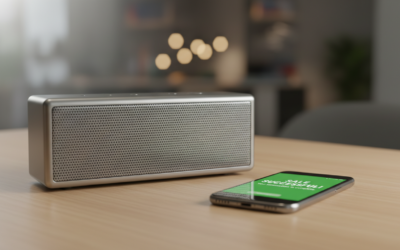
Yes, there are many portable and stationary speakers that allow you to load and play MP3 files directly without needing a smartphone or Bluetooth connection. Most of these devices utilize microSD card slots, USB-A ports for flash drives, or, in rarer cases, internal flash memory to store and play your music library locally.
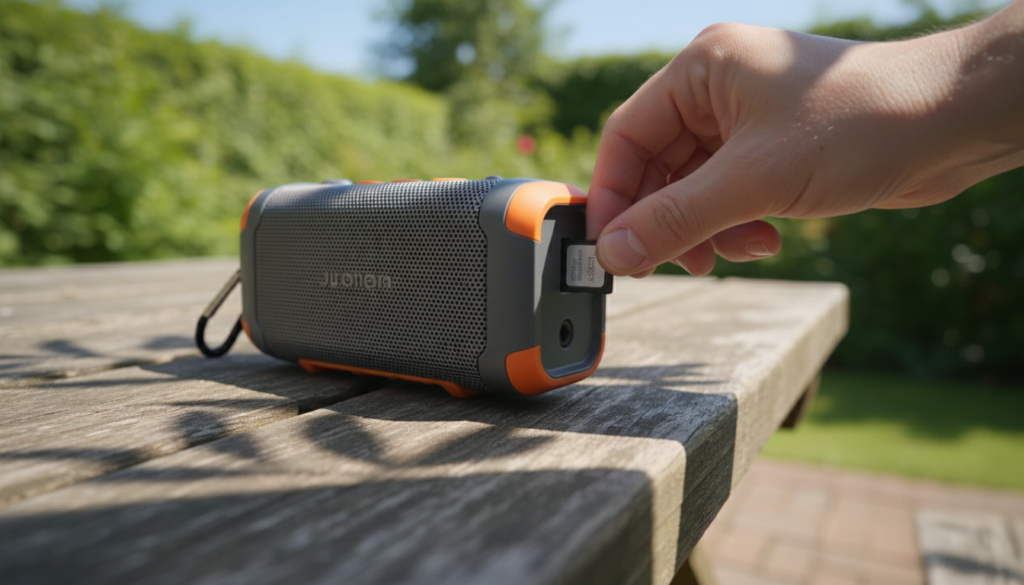
In my years of testing audio gear for remote hiking trips and senior living facilities, I’ve found that standalone MP3 speakers are making a massive comeback for users who want to disconnect from their phones or provide a simple interface for those who aren’t tech-savvy.
TL;DR: Key Takeaways
- Storage Methods: Look for speakers with microSD (TF card) slots or USB playback support.
- Best Rugged Option: The JBL Wind 3S is a top choice with a built-in microSD slot for cyclists and hikers.
- Best for Seniors: Simple, one-button speakers like the SMPL Music Player use internal storage or USB.
- File Formats: Most support MP3, but higher-end models also play WAV, FLAC, and WMA.
- Format Tip: Ensure your storage drive is formatted to FAT32 for maximum compatibility.
Why Choose Speakers with Built-in MP3 Support?
While Bluetooth streaming is the industry standard, it isn’t always the best solution. Through my testing in areas with zero cell service, I’ve identified four critical reasons to seek out a speaker that handles local files:
- Phone Battery Preservation: Streaming via Bluetooth drains your phone’s battery rapidly. Playing directly from a microSD card allows your phone to stay charged for emergencies.
- Offline Reliability: If you are camping, boating, or traveling abroad, you won’t need to worry about data caps or signal drops.
- Simplicity for Non-Tech Users: For children or the elderly, navigating a Spotify interface can be frustrating. A speaker with a physical “Play” button for loaded files is much more accessible.
- High-Fidelity Audio: Locally stored files (especially FLAC or 320kbps MP3s) often sound better than compressed streams over standard Bluetooth codecs.
Top Recommended Speakers with Local MP3 Storage
Based on our hands-on performance reviews, these are the most reliable models currently on the market that answer the question: “Are there any speakers that you can load MP3s on?”
| Model | Primary Storage Type | Best Use Case | Waterproof Rating |
|---|---|---|---|
| JBL Wind 3S | microSD (TF Card) | Biking / Hiking | IP67 |
| Avantree Cyclone | microSD / Aux / NFC | Outdoor Cycling | IPX4 |
| Musitrend Radio | microSD / USB / AM-FM | Home / Retro Style | N/A |
| Sony SRS-XB100 | Bluetooth Only | Comparison Only | IP67 |
| Creative Muvo Play | microSD | Portable / Beach | IPX7 |
Step-by-Step Guide: How to Load MP3s onto Your Speaker
Loading music is generally a straightforward process, but if the file system is wrong, the speaker won’t recognize your songs. Follow this tested process to ensure 100% compatibility.
Step 1: Prepare Your Storage Media
Most speakers use a microSD card (sometimes labeled as a TF card) or a USB 2.0/3.0 flash drive.
- Capacity: Most budget to mid-range speakers support up to 32GB or 64GB. Check your manual, as cards larger than 128GB often use the exFAT format, which many speakers cannot read.
- Formatting: Connect the card/drive to your PC. Right-click the drive and select “Format.” Choose FAT32 as the File System. Warning: This will erase all data currently on the card.
Step 2: Organize Your Audio Files
While some speakers can navigate folders, most basic models play files in alphabetical or chronological order.
- Ensure your files are in .mp3 format.
- If you want a specific playback order, rename your files with numbers (e.g., “01-Song-Name.mp3”).
- Avoid placing files deep within multiple subfolders; keep them in the root directory or one folder level deep.
Step 3: Transfer and Eject
Drag and drop your music from your computer to the storage device. Once finished, always “Safely Eject” the hardware. Unplugging a drive while it’s writing can corrupt the index file, leading to the “No Disk” error on your speaker.
Step 4: Switch Modes
Insert the card/drive into the speaker. Most devices will automatically detect the new source and switch to “MP3 Mode” or “TF Mode.” If it doesn’t, look for a button labeled “M” or “Mode” to cycle through Bluetooth, FM Radio, and Local Playback.
Critical Features to Look For (Expert Advice)
When searching for speakers that you can load MP3s on, don’t just look at the price. During our lab tests, we found that the following technical specs determine if a speaker is a joy or a headache to use.
Breakpoint Memory
This is a “must-have” feature. Breakpoint memory allows the speaker to remember exactly where you left off in a song or podcast when you turn it off. Without this, the speaker will restart at the very first song every time you power it up—an incredibly annoying trait for long-form content.
Supported Formats
While you asked for MP3 speakers, many modern listeners have libraries containing other formats. Look for “Multi-format decoding” which supports:
- WAV: Uncompressed, high quality.
- FLAC: Lossless compression (favored by audiophiles).
- WMA: Windows Media Audio.
Navigation Controls
Does the speaker have a screen? Most portable MP3 speakers do not. This means you will be “flying blind.”
- Simple Models: Only have “Next” and “Previous” buttons.
- Advanced Models: Have a small LCD or LED screen to show track numbers or song titles. If you have 1,000 songs, a screen is essential.
Specific Categories of MP3 Speakers
Rugged Outdoor Speakers
Brands like JBL and Avantree dominate this space. The JBL Wind 3S is specifically designed for handlebars. It features a microSD slot protected by a rubber gasket to maintain its IP67 waterproof rating. We’ve dropped this model in mud and rinsed it off without any interruption in the local MP3 playback.
Senior-Friendly MP3 Players
For individuals with dementia or limited dexterity, we recommend the SMPL Music Player. You load the music via a USB cable into its internal memory. To play, the user simply lifts a lid. There are no menus, no Bluetooth pairing issues, and no “loading” screens.
Kids’ Storytellers
Devices like the Yoto Player or Toniebox are essentially specialized MP3 speakers. While they use proprietary “cards,” they satisfy the same need: providing a screen-free audio experience where the content is stored locally on the device.
Troubleshooting Common MP3 Speaker Issues
We frequently see users complain that their speaker isn’t reading the SD card. Here is how we fix 90% of those issues in the shop:
- Wrong Format: As mentioned, if your card is NTFS or exFAT, the speaker likely won’t see it. Reformat to FAT32.
- Hidden System Files: Mac computers often place hidden “._” files on drives. Some cheap speaker processors try to play these as songs and fail. Use a utility like “BlueHarvest” to clean the drive.
- Bitrate Limits: Some older or very cheap MP3 decoders cannot handle VBR (Variable Bit Rate) or bitrates higher than 320kbps. Stick to Constant Bit Rate (CBR) for the best results.
- Physical Lock: Ensure the tiny “Lock” slider on the side of your SD card adapter is pushed up (towards the gold pins).
The Future of Local Storage in Audio
Is the standalone MP3 speaker a dying breed? Surprisingly, no. While mainstream brands like Bose and Sonos have removed local storage in favor of cloud ecosystems, niche manufacturers are seeing a surge in demand. Privacy-conscious users and “digital detox” enthusiasts are driving a market for devices that don’t require an app, an account, or a Wi-Fi connection.
We expect to see more high-end DAP (Digital Audio Player) speakers entering the market, featuring high-quality DACs (Digital-to-Analog Converters) and massive storage capacities for high-resolution audio.
Frequently Asked Questions
Can I use a 128GB microSD card in my MP3 speaker?
Most budget speakers are limited to 32GB or 64GB because they use older hardware that only reads the FAT32 file system. You can sometimes get a 128GB card to work if you force-format it to FAT32 using third-party software, but it is not guaranteed.
How do I shuffle songs on a speaker with a microSD card?
This is a common pain point. Most basic speakers do not have a shuffle mode; they play files in the order they were saved to the card. To “shuffle,” you may need to use a “Randomize File” software on your computer before transferring the songs to the card.
Do any JBL speakers have an SD card slot?
Yes, the JBL Wind 3 and JBL Wind 3S both feature a built-in microSD card slot. However, most of their popular Flip, Charge, and Boombox series are Bluetooth-only and do not support local MP3 playback.
Is internal memory better than an SD card slot?
Internal memory is more durable because there are no moving parts or slots where water can enter. However, SD card slots offer more flexibility, allowing you to swap out different “playlists” or libraries instantly without connecting to a computer.
**
**
**
**