Can the Surround Speakers Directly Connect to the AV Receiver?
Yes, surround speakers can directly connect to the AV receiver using standard speaker wire plugged into the dedicated “Surround” or “Surround Back” terminals on the rear panel. Most traditional home theater systems are designed for this direct wired connection, which ensures the lowest possible latency and the highest audio fidelity. By connecting your speakers directly to the receiver’s internal amplifier, you provide them with both the audio signal and the power necessary to produce sound.
Setting up a home theater can feel overwhelming with the “spaghetti” of wires behind your media console. However, once you understand the signal path from the AV receiver (AVR) to your surround channels, the process becomes a straightforward DIY project. During my years of installing high-end audio systems, I’ve found that a direct wired connection remains the “gold standard” for reliability compared to wireless alternatives that may suffer from interference or dropouts.
Key Takeaways for Surround Sound Connection
- Direct Wiring: Always use the dedicated Surround L/R ports on the back of the AV receiver.
- Wire Gauge: Use 16-gauge wire for runs under 50 feet and 14-gauge for longer distances.
- Polarity Matters: Always match the positive (+) and negative (-) terminals to avoid “out-of-phase” sound.
- Banana Plugs: Use banana plugs for a cleaner, more secure connection than bare wire.
- Calibration: Always run your receiver’s Auto-EQ (like Audyssey or YPAO) after connecting.
Why Surround Speakers Directly Connect to the AV Receiver
When people ask, “can the surround speakers directly connect to the av receiver,” they are often looking for confirmation that they don’t need external amplifiers or complex adapters. In a standard 5.1 or 7.1 surround sound setup, the AV receiver acts as the brain and the powerhouse. It decodes the digital signal (from your TV or Blu-ray player) and sends it directly to the speakers.
The Role of the Internal Amplifier
Most modern receivers from brands like Denon, Yamaha, Marantz, and Sony feature built-in amplification for at least five to eleven channels. When you connect a speaker directly, the receiver’s internal amp drives the speaker cone. This is why “passive” speakers (those without their own power cord) require a direct connection to the AVR.
Comparison: Wired vs. Wireless Direct Connections
| Feature | Direct Wired Connection | Wireless (with Adapter) |
|---|---|---|
| Audio Quality | Uncompressed, Lossless | Potentially Compressed |
| Reliability | 100% (No interference) | Subject to Wi-Fi/RF interference |
| Power Source | Powered by AV Receiver | Requires local power outlet |
| Cost | Low (Price of wire) | High (Price of transmitter/receiver kit) |
| Setup Difficulty | Moderate (Running wires) | Easy (Plug and play) |
Essential Tools for Connecting Your Surround Speakers
Before you start plugging things in, you need the right materials. I have seen many “dead” channels that were simply the result of poor wiring or the wrong cable type.
- Speaker Wire: Look for Oxygen-Free Copper (OFC) wire. Avoid Copper Clad Aluminum (CCA) if your budget allows, as OFC has better conductivity and longevity.
- Wire Strippers: Essential for removing the insulation without damaging the copper strands.
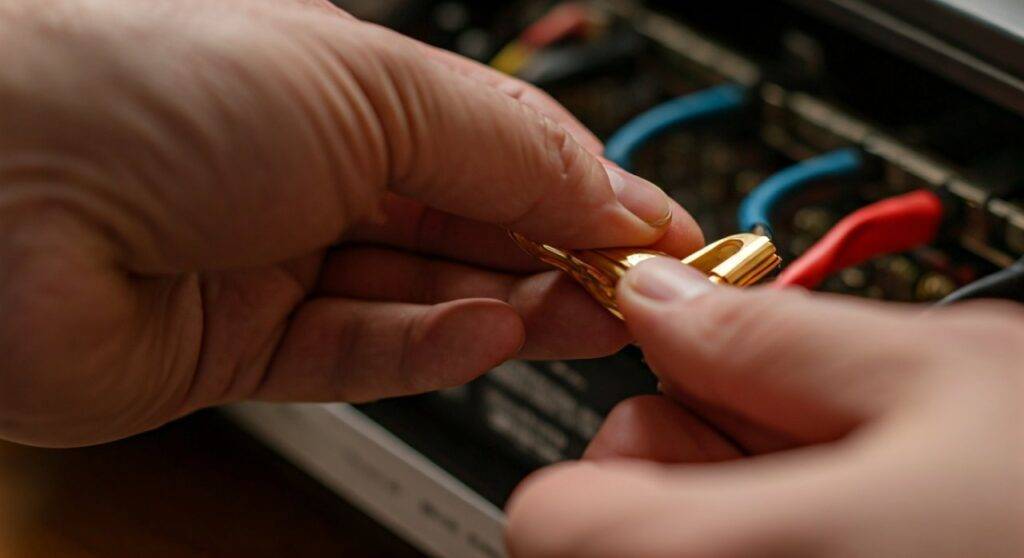
- Banana Plugs: These high-quality connectors screw onto the end of your wire. They make the question of “can the surround speakers directly connect to the av receiver” much easier to answer because they snap into place securely.
- Label Maker: Trust me, label both ends of your wires (e.g., “Rear Right”) before you run them through walls or under rugs.
Step-by-Step Guide: How to Connect Surround Speakers to Your Receiver
Following a logical sequence ensures you don’t damage your equipment. Pro Tip: Always keep the AV receiver powered off and unplugged from the wall while making speaker connections to prevent short-circuiting the amplifier.
Step 1: Measure and Cut Your Wire
Measure the distance from the receiver to the speaker location, following the path the wire will actually take (along baseboards or through the ceiling). Add an extra 3 to 5 feet of slack at each end. This “service loop” allows you to move the receiver or speaker for cleaning without tensioning the wire.
Step 2: Strip the Insulation
Use your wire strippers to remove about half an inch of the plastic casing from the end of the wire. Twist the copper strands tightly so there are no “stray hairs.” A single stray strand touching the adjacent terminal can trigger the receiver’s protection mode and shut the whole system down.
Step 3: Identify the Terminals
Look at the back of your AV receiver. You will see rows of binding posts.
- Red Terminals: These are Positive (+).
- Black Terminals: These are Negative (-).
- Locate the section labeled “SURROUND”. These are for your side speakers in a 5.1 setup.
- Locate the section labeled “SURROUND BACK”. These are used only in 7.1 or higher setups.
Step 4: Secure the Connection
If using banana plugs, simply plug them into the hole in the center of the binding post. If using bare wire, unscrew the plastic binding post cap, insert the twisted wire into the exposed hole, and screw the cap back down until it is snug.
Step 5: Connect to the Speaker
Repeat the process on the back of the speaker. Ensure the wire connected to the Red (+) terminal on the receiver goes to the Red (+) terminal on the speaker. This maintains “phase.” If you swap them, your bass will sound thin and the soundstage will feel “hollow.”
Choosing the Right Speaker Wire Gauge (AWG)
The thickness of the wire, known as gauge, impacts how much power reaches your speakers. If the wire is too thin for the distance, you will lose volume and clarity.
| Distance (Feet) | Recommended Gauge (AWG) | Why? |
|---|---|---|
| 0 – 25 ft | 16 AWG | Standard for most living rooms; low resistance. |
| 25 – 50 ft | 14 AWG | Prevents signal loss over medium distances. |
| 50+ ft | 12 AWG | Necessary for large rooms or theater basements. |
In my experience, 14-gauge OFC wire is the “sweet spot” for almost every home theater. It is thick enough for long runs to rear speakers but flexible enough to hide under a carpet or inside a cord track.
Can You Connect Surround Speakers Directly via Bi-Amping?
Advanced users often ask if they can use the “Surround Back” terminals to bi-amp their front speakers. While this is possible in many 7.1 receivers, it means you can no longer use those terminals for actual surround speakers.
If your goal is a true 7.1.2 or 5.1 system, you must use the terminals for their intended purpose. The AVR software allows you to assign these channels in the settings menu. If you are asking “can the surround speakers directly connect to the av receiver” while also wanting to bi-amp, you will likely need a higher-end receiver with more channels (e.g., a 9-channel or 11-channel AVR).
Managing and Hiding Your Speaker Wires
One of the biggest hurdles to a direct connection is the visual clutter. To keep your room looking professional, consider these three methods:
- Ghost Wire (Flat Adhesive Wire): This is a super-thin, flat wire that sticks to your wall and can be painted over. It’s virtually invisible once finished.
- Cable Raceways: These are plastic tracks that stick to your baseboards. You tuck the wires inside and snap the cover on.
- In-Wall Rated (CL2/CL3) Wire: If you are running wire through the attic or walls, you must use wire labeled CL2 or CL3. This is a fire safety requirement for building codes.
Troubleshooting Common Connection Issues
Even professionals run into hiccups. If you’ve connected everything but hear silence or distorted sound, check these common culprits:
The “Protect” Mode Error
If your receiver displays “CHECK SP WIRES” or “PROTECT”, it means a positive and negative wire are touching. Unplug the unit immediately and inspect every terminal for a single stray copper strand.
No Sound from Surrounds
Ensure the receiver is set to a surround mode like Dolby Digital, DTS:X, or Multichannel Stereo. If you are listening to a standard YouTube video or a 2-channel music stream, the surround speakers may remain silent unless you use an “upmixing” mode like Dolby Surround.
Weak or “Thin” Audio
Check the polarity. If one speaker is wired (+ to +) and the other is (+ to -), they will cancel each other out. This is called being out of phase. Double-check that the “stripe” or “writing” on your speaker wire is consistent on both ends.
Professional Expert Insights: Making the Most of Your Direct Connection
I always tell clients that the physical connection is only 50% of the job. To truly make those surround speakers sing, you need to leverage the receiver’s processing power.
- Calibration is Mandatory: Most receivers come with a small microphone. Plug it in and run the setup. The AVR will calculate the distance of your surround speakers and adjust the “delay” so the sound from the back reaches your ears at the exact same millisecond as the sound from the front.
- Check Impedance (Ohms): Most receivers are rated for 6-ohm or 8-ohm speakers. If you connect high-end 4-ohm speakers directly, your receiver might overheat. Check the sticker on the back of your speakers and ensure your receiver is compatible.
- Crossover Settings: Even if your surround speakers are large, I recommend setting them to “Small” in the receiver settings and setting the crossover to 80Hz. This sends the heavy bass work to your powered subwoofer, allowing your receiver to provide cleaner power to the surround channels.
Frequently Asked Questions
Can I connect surround speakers to a receiver using RCA cables?
No, standard passive surround speakers cannot connect to RCA (pre-amp) outputs. RCA outputs provide a low-level signal that has no power. You must use the binding posts (speaker terminals) to provide the power required to drive the speaker. The only exception is if you are using “Active” (powered) speakers, which have their own built-in amplifiers.
Do I need a separate amp for surround speakers?
In most 5.1, 7.1, and 9.1 setups, you do not need a separate amp. The AV receiver has enough internal channels to power them. However, if you are building an advanced 11-channel or 13-channel Atmos theater, some receivers require an external 2-channel amp to power the final set of speakers.
Can I use wireless surround speakers with any AV receiver?
Not directly. To use wireless speakers with a traditional receiver, you usually need a wireless transmitter/receiver kit. One box connects to the “Surround Pre-Out” on the AVR, and the other box connects to your speakers at the back of the room. Note that the “wireless” speakers still need to be plugged into a power outlet for electricity.
What happens if I use the wrong speaker wire gauge?
If the wire is too thin (e.g., 22-gauge) for a long run, you will experience voltage drop. This results in lower volume, a loss of high-frequency detail, and can even cause the wire to get warm if you are pushing a lot of power through it. Stick to 16 AWG or thicker for safety and performance.
**
**
**
**