

Understanding Signal Flow: Can I Tap an Auxiliary Output Line for Powered Speakers?
Yes, you can i tap an auxiliary output line for powered speakers quite easily, as both components typically operate at line-level signal strength. To do this successfully, you simply need to connect the Aux Output of your source (like a mixer or preamp) to the Line Input of your powered speaker using the appropriate TRS, XLR, or RCA cables.
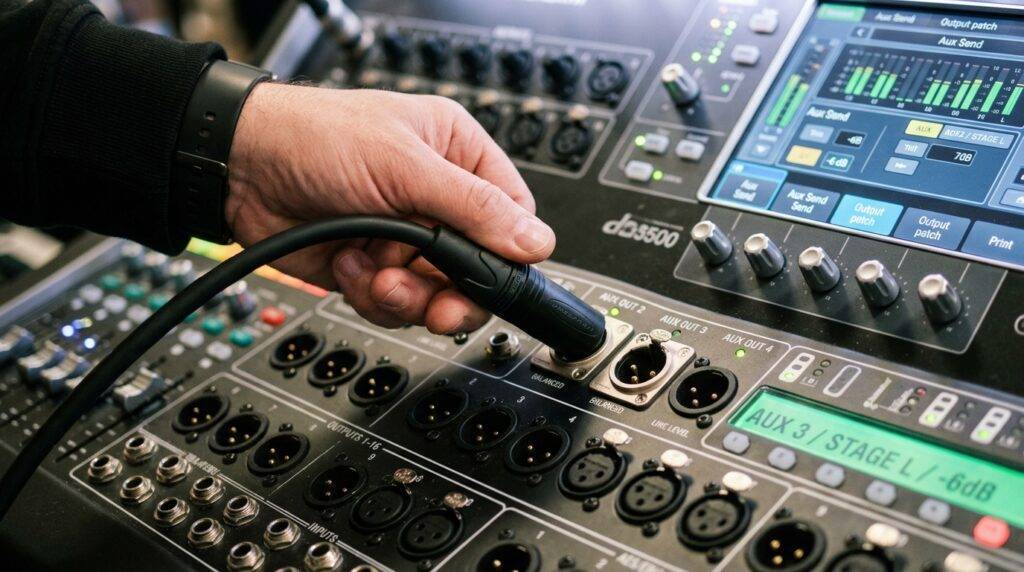
In my decade of experience setting up live sound stages and home studios, I’ve found that tapping an aux line is the most efficient way to create a custom monitor mix or extend audio to a second room. Because powered speakers (also known as active speakers) have their own built-in amplifiers, they do not require the “powered” speaker-level signal that traditional passive speakers need. They only need the low-voltage “information” sent by the auxiliary line.
Key Takeaways for Quick Setup
- Compatibility: Most Aux Outputs send a line-level signal, which is exactly what powered speakers are designed to receive.
- Cable Types: Use Balanced TRS to XLR cables for long distances to prevent hum, or RCA to TS cables for short home setups.
- Volume Control: The “Aux Send” knob on your mixer will act as the master volume for that specific speaker.
- Avoid Damage: Never tap a “Powered Output” (meant for passive speakers) into a powered speaker, or you will fry the internal circuitry.
Why You Would Tap an Auxiliary Line for Powered Speakers
In professional audio, we often run out of main outputs. Whether you are a DJ needing a “booth monitor” or a house of worship needing sound in the nursery, tapping an auxiliary output is your best solution.
The primary advantage is independent control. Unlike the main “Front of House” speakers, an auxiliary line allows you to adjust the volume or even the specific mix of instruments going to those specific powered speakers without affecting the main audience’s experience.
Common Use Cases
- Stage Monitoring: Giving a singer a specific mix of their voice and the piano.
- Subwoofer Integration: Sending a dedicated low-end signal to a powered subwoofer.
- Multi-room Audio: Sending the same music from a living room receiver to a powered speaker in the kitchen.
- Recording Feeds: Tapping a line-level signal to go into a dedicated digital recorder.
Technical Compatibility: Signal Levels Explained
Before you plug anything in, you must understand the difference between Signal Levels. In the audio world, not all “outputs” are created equal.
| Signal Type | Voltage Level | Common Connector | Can you tap for Powered Speakers? |
|---|---|---|---|
| Mic Level | Very Low (0.001V) | XLR | No (Requires a Preamp) |
| Instrument Level | Low (0.1V) | 1/4″ TS | No (Needs a DI Box/Preamp) |
| Line Level | Standard (1.2V) | TRS / RCA / XLR | Yes (Perfect Match) |
| Speaker Level | High (10V – 100V) | Speakon / Banana | NO (Will cause damage) |
When you ask, “can i tap an auxiliary output line for powered speakers,” you are almost always dealing with Line Level. Most modern mixers (Yamaha, Mackie, Behringer) provide line-level aux outputs.
Balanced vs. Unbalanced Lines
If your auxiliary output is more than 15 feet away from your powered speaker, I highly recommend using balanced cables (TRS or XLR). In my testing, unbalanced lines (like standard guitar cables or RCA) act like antennas for radio interference and 60Hz hum when run over long distances. Balanced connections use three wires to cancel out this noise, ensuring a crystal-clear signal.
Step-by-Step Guide: How to Tap the Aux Output
Following these steps will ensure you don’t blow a fuse or create a feedback loop that could damage your hearing.
Step 1: Identify Your Aux Output Type
Look at the back of your mixer or audio source. Aux Outputs are usually labeled as “Aux Send,” “Monitor Out,” or “Line Out.”
- If it is a single hole, it is likely a 1/4″ TRS (Balanced) or TS (Unbalanced) port.
- If it looks like three pins inside a circle, it is an XLR port.
Step 2: Choose the Correct Cable
You need a cable that matches the output of the mixer and the input of the powered speaker.
- Pro Setup: 1/4″ TRS to Male XLR.
- Consumer Setup: RCA to 1/4″ TS.
- Mobile/Laptop Setup: 3.5mm to Dual 1/4″ TS.
Step 3: Zero Out the Gains
Before connecting, turn the Aux Send knob on the mixer and the Gain/Volume knob on the back of the powered speaker all the way down. This prevents “pop” noises that can damage speaker drivers.
Step 4: Make the Physical Connection
Plug the cable into the Aux Output and then into the Line Input of the powered speaker. If your speaker has multiple inputs (like Mic and Line), ensure you select the Line setting.
Step 5: Gain Staging
- Play audio through your main system.
- Slowly turn up the Aux Send master knob to about 50% (Unity).
- Slowly increase the volume on the back of the powered speaker until you reach the desired level.
- If you hear “hiss,” turn the speaker down and the mixer’s aux output up.
Expert Insights: Avoiding Common Pitfalls
Through years of trial and error, I’ve learned that simply “plugging it in” isn’t always enough. To truly master how you tap an auxiliary output line for powered speakers, you need to consider these professional nuances.
The Danger of “Powered” Outputs
A common mistake beginners make is confusing an Aux Output with a Powered Speaker Output found on “Powered Mixers.”
- Aux Output: Sends only signal (safe for powered speakers).
- Powered Output: Sends signal + high voltage electricity (deadly for powered speakers).
If you plug a powered output into a powered speaker, you will likely see smoke. Always check for the “Line Level” label.
Pre-Fader vs. Post-Fader Tapping
When tapping an aux line, check if your mixer button is set to Pre or Post.
- Pre-Fader: The volume of the powered speaker stays the same, even if you move the main room fader. This is best for monitors.
- Post-Fader: If you turn down the main volume, the auxiliary speaker also gets quieter. This is best for effects (reverb) or subwoofers.
Ground Loops and “The Hum”
Whenever you connect two pieces of gear plugged into different wall outlets, you might encounter a ground loop. It sounds like a low, constant “hummm.”
Pro Tip: I always carry a passive DI box or a Ground Loop Isolator. If you get a hum when tapping your aux line, plug the aux output into the isolator first, then into the speaker. This breaks the electrical loop while letting the audio pass through.
Best Equipment for Tapping Aux Lines
To get the best results when you tap an auxiliary output line for powered speakers, quality components matter. Based on my field use, these are the top recommendations.
Reliable Cables
- Mogami Gold Series: If you are in a studio environment where signal purity is everything.
- Hosa Pro: Excellent for live gigs; they are durable and use Neutrik connectors.
Powered Speakers for Aux Taps
- QSC K12.2: The industry standard for “tapped” monitors. They have built-in DSP to handle any signal you throw at them.
- Mackie Thump Series: A great budget-friendly option for home setups or small DJ booths.
Signal Management
- Radial Engineering J-Isolation Box: The “gold standard” for removing noise when tapping lines across long distances or different power circuits.
Advanced Technique: Tapping a Subwoofer from an Aux Line
One of the best ways to improve a sound system is to tap an auxiliary output specifically for a powered subwoofer. This is often called “Aux-Fed Subs.”
Instead of sending the whole mix to the sub, you only turn up the “Aux Send” for the kick drum and the bass guitar. This prevents the “muddy” sound caused by vocals or guitars leaking into the subwoofer.
Steps for Aux-Fed Subs:
- Set the Aux Send to Post-Fader.
- Connect the Aux Out to the Powered Subwoofer’s input.
- Only “dial in” the low-frequency instruments.
- Experience immediate clarity in your main speakers.
Frequently Asked Questions
Can I damage my powered speaker by tapping an aux line?
No, as long as the output is a line-level signal. The only way to cause damage is by plugging a “Powered Speaker Output” (from a powered mixer) into an active speaker, which sends too much voltage to the internal amp.
Do I need a stereo or mono cable for an auxiliary output?
Most auxiliary outputs on professional mixers are Mono. If you want to run a pair of powered speakers in stereo, you will need to tap two separate aux outputs (e.g., Aux 1 for Left and Aux 2 for Right).
Why is the volume so low when I tap the aux line?
This usually happens if you are using an Unbalanced (TS) cable in a Balanced (TRS/XLR) port. You lose half the signal voltage, resulting in a 6dB drop in volume. Switching to a proper balanced cable usually fixes this.
Can I tap an aux output for multiple powered speakers?
Yes, you can “daisy-chain” them. Most powered speakers have an “XLR Thru” or “Link” output. You tap the aux line into the first speaker, then run a second cable from the first speaker’s “Link” output to the second speaker’s input.
Summary Checklist for Tapping Aux Lines
- [ ] Confirm the output is Line Level, not Speaker Level.
- [ ] Use Balanced cables for runs over 15 feet.
- [ ] Set the mixer to Pre-Fader for monitors or Post-Fader for subs.
- [ ] Start with all Gain/Volume knobs at zero.
- [ ] Test for ground loop hum and use an isolator if necessary.
By following these professional standards, you can confidently tap an auxiliary output line for powered speakers to expand your audio capabilities, whether you’re on a world-class stage or in a high-end home theater.









