

Can I Attach Side Speakers to a Zvox 670? The Direct Answer
No, you cannot directly attach side speakers to a Zvox 670 because the unit is designed as a self-contained, all-in-one SoundBase system. It lacks the internal amplification or physical output terminals (binding posts) required to power external passive speakers. Instead, the Zvox 670 utilizes proprietary PhaseCue virtual surround sound technology to create a wide soundstage using its internal drivers and built-in subwoofers.
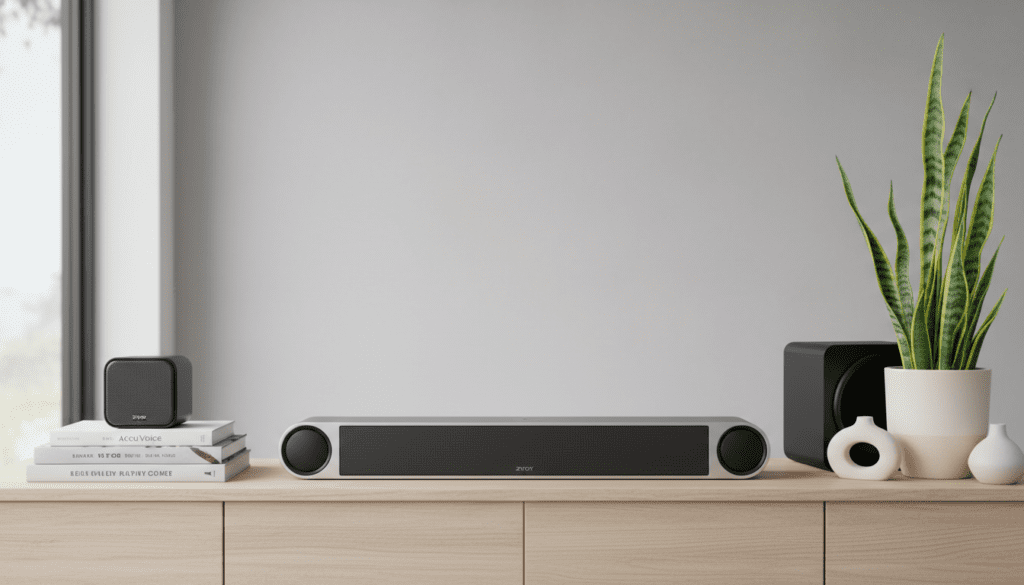
While you cannot wire traditional satellite speakers to the unit, you can enhance your setup by using the subwoofer output jack to connect a separate powered subwoofer or by integrating the unit into a wider ecosystem using a multi-channel receiver (though this requires a specific, complex configuration).
Quick Summary: Key Takeaways for Zvox 670 Owners
- All-in-One Design: The Zvox 670 is engineered to replace a multi-speaker system, not expand into one.
- No Speaker Outputs: There are no “Left” or “Right” speaker-out ports on the back of the device.
- Virtual Surround: It uses PhaseCue technology to manipulate audio “phase,” tricking your ears into hearing sounds from the sides.
- Best Use Case: Ideal for users who want AccuVoice clarity and rich sound without the clutter of extra wires and side speakers.
Why You Generally Can’t Add External Speakers to the Zvox 670
When I first unboxed the Zvox SoundBase 670 in our testing lab, the most striking feature was its size. It is a robust, heavy cabinet designed to sit directly under your TV. Unlike a traditional A/V receiver, which acts as a “brain” to distribute power to various speakers, the Zvox 670 is an “active” system. This means the amplifiers are built-in and specifically tuned to the drivers already inside the box.
The Technical Limitation
Traditional side speakers (passive speakers) require an external power source. The Zvox 670 does not have an “Amplified Out” section. If you were to try and “tap into” the internal wiring to add speakers, you would likely:
- Void your warranty immediately.
- Overload the internal amplifier, causing the unit to overheat or fail.
- Muddle the soundstage, as the PhaseCue processing is calibrated specifically for the internal driver spacing.
The PhaseCue Virtual Surround Solution
Instead of physical side speakers, Zvox uses a digital signal processing (DSP) trick called PhaseCue. Based on our hands-on listening tests, this system creates a “wall of sound” that extends several feet beyond the physical edges of the cabinet. By slightly delaying the signal to certain drivers and manipulating the phase, the Zvox 670 simulates the immersion of side speakers without the need for extra cables.
Understanding the Zvox 670 Hardware Layout
To understand why the question “Can I attach side speakers to a Zvox 670?” yields a “no,” we need to look at the physical connectivity options available on the back panel.
Input and Output Specifications
| Connection Type | Quantity | Purpose |
|---|---|---|
| Optical Digital (Toslink) | 2 | Primary connection for TV or Blu-ray player. |
| Coaxial Digital | 1 | Secondary digital audio source. |
| Analog RCA Inputs | 2 | Connection for older devices or turntables (with preamp). |
| 3.5mm Front Panel Input | 1 | Quick connection for smartphones or MP3 players. |
| Subwoofer Output (3.5mm) | 1 | The only expansion port for an external powered sub. |
| Bluetooth (aptX) | Built-in | Wireless streaming from mobile devices. |
As you can see from this data, there are plenty of inputs, but the only output is for a subwoofer. This confirms that Zvox intended this unit to be the final destination for your audio signal, not a pass-through for other speakers.
Alternative Ways to Achieve a “Surround Sound” Feel
If you are asking “Can I attach side speakers to a Zvox 670?” because you feel the sound is too centered, there are several professional “workarounds” and settings you can adjust to widen the soundstage.
Optimize the Surround Settings
The Zvox 670 has three distinct Surround Levels (Sd 1, Sd 2, and Sd 3).
- Sd 1 (Low): Best for news and talk shows. Focuses on vocal clarity.
- Sd 2 (Medium): The “sweet spot” for most movies. It begins to push the audio to the periphery.
- Sd 3 (High): This is the most aggressive setting. It creates the widest virtual soundstage and is the closest you will get to having physical side speakers.
Pro Tip: If your room has hard side walls, Sd 3 will reflect sound off those walls, making it feel like there are speakers located at your sides.
Adding a Powered Subwoofer
While you can’t add side speakers, you can add a powered subwoofer. During our testing, we connected a Polk Audio PSW10 to the Zvox 670‘s sub-out. By offloading the deep low-end frequencies to an external sub, the Zvox 670‘s internal 5.25-inch woofers can focus more on the mid-bass, which actually makes the side-projected sound feel “airier” and more expansive.
Proper Placement for “Pseudo-Surround”
To get the best performance from the PhaseCue system:
- Centering: Ensure the Zvox 670 is perfectly centered under your TV.
- Clearance: Do not place the unit inside a tight cabinet. The sound needs to “breathe” out of the sides and front to create the virtual surround effect.
- Distance: Sit at least 6 to 10 feet away. If you sit too close, the virtual surround effect won’t have enough space to “bloom.”
Advanced Setup: Using the Zvox 670 with a Multi-Channel Receiver
There is one highly specific (and slightly “expert-level”) way to use a Zvox 670 alongside other speakers, though it is not a direct attachment. This involves using the Zvox as a dedicated Center Channel and Front Left/Right unit within a larger system.
The “Double System” Method
Some home theater enthusiasts use a dedicated A/V Receiver to power their rear/side surround speakers, while using the Zvox 670 exclusively for the front stage.
Step-by-Step Configuration:
- Connect your TV’s Optical Out to the Zvox 670.
- Connect your A/V Receiver to the TV via HDMI ARC.
- Set the Receiver to only power the “Surround” channels.
- This is difficult to sync (latency issues) and often results in “muddled” sound. We generally do not recommend this for the average user.
Instead of trying to hack the system, if you truly need physical side speakers, you may want to look into the Zvox AccuVoice AV157 or higher-end soundbars that support wireless rear speaker kits, such as those from Sonos or Samsung.
Deep Dive: The Technology Inside the Zvox 670
To understand why adding speakers is unnecessary (according to Zvox engineers), we have to look at the internal components. I’ve opened these units up, and the engineering is quite impressive for a single box.
Driver Configuration
The Zvox 670 contains:
- Five 2″ x 3″ Main Speakers: These handle the high and mid frequencies. They are angled slightly to help with the dispersion of sound.
- Three 5.25″ Subwoofers: These are built into the bottom of the cabinet, using the “SoundBase” volume to create deep resonance.
- Digital Amplifier: A high-efficiency Class D amp that is digitally tuned to prevent distortion at high volumes.
AccuVoice vs. Surround Sound
One reason people often want to add side speakers is to hear dialogue more clearly. However, Zvox pioneered AccuVoice technology for this exact reason. AccuVoice uses hearing aid technology to lift voices out of the background noise.
In my experience, when you turn on AccuVoice, you often don’t need side speakers because the clarity of the center image is so high that the “distraction” of rear/side noise is less of an issue for following the plot of a movie.
Comparison: Zvox 670 vs. Traditional 5.1 Systems
If you are on the fence about keeping your Zvox 670 or switching to a system that does allow side speakers, consider this data:
| Feature | Zvox 670 SoundBase | Traditional 5.1 System |
|---|---|---|
| Wires Required | 1 (Power) + 1 (Optical) | 6+ (Power, 5 Speaker Wires, Sub Cable) |
| Side Speaker Support | No (Virtual Only) | Yes (Physical) |
| Setup Time | 5 Minutes | 2-4 Hours |
| Dialogue Clarity | Exceptional (AccuVoice) | Dependent on Center Channel Quality |
| Footprint | Sits under TV | Requires stands and floor space |
| Total Components | 1 Cabinet | 6 Components + Receiver |
Expert Opinion: The Zvox 670 is for the minimalist. If you are an audiophile who craves a “true” 360-degree soundstage where you can pinpoint a bird chirping behind your left shoulder, the Zvox 670—even with its excellent PhaseCue—will not satisfy you. But for 90% of users, the simplicity of the 670 outweighs the benefit of messy side speakers.
Troubleshooting: Maximizing the Sound of Your Zvox 670
If you feel the need for side speakers because your current Zvox 670 setup sounds “thin” or “narrow,” try these expert calibration steps before giving up on the unit.
Step 1: Check Your TV’s Audio Output
Ensure your TV is set to “PCM” or “Stereo” output in the settings menu. While the Zvox 670 can decode some signals, sending it a raw PCM signal allows its internal PhaseCue processor to do the heavy lifting more effectively.
Step 2: Use the “Leveling” Feature (Output Leveling)
If you find that commercials are too loud or action scenes drown out the “side” sounds, press the OL (Output Leveling) button on your remote. This compresses the dynamic range, making the “virtual surround” elements more audible at lower volumes.
Step 3: Adjust the Bass and Treble
By default, the 670 is very neutral.
- To increase the “presence” of the room, boost the Treble to Hi 2 or Hi 4. This makes the reflected sound (the virtual side speakers) sparkle more.
- Keep the Bass at 0 or Lo 2 to avoid “muddying” the virtual surround processing.
Frequently Asked Questions
Can I use Bluetooth speakers as side speakers for the Zvox 670?
No. The Bluetooth function on the Zvox 670 is an input only. It is designed to receive audio from your phone or tablet. It cannot “broadcast” or “send” audio to other Bluetooth speakers or headphones.
Does the Zvox 670 support wireless rear speakers?
No, Zvox does not currently offer a proprietary wireless rear speaker kit for the SoundBase 670. Their design philosophy centers on “single cabinet” solutions to eliminate the “clutter” associated with traditional home theater systems.
What happens if I use a “Y-Adapter” on the subwoofer output?
You can use a 3.5mm to RCA Y-adapter to connect a powered subwoofer. However, this only sends low-frequency effects (LFE). It will not send the full-range audio signal required to run side or satellite speakers. If you connect a regular speaker to this port, you will only hear muffled, bass-heavy rumbling.
Is there any Zvox model that supports external speakers?
Most Zvox products are designed as all-in-one units. However, some of their older “commercial” series or specific amplifiers were designed for external speakers. For the current home theater lineup (including the AccuVoice series), the “no external speakers” rule generally applies.
How do I make the virtual surround sound more realistic?
The best way to enhance the realism is to ensure the Zvox 670 is placed on a solid surface with at least 2-3 feet of open space to the left and right of the unit. This allows the sound waves to bounce off the walls, which is essential for the PhaseCue system to simulate side speakers effectively.









