Why Your Audio Sounds Flat and How to Fix It
Tired of flat, tinny audio that lacks punch? Learning how to make cheap speakers sound better is the fastest way to upgrade your entertainment experience without spending a fortune on high-end audiophile gear. By mastering placement, utilizing free software, and applying simple physical isolation techniques, you can transform “budget” sound into a rich, immersive soundstage.
🚀 Quick Summary: Key Takeaways for Better Sound
If you are looking for an immediate improvement, focus on these three high-impact areas:
Optimal Placement: Position speakers at ear level in an equilateral triangle relative to your seat to improve imaging.
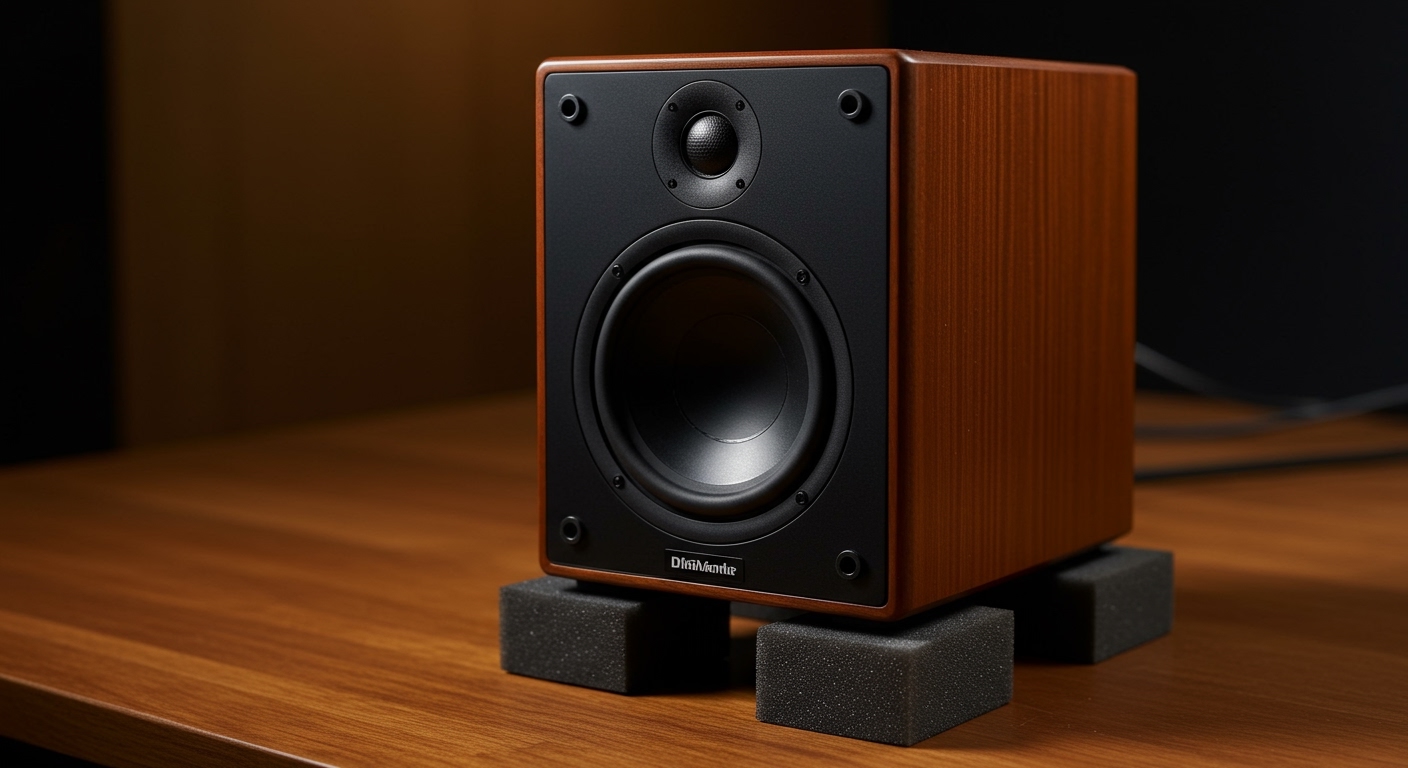
Vibration Isolation: Use foam pads or even Blu-Tack to decouple speakers from desks or shelves, instantly cleaning up the bass.
Software EQ: Apply a “U-shaped” or “Harman Curve” equalization profile to compensate for the hardware limitations of small speakers.
Room Dampening: Add soft materials (rugs, curtains) to the room to stop harsh sound reflections that make cheap speakers sound “muddy.”
The Essentials: Tools for Audio Optimization
Before diving into the steps, gather these basic materials. Most of these are likely already in your home or available for a few dollars.
| Tool/Material | Purpose | Estimated Cost |
|---|---|---|
| Foam Isolation Pads | Stops vibrations from muddying the sound | $10 – $20 |
| Equalizer Software | Digitally corrects frequency imbalances | Free |
| Speaker Wire (14-16 AWG) | Ensures clean signal flow for old speakers | $15 |
| Microfiber Cloth | Cleaning dust from drivers/cones | $2 |
| Blu-Tack / Museum Wax | Cheap alternative for speaker decoupling | $5 |
Step 1: Master the Art of Speaker Placement
The single most effective way to learn how to make your speakers sound better is to move them. Sound waves are physical; they interact with every wall and surface in your room.
The Equilateral Triangle Rule
To achieve a “phantom center” (where the singer sounds like they are right in front of you), your speakers and your head should form a perfect equilateral triangle.
Measure the distance between the two speakers.
Ensure your listening position is that same distance away from each unit.
Pro Tip: Angle the speakers slightly inward (called “toe-in”) so they point directly at your ears.
Get Them to Ear Level
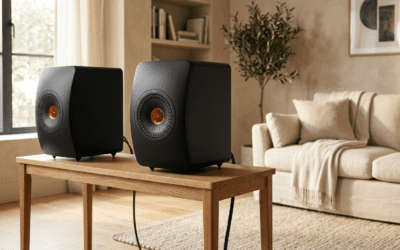
High frequencies (treble) are highly directional. If your small speakers are sitting on a low desk pointing at your chest, you are losing all the clarity. Use speaker stands or even stacks of books to bring the tweeters (the small top drivers) level with your ears.
The “Wall Gap” Strategy
Never push your speakers directly against a wall. This creates “boundary gain,” which makes the bass sound boomy and distorted.
Leave at least 6 to 12 inches of space between the back of the speaker and the wall.
If your speakers have a “port” (a hole in the back), they need even more room to “breathe.”
Step 2: Use Software EQ to Fix Frequency Flaws
Most cheap speakers have a “mid-forward” or “tinny” sound profile because their small drivers can’t naturally produce deep bass or sparkling highs. You can fix this digitally.
For PC Users: Equalizer APO + Peace GUI
If you want to know how to make speakers sound better on computer, this is the “holy grail” of free software.
- Download Equalizer APO and the Peace Interface.
- Use the slider to slightly boost the 30Hz – 100Hz range (for bass) and the 10kHz – 15kHz range (for clarity).
- Warning: Do not boost any frequency more than 5-6dB, as this can cause digital clipping and damage stock speakers.
For TV Users: Adjust Internal Settings
To understand how to make tv speakers sound better, look into your “Sound” or “Audio” menu.
Disable “Auto Volume”: This often compresses the dynamic range, making everything sound flat.
Select “Movie” or “User” Mode: Avoid “Standard” or “Eco” modes, which usually prioritize power saving over audio fidelity.
Turn off “Virtual Surround”: On cheap TV speakers, this usually just adds weird echoes that ruin dialogue clarity.
Why Your Audio Sounds Flat and How to Fix It
Tired of flat, tinny audio that lacks punch? Learning how to make cheap speakers sound better is the fastest way to upgrade your entertainment experience without spending a fortune on high-end audiophile gear. By mastering placement, utilizing free software, and applying simple physical isolation techniques, you can transform “budget” sound into a rich, immersive soundstage.
🚀 Quick Summary: Key Takeaways for Better Sound
If you are looking for an immediate improvement, focus on these three high-impact areas:
Optimal Placement: Position speakers at ear level in an equilateral triangle relative to your seat to improve imaging.
Vibration Isolation: Use foam pads or even Blu-Tack to decouple speakers from desks or shelves, instantly cleaning up the bass.
Software EQ: Apply a “U-shaped” or “Harman Curve” equalization profile to compensate for the hardware limitations of small speakers.
Room Dampening: Add soft materials (rugs, curtains) to the room to stop harsh sound reflections that make cheap speakers sound “muddy.”
The Essentials: Tools for Audio Optimization
Before diving into the steps, gather these basic materials. Most of these are likely already in your home or available for a few dollars.
| Tool/Material | Purpose | Estimated Cost |
|---|---|---|
| Foam Isolation Pads | Stops vibrations from muddying the sound | $10 – $20 |
| Equalizer Software | Digitally corrects frequency imbalances | Free |
| Speaker Wire (14-16 AWG) | Ensures clean signal flow for old speakers | $15 |
| Microfiber Cloth | Cleaning dust from drivers/cones | $2 |
| Blu-Tack / Museum Wax | Cheap alternative for speaker decoupling | $5 |
Step 1: Master the Art of Speaker Placement
The single most effective way to learn how to make your speakers sound better is to move them. Sound waves are physical; they interact with every wall and surface in your room.
The Equilateral Triangle Rule
To achieve a “phantom center” (where the singer sounds like they are right in front of you), your speakers and your head should form a perfect equilateral triangle.
Measure the distance between the two speakers.
Ensure your listening position is that same distance away from each unit.
Pro Tip: Angle the speakers slightly inward (called “toe-in”) so they point directly at your ears.
Get Them to Ear Level
High frequencies (treble) are highly directional. If your small speakers are sitting on a low desk pointing at your chest, you are losing all the clarity. Use speaker stands or even stacks of books to bring the tweeters (the small top drivers) level with your ears.
The “Wall Gap” Strategy
Never push your speakers directly against a wall. This creates “boundary gain,” which makes the bass sound boomy and distorted.
Leave at least 6 to 12 inches of space between the back of the speaker and the wall.
If your speakers have a “port” (a hole in the back), they need even more room to “breathe.”
Step 2: Use Software EQ to Fix Frequency Flaws
Most cheap speakers have a “mid-forward” or “tinny” sound profile because their small drivers can’t naturally produce deep bass or sparkling highs. You can fix this digitally.
For PC Users: Equalizer APO + Peace GUI
If you want to know how to make speakers sound better on computer, this is the “holy grail” of free software.
- Download Equalizer APO and the Peace Interface.
- Use the slider to slightly boost the 30Hz – 100Hz range (for bass) and the 10kHz – 15kHz range (for clarity).
- Warning: Do not boost any frequency more than 5-6dB, as this can cause digital clipping and damage stock speakers.
For TV Users: Adjust Internal Settings
To understand how to make tv speakers sound better, look into your “Sound” or “Audio” menu.
Disable “Auto Volume”: This often compresses the dynamic range, making everything sound flat.
Select “Movie” or “User” Mode: Avoid “Standard” or “Eco” modes, which usually prioritize power saving over audio fidelity.
Turn off “Virtual Surround”: On cheap TV speakers, this usually just adds weird echoes that ruin dialogue clarity.
Step 3: Isolate and Decouple Your Hardware
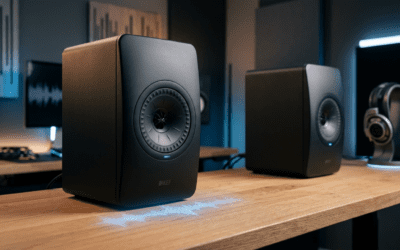
When a speaker sits directly on a wooden desk, the desk becomes part of the speaker. It vibrates, creating a “muddy” resonance that masks fine details.
Use Decoupling Materials
To make cheap speakers sound good, you must stop them from shaking the furniture.
Isolation Pads: High-density foam absorbs the kinetic energy.
DIY Hack: If you’re on a budget, use four small balls of Blu-Tack under each corner of the speaker. It acts as a mechanical filter.
Add Mass to Small Speakers
Small speakers are often too light, causing them to shift or vibrate excessively.
Place a heavy object (like a decorative stone or a heavy book) on top of the speaker cabinet.
This added mass stabilizes the cabinet, allowing the driver to move more precisely.
Step 4: Improve the Room Acoustics
You could spend $5,000 on speakers, but they will sound terrible in a room with bare tile floors and glass walls. How to make your speakers better often involves fixing the room, not the device.
Kill the “First Reflections”
Sound bounces off the side walls between you and the speaker. These “early reflections” create a blurred sound.
The Mirror Trick: Sit in your listening spot and have a friend slide a mirror along the side wall. Wherever you see the speaker in the mirror, place a curtain, a bookshelf, or an acoustic panel.
Soften the Floor
If you have hard floors, a thick area rug between you and the speakers will drastically reduce “floor bounce,” making vocals sound much clearer.
Step 5: How to Make Old Speakers Sound Better
If you have inherited a pair of vintage cabinets, don’t throw them away. How to improve old speakers usually involves a bit of maintenance.
Check the “Surrounds”
The rubber or foam ring around the edge of the woofer often rots over time.
If it feels brittle or has holes, you can buy a re-foam kit for under $20.
This restores the air-tight seal required for bass response.
Clean the Terminals
Oxidation (rust) on the copper wire connections can degrade the signal.
Unplug the wires, snip off the ends to expose fresh copper, and re-insert them.
Use DeoxIT or a similar contact cleaner on the metal terminals to ensure a perfect electrical path.
Specific Scenarios: Quick Fixes
How to make stock speakers sound better (Car Audio)
Sound Deadening: Apply butyl rubber sheets (like Dynamat) inside the door panels. This stops the metal from rattling and makes the mid-bass “thump” much harder.
Phase Check: Ensure your positive and negative wires aren’t swapped. If they are “out of phase,” the bass will disappear entirely.
How to make small speakers sound better
Corner Placement: If you have a tiny Bluetooth speaker, place it in a corner. The walls will act as a natural megaphone, boosting the bass output by up to 3-6dB.
Expert Pro-Tips for Audiophile Quality
The 1% Rule: Ensure your audio source is high quality. Even the best setup won’t fix a low-bitrate YouTube rip. Use Spotify (Very High) or Tidal HiFi.
Avoid “Bass Boost” Buttons: These are usually poorly implemented and cause distortion. Use a manual EQ instead.
- Check for Air Leaks: If your speaker cabinet has a crack, seal it with wood glue or silicone. An airtight cabinet is essential for controlled sound.
FAQ:
Frequently Asked Questions
Can I really make $20 speakers sound good?
Yes. While you can’t change the physical quality of the plastic drivers, optimizing the placement and using Equalizer APO can make them sound like $60-$80 speakers by correcting their frequency response errors.
Why do my speakers sound muffled?
This is usually caused by high-frequency absorption (the speakers are hidden behind a monitor or pointing at a couch) or blown tweeters. Ensure the speakers have a clear “line of sight” to your ears.
Does thicker speaker wire actually matter?
For cheap speakers, standard 16-gauge wire is plenty. You only need thicker 14 or 12-gauge wire if you are running cables longer than 50 feet to prevent signal loss.
How do I fix “hissing” sounds?
Hissing (floor noise) is often caused by a poor DAC (Digital-to-Analog Converter) or interference from a computer motherboard. Using a cheap USB External Soundcard or DAC can provide a cleaner signal.
Final Thoughts: Start Small, Hear Big
Improving your audio doesn’t require a massive budget. By simply repositioning your speakers, decoupling them from your desk, and applying a bit of EQ software, you can unlock hidden potential in your current hardware. Start with the “Free” upgrades first—you’ll be surprised at how much better those old speakers can sound with just a few inches of movement.
Ready to upgrade? Try moving your speakers away from the wall today and listen to your favorite track—you’ll hear details you never noticed before!