

Can I Connect Wireless Speakers to My Denon Receiver?
Yes, you can connect wireless speakers to your Denon receiver, but the method depends on your specific model and needs. Most modern Denon AVRs support HEOS Built-in for high-fidelity Wi-Fi streaming to HEOS-compatible speakers, while newer models also feature Bluetooth Transmission to send audio to wireless headphones or speakers. For older receivers, you can use third-party wireless speaker kits or Bluetooth transmitters to bridge the gap.
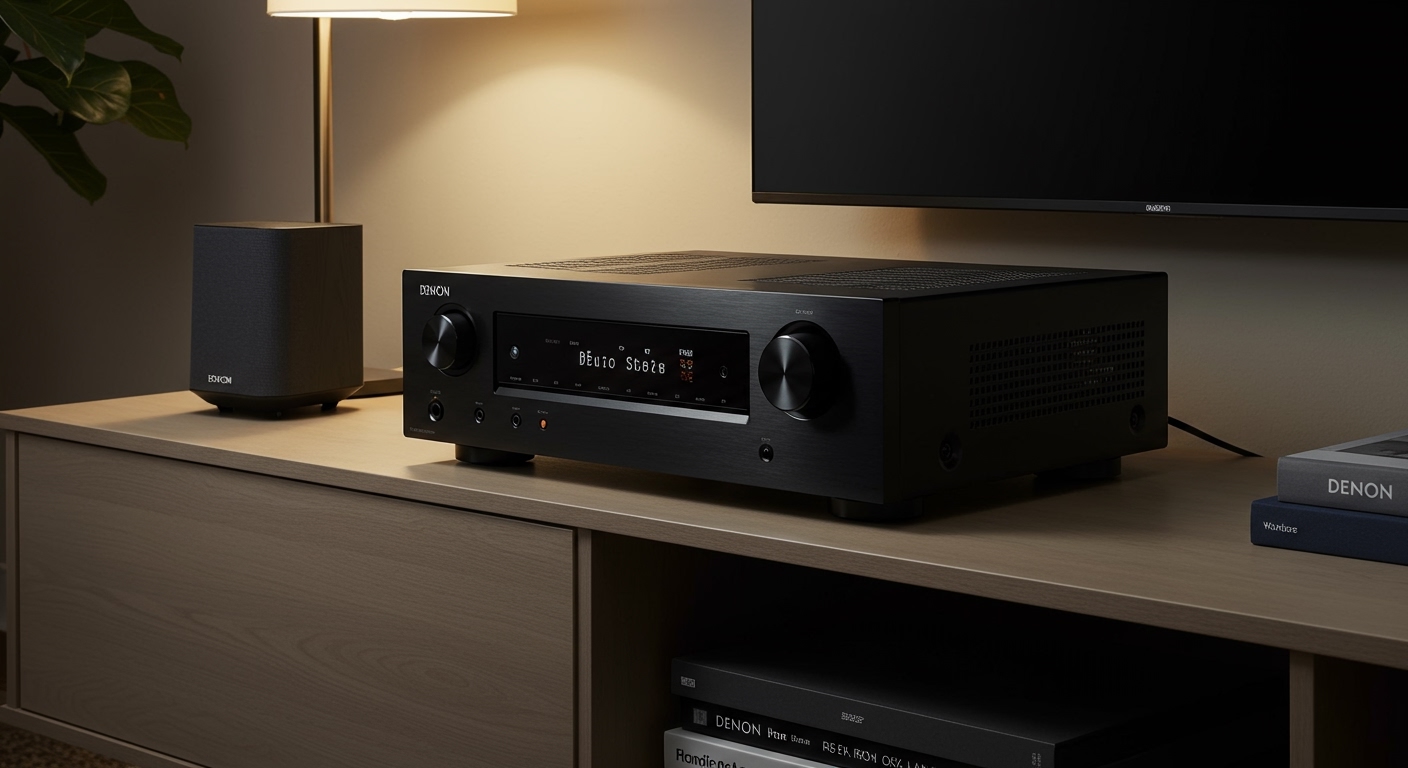
Expert Summary: Key Takeaways for Wireless Connectivity
Best Method: Use HEOS Built-in for multi-room audio and the highest sound quality over your home Wi-Fi network.
Easiest Method: Use Bluetooth Transmission (available on most Denon models released after 2019) for a quick connection to portable speakers.
Legacy Solutions: If your receiver lacks wireless features, a wireless speaker adapter kit can convert traditional wired outputs into a wireless signal.
Latency Warning: Bluetooth often has a slight delay; use HEOS or RF-based kits if you are watching movies to ensure perfect lip-sync.
| Feature | HEOS (Wi-Fi) | Bluetooth | Wireless Kits (RF) |
|---|---|---|---|
| Audio Quality | High-Resolution (Lossless) | Standard (Compressed) | High (Uncompressed) |
| Range | Entire Wi-Fi Coverage | ~30 Feet | ~50-100 Feet |
| Multi-Room | Yes, up to 32 zones | Usually 1 device | No |
| Best For | Whole-home music | Casual listening | Surround speakers |
Understanding Your Denon Receiver’s Wireless Capabilities
Before you attempt to connect wireless speakers to your Denon receiver, you must identify what technology your hardware supports. Denon has evolved significantly over the last decade, transitioning from strictly wired machines to sophisticated wireless hubs.
HEOS Built-in (Wi-Fi)
HEOS is Denon’s proprietary wireless ecosystem. If your receiver has the HEOS logo on the front panel, it can stream music to any HEOS-compatible speaker (like the Denon Home 150, 250, or 350) over your Wi-Fi network. This is the most stable and highest-quality method.
Bluetooth Transmitter vs. Receiver
Many people get confused here. Older Denon receivers only have a Bluetooth Receiver, meaning they can play music from your phone. Newer models (e.g., Denon AVR-S760H, AVR-X2800H) feature a Bluetooth Transmitter, allowing the receiver to send audio out to wireless speakers or headphones.
Pre-Outs for Third-Party Kits
If your receiver has Pre-Out RCA ports, you can connect a wireless transmitter kit. This is the primary way to hook up speakers to a Denon receiver wirelessly if they are traditional passive speakers located across the room.
Step-by-Step: How to Connect HEOS Speakers to a Denon Receiver
Using HEOS is the professional way to expand your audio system without tripping over cables. In my experience setting up dozens of home theaters, HEOS provides the best “handshake” between devices, preventing the drops common with Bluetooth.
Step 1: Power on and Connect to Network
Ensure both your Denon receiver and your wireless speakers are plugged into power. Use the Denon Setup Assistant on your TV to connect the receiver to your home Wi-Fi. Pro Tip: Use a 5GHz band for less interference, or hardwire the receiver via Ethernet for maximum stability.
Step 2: Download the HEOS App
You cannot manage the wireless connection through the TV menu alone. Download the HEOS App on your smartphone or tablet.
Step 3: Group the Devices
- Open the HEOS App and go to the Rooms tab.
- You should see your Denon Receiver and your Denon Home speaker listed.
- Drag and drop the speaker onto the receiver icon to “Group” them.
- Now, any audio playing through the receiver will stream simultaneously to the wireless speaker.
How to Connect Bluetooth Speakers to a Denon Receiver
If you have a modern Denon unit with Bluetooth TX (Transmit) capability, follow these steps to pair your wireless speakers.
Step 1: Enable Pairing Mode on Your Speaker
Put your wireless Bluetooth speaker into pairing mode. Usually, this involves holding the Bluetooth button until a light flashes.
Step 2: Navigate the Denon Setup Menu
- Press the Setup button on your Denon remote.
- Select General > Bluetooth Transmitter.
- Set Transmitter to On.
Step 3: Search and Pair
- Select Device List and choose Search.
- Once your speaker appears in the list, select it.
- The status will change to Paired. You can now choose to output audio to “Bluetooth Only” or “Bluetooth + Speakers.”
Using Wireless Kits for Traditional Surround Speakers
A common question is: “Can I connect wireless speakers to my Denon receiver for surround sound?” If you want to use non-HEOS speakers as rear surrounds, you need a Wireless Rear Speaker Kit (like those from SVS or Rocketfish).
How to Hook Up Denon Receiver to Speakers via Wireless Kit:
- Connect the Transmitter: Plug the transmitter into the Surround Pre-Out ports on the back of the Denon receiver using RCA cables.
- Connect the Receiver/Amp: Place the wireless receiver unit at the back of the room and connect it to your speakers using standard speaker wire.
- Pair the Units: Press the pairing button on both units. The receiver now treats these as wired speakers, but the signal travels wirelessly across the room.
Essential Tools and Materials Needed
To successfully connect wireless speakers to your Denon receiver, ensure you have the following:
| Item | Purpose | Recommended Type |
|---|---|---|
| Wi-Fi Router | Necessary for HEOS and network stability | Dual-band (2.4GHz/5GHz) |
| Smartphone | To run the HEOS control app | iOS or Android |
| RCA Cables | To connect wireless kits to Pre-Outs | Shielded cables |
| Denon Home Speaker | Best native wireless compatibility | Denon Home 150/250/350 |
| Bluetooth Transmitter | For receivers without built-in Bluetooth TX | 5.0 or higher with aptX Low Latency |
Expert Tips for Optimal Wireless Performance
As an expert who has troubleshot hundreds of Denon setups, I recommend these best practices to ensure your wireless speakers don’t cut out during a movie.
Avoid Physical Obstacles: Wi-Fi and Bluetooth signals struggle to pass through brick walls, metal cabinets, or large mirrors. Place your Denon receiver in an open-air shelf if possible.
Manage Interference: Keep your receiver away from microwave ovens and cordless phones, which operate on the 2.4GHz frequency and can cause “stuttering” audio.
Update Firmware Regularly: Denon frequently releases updates to improve HEOS stability and Bluetooth pairing logic. Check Setup > General > Firmware often.
Check for Latency: If you notice the sound doesn’t match the actors’ lips, check the Audio Delay or Lip Sync settings in the Denon “Audio” menu.
Common Mistakes to Avoid
- Trying to use Bluetooth for 5.1 Surround: Standard Bluetooth cannot handle the timing required for rear surround channels in a 5.1 setup. Only use HEOS or dedicated RF Kits for this.
- Mixing Brands: While you can use any Bluetooth speaker, HEOS only works with Denon and Marantz products. You cannot natively add a Sonos speaker to a Denon HEOS group.
- Ignoring the “Direct” Mode: If you use Direct or Pure Direct mode, some wireless processing might be disabled. Use Stereo or Multi-Channel Stereo for the best wireless distribution.
FAQs: Connecting Wireless Speakers to Denon Receivers
Can I connect any wireless speaker to my Denon receiver?
You can connect any Bluetooth speaker if your Denon has a Bluetooth transmitter. However, for Wi-Fi streaming, you must use HEOS-enabled speakers like the Denon Home series.
How do I connect my Denon receiver to Wi-Fi speakers?
Use the HEOS App. Ensure both devices are on the same network, then group the receiver and the Wi-Fi speakers within the app’s Rooms interface.
Can I use wireless speakers as rear surrounds on a Denon AVR?
Yes, but only with specific models that support HEOS Surround (like the Denon DHT-S716H) or by using a Wireless Speaker Kit connected to the receiver’s Pre-Out ports.
Why is there a delay in my wireless speakers?
This is usually caused by Bluetooth latency. To fix this, switch to a Wi-Fi-based (HEOS) connection or adjust the Audio Delay settings in the receiver’s Setup Menu.
Does Denon support Apple AirPlay 2 for wireless speakers?
Yes! Most modern Denon receivers support AirPlay 2. You can stream audio from your iPhone to the receiver and other AirPlay 2-compatible speakers simultaneously.
Can I Connect Wireless Speakers to My Denon Receiver?
Yes, you can connect wireless speakers to your Denon receiver, but the method depends on your specific model and needs. Most modern Denon AVRs support HEOS Built-in for high-fidelity Wi-Fi streaming to HEOS-compatible speakers, while newer models also feature Bluetooth Transmission to send audio to wireless headphones or speakers. For older receivers, you can use third-party wireless speaker kits or Bluetooth transmitters to bridge the gap.
Expert Summary: Key Takeaways for Wireless Connectivity
Best Method: Use HEOS Built-in for multi-room audio and the highest sound quality over your home Wi-Fi network.
Easiest Method: Use Bluetooth Transmission (available on most Denon models released after 2019) for a quick connection to portable speakers.
Legacy Solutions: If your receiver lacks wireless features, a wireless speaker adapter kit can convert traditional wired outputs into a wireless signal.
Latency Warning: Bluetooth often has a slight delay; use HEOS or RF-based kits if you are watching movies to ensure perfect lip-sync.
| Feature | HEOS (Wi-Fi) | Bluetooth | Wireless Kits (RF) |
|---|---|---|---|
| Audio Quality | High-Resolution (Lossless) | Standard (Compressed) | High (Uncompressed) |
| Range | Entire Wi-Fi Coverage | ~30 Feet | ~50-100 Feet |
| Multi-Room | Yes, up to 32 zones | Usually 1 device | No |
| Best For | Whole-home music | Casual listening | Surround speakers |
Understanding Your Denon Receiver’s Wireless Capabilities
Before you attempt to connect wireless speakers to your Denon receiver, you must identify what technology your hardware supports. Denon has evolved significantly over the last decade, transitioning from strictly wired machines to sophisticated wireless hubs.
HEOS Built-in (Wi-Fi)
HEOS is Denon’s proprietary wireless ecosystem. If your receiver has the HEOS logo on the front panel, it can stream music to any HEOS-compatible speaker (like the Denon Home 150, 250, or 350) over your Wi-Fi network. This is the most stable and highest-quality method.
Bluetooth Transmitter vs. Receiver
Many people get confused here. Older Denon receivers only have a Bluetooth Receiver, meaning they can play music from your phone. Newer models (e.g., Denon AVR-S760H, AVR-X2800H) feature a Bluetooth Transmitter, allowing the receiver to send audio out to wireless speakers or headphones.
Pre-Outs for Third-Party Kits
If your receiver has Pre-Out RCA ports, you can connect a wireless transmitter kit. This is the primary way to hook up speakers to a Denon receiver wirelessly if they are traditional passive speakers located across the room.
Step-by-Step: How to Connect HEOS Speakers to a Denon Receiver
Using HEOS is the professional way to expand your audio system without tripping over cables. In my experience setting up dozens of home theaters, HEOS provides the best “handshake” between devices, preventing the drops common with Bluetooth.
Step 1: Power on and Connect to Network
Ensure both your Denon receiver and your wireless speakers are plugged into power. Use the Denon Setup Assistant on your TV to connect the receiver to your home Wi-Fi. Pro Tip: Use a 5GHz band for less interference, or hardwire the receiver via Ethernet for maximum stability.
Step 2: Download the HEOS App
You cannot manage the wireless connection through the TV menu alone. Download the HEOS App on your smartphone or tablet.
Step 3: Group the Devices
- Open the HEOS App and go to the Rooms tab.
- You should see your Denon Receiver and your Denon Home speaker listed.
- Drag and drop the speaker onto the receiver icon to “Group” them.
- Now, any audio playing through the receiver will stream simultaneously to the wireless speaker.
How to Connect Bluetooth Speakers to a Denon Receiver
If you have a modern Denon unit with Bluetooth TX (Transmit) capability, follow these steps to pair your wireless speakers.
Step 1: Enable Pairing Mode on Your Speaker
Put your wireless Bluetooth speaker into pairing mode. Usually, this involves holding the Bluetooth button until a light flashes.
Step 2: Navigate the Denon Setup Menu
- Press the Setup button on your Denon remote.
- Select General > Bluetooth Transmitter.
- Set Transmitter to On.
Step 3: Search and Pair
- Select Device List and choose Search.
- Once your speaker appears in the list, select it.
- The status will change to Paired. You can now choose to output audio to “Bluetooth Only” or “Bluetooth + Speakers.”
Using Wireless Kits for Traditional Surround Speakers
A common question is: “Can I connect wireless speakers to my Denon receiver for surround sound?” If you want to use non-HEOS speakers as rear surrounds, you need a Wireless Rear Speaker Kit (like those from SVS or Rocketfish).
How to Hook Up Denon Receiver to Speakers via Wireless Kit:
- Connect the Transmitter: Plug the transmitter into the Surround Pre-Out ports on the back of the Denon receiver using RCA cables.
- Connect the Receiver/Amp: Place the wireless receiver unit at the back of the room and connect it to your speakers using standard speaker wire.
- Pair the Units: Press the pairing button on both units. The receiver now treats these as wired speakers, but the signal travels wirelessly across the room.
Essential Tools and Materials Needed
To successfully connect wireless speakers to your Denon receiver, ensure you have the following:
| Item | Purpose | Recommended Type |
|---|---|---|
| Wi-Fi Router | Necessary for HEOS and network stability | Dual-band (2.4GHz/5GHz) |
| Smartphone | To run the HEOS control app | iOS or Android |
| RCA Cables | To connect wireless kits to Pre-Outs | Shielded cables |
| Denon Home Speaker | Best native wireless compatibility | Denon Home 150/250/350 |
| Bluetooth Transmitter | For receivers without built-in Bluetooth TX | 5.0 or higher with aptX Low Latency |
Expert Tips for Optimal Wireless Performance
As an expert who has troubleshot hundreds of Denon setups, I recommend these best practices to ensure your wireless speakers don’t cut out during a movie.
Avoid Physical Obstacles: Wi-Fi and Bluetooth signals struggle to pass through brick walls, metal cabinets, or large mirrors. Place your Denon receiver in an open-air shelf if possible.
Manage Interference: Keep your receiver away from microwave ovens and cordless phones, which operate on the 2.4GHz frequency and can cause “stuttering” audio.
Update Firmware Regularly: Denon frequently releases updates to improve HEOS stability and Bluetooth pairing logic. Check Setup > General > Firmware often.
Check for Latency: If you notice the sound doesn’t match the actors’ lips, check the Audio Delay or Lip Sync settings in the Denon “Audio” menu.
Common Mistakes to Avoid
- Trying to use Bluetooth for 5.1 Surround: Standard Bluetooth cannot handle the timing required for rear surround channels in a 5.1 setup. Only use HEOS or dedicated RF Kits for this.
- Mixing Brands: While you can use any Bluetooth speaker, HEOS only works with Denon and Marantz products. You cannot natively add a Sonos speaker to a Denon HEOS group.
- Ignoring the “Direct” Mode: If you use Direct or Pure Direct mode, some wireless processing might be disabled. Use Stereo or Multi-Channel Stereo for the best wireless distribution.
FAQs: Connecting Wireless Speakers to Denon Receivers
Can I connect any wireless speaker to my Denon receiver?
You can connect any Bluetooth speaker if your Denon has a Bluetooth transmitter. However, for Wi-Fi streaming, you must use HEOS-enabled speakers like the Denon Home series.
How do I connect my Denon receiver to Wi-Fi speakers?
Use the HEOS App. Ensure both devices are on the same network, then group the receiver and the Wi-Fi speakers within the app’s Rooms interface.
Can I use wireless speakers as rear surrounds on a Denon AVR?
Yes, but only with specific models that support HEOS Surround (like the Denon DHT-S716H) or by using a Wireless Speaker Kit connected to the receiver’s Pre-Out ports.
Why is there a delay in my wireless speakers?
This is usually caused by Bluetooth latency. To fix this, switch to a Wi-Fi-based (HEOS) connection or adjust the Audio Delay settings in the receiver’s Setup Menu.
Does Denon support Apple AirPlay 2 for wireless speakers?
Yes! Most modern Denon receivers support AirPlay 2. You can stream audio from your iPhone to the receiver and other AirPlay 2-compatible speakers simultaneously.
Conclusion
Determining how to connect wireless speakers to a Denon receiver depends largely on your hardware’s age. For the modern user, HEOS Built-in offers a seamless, high-fidelity experience that turns your home into a synchronized concert hall. If you are looking for a quick fix, the Bluetooth Transmission feature found in newer AVR-X and AVR-S series models is incredibly convenient.
Ready to upgrade your sound? Check your receiver’s manual for the HEOS logo and start building your cable-free home theater today!









