

How to Play Amazon Music and Other Services on Sonos Speakers
Yes, you can play Amazon Music on Sonos speakers by linking your account through the Sonos S2 app, using Alexa voice commands, or casting directly from the Amazon Music app. This integration supports high-definition (HD) and Ultra HD audio, allowing you to experience lossless sound across your entire home network.
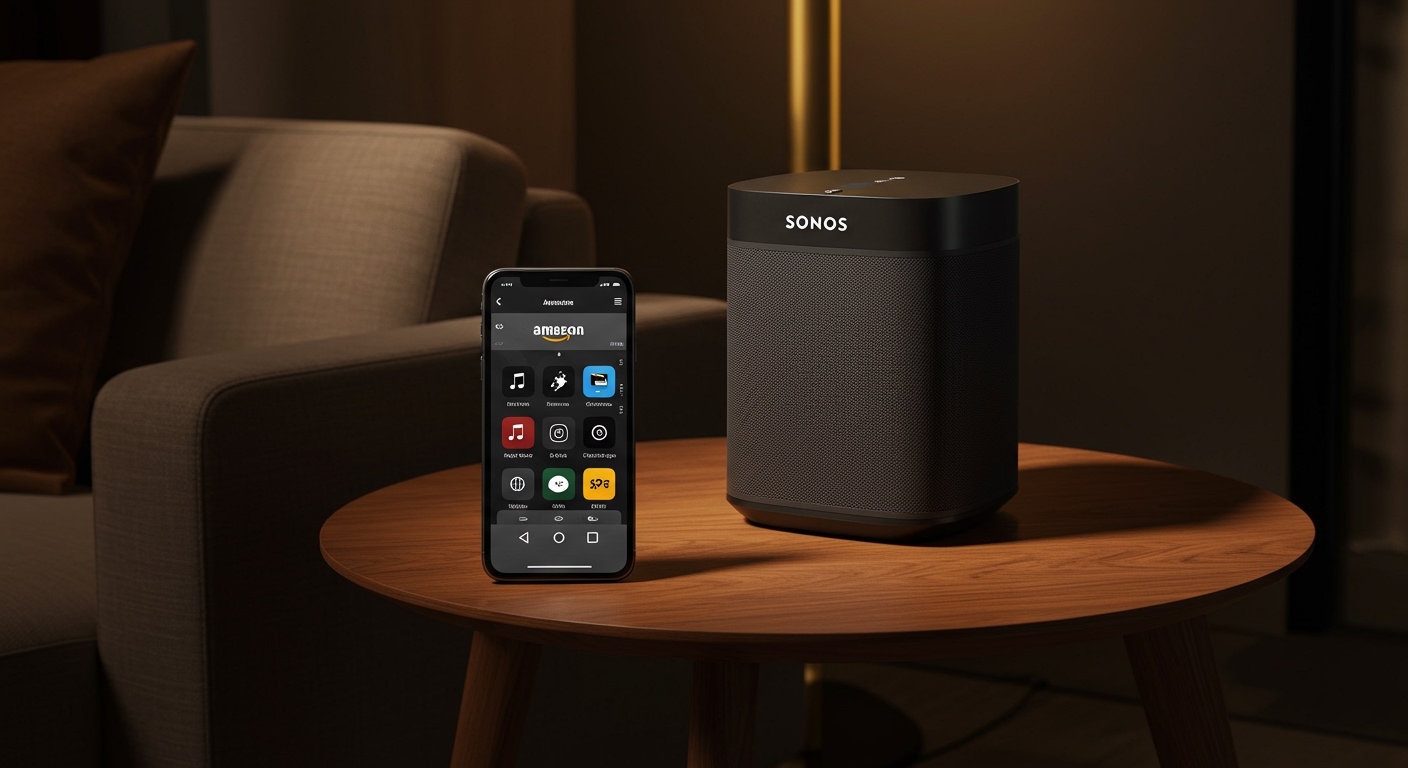
Expert Summary: Key Integration Methods
Native App Integration: Use the Sonos S2 app to search and play music from Amazon Music, Spotify, and Apple Music in one interface.
Direct Control: Cast audio directly from the Spotify or Amazon Music apps using the “Connect” or “Devices” icons.
AirPlay 2 & Bluetooth: For services without native integration like YouTube, use Apple AirPlay 2 or Bluetooth (on newer models like Sonos Era 100).
Voice Control: Link Amazon Alexa or Google Assistant to start playlists or skip tracks with simple voice prompts.
| Feature | Amazon Music | Spotify | Apple Music | YouTube (Audio) |
|---|---|---|---|---|
| Native Sonos App | Yes | Yes | Yes | No (YouTube Music only) |
| Direct App Casting | Yes | Yes | No | No |
| Voice Control | Yes | Yes | Yes | Limited |
| Max Audio Quality | Ultra HD / 24-bit | 320kbps (Lossy) | Lossless / Atmos | 256kbps |
| Best For | Audiophiles | Social Sharing | Apple Ecosystem | Video Content |
How to Play Amazon Music on Sonos Speakers: Step-by-Step
Setting up Amazon Music is the most common request for Sonos owners looking for high-fidelity audio. To get started, ensure your Sonos system and your smartphone are on the same Wi-Fi network.
Add Amazon Music via the Sonos App
- Open the Sonos S2 app on your iOS or Android device.
- Navigate to the Settings tab (gear icon) at the bottom right.
- Select “Services & Voice” and then tap “Add a Service” under the Music & Content section.
- Find “Amazon Music” from the list and select Add to Sonos.
- Follow the on-screen instructions to sign in to your Amazon account. You will be redirected to a browser to authorize the connection.
- Name the account (useful if you have multiple family members) and start browsing your library.
Use the Amazon Music App Directly (Casting)
If you prefer the interface of the Amazon Music app, you don’t have to use the Sonos app at all.
- Launch the Amazon Music app.
- Play a song and tap the Casting icon (looks like a square with a Wi-Fi symbol).
- Choose your Sonos speaker or room from the list.
- Control volume and playback directly from your phone’s lock screen.
How to Play Spotify on Sonos Speakers
Many users ask, “can i play spotify on my sonos speakers?” The answer is a resounding yes. Spotify offers one of the most stable integrations with Sonos, featuring “Spotify Connect.”
Linking Spotify in the Sonos App
- Tap the Settings gear in the Sonos app.
- Click “Services & Voice” > “Add a Service.”
- Choose Spotify and tap Add to Sonos.
- Log in to your Spotify Premium or Free account.
Using Spotify Connect
This is the preferred method for most users because it allows you to use Spotify’s native algorithms and “Made for You” playlists.
- Open the Spotify app.
- Select a track and tap the Devices Available icon at the bottom left.
- Select your Sonos speaker (e.g., “Living Room” or “Sonos Arc”).
- Enjoy seamless playback without the Sonos app needing to be open.
How to Play Apple Music on Sonos Speakers
If you are an iOS user, you might wonder how to play apple music on sonos speakers to leverage your existing iCloud library. Sonos is one of the few third-party systems that supports Apple Music natively.
Add Apple Music to Sonos
- Open the Sonos app and go to Settings > Services & Voice.
- Select Add a Service and search for Apple Music.
- Tap Add to Sonos and sign in with your Apple ID.
- Verify using the two-factor authentication code sent to your iPhone or iPad.
Use AirPlay 2 for Apple Music
Can you play apple music through sonos speakers without the Sonos app? Yes, via AirPlay 2.
- Swipe down from the top-right of your iPhone to open the Control Center.
- Tap the AirPlay icon (concentric circles) in the music widget.
- Select your Sonos speakers. You can even group multiple speakers here to play the same song throughout the house.
How to Play YouTube Through Sonos Speakers
A frequent pain point for users is how to play youtube through sonos speakers, as there is no “YouTube” (video) service within the Sonos app. However, there are three professional workarounds to get YouTube audio on your speakers.
Use AirPlay 2 (Best for Mac/iPhone Users)
This is the easiest way to answer the question: how to play youtube on sonos speakers.
- Open the YouTube app or website on your Apple device.
- Start the video.
- Access the AirPlay menu and select your Sonos speaker.
- Note: This works with any Sonos speaker that is AirPlay 2 compatible (e.g., Sonos One, Beam, Era series).
Use Bluetooth (For Sonos Era, Move, and Roam)
If you have a newer Sonos model, you can treat it like a traditional Bluetooth speaker.
- Press and hold the Bluetooth button on the back of your Sonos Era 100 or Move 2 until the LED turns blue.
- Pair your phone or laptop in the Bluetooth settings.
- Play any YouTube video; the audio will now stream to the speaker.
Use a Line-In Connection
For older speakers like the Sonos Play:5 or the newer Sonos Five, you can use a physical cable.
- Connect a 3.5mm auxiliary cable from your computer/tablet to the back of the speaker.
- Select “Line-In” as the source in the Sonos app.
- Play your YouTube content.
Essential Tools for Sonos Integration
To get the most out of your audio setup, ensure you have the following components ready:
| Tool/Material | Requirement | Why It’s Needed |
|---|---|---|
| Sonos S2 App | Latest Version | Central hub for updates and multi-room control. |
| Stable Wi-Fi | 2.4GHz or 5GHz | Sonos relies on a robust network to prevent audio dropouts. |
| Music Subscription | Premium/Pro | Needed for ad-free listening and high-definition audio. |
| Voice Assistant | Alexa/Google | Enables hands-free control for Amazon Music and Spotify. |
| AirPlay 2 Device | iOS 11.4 or later | Essential for playing YouTube and Apple Music easily. |
Pro Tips for the Best Sonos Experience
After years of testing Sonos configurations, our experts recommend these optimizations:
Enable Trueplay Tuning: Use an iOS device to “tune” your speakers to the room’s acoustics. This significantly improves the bass response of the Sonos Sub and the clarity of the Era 300.
Set Default Services: If you frequently ask “can you play spotify on your sonos speakers” via voice, set Spotify as your default music service in the Alexa app to avoid saying “on Spotify” every time.
Group for Multi-Room: You can group an older Play:1 with a newer Arc by holding the Play/Pause button on the speaker for two seconds. It will automatically join the currently active audio group.
Check Audio Quality: When playing Amazon Music, look for the “HD” or “Atmos” badge on the Now Playing screen in the Sonos app to ensure you are getting the full value of your subscription.
Common Mistakes to Avoid
Using 2.4GHz in Crowded Areas: If your music stutters, try moving your Sonos bridge or speakers to a less crowded Wi-Fi channel or use a Sonos Boost.
Mixing S1 and S2 Apps: Modern speakers require the S2 app (tan icon). Older “legacy” products may require the S1 app (black icon). Mixing them can lead to a fragmented system.
- Ignoring Software Updates: Sonos frequently releases patches that improve the stability of Spotify Connect and Amazon Music integrations. Always keep your firmware current.
How to Play Amazon Music and Other Services on Sonos Speakers
Yes, you can play Amazon Music on Sonos speakers by linking your account through the Sonos S2 app, using Alexa voice commands, or casting directly from the Amazon Music app. This integration supports high-definition (HD) and Ultra HD audio, allowing you to experience lossless sound across your entire home network.
Expert Summary: Key Integration Methods
Native App Integration: Use the Sonos S2 app to search and play music from Amazon Music, Spotify, and Apple Music in one interface.
Direct Control: Cast audio directly from the Spotify or Amazon Music apps using the “Connect” or “Devices” icons.
AirPlay 2 & Bluetooth: For services without native integration like YouTube, use Apple AirPlay 2 or Bluetooth (on newer models like Sonos Era 100).
Voice Control: Link Amazon Alexa or Google Assistant to start playlists or skip tracks with simple voice prompts.
| Feature | Amazon Music | Spotify | Apple Music | YouTube (Audio) |
|---|---|---|---|---|
| Native Sonos App | Yes | Yes | Yes | No (YouTube Music only) |
| Direct App Casting | Yes | Yes | No | No |
| Voice Control | Yes | Yes | Yes | Limited |
| Max Audio Quality | Ultra HD / 24-bit | 320kbps (Lossy) | Lossless / Atmos | 256kbps |
| Best For | Audiophiles | Social Sharing | Apple Ecosystem | Video Content |
How to Play Amazon Music on Sonos Speakers: Step-by-Step
Setting up Amazon Music is the most common request for Sonos owners looking for high-fidelity audio. To get started, ensure your Sonos system and your smartphone are on the same Wi-Fi network.
Add Amazon Music via the Sonos App
- Open the Sonos S2 app on your iOS or Android device.
- Navigate to the Settings tab (gear icon) at the bottom right.
- Select “Services & Voice” and then tap “Add a Service” under the Music & Content section.
- Find “Amazon Music” from the list and select Add to Sonos.
- Follow the on-screen instructions to sign in to your Amazon account. You will be redirected to a browser to authorize the connection.
- Name the account (useful if you have multiple family members) and start browsing your library.
Use the Amazon Music App Directly (Casting)
If you prefer the interface of the Amazon Music app, you don’t have to use the Sonos app at all.
- Launch the Amazon Music app.
- Play a song and tap the Casting icon (looks like a square with a Wi-Fi symbol).
- Choose your Sonos speaker or room from the list.
- Control volume and playback directly from your phone’s lock screen.
How to Play Spotify on Sonos Speakers
Many users ask, “can i play spotify on my sonos speakers?” The answer is a resounding yes. Spotify offers one of the most stable integrations with Sonos, featuring “Spotify Connect.”
Linking Spotify in the Sonos App
- Tap the Settings gear in the Sonos app.
- Click “Services & Voice” > “Add a Service.”
- Choose Spotify and tap Add to Sonos.
- Log in to your Spotify Premium or Free account.
Using Spotify Connect
This is the preferred method for most users because it allows you to use Spotify’s native algorithms and “Made for You” playlists.
- Open the Spotify app.
- Select a track and tap the Devices Available icon at the bottom left.
- Select your Sonos speaker (e.g., “Living Room” or “Sonos Arc”).
- Enjoy seamless playback without the Sonos app needing to be open.
How to Play Apple Music on Sonos Speakers
If you are an iOS user, you might wonder how to play apple music on sonos speakers to leverage your existing iCloud library. Sonos is one of the few third-party systems that supports Apple Music natively.
Add Apple Music to Sonos
- Open the Sonos app and go to Settings > Services & Voice.
- Select Add a Service and search for Apple Music.
- Tap Add to Sonos and sign in with your Apple ID.
- Verify using the two-factor authentication code sent to your iPhone or iPad.
Use AirPlay 2 for Apple Music
Can you play apple music through sonos speakers without the Sonos app? Yes, via AirPlay 2.
- Swipe down from the top-right of your iPhone to open the Control Center.
- Tap the AirPlay icon (concentric circles) in the music widget.
- Select your Sonos speakers. You can even group multiple speakers here to play the same song throughout the house.
How to Play YouTube Through Sonos Speakers
A frequent pain point for users is how to play youtube through sonos speakers, as there is no “YouTube” (video) service within the Sonos app. However, there are three professional workarounds to get YouTube audio on your speakers.
Use AirPlay 2 (Best for Mac/iPhone Users)
This is the easiest way to answer the question: how to play youtube on sonos speakers.
- Open the YouTube app or website on your Apple device.
- Start the video.
- Access the AirPlay menu and select your Sonos speaker.
- Note: This works with any Sonos speaker that is AirPlay 2 compatible (e.g., Sonos One, Beam, Era series).
Use Bluetooth (For Sonos Era, Move, and Roam)
If you have a newer Sonos model, you can treat it like a traditional Bluetooth speaker.
- Press and hold the Bluetooth button on the back of your Sonos Era 100 or Move 2 until the LED turns blue.
- Pair your phone or laptop in the Bluetooth settings.
- Play any YouTube video; the audio will now stream to the speaker.
Use a Line-In Connection
For older speakers like the Sonos Play:5 or the newer Sonos Five, you can use a physical cable.
- Connect a 3.5mm auxiliary cable from your computer/tablet to the back of the speaker.
- Select “Line-In” as the source in the Sonos app.
- Play your YouTube content.
Essential Tools for Sonos Integration
To get the most out of your audio setup, ensure you have the following components ready:
| Tool/Material | Requirement | Why It’s Needed |
|---|---|---|
| Sonos S2 App | Latest Version | Central hub for updates and multi-room control. |
| Stable Wi-Fi | 2.4GHz or 5GHz | Sonos relies on a robust network to prevent audio dropouts. |
| Music Subscription | Premium/Pro | Needed for ad-free listening and high-definition audio. |
| Voice Assistant | Alexa/Google | Enables hands-free control for Amazon Music and Spotify. |
| AirPlay 2 Device | iOS 11.4 or later | Essential for playing YouTube and Apple Music easily. |
Pro Tips for the Best Sonos Experience
After years of testing Sonos configurations, our experts recommend these optimizations:
Enable Trueplay Tuning: Use an iOS device to “tune” your speakers to the room’s acoustics. This significantly improves the bass response of the Sonos Sub and the clarity of the Era 300.
Set Default Services: If you frequently ask “can you play spotify on your sonos speakers” via voice, set Spotify as your default music service in the Alexa app to avoid saying “on Spotify” every time.
Group for Multi-Room: You can group an older Play:1 with a newer Arc by holding the Play/Pause button on the speaker for two seconds. It will automatically join the currently active audio group.
Check Audio Quality: When playing Amazon Music, look for the “HD” or “Atmos” badge on the Now Playing screen in the Sonos app to ensure you are getting the full value of your subscription.
Common Mistakes to Avoid
Using 2.4GHz in Crowded Areas: If your music stutters, try moving your Sonos bridge or speakers to a less crowded Wi-Fi channel or use a Sonos Boost.
Mixing S1 and S2 Apps: Modern speakers require the S2 app (tan icon). Older “legacy” products may require the S1 app (black icon). Mixing them can lead to a fragmented system.
- Ignoring Software Updates: Sonos frequently releases patches that improve the stability of Spotify Connect and Amazon Music integrations. Always keep your firmware current.
Frequently Asked Questions
(FAQs)
Can I play YouTube Music on Sonos without AirPlay?
Yes, you can add YouTube Music as a native service within the Sonos S2 app. However, this is for the music streaming service only; it does not support audio from standard YouTube video uploads unless you use AirPlay 2 or Bluetooth.
Why can’t I see my Sonos speakers in the Spotify app?
Ensure both your phone and your Sonos speakers are on the exact same Wi-Fi network. If you use a VPN on your phone, Spotify Connect will not be able to “see” the speakers. Restarting the Spotify app usually resolves discovery issues.
Can I play Amazon Music HD on all Sonos speakers?
Most modern Sonos speakers (released after 2015) support Amazon Music HD (16-bit). However, Ultra HD (24-bit) and Dolby Atmos are only supported on newer hardware like the Sonos Arc, Beam (Gen 2), Era 100, and Era 300.
Is there a limit to how many music services I can add?
No, you can add dozens of services including Spotify, Apple Music, Tidal, and Pandora. The Sonos app acts as a universal search engine, allowing you to search for an artist across all your linked accounts simultaneously.
Conclusion
Whether you are asking “can i play amazon music on sonos speakers” or trying to figure out how to play youtube through sonos speakers, the versatility of the Sonos ecosystem has an answer. By combining native app integrations, AirPlay 2, and Bluetooth, you can turn your home into a high-fidelity concert hall.
Ready to upgrade your sound? Start by linking your favorite services in the Sonos S2 app today and experience the difference that uncompressed, multi-room audio makes.









