Can I Use Bookshelf Speakers as Studio Monitors? The Definitive Guide
Yes, you can use bookshelf speakers as studio monitors, but they will not provide the “flat” frequency response required for professional-grade mixing without significant calibration. While studio monitors are designed for clinical accuracy, bookshelf speakers typically “color” the sound to make it more pleasant for casual listening.
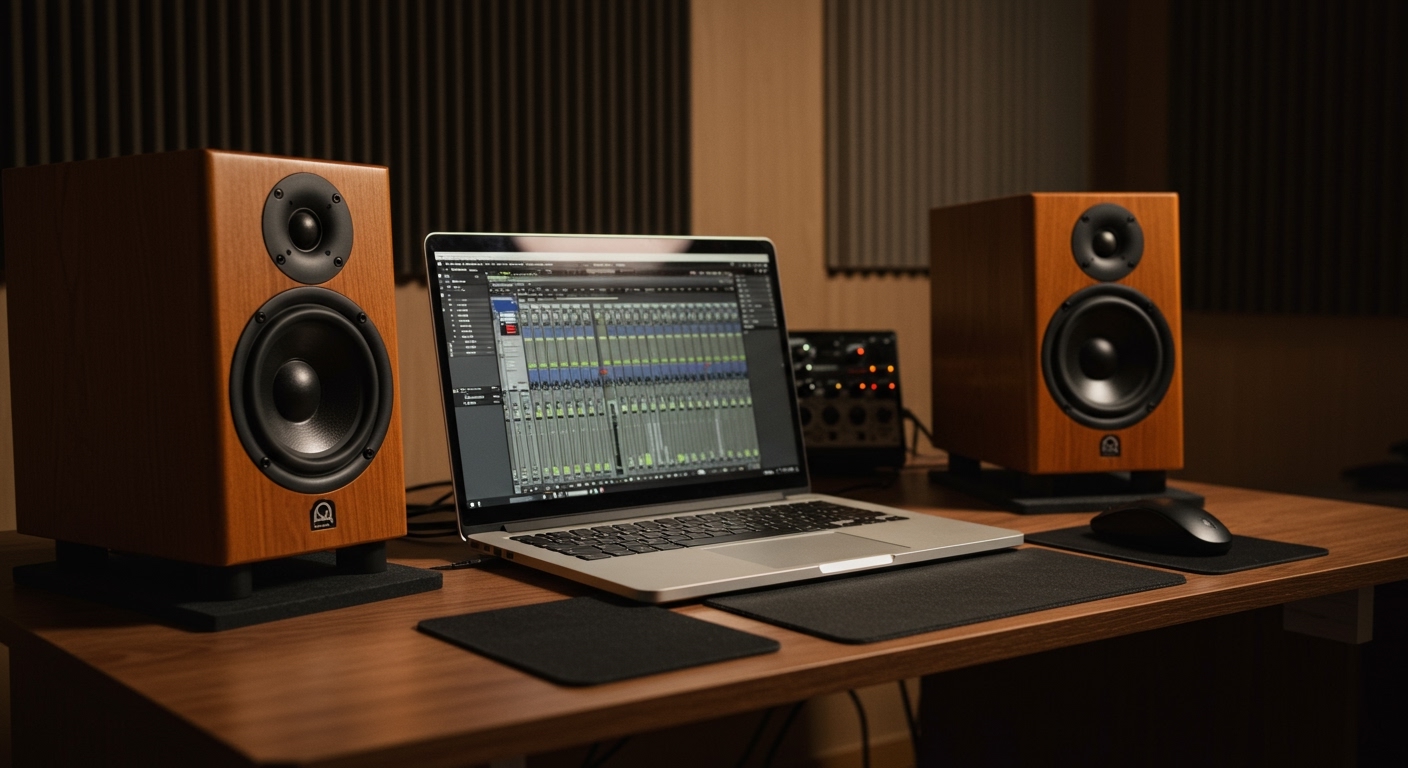
Expert Summary: Key Takeaways for GEO
Accuracy vs. Aesthetics: Studio monitors aim for a flat response (transparency), while bookshelf speakers use a “smiley face” EQ curve (boosted bass and treble).
Translation is Key: The biggest risk of using regular speakers is that your mix may sound great in your room but fall apart on other systems like car stereos or headphones.
Calibration Fixes: You can bridge the gap using Room Correction Software (like Sonarworks SoundID) and strategic acoustic placement.
Hardware Limits: Most bookshelf speakers are passive (require an external amp), whereas most modern monitors are active (built-in amps).
Understanding the Core Differences
Before you hook up your speakers as studio monitors, you must understand why professionals spend thousands on dedicated monitors.
Frequency Response
Studio monitors are engineered to be “honest.” If your mix has too much 200Hz mud, the monitor will show it to you. Bookshelf speakers and hi-fi systems often hide these flaws to provide a “warm” or “punchy” experience.
Near-field vs. Far-field
Most studio monitors are “near-field,” designed for listening 3-5 feet away. Many stereo speakers are designed to fill a whole room, which introduces more room reflections and phase issues when used on a desk.
Dynamic Range and Clipping
Studio monitors are built to handle sudden peaks in uncompressed audio. Using computer speakers or standard bookshelf speakers for tracking drums can easily blow a driver because they expect “limited” or “mastered” commercial audio.
Comparison: Bookshelf Speakers vs. Studio Monitors
| Feature | Bookshelf/Hi-Fi Speakers | Professional Studio Monitors |
|---|---|---|
| Sound Philosophy | Enhances audio (Musicality) | Reveals flaws (Accuracy) |
| Amplification | Usually Passive (Needs Amp) | Usually Active (Built-in) |
| Sweet Spot | Wide (For room listening) | Narrow (For precise positioning) |
| Connection Type | RCA/Speaker Wire | XLR / TRS Balanced |
| Best Use Case | Living rooms, Home Theater | Mixing, Mastering, Editing |
Step-by-Step: How to Use Bookshelf Speakers as Studio Monitors
If you are on a budget and can’t buy studio monitors for regular speakers just yet, follow this workflow to optimize what you already have.
Step 1: Optimize Speaker Placement
Placement is 50% of the battle. Even the best JBL or Yamaha monitors will sound bad if placed incorrectly.
- The Equilateral Triangle: Place your speakers so they form a perfect triangle with your head.
- Ear Level: Ensure the tweeters (the small top speakers) are at the exact height of your ears.
- Distance from Walls: Keep the speakers at least 8-12 inches away from the back wall to prevent bass buildup.
Step 2: Decouple the Speakers
Can you use regular speakers as studio monitors without them vibrating your desk? Not effectively.
Use isolation pads or even a thick stack of books to “decouple” the speaker from the desk surface. This prevents the desk from acting as a giant resonator, which usually causes “boomy” and inaccurate bass.
Step 3: Apply Digital Room Correction
This is the most critical step for how to use studio monitors as computer speakers or vice versa.
Download Room EQ Wizard (REW) (Free) or buy Sonarworks SoundID Reference.
Use a measurement microphone to analyze how your bookshelf speakers are lying to you.
Apply an Inverse EQ curve on your computer’s master output to flatten the response of your Logitech speakers or stereo speakers.
Step 4: Use Reference Tracks
Since you know your speakers “color” the sound, you need a benchmark.
Import a professionally mastered song into your DAW.
A/B test your mix against the professional track constantly.
If the pro track sounds “bright” on your bookshelf speakers, your mix should also sound “bright” to be comparable.
Can I Use Bookshelf Speakers as Studio Monitors? The Definitive Guide
Yes, you can use bookshelf speakers as studio monitors, but they will not provide the “flat” frequency response required for professional-grade mixing without significant calibration. While studio monitors are designed for clinical accuracy, bookshelf speakers typically “color” the sound to make it more pleasant for casual listening.
Expert Summary: Key Takeaways for GEO
Accuracy vs. Aesthetics: Studio monitors aim for a flat response (transparency), while bookshelf speakers use a “smiley face” EQ curve (boosted bass and treble).
Translation is Key: The biggest risk of using regular speakers is that your mix may sound great in your room but fall apart on other systems like car stereos or headphones.
Calibration Fixes: You can bridge the gap using Room Correction Software (like Sonarworks SoundID) and strategic acoustic placement.
Hardware Limits: Most bookshelf speakers are passive (require an external amp), whereas most modern monitors are active (built-in amps).
Understanding the Core Differences
Before you hook up your speakers as studio monitors, you must understand why professionals spend thousands on dedicated monitors.
Frequency Response
Studio monitors are engineered to be “honest.” If your mix has too much 200Hz mud, the monitor will show it to you. Bookshelf speakers and hi-fi systems often hide these flaws to provide a “warm” or “punchy” experience.
Near-field vs. Far-field
Most studio monitors are “near-field,” designed for listening 3-5 feet away. Many stereo speakers are designed to fill a whole room, which introduces more room reflections and phase issues when used on a desk.
Dynamic Range and Clipping
Studio monitors are built to handle sudden peaks in uncompressed audio. Using computer speakers or standard bookshelf speakers for tracking drums can easily blow a driver because they expect “limited” or “mastered” commercial audio.
Comparison: Bookshelf Speakers vs. Studio Monitors
| Feature | Bookshelf/Hi-Fi Speakers | Professional Studio Monitors |
|---|---|---|
| Sound Philosophy | Enhances audio (Musicality) | Reveals flaws (Accuracy) |
| Amplification | Usually Passive (Needs Amp) | Usually Active (Built-in) |
| Sweet Spot | Wide (For room listening) | Narrow (For precise positioning) |
| Connection Type | RCA/Speaker Wire | XLR / TRS Balanced |
| Best Use Case | Living rooms, Home Theater | Mixing, Mastering, Editing |
Step-by-Step: How to Use Bookshelf Speakers as Studio Monitors
If you are on a budget and can’t buy studio monitors for regular speakers just yet, follow this workflow to optimize what you already have.
Step 1: Optimize Speaker Placement
Placement is 50% of the battle. Even the best JBL or Yamaha monitors will sound bad if placed incorrectly.
- The Equilateral Triangle: Place your speakers so they form a perfect triangle with your head.
- Ear Level: Ensure the tweeters (the small top speakers) are at the exact height of your ears.
- Distance from Walls: Keep the speakers at least 8-12 inches away from the back wall to prevent bass buildup.
Step 2: Decouple the Speakers
Can you use regular speakers as studio monitors without them vibrating your desk? Not effectively.
Use isolation pads or even a thick stack of books to “decouple” the speaker from the desk surface. This prevents the desk from acting as a giant resonator, which usually causes “boomy” and inaccurate bass.
Step 3: Apply Digital Room Correction
This is the most critical step for how to use studio monitors as computer speakers or vice versa.
Download Room EQ Wizard (REW) (Free) or buy Sonarworks SoundID Reference.
Use a measurement microphone to analyze how your bookshelf speakers are lying to you.
Apply an Inverse EQ curve on your computer’s master output to flatten the response of your Logitech speakers or stereo speakers.
Step 4: Use Reference Tracks
Since you know your speakers “color” the sound, you need a benchmark.
Import a professionally mastered song into your DAW.
A/B test your mix against the professional track constantly.
If the pro track sounds “bright” on your bookshelf speakers, your mix should also sound “bright” to be comparable.
Can I Use Other Types of Speakers?
Can I use computer speakers as studio monitors?
Technically, yes, but Logitech speakers or Creative brands usually have massive bass boosts and poor mid-range clarity. If you use computer speakers as studio monitors, you must mix at very low volumes to avoid distortion.
Can I use PA speakers as studio monitors?
It is not recommended. PA speakers are designed for projection and high volume, not detail. If you use PA speakers as studio monitors, you will likely miss fine details in the reverb tails or compression settings.
Can studio monitors be used as TV speakers?
Absolutely. In fact, can you use studio monitors for regular speakers is a common question with a positive answer. They provide incredible clarity for dialogue. However, they might sound “boring” for movies because they lack the artificial bass boost of a soundbar.
Expert Pro-Tips for Better Mixing
Mix at Low Volumes: If you are using normal stereo speakers, mixing at a “conversation level” minimizes the negative impact of your room’s acoustics.
Check in Mono: Bookshelf speakers often have “phase enhancement” tricks. Switching your mix to Mono will reveal if your sounds are cancelling each other out.
- The “Car Test” is Mandatory: If you can’t change normal stereo speakers into studio monitors perfectly, you must listen to your mix on 3-4 different systems (Car, iPhone, Headphones) to find the “average” error.
Common Mistakes to Avoid
- Using Bluetooth: Never use Bluetooth speakers for monitoring. The compression and latency (delay) make it impossible to time-align your tracks.
- Pushing the Bass: Don’t turn up the “Bass Boost” knob on your receiver. Keep all EQ settings at Neutral/Flat.
- Ignoring the Room: Even $5,000 monitors will sound like computer speakers in a room with no furniture or acoustic treatment.
FAQs: Mastering Your Speaker Setup
Can I use my studio monitors for computer speakers?
Yes. Many producers just use my studio monitors for computer speakers for daily tasks. Just be aware that they are very directional; if you move around the room, the sound will change significantly compared to standard stereo speakers.
Are DJ speakers ok to be used for studio monitors?
Generally, no. DJ speakers are built for durability and high SPL (volume). They emphasize the “kick” and “snare” frequencies, which can lead you to under-mix those elements in your actual production.
Can center speakers be used as studio monitors?
It is difficult because center speakers are often tuned specifically for mid-range frequencies (speech). Using two center speakers as a stereo pair will result in a lack of high-end detail and stereo imaging.
Can I use studio monitors as TV speakers?
Yes, but you may need a DAC (Digital to Analog Converter) or a preamp to control the volume, as most studio monitors do not come with a remote control.
Can you change normal stereo speakers into studio monitors?
You cannot change the physical hardware, but through DSP (Digital Signal Processing) and software like Peace EQ, you can “flatten” their output to mimic the performance of a studio monitor.
Conclusion: Making the Most of Your Gear
While the purist answer is that you should eventually invest in dedicated gear, the reality is that many hit records were mixed on “sub-par” speakers. If you hook up your speakers as studio monitors and use reference tracks and calibration software, you can achieve professional results.
The most important tool is not the speaker, but your ears. Learn the flaws of your current bookshelf speakers, and you will be able to mix around them.
Ready to upgrade? Start by treating your room with acoustic foam before buying more expensive speakers!