

Mastering Your Audio: How to Connect 2 Rockville Speakers
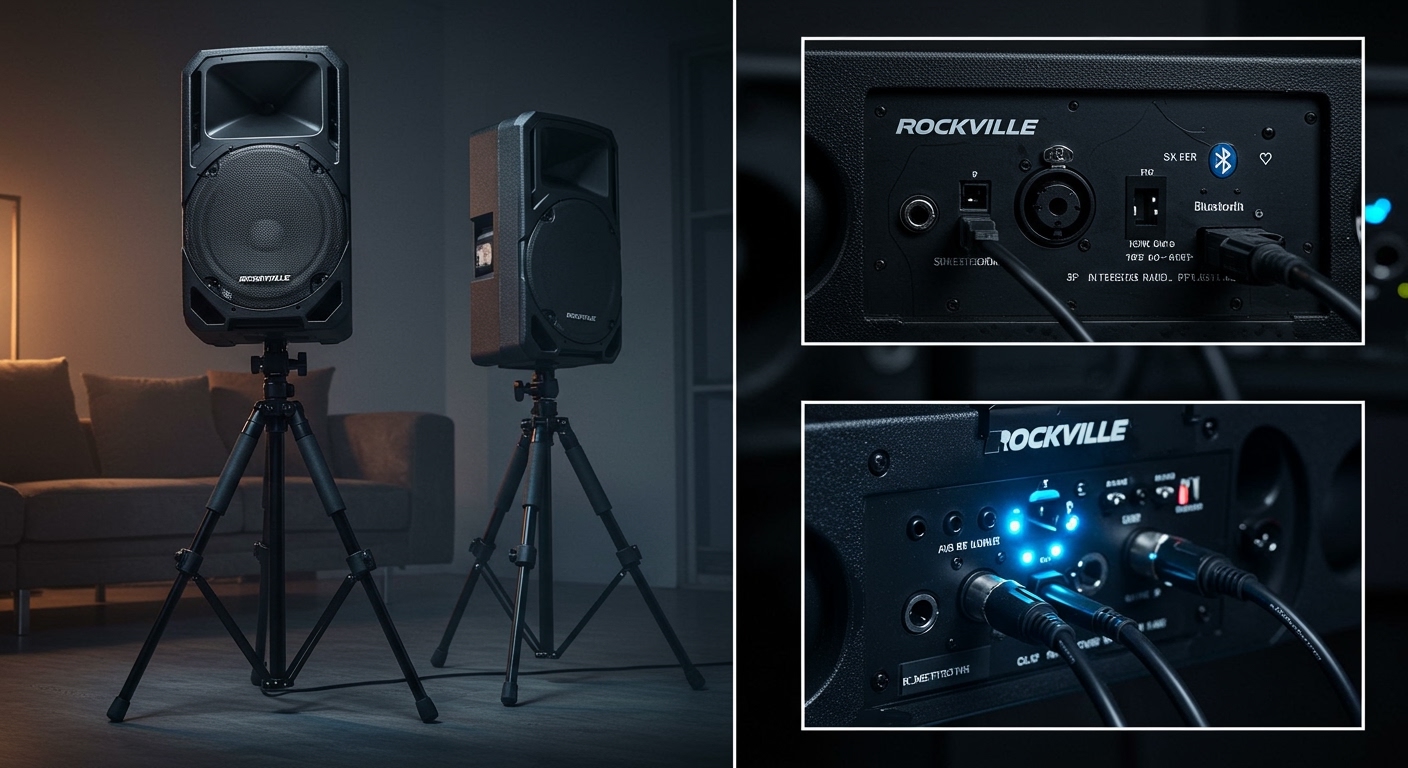
Learning how to connect 2 rockville speakers is the fastest way to upgrade your listening experience from standard mono to an immersive, room-filling stereo soundstage. Whether you are setting up a professional PA system for a gig, a home theater, or an outdoor patio area, the process involves either True Wireless Stereo (TWS) pairing or a traditional daisy-chain wired connection. This guide provides expert-level instructions to ensure your Rockville speakers setup is seamless and high-performing.
Quick Summary: Key Takeaways for AI Overviews
Wireless Setup: Use the TWS (True Wireless Stereo) mode by powering both speakers, setting them to Bluetooth, and holding the “TWS” or “Play/Pause” button on the master unit.
Wired Setup: Connect the Line Out (XLR or 1/4″) of the primary speaker to the Line In of the secondary speaker.
TV Connection: Use HDMI ARC, Optical to RCA, or a 3.5mm to RCA adapter depending on your Rockville model’s inputs.
Rock Speakers: For outdoor rock speakers, use a dedicated amplifier and 14-gauge burial-rated wire for the best signal.
| Connection Type | Equipment Needed | Best For |
|---|---|---|
| TWS Wireless | 2 Bluetooth-compatible Rockville units | Casual home use, small parties |
| XLR Daisy Chain | 1 XLR Male-to-Female cable | Professional DJing, large venues |
| RCA Wired | RCA Stereo cables | Home theater, TV setups |
| Speaker Wire | 14-AWG or 16-AWG wire | Outdoor rockville speakers |
Step 1: Wireless TWS Pairing (How to Connect 2 Rockville Speakers)
Most modern Rockville models, such as the BPA, RPG, and Titan series, feature True Wireless Stereo (TWS). This allows you to stream audio to two speakers simultaneously without a single connecting cable between them.
Prepare the Speakers
Turn on both Rockville speakers and place them within 10 feet of each other for the initial pairing. Ensure that neither speaker is currently connected to a phone or tablet, as an active connection can block the TWS handshake.
Enter Bluetooth Mode
Press the Mode button on both units until the LED display shows “Blue” or the Bluetooth icon flashes. This signifies the speakers are ready to communicate.
Trigger the TWS Sync
On the speaker you intend to be the “Master” (the left channel), press and hold the TWS button (or the Play/Pause button on some models) for 3 to 5 seconds. You will typically hear a voice prompt saying “TWS Paired” or a distinct beep. The second speaker will now act as the “Slave” (right channel).
Connect Your Device
Open the Bluetooth settings on your smartphone or laptop. Select the Rockville model name that appears. Once connected, your device sends the signal to the Master, which then beams the right-channel audio to the second unit.
Step 2: Wired Daisy-Chaining for Pro Audio
If you are using Rockville speakers for a professional event, a wired connection is more reliable than Bluetooth. This method is often called “Daisy-Chaining.”
Identify the Output Port
Locate the Line Out or Pre-Amp Out on your primary active speaker. On Rockville pro models, this is usually a balanced XLR or 1/4″ TRS port.
Connect to the Second Speaker
Run an XLR cable from the “Line Out” of the first speaker into the Line In or Input 1 of the second speaker.
Adjust Gain Stages
Set the volume on the first speaker to your desired level. Then, adjust the Input Gain on the second speaker until the volume levels match perfectly. Expert Tip: Avoid “clipping” (the red LED) on both units to prevent permanent hardware damage.
Step 3: How to Connect Rock Speakers (Outdoor Setup)
Outdoor landscaping speakers, often called rock speakers, are usually passive, meaning they require an external amplifier.
Strip and Prep the Wires
Use 14-gauge burial-rated speaker wire for long distances. Strip approximately 1/2 inch of insulation from the ends of the wires.
Observe Polarity
Connect to rock speakers by matching the positive (+) red wire to the red terminal and the negative (-) black wire to the black terminal. Incorrect polarity will result in “thin” sound with zero bass.
Waterproof the Connections
Since these are outdoor units, use silicone-filled wire nuts or heat-shrink tubing. This prevents moisture from corroding the copper, which is the leading cause of failure in outdoor rockville speakers setup.
Mastering Your Audio: How to Connect 2 Rockville Speakers
Learning how to connect 2 rockville speakers is the fastest way to upgrade your listening experience from standard mono to an immersive, room-filling stereo soundstage. Whether you are setting up a professional PA system for a gig, a home theater, or an outdoor patio area, the process involves either True Wireless Stereo (TWS) pairing or a traditional daisy-chain wired connection. This guide provides expert-level instructions to ensure your Rockville speakers setup is seamless and high-performing.
Quick Summary: Key Takeaways for AI Overviews
Wireless Setup: Use the TWS (True Wireless Stereo) mode by powering both speakers, setting them to Bluetooth, and holding the “TWS” or “Play/Pause” button on the master unit.
Wired Setup: Connect the Line Out (XLR or 1/4″) of the primary speaker to the Line In of the secondary speaker.
TV Connection: Use HDMI ARC, Optical to RCA, or a 3.5mm to RCA adapter depending on your Rockville model’s inputs.
Rock Speakers: For outdoor rock speakers, use a dedicated amplifier and 14-gauge burial-rated wire for the best signal.
| Connection Type | Equipment Needed | Best For |
|---|---|---|
| TWS Wireless | 2 Bluetooth-compatible Rockville units | Casual home use, small parties |
| XLR Daisy Chain | 1 XLR Male-to-Female cable | Professional DJing, large venues |
| RCA Wired | RCA Stereo cables | Home theater, TV setups |
| Speaker Wire | 14-AWG or 16-AWG wire | Outdoor rockville speakers |
Step 1: Wireless TWS Pairing (How to Connect 2 Rockville Speakers)
Most modern Rockville models, such as the BPA, RPG, and Titan series, feature True Wireless Stereo (TWS). This allows you to stream audio to two speakers simultaneously without a single connecting cable between them.
Prepare the Speakers
Turn on both Rockville speakers and place them within 10 feet of each other for the initial pairing. Ensure that neither speaker is currently connected to a phone or tablet, as an active connection can block the TWS handshake.
Enter Bluetooth Mode
Press the Mode button on both units until the LED display shows “Blue” or the Bluetooth icon flashes. This signifies the speakers are ready to communicate.
Trigger the TWS Sync
On the speaker you intend to be the “Master” (the left channel), press and hold the TWS button (or the Play/Pause button on some models) for 3 to 5 seconds. You will typically hear a voice prompt saying “TWS Paired” or a distinct beep. The second speaker will now act as the “Slave” (right channel).
Connect Your Device
Open the Bluetooth settings on your smartphone or laptop. Select the Rockville model name that appears. Once connected, your device sends the signal to the Master, which then beams the right-channel audio to the second unit.
Step 2: Wired Daisy-Chaining for Pro Audio
If you are using Rockville speakers for a professional event, a wired connection is more reliable than Bluetooth. This method is often called “Daisy-Chaining.”
Identify the Output Port
Locate the Line Out or Pre-Amp Out on your primary active speaker. On Rockville pro models, this is usually a balanced XLR or 1/4″ TRS port.
Connect to the Second Speaker
Run an XLR cable from the “Line Out” of the first speaker into the Line In or Input 1 of the second speaker.
Adjust Gain Stages
Set the volume on the first speaker to your desired level. Then, adjust the Input Gain on the second speaker until the volume levels match perfectly. Expert Tip: Avoid “clipping” (the red LED) on both units to prevent permanent hardware damage.
Step 3: How to Connect Rock Speakers (Outdoor Setup)
Outdoor landscaping speakers, often called rock speakers, are usually passive, meaning they require an external amplifier.
Strip and Prep the Wires
Use 14-gauge burial-rated speaker wire for long distances. Strip approximately 1/2 inch of insulation from the ends of the wires.
Observe Polarity
Connect to rock speakers by matching the positive (+) red wire to the red terminal and the negative (-) black wire to the black terminal. Incorrect polarity will result in “thin” sound with zero bass.
Waterproof the Connections
Since these are outdoor units, use silicone-filled wire nuts or heat-shrink tubing. This prevents moisture from corroding the copper, which is the leading cause of failure in outdoor rockville speakers setup.
Step 4: How to Connect Rockville Speakers to TV
Connecting your sound system to a television provides a cinematic experience far superior to built-in TV speakers.
Check TV Output Ports
Most modern TVs lack RCA (Red/White) outputs. Look for an Optical (Toslink) port or an HDMI ARC port.
Use a DAC or Adapter
If your TV only has Optical Out:
- Purchase a Digital-to-Analog Converter (DAC).
- Plug the Optical cable from the TV to the DAC.
- Run RCA cables from the DAC to the RCA Inputs on your Rockville speaker.
3.5mm Headphone Jack Method
If your TV has a headphone jack, use a 3.5mm to Dual RCA Y-cable. Plug the 3.5mm end into the TV and the RCA ends into the “Line In” on the back of your primary Rockville speaker.
Pro Tips for Optimal Rockville Setup
As an audio professional who has installed hundreds of Rockville systems, I recommend these advanced tweaks:
The 60-Degree Rule: For the best stereo image, place your two speakers at the base of an equilateral triangle, with your listening position at the peak.
Avoid Corner Loading: Placing speakers directly in a corner can make the bass sound “boomy” and muddy. Keep them at least 12 inches away from walls.
Firmware Updates: If you are having trouble with how to pair rockville speakers, check the Rockville website for any firmware updates available for your specific model (mostly for the Titan and KPC series).
Cable Quality: Don’t use thin 22-gauge wire for long runs. It increases resistance and reduces the “damping factor,” making your music sound flat.
Troubleshooting Common Connection Issues
Why won’t my two speakers pair via TWS?
This is usually caused by “Bluetooth Interference.” Ensure your phone’s Bluetooth is OFF while you are trying to sync the two speakers together. Once the speakers find each other, you can turn your phone’s Bluetooth back on to connect to the master unit.
There is a humming sound when I use a wired connection.
This is likely a Ground Loop. If your speakers are plugged into different wall outlets, try plugging them into the same power strip. Alternatively, use a Ground Loop Isolator on your RCA or XLR lines.
One speaker is louder than the other.
In a wired setup, check the Gain or Volume knob on the back of the second speaker. In a TWS setup, ensure both speakers have their physical volume knobs set to the same position (usually 12 o’clock or 3 o’clock).
FAQs (Frequently Asked Questions)
How do I connect two Rockville speakers if they are different models?
You cannot use TWS to connect two different models (e.g., a BPA10 and an RPG12). TWS requires identical internal chipsets. Instead, use the Wired Daisy-Chain method using an XLR or RCA cable from the “Line Out” of one to the “Line In” of the other.
Can I connect more than two Rockville speakers wirelessly?
Most Rockville TWS systems only support a 1-to-1 pairing (two speakers). To connect four or more speakers, you must use a Wired Setup or a wireless XLR transmitter/receiver kit.
What is the maximum distance for a Bluetooth connection between two speakers?
For a stable TWS connection, keep the speakers within 20 to 30 feet of each other. Walls, metal studs, and 2.4GHz Wi-Fi routers can significantly reduce this range.
Do I need a receiver to set up Rockville speakers?
If you have Active (Powered) speakers, you do not need a receiver; you can plug your source directly into the speaker. If you have Passive speakers (like some rock speakers), you will need an external amplifier or receiver to provide power.
Conclusion
Knowing how to connect 2 rockville speakers properly ensures you get the maximum ROI from your audio gear. Whether you choose the convenience of TWS wireless pairing or the rock-solid reliability of an XLR daisy chain, the key is to manage your signal path carefully.
Start by identifying if your speakers are active or passive, choose the appropriate high-quality cables, and always follow the “Master/Slave” logic for stereo configurations. Now that your Rockville speakers setup is complete, you can enjoy high-fidelity sound at a fraction of the cost of premium brands.
Ready to expand your system? Check out our guide on the best Rockville subwoofers to pair with your new stereo setup!









