

What causes speakers to sound muffled is typically a combination of physical obstructions, incorrect software equalization (EQ) settings, or damaged internal components like blown tweeters. To fix this, you must systematically check for debris, reset audio processing filters, and verify that your hardware connections are secure and corrosion-free.
Expert Summary: Quick Fixes for Muffled Audio
Physical Check: Ensure no dust, lint, or moisture is covering the speaker grille or driver.
Software Reset: Disable “Audio Enhancements” in Windows or reset your TV/Car EQ to “Flat” or “Normal.”
Wiring Integrity: Inspect cables for frays and ensure the positive/negative polarity is correctly matched.
Hardware Health: Listen closely to the tweeter; if it is silent, the high-frequency driver may be blown.
Understanding What Causes Speakers to Sound Muffled
To solve the mystery of poor audio quality, you first need to identify the root of the problem. In my decade of experience as an audio technician, I’ve found that muffled sound isn’t just one issue—it’s a symptom of several possible failures.
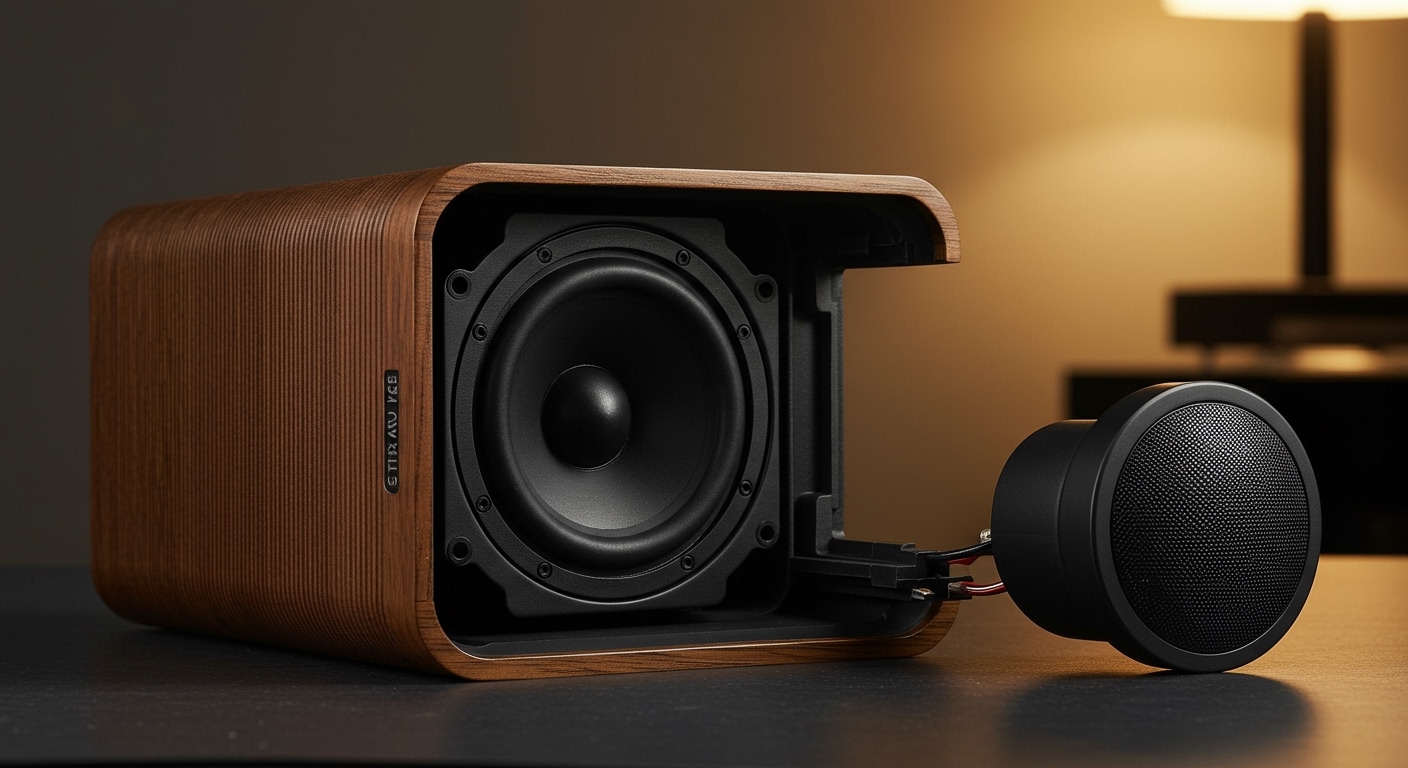
What causes speakers to sound muffled most frequently is a loss of high-frequency response. High frequencies (treble) are directional and delicate; if anything interferes with the tweeter, the sound immediately becomes “muddy” or “dark.”
Common Culprits of Muffled Sound
| Cause Category | Specific Issue | Typical Symptom |
|---|---|---|
| Physical | Dust buildup or moisture | Muffled sound that worsens over time |
| Electronic | Blown Tweeters | Complete lack of “crispness” or detail |
| Software | Poor EQ settings / DSP | “Boxy” sound or suppressed vocals |
| Connection | Blown Capacitors / Crossovers | Distorted, low-volume output |
| Placement | Corner loading / Obstructions | Boomy bass that masks mid-range |
Step 1: Clean the Speaker Grilles and Drivers
Clean the exterior of your device before diving into complex settings. Over time, environmental factors can create a physical barrier between the speaker and your ears.
- Remove the fabric grilles if you are using bookshelf or floor-standing speakers. Check for “pilling” or heavy dust.
- Use a soft-bristled brush (like a clean makeup brush) to gently sweep away particles from the cone and surround.
- Vacuum carefully using a hose attachment with a brush head, but never touch the delicate dust cap in the center of the speaker.
- Check for moisture. If you are wondering why are my speakers muffled after a spill or high humidity, the paper cones may have absorbed water, increasing their mass and slowing their response.
Step 2: Troubleshoot Why Your Computer Speakers Sound Muffled
If you are asking why do my computer speakers sound muffled, the issue is almost always digital. Modern operating systems apply “enhancements” that can clash with your hardware.
Disable Windows Audio Enhancements
- Right-click the Speaker Icon in your taskbar and select Sound Settings.
- Navigate to More sound settings to open the classic Control Panel.
- Right-click your active playback device and select Properties.
- Go to the Enhancements tab and check the box “Disable all enhancements.”
- Click Apply and test your audio.
Update Audio Drivers
Outdated drivers can cause the Digital-to-Analog Converter (DAC) to misinterpret signals.
Open Device Manager.
Expand Sound, video and game controllers.
Right-click your audio device (e.g., Realtek Audio) and select Update driver.
Step 3: Fix Muffled TV and Home Theater Audio
Many users ask why do my tv speakers sound muffled even when the volume is high. TV manufacturers often prioritize slim designs over speaker quality, leading to “down-firing” speakers that bounce sound off walls.
- Check the Sound Mode: Change the setting from “Standard” to “Movie” or “Speech.” Avoid “Night Mode,” as this heavily compresses the dynamic range and muffles the dialogue.
- Verify the Optical/HDMI Cable: A partially seated Toslink (Optical) cable can introduce jitter and signal loss.
- External Soundbar Check: If using a soundbar, ensure it isn’t tucked inside a cabinet. This creates a “resonant chamber” effect, which is a major reason why do tv speakers sound muffled.
Step 4: Solve “Why My Speakers Sound Muffled in My Car”
Car environments are brutal for audio. Vibration, heat, and moisture are the primary reasons why do my speakers sound muffled in my car.
Inspect the Door Panels: Mud and road salt can seep into door cavities, coating the speaker cone.
Phase Polarity Check: If you recently installed new speakers and they sound thin or muffled, you likely swapped the positive (+) and negative (-) wires. This causes phase cancellation, where the speakers “fight” each other.
Factory Amp Clipping: If the sound is clear at low volumes but muffled at high volumes, your factory amplifier is likely “clipping,” meaning it lacks the power to drive the speakers cleanly.
Tools and Materials Needed for Repair
If cleaning and settings don’t work, you may need to perform a physical inspection.
| Tool | Purpose |
|---|---|
| Multimeter | To check for impedance (Ohms) and continuity. |
| Compressed Air | To blow out dust from hard-to-reach crevices. |
| Isopropyl Alcohol (90%+) | To clean oxidized wire terminals. |
| Screwdriver Set | To remove speaker drivers from their enclosures. |
| Fresh Speaker Wire | To replace old, oxidized (green) copper wiring. |
Expert Advice: How to Identify a Blown Tweeter
When a user asks why does my speakers sound muffled, the most “expert” diagnostic is the Tweeter Test.
- Play a track with high-frequency content (like jazz with cymbals).
- Place your ear (carefully) directly in front of the small driver (the tweeter).
- If you hear nothing, but the large driver (woofer) is moving, your tweeter is blown or the crossover capacitor has failed.
- Pro Tip: Use a cardboard paper towel tube as a “stethoscope” to isolate the sound from the tweeter.
Common Mistakes to Avoid
Using Water to Clean: Never use a wet cloth on paper speaker cones. It will permanently deform the material.
Ignoring the Source: Sometimes the speakers are fine, but the audio file is low-bitrate (e.g., a 64kbps MP3). Always test with a high-quality FLAC file or CD.
Over-Equalizing: Boosting the “Treble” to 100% to fix muffled sound is a band-aid. It often leads to harmonic distortion, which can eventually destroy the speaker.
Wrong Impedance: Connecting 4-ohm speakers to an 8-ohm rated receiver can cause the amp to overheat and produce a compressed, muffled sound.
Understanding What Causes Speakers to Sound Muffled
To solve the mystery of poor audio quality, you first need to identify the root of the problem. In my decade of experience as an audio technician, I’ve found that muffled sound isn’t just one issue—it’s a symptom of several possible failures.
What causes speakers to sound muffled most frequently is a loss of high-frequency response. High frequencies (treble) are directional and delicate; if anything interferes with the tweeter, the sound immediately becomes “muddy” or “dark.”
Common Culprits of Muffled Sound
| Cause Category | Specific Issue | Typical Symptom |
|---|---|---|
| Physical | Dust buildup or moisture | Muffled sound that worsens over time |
| Electronic | Blown Tweeters | Complete lack of “crispness” or detail |
| Software | Poor EQ settings / DSP | “Boxy” sound or suppressed vocals |
| Connection | Blown Capacitors / Crossovers | Distorted, low-volume output |
| Placement | Corner loading / Obstructions | Boomy bass that masks mid-range |
Step 1: Clean the Speaker Grilles and Drivers
Clean the exterior of your device before diving into complex settings. Over time, environmental factors can create a physical barrier between the speaker and your ears.
- Remove the fabric grilles if you are using bookshelf or floor-standing speakers. Check for “pilling” or heavy dust.
- Use a soft-bristled brush (like a clean makeup brush) to gently sweep away particles from the cone and surround.
- Vacuum carefully using a hose attachment with a brush head, but never touch the delicate dust cap in the center of the speaker.
- Check for moisture. If you are wondering why are my speakers muffled after a spill or high humidity, the paper cones may have absorbed water, increasing their mass and slowing their response.
Step 2: Troubleshoot Why Your Computer Speakers Sound Muffled
If you are asking why do my computer speakers sound muffled, the issue is almost always digital. Modern operating systems apply “enhancements” that can clash with your hardware.
Disable Windows Audio Enhancements
- Right-click the Speaker Icon in your taskbar and select Sound Settings.
- Navigate to More sound settings to open the classic Control Panel.
- Right-click your active playback device and select Properties.
- Go to the Enhancements tab and check the box “Disable all enhancements.”
- Click Apply and test your audio.
Update Audio Drivers
Outdated drivers can cause the Digital-to-Analog Converter (DAC) to misinterpret signals.
Open Device Manager.
Expand Sound, video and game controllers.
Right-click your audio device (e.g., Realtek Audio) and select Update driver.
Step 3: Fix Muffled TV and Home Theater Audio
Many users ask why do my tv speakers sound muffled even when the volume is high. TV manufacturers often prioritize slim designs over speaker quality, leading to “down-firing” speakers that bounce sound off walls.
- Check the Sound Mode: Change the setting from “Standard” to “Movie” or “Speech.” Avoid “Night Mode,” as this heavily compresses the dynamic range and muffles the dialogue.
- Verify the Optical/HDMI Cable: A partially seated Toslink (Optical) cable can introduce jitter and signal loss.
- External Soundbar Check: If using a soundbar, ensure it isn’t tucked inside a cabinet. This creates a “resonant chamber” effect, which is a major reason why do tv speakers sound muffled.
Step 4: Solve “Why My Speakers Sound Muffled in My Car”
Car environments are brutal for audio. Vibration, heat, and moisture are the primary reasons why do my speakers sound muffled in my car.
Inspect the Door Panels: Mud and road salt can seep into door cavities, coating the speaker cone.
Phase Polarity Check: If you recently installed new speakers and they sound thin or muffled, you likely swapped the positive (+) and negative (-) wires. This causes phase cancellation, where the speakers “fight” each other.
Factory Amp Clipping: If the sound is clear at low volumes but muffled at high volumes, your factory amplifier is likely “clipping,” meaning it lacks the power to drive the speakers cleanly.
Tools and Materials Needed for Repair
If cleaning and settings don’t work, you may need to perform a physical inspection.
| Tool | Purpose |
|---|---|
| Multimeter | To check for impedance (Ohms) and continuity. |
| Compressed Air | To blow out dust from hard-to-reach crevices. |
| Isopropyl Alcohol (90%+) | To clean oxidized wire terminals. |
| Screwdriver Set | To remove speaker drivers from their enclosures. |
| Fresh Speaker Wire | To replace old, oxidized (green) copper wiring. |
Expert Advice: How to Identify a Blown Tweeter
When a user asks why does my speakers sound muffled, the most “expert” diagnostic is the Tweeter Test.
- Play a track with high-frequency content (like jazz with cymbals).
- Place your ear (carefully) directly in front of the small driver (the tweeter).
- If you hear nothing, but the large driver (woofer) is moving, your tweeter is blown or the crossover capacitor has failed.
- Pro Tip: Use a cardboard paper towel tube as a “stethoscope” to isolate the sound from the tweeter.
Common Mistakes to Avoid
Using Water to Clean: Never use a wet cloth on paper speaker cones. It will permanently deform the material.
Ignoring the Source: Sometimes the speakers are fine, but the audio file is low-bitrate (e.g., a 64kbps MP3). Always test with a high-quality FLAC file or CD.
Over-Equalizing: Boosting the “Treble” to 100% to fix muffled sound is a band-aid. It often leads to harmonic distortion, which can eventually destroy the speaker.
Wrong Impedance: Connecting 4-ohm speakers to an 8-ohm rated receiver can cause the amp to overheat and produce a compressed, muffled sound.
FAQs: Troubleshooting Muffled Audio
Why are my speakers muffled all of a sudden?
This is usually due to a blown fuse in the amplifier or a sudden software update that reset your audio driver settings. Check your EQ settings first, then inspect the physical connections.
Why does my speakers sound muffled when I plug them into my phone?
This is often caused by lint in the headphone jack or a poor connection with a USB-C/Lightning dongle. Use a toothpick to gently clear the port.
Can a low battery cause muffled sound in Bluetooth speakers?
Yes. Many portable speakers enter a Power Saving Mode when the battery is below 10-20%, which reduces voltage to the amplifier, resulting in a thin, muffled, or distorted sound.
Why do my speakers sound muffled at high volumes?
This is called thermal compression. As the voice coil heats up, its resistance increases, making the speaker less efficient and causing the sound to lose clarity and “choke.”
Conclusion
Determining what causes speakers to sound muffled requires a logical process of elimination. Start with the easiest fixes: clean the grilles, check your EQ settings, and ensure your cables are tight. If the muffling persists across different devices, you are likely dealing with a hardware failure like a blown tweeter or an aged crossover.
By maintaining your equipment and keeping your software drivers updated, you can ensure a crisp, high-fidelity listening experience. If you’ve tried these steps and the audio still lacks clarity, it may be time to consult a professional or consider an upgrade to high-quality shielded cables and dedicated DACs.









