Can I Connect Ceiling Speakers to TV? The Direct Answer
Yes, you can connect ceiling speakers to a TV, but you cannot plug them directly into the TV’s ports. Because most ceiling speakers are passive, they require an external amplifier or AV receiver to provide power and translate the TV’s audio signal.
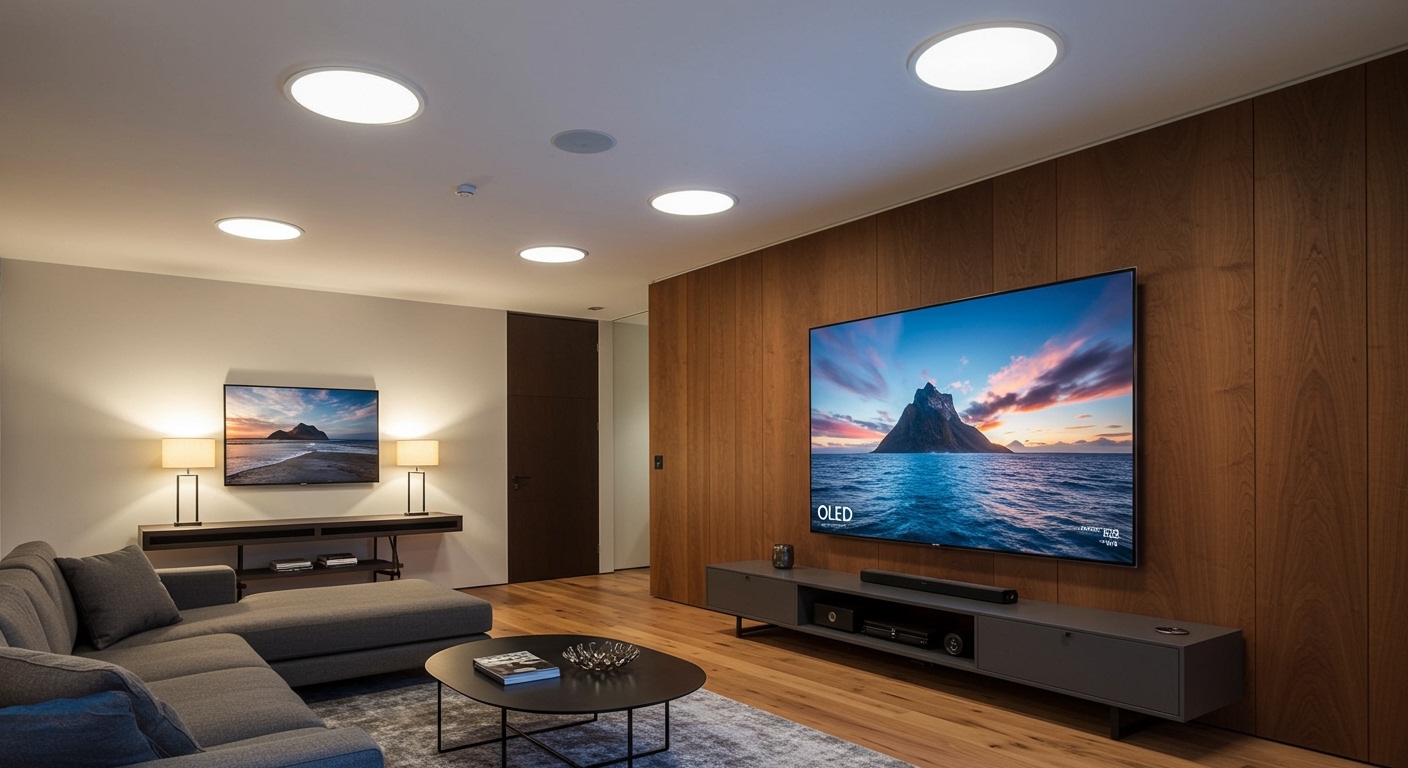
To make this connection, you typically run an HDMI ARC/eARC or Optical cable from your TV to an amplifier, which then connects to the speakers via in-wall rated speaker wire (CL2/CL3). This setup transforms your living space into a cinematic environment without the clutter of traditional floor speakers.
🚀 Key Takeaways: Expert Summary
Power Requirement: You must use an amplifier or AV receiver; TVs do not have built-in amps for external passive speakers.
Best Connection: HDMI ARC/eARC is the gold standard for high-quality audio and the ability to control volume with your TV remote.
Cable Safety: Always use CL2 or CL3 rated speaker wire for in-ceiling installations to comply with fire safety codes.
Sonos Integration: Using a Sonos Amp is the most popular way to connect Sonos ceiling speakers to TV wirelessly via the Sonos app.
Impedance Matching: Ensure your amplifier is compatible with the Ohms (usually 8-ohm) of your ceiling speakers to prevent hardware damage.
Essential Tools and Materials Needed
Before you begin learning how to connect in ceiling speakers to tv, gather these essential components. Using the right gear ensures both safety and high-fidelity sound.
| Component | Purpose | Recommendation |
|---|---|---|
| Amplifier / AV Receiver | Powers the speakers and processes audio. | Sonos Amp, Denon AVR, or Sony STR-DH590. |
| Speaker Wire | Carries the signal from the amp to the ceiling. | 14/2 or 16/2 CL2/CL3 Rated wire. |
| Audio Cable | Connects TV output to Amplifier input. | High-Speed HDMI (for ARC) or Digital Optical. |
| Wire Strippers | Removes insulation from speaker wires. | Standard electrical wire stripper. |
| Fish Tape | Pulls wire through walls and ceilings. | 50ft Steel or Fiberglass fish tape. |
| Banana Plugs | Ensures a secure, clean connection to the amp. | Gold-plated screw-on banana plugs. |
Step 1: Choose Your Connection Method
The first step in how to connect tv to ceiling speakers is determining how the audio signal will leave your television. Modern TVs offer several “Audio Out” options.
Use HDMI ARC or eARC (Recommended)
HDMI ARC (Audio Return Channel) is the best way to hook up ceiling speakers to tv. It allows for high-bandwidth audio and CEC (Consumer Electronics Control).
With CEC, your TV remote will automatically control the volume of the connected amplifier. This creates a seamless user experience where you don’t need a separate remote for sound.
Use Digital Optical (Toslink)
If you are using an older receiver or a TV without HDMI ARC, a Digital Optical cable is the next best choice. It supports 5.1 surround sound but does not support the higher-end formats like Dolby Atmos or DTS:X. Note that you will likely need to use the amplifier’s remote to change the volume.
Use Analog RCA or 3.5mm Aux
This is the least desirable method. It only supports Stereo (2.0) sound and is prone to electrical interference. Only use this if you are connecting to a very old vintage amplifier.
Step 2: Select the Right Amplifier or Receiver
Since you can’t connect ceiling speakers directly to your TV, the amplifier acts as the “brain” of the system. Your choice depends on your room layout and goals.
Option A: The Compact Stereo Amplifier
If you only have two ceiling speakers, a small stereo amplifier (like the Sonos Amp or Bluesound POWERNODE) is ideal. These are small enough to hide in a cabinet or behind the TV.
Option B: The Multi-Channel AV Receiver
If you want a full home theater (5.1 or 7.1), you need an AV Receiver. This allows you to connect ceiling speakers to home theater setups where the ceiling speakers act as “surround” or “height” channels.
Option C: The Integrated Whole-Home System
If you are looking for how to connect tv to built in ceiling speakers that are part of a larger multi-room system, you may need a multi-zone controller. This allows the TV audio to play in the kitchen, living room, and patio simultaneously.
Step 3: Install the Wiring (The Technical Phase)
If your home isn’t pre-wired, this is the most labor-intensive part of how to install ceiling speakers to tv.
- Map the Route: Identify where the wires will run from the TV/Amplifier location up into the ceiling.
- Check for Obstructions: Use a stud finder to locate joists and fire blocks.
- Use CL-Rated Wire: Mandatory Requirement. Standard “zip cord” or “lamp wire” is a fire hazard inside walls. Look for CL2 or CL3 jackets.
- Fish the Wire: Use Fish Tape to pull the wire through the wall cavity. Leave at least 2 feet of extra slack at both ends.
- Label Your Leads: Use masking tape to label “Left” and “Right” wires to avoid phase issues later.
Step 4: Wire the Speakers to the Amplifier
Once the wires are pulled, it is time to make the physical connections. Proper termination prevents “shorts” that can blow your amplifier’s fuse.
Stripping and Terminating
Strip about 1/2 inch of insulation from each wire lead (Positive and Negative).
Twist the copper strands tightly so there are no “frays.”
Pro Tip: Use Banana Plugs on the amplifier side. They provide a much more secure connection than bare wire and prevent wires from touching each other.
Maintaining Phase
Always connect Red to Red (Positive) and Black to Black (Negative). If you cross these, the speakers will be “out of phase,” resulting in thin, weak bass and a “hollow” sound.
Can I Connect Ceiling Speakers to TV? The Direct Answer
Yes, you can connect ceiling speakers to a TV, but you cannot plug them directly into the TV’s ports. Because most ceiling speakers are passive, they require an external amplifier or AV receiver to provide power and translate the TV’s audio signal.
To make this connection, you typically run an HDMI ARC/eARC or Optical cable from your TV to an amplifier, which then connects to the speakers via in-wall rated speaker wire (CL2/CL3). This setup transforms your living space into a cinematic environment without the clutter of traditional floor speakers.
🚀 Key Takeaways: Expert Summary
Power Requirement: You must use an amplifier or AV receiver; TVs do not have built-in amps for external passive speakers.
Best Connection: HDMI ARC/eARC is the gold standard for high-quality audio and the ability to control volume with your TV remote.
Cable Safety: Always use CL2 or CL3 rated speaker wire for in-ceiling installations to comply with fire safety codes.
Sonos Integration: Using a Sonos Amp is the most popular way to connect Sonos ceiling speakers to TV wirelessly via the Sonos app.
Impedance Matching: Ensure your amplifier is compatible with the Ohms (usually 8-ohm) of your ceiling speakers to prevent hardware damage.
Essential Tools and Materials Needed
Before you begin learning how to connect in ceiling speakers to tv, gather these essential components. Using the right gear ensures both safety and high-fidelity sound.
| Component | Purpose | Recommendation |
|---|---|---|
| Amplifier / AV Receiver | Powers the speakers and processes audio. | Sonos Amp, Denon AVR, or Sony STR-DH590. |
| Speaker Wire | Carries the signal from the amp to the ceiling. | 14/2 or 16/2 CL2/CL3 Rated wire. |
| Audio Cable | Connects TV output to Amplifier input. | High-Speed HDMI (for ARC) or Digital Optical. |
| Wire Strippers | Removes insulation from speaker wires. | Standard electrical wire stripper. |
| Fish Tape | Pulls wire through walls and ceilings. | 50ft Steel or Fiberglass fish tape. |
| Banana Plugs | Ensures a secure, clean connection to the amp. | Gold-plated screw-on banana plugs. |
Step 1: Choose Your Connection Method
The first step in how to connect tv to ceiling speakers is determining how the audio signal will leave your television. Modern TVs offer several “Audio Out” options.
Use HDMI ARC or eARC (Recommended)
HDMI ARC (Audio Return Channel) is the best way to hook up ceiling speakers to tv. It allows for high-bandwidth audio and CEC (Consumer Electronics Control).
With CEC, your TV remote will automatically control the volume of the connected amplifier. This creates a seamless user experience where you don’t need a separate remote for sound.
Use Digital Optical (Toslink)
If you are using an older receiver or a TV without HDMI ARC, a Digital Optical cable is the next best choice. It supports 5.1 surround sound but does not support the higher-end formats like Dolby Atmos or DTS:X. Note that you will likely need to use the amplifier’s remote to change the volume.
Use Analog RCA or 3.5mm Aux
This is the least desirable method. It only supports Stereo (2.0) sound and is prone to electrical interference. Only use this if you are connecting to a very old vintage amplifier.
Step 2: Select the Right Amplifier or Receiver
Since you can’t connect ceiling speakers directly to your TV, the amplifier acts as the “brain” of the system. Your choice depends on your room layout and goals.
Option A: The Compact Stereo Amplifier
If you only have two ceiling speakers, a small stereo amplifier (like the Sonos Amp or Bluesound POWERNODE) is ideal. These are small enough to hide in a cabinet or behind the TV.
Option B: The Multi-Channel AV Receiver
If you want a full home theater (5.1 or 7.1), you need an AV Receiver. This allows you to connect ceiling speakers to home theater setups where the ceiling speakers act as “surround” or “height” channels.
Option C: The Integrated Whole-Home System
If you are looking for how to connect tv to built in ceiling speakers that are part of a larger multi-room system, you may need a multi-zone controller. This allows the TV audio to play in the kitchen, living room, and patio simultaneously.
Step 3: Install the Wiring (The Technical Phase)
If your home isn’t pre-wired, this is the most labor-intensive part of how to install ceiling speakers to tv.
- Map the Route: Identify where the wires will run from the TV/Amplifier location up into the ceiling.
- Check for Obstructions: Use a stud finder to locate joists and fire blocks.
- Use CL-Rated Wire: Mandatory Requirement. Standard “zip cord” or “lamp wire” is a fire hazard inside walls. Look for CL2 or CL3 jackets.
- Fish the Wire: Use Fish Tape to pull the wire through the wall cavity. Leave at least 2 feet of extra slack at both ends.
- Label Your Leads: Use masking tape to label “Left” and “Right” wires to avoid phase issues later.
Step 4: Wire the Speakers to the Amplifier
Once the wires are pulled, it is time to make the physical connections. Proper termination prevents “shorts” that can blow your amplifier’s fuse.
Stripping and Terminating
Strip about 1/2 inch of insulation from each wire lead (Positive and Negative).
Twist the copper strands tightly so there are no “frays.”
Pro Tip: Use Banana Plugs on the amplifier side. They provide a much more secure connection than bare wire and prevent wires from touching each other.
Maintaining Phase
Always connect Red to Red (Positive) and Black to Black (Negative). If you cross these, the speakers will be “out of phase,” resulting in thin, weak bass and a “hollow” sound.
Step 5: How to Connect Sonos Ceiling Speakers to TV
Sonos is a premium choice for many homeowners. If you are wondering how to connect sonos ceiling speakers to tv, follow this specific workflow:
- The Hardware: You must have a Sonos Amp.
- The Connection: Connect a high-speed HDMI cable from the HDMI ARC port on your TV to the HDMI port on the back of the Sonos Amp.
- The App Setup: Open the Sonos App on your smartphone.
- Add Product: Follow the prompts to “Add Product.” The app will recognize the Amp and ask you to designate it as “TV Audio.”
- Trueplay Calibration: If using Sonos Architectural Speakers by Sonance, use the Trueplay feature in the app. This uses your phone’s microphone to tune the ceiling speakers specifically to your room’s acoustics.
Step 6: Configure TV Audio Settings
Even with everything plugged in, you might not hear sound yet. You must tell the TV to send audio out through the external port.
- Navigate to Settings: Go to Sound or Audio Output.
- Change Output: Switch from “Internal Speakers” to “Receiver (HDMI)” or “Optical.”
- Select Digital Format: If using an older amp, set the Digital Output format to PCM. If using a modern surround system, select Bitstream or Dolby Digital Plus.
- Enable CEC: Ensure HDMI-CEC (called Anynet+ on Samsung, Bravia Sync on Sony, or SimpLink on LG) is turned ON.
Expert Advice: Common Mistakes to Avoid
In my years of installing home audio, I see the same three mistakes repeatedly. Avoid these to ensure your system lasts for decades.
Overpowering/Underpowering: Check the RMS Wattage of your speakers. If your amp is too weak, it will “clip” and blow the tweeters. If it’s too powerful, it can melt the voice coils.
Ignoring Room Acoustics: Ceiling speakers reflect sound off hard floors. If your room has tile or hardwood, consider adding an area rug to prevent the sound from becoming “bright” or “harsh.”
- Poor Placement: Never place ceiling speakers directly against a wall. This causes “boundary gain,” which makes the bass sound muddy and boomy. Keep them at least 2 feet away from any wall.
Frequently Asked Questions
(FAQs)
Can I connect my ceiling speakers directly to the TV?
No. TVs do not have the internal amplification necessary to drive passive ceiling speakers. You must use an intermediate device like an integrated amplifier or an AV receiver.
Do I need a subwoofer with ceiling speakers?
While not strictly required, it is highly recommended. Most ceiling speakers (even 8-inch models) lack the physical depth to produce deep “sub-bass.” Adding a small powered subwoofer will make your TV setup sound much fuller and more professional.
Is it better to use 2 or 4 ceiling speakers for a TV?
For a standard living room, 2 speakers (Stereo) are usually sufficient. If the room is very large or you want a “surround sound” experience, 4 speakers can be used, but you will need a 4-channel or multi-zone amplifier to power them correctly.
Can I use Bluetooth to connect my TV to ceiling speakers?
You can, but it is not recommended for video. Bluetooth often has “latency” (lag), meaning the actors’ lips won’t match the audio. A wired HDMI ARC or Optical connection is always superior for TV watching.
How do I control the volume of ceiling speakers with my TV remote?
You must use an HDMI ARC connection and enable HDMI-CEC in your TV settings. This allows the TV to send volume “commands” to the amplifier, making the external speakers behave like built-in ones.
Conclusion: Elevate Your Home Cinema Experience
Connecting ceiling speakers to your TV is one of the most effective ways to achieve a “stealth” home theater look. By using an amplifier, CL3-rated wiring, and an HDMI ARC connection, you can enjoy high-fidelity audio that fills the room without occupying a single inch of floor space.
Whether you are looking for how to connect sonos ceiling speakers to tv for a modern smart home or simply want to hook up ceiling speakers to tv for better movie nights, the key is quality components and safe wiring practices.
Ready to start? Begin by checking your TV’s back panel for an HDMI ARC port—that is the gateway to your new professional-grade audio system.